
Answering Service Replacement for On-Call Teams
Route calls to the right person on your team, 24/7. See where each call went.
Rated 5 Stars by Verified G2 Users






Data analyzed August 24, 2026

Get Important Calls to the Right Person
Traditional answering services put an operator between the caller and your team.
Helpline routes calls directly to your scheduled primary.
If that person cannot answer, it automatically escalates to your backups.
No outside operators. No manual handoffs.
Helpline Software vs. Traditional Answering Services
Helpline is built for urgent calls that need to reach your responders quickly.
It's a good fit when:
- On-call coverage rotates
- Response time matters
- Different calls need different teams
If you need calls filtered or message-taking, a traditional answering service may be a better fit.
Traditional answering service: Caller → operator → responder
Helpline Software: Caller → live schedule → responder
Built for On-Call Teams
Helpline helps teams respond faster and reduce missed calls.
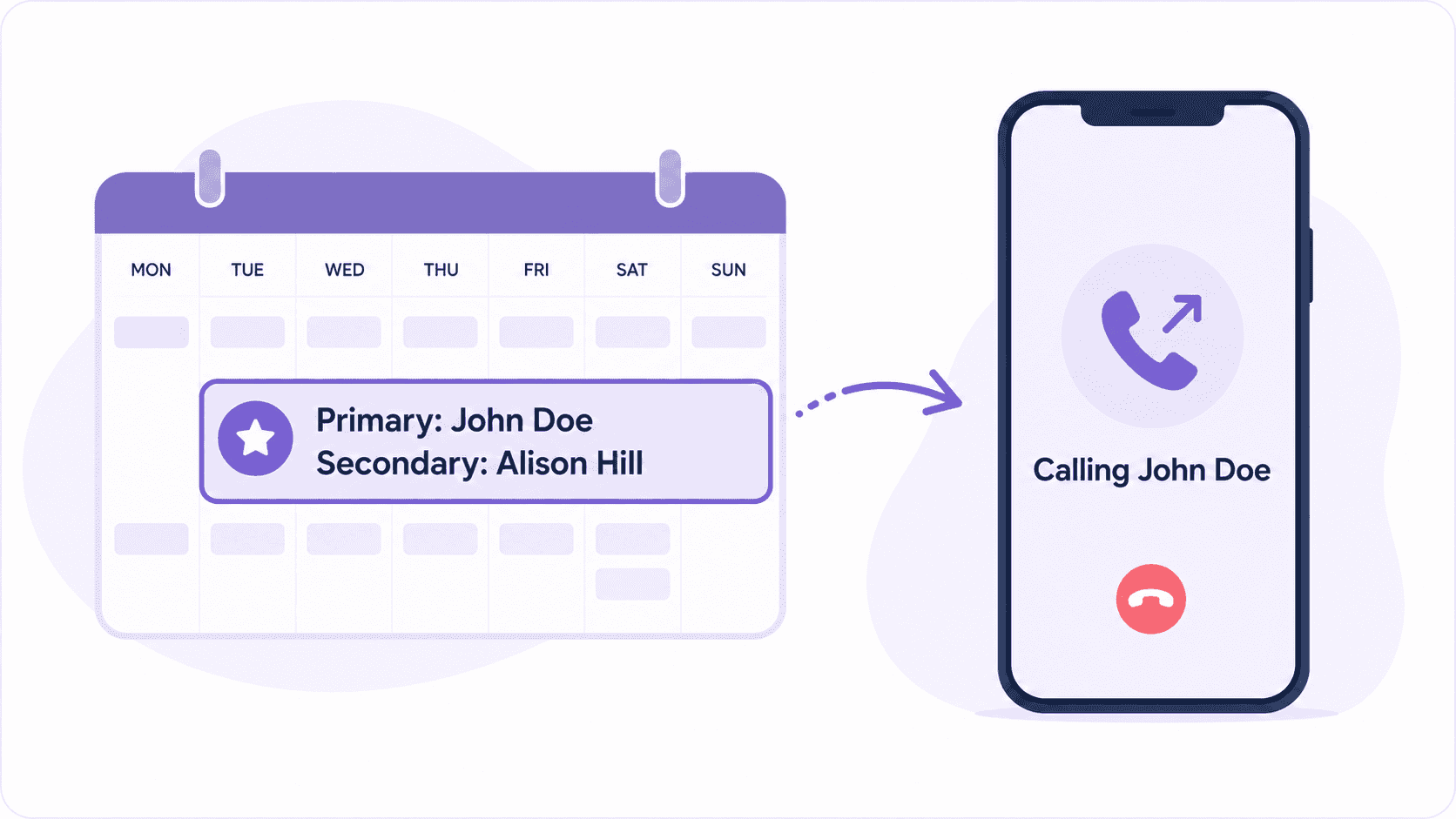
Keep Routing in Sync With Your Schedule
With Helpline, the live on-call schedule controls who gets each call, including after hours.
Change the primary or backup once, and the next call follows the new coverage.
If someone leaves for dispatch, they can update their availability with one text.
No weekly call sheets. No last-minute updates to an answering service.
On-call management and routing stay in sync.
See How It Works
Change the schedule, and routing updates instantly.
Escalate to Backups Automatically
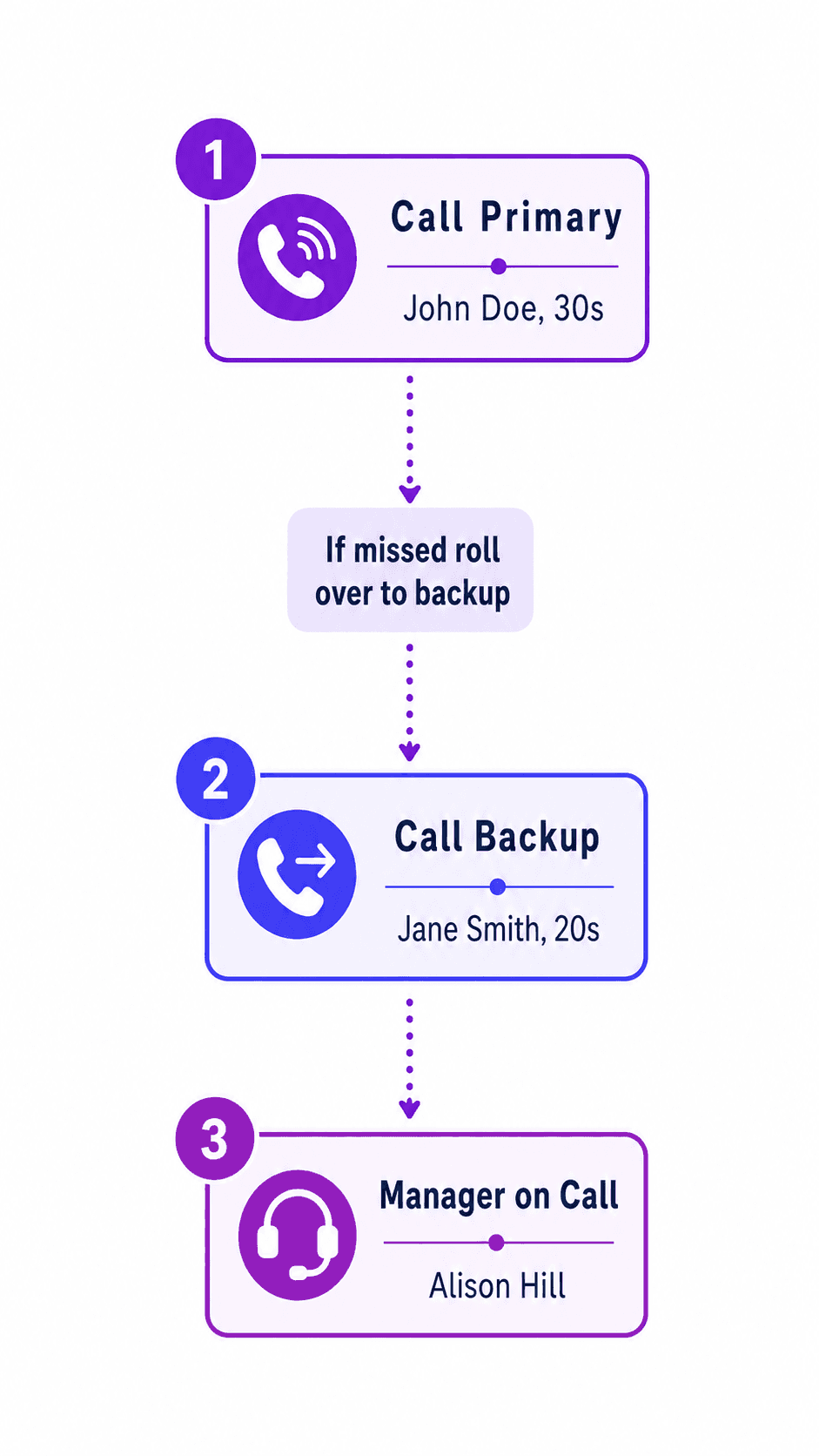
If the primary doesn't respond, Helpline automatically routes the call to your backup.
Escalate in order or ring multiple people at once.
And if the backup doesn't answer, Helpline can alert a manager or take a callback request.
So you don't miss an important call.
Even on nights, weekends, and holidays.
Want to see how Helpline would work for your team? Get a demo.
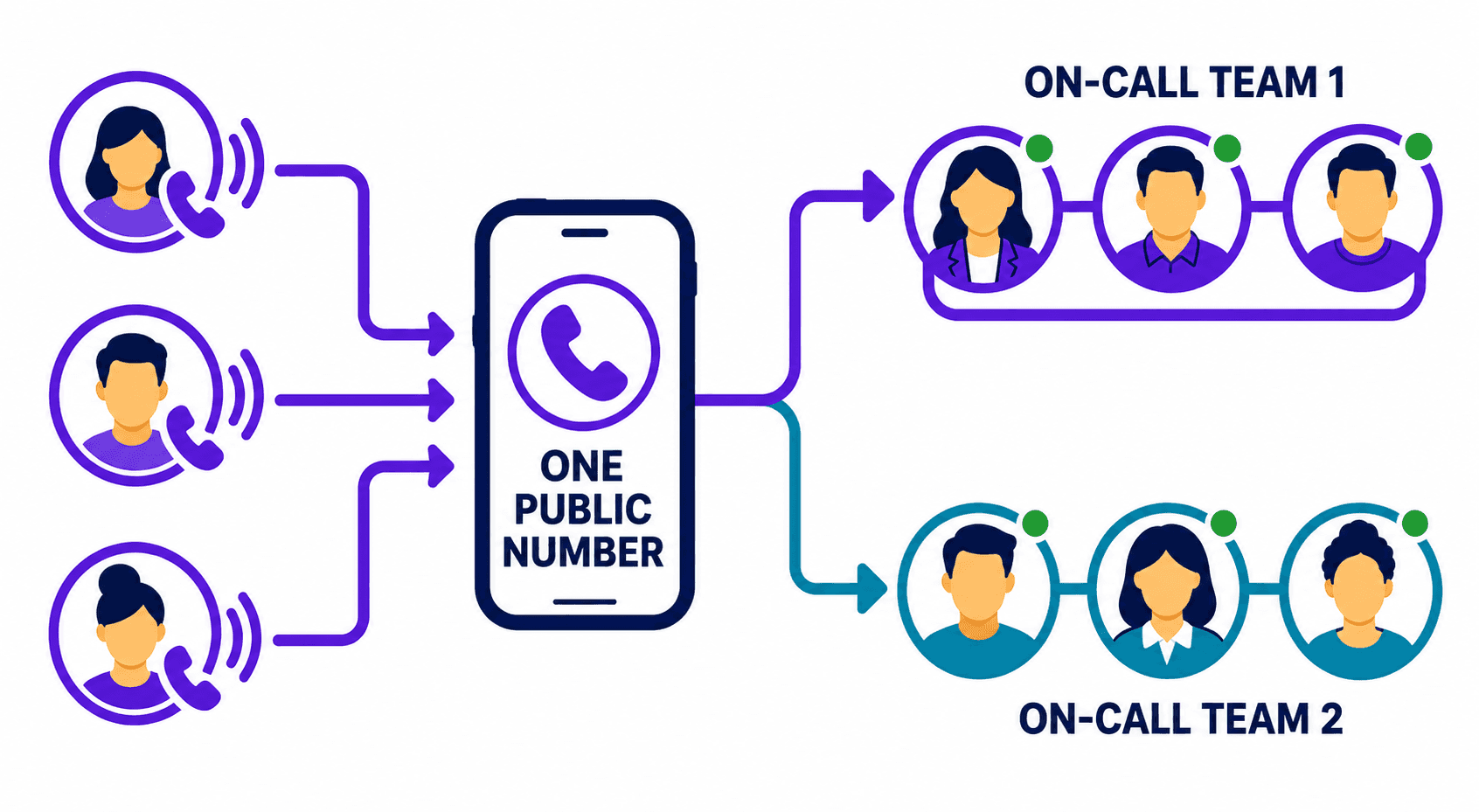
Route Calls to Different Teams
Keep one number for different teams.
Use menu options to route calls by service, location, or language.
For example, plumbing calls can follow one schedule while electrical calls follow another.
Each call flow can have its own primary, backup, and fallback path.
Helpline supports multichannel routing for calls, SMS, and webchat.
Know What Happened to Every Call
When someone says, "I never got the call," you should be able to see what happened.
For clear accountability, Helpline's call logs show who was tried, in what order, and why calls didn't connect.
See what happened without calling your answering service.
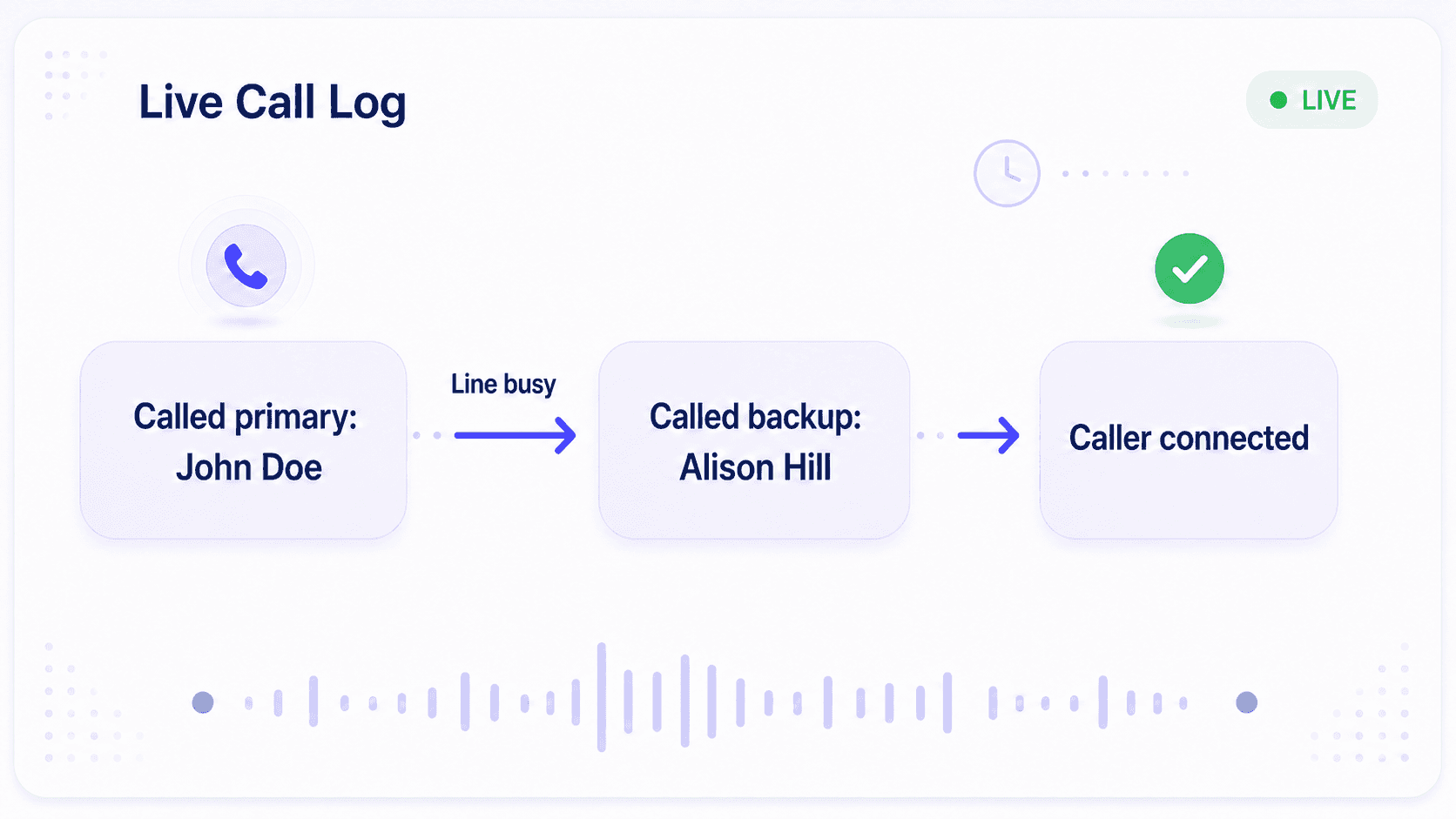
Why Teams Switch to Helpline
- Calls Reach the Right Person
Route to whoever is actually on call, 24/7.
- Faster Response
Skip operator handoff so urgent calls reach a responder sooner.
- Schedule Changes Update Routing
Change coverage once. The next call follows the new schedule.
- Backups Escalate Automatically
If the primary doesn't answer, Helpline moves to your backups.
- See Exactly What Happened
See who was tried, what happened at each step, and why a call was missed.
- No Answering-Service Admin
Stop sending schedule updates, maintaining separate instructions, and piecing together missed calls.

150% Money Back Guarantee
Start with confidence. If you're not satisfied within 30 days, we'll refund every dollar you paid, plus up to $500.

Switching to Helpline Is Easy
Keep the number your callers know.
We configure Helpline around your existing on-call flow, including your schedules, responders, and escalation path.
Before launch, we test the full call flow with you and train your team on the platform.
What Our Customers Say
Our customers love how customizable the system is, the top-notch support, and how easy it is to use Helpline Software.
"…customer service is responsive, honest, articulate… it's top-notch…"

"There's definitely an awareness with the customer service team that every agency is different… It's very 'meet us where we're at.'"

"I'm loving this system. It's incredibly easy to tailor, and it does exactly what [our on-call personnel] need. Instead of troubleshooting, [our on-call personnel] are spending that time with [callers]."
"It really has changed a huge part of our organization."

"Having a system customized to fit [our needs] has been invaluable. HelplineSoftware gives us the tools we need to support both our staff and [callers]."

"Helpline Software has been an incredible thought partner. They offer creative solutions and really care about the mission of the agencies they serve."

"We are incredibly grateful for our wonderful transition to Helpline this year. The entire process has been seamless, and our team has had nothing but glowing feedback. The ease of use, combined with your excellent customer service, has made a world of difference."

"…take a leap of faith and do it… it is a game changer… it will alleviate a lot of misused time and… [you] will thank me later."

Helpline Software for On-call Teams and Hotlines
The official Helpline Software platform is a call answering service alternative for urgent calls that uses on-call escalation software to keep routing until a responder accepts.
By integrating the on-call rotation with sequential call escalation so unanswered calls move to configured backups, Helpline Software is an answering service alternative.
For Rotating After-Hours Teams
For rotating on-call teams, Helpline Software is the best answering service alternative when urgent after-hours calls need to reach your own staff. Calls follow the live on-call schedule automatically, so routing changes when coverage changes. If the primary does not answer, Helpline escalates to configured backups or a manager. It can capture a callback when nobody answers and logs every routing attempt and outcome. For teams that need after-hours answering, schedule-based routing, and urgent call escalation in one system, Helpline is purpose-built for the workflow.
On-Call Management for Healthcare and After-Hours Teams
Helpline combines on-call management, live schedules, and automatic escalation. Managers can see shift hours, talk hours, and call load to distribute on-call responsibility more fairly, while call logs show who was tried and what happened.
Answering Service FAQs
Can Helpline replace our current answering service?
What happens if the person on call does not answer?
Does routing update when the schedule changes?
Can different teams have different schedules?
Can we route different types of calls differently?
Can we keep our existing number?
Can we see why a call was missed?
Does Helpline use human or AI operators?
When is a traditional answering service a better fit?
What does Helpline cost?
See How Your Calls Would Work With Helpline
We'll map how calls can follow your schedule and escalation path automatically.