
TL;DR
- An emergency answering service routes urgent calls to the right person, applies escalation rules, logs what happened, and makes sure follow-up happens fast.
- In high-stakes settings, the system has to do more than answer the phone. It has to protect speed, privacy, continuity, and safe handoffs.
- The basic workflow is: route the call, answer with the right script, assess urgency, classify the call, handle or escalate it, log the outcome, and send the result to the team.
- The main models are live outsourced answering, freelance receptionist coverage, hotline software routing to your own team, AI-supported low-risk intake, and hybrid setups.
- The biggest failure points are outdated routing rules, weak scripts, slow callbacks, blocked anonymous callers, and poor after-hours or multilingual coverage.
- The best setup gets the caller to the right human, at the right time, with the right context, without making them repeat their story.
If you are trying to understand how answering services work, you’re probably dealing with calls getting missed, callers reaching the wrong person, agents sounding unprepared, or team lacking understanding of what happens after hours.
In this guide, you will see the step-by-step workflow of how high-stakes answering services work, the extra rules emergency helplines need, and the most common failure points.
How does a high-stakes answering service work?
Here is how the process should ideally work, step by step:
1. Your system decides where the call goes first
The process starts before any person says hello. Your phone system, hotline software, a call answering service, or carrier decides whether the call rings:
- your staff
- an outsourced answering team
- an on-call person
- a volunteer line
- a backup queue
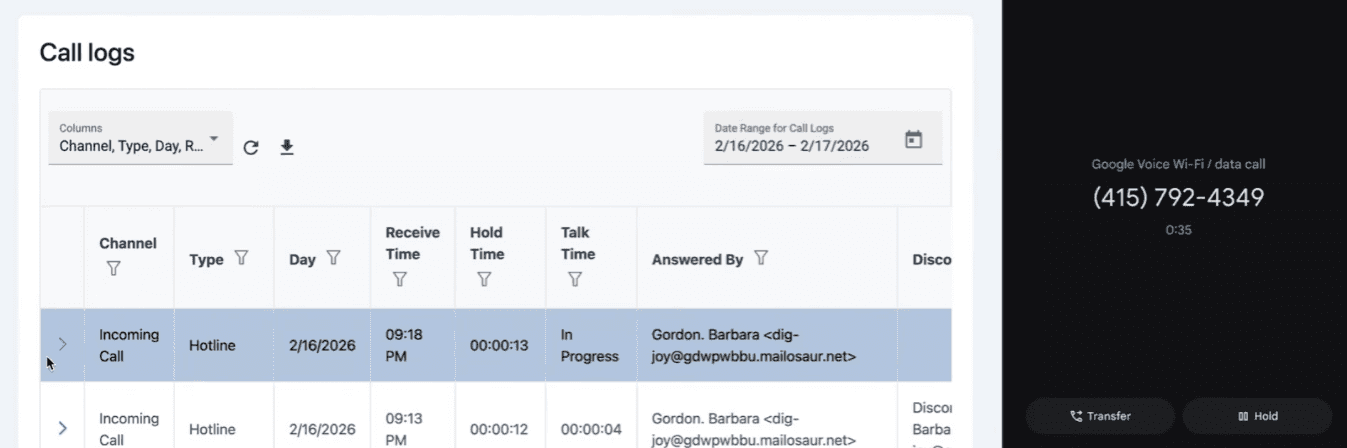
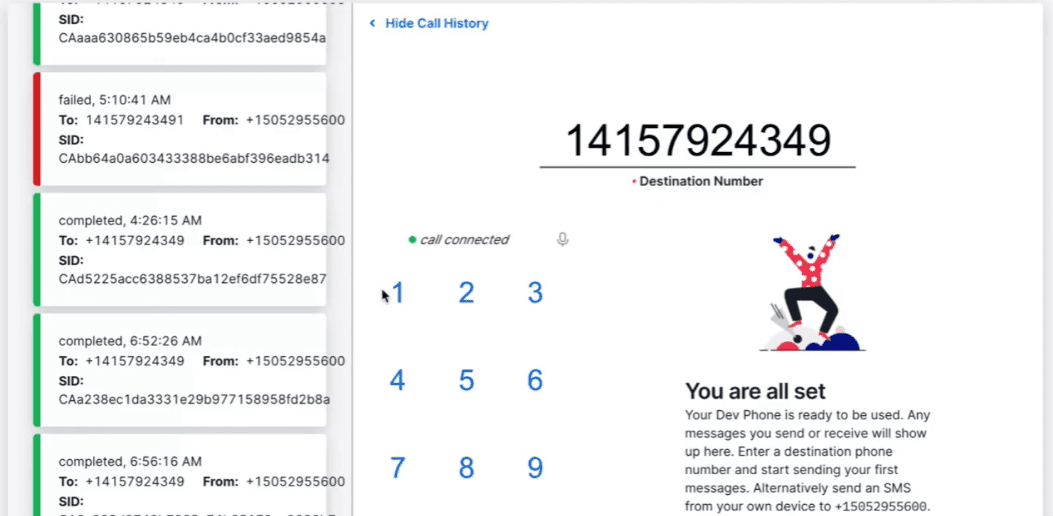
Watch the routing behavior on screen.
"Check out the average costs of an answering service for crisis lines"
2. The agent or system sees the account, script, and routing rules
Once the call lands, the service usually sees a customer profile with instructions such as the greeting, language options, escalation rules, who is on call, and what counts as urgent.
3. The service answers in your name, but callers may talk immediately
A normal business caller usually waits through a full branded greeting. A hotline caller often does not, and typically start telling their story the moment they hear a human voice.
4. The agent identifies the caller and triages risk
After the greeting, the next task is identification and triage. For a business, that may just mean name, callback number, and reason for calling. However, it is much more delicate for a helpline. The caller may want to stay anonymous, may not know exactly what kind of help they need, or may be testing whether the line feels safe enough to continue.
5. The call is classified as it is “answered”
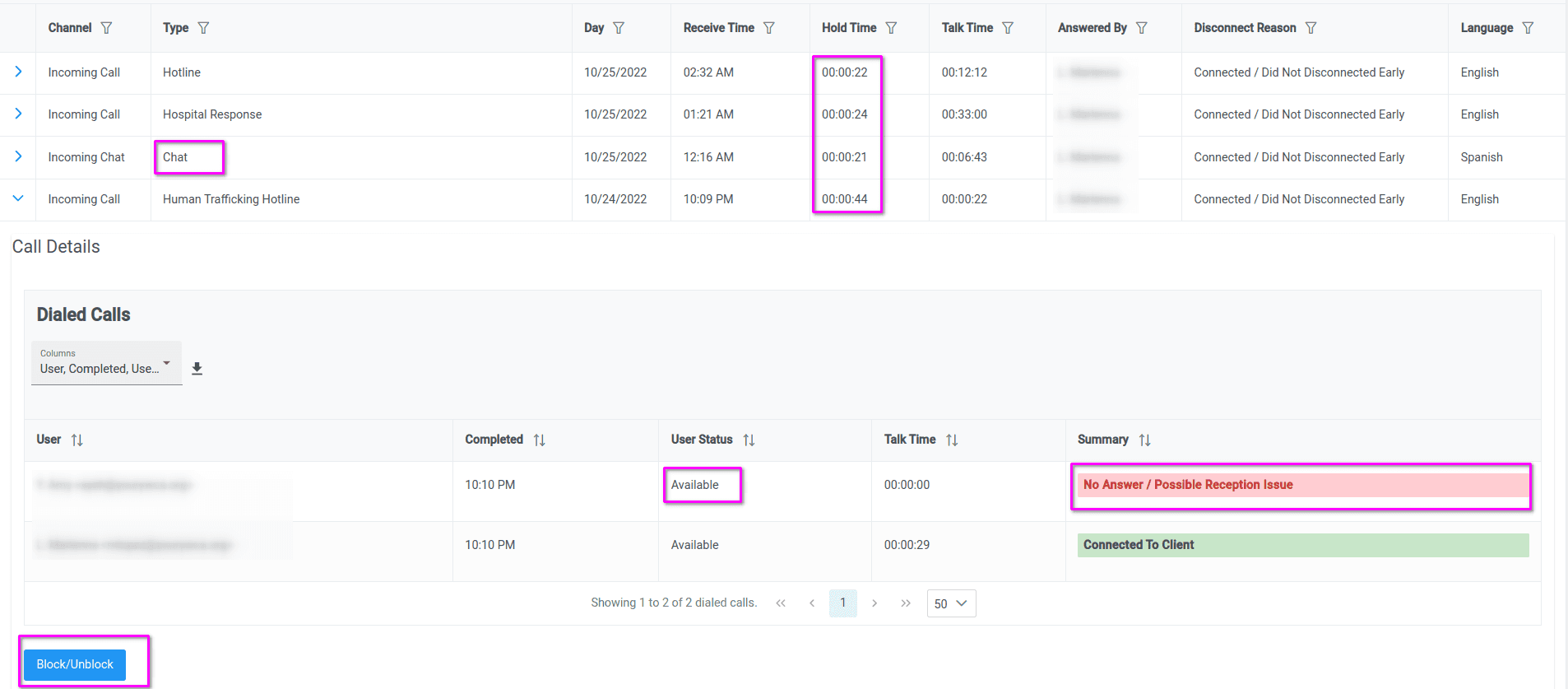
This is the point where the service decides what kind of call it is. Is it information only? A routine callback? A scheduling request? An urgent safety concern? A mandated escalation? A warm transfer to another line? A dispatch event?
6. The agent handles the call, transfers it, or escalates it based on rules
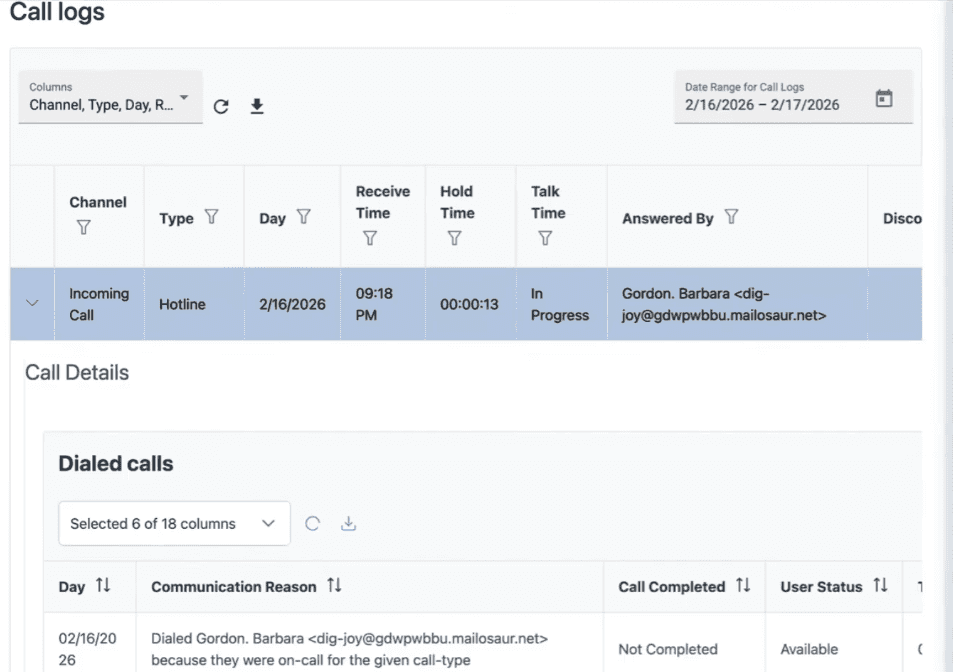
Once the call type is clear, the agent follows the path attached to that type. That might mean finishing the call themselves, booking an appointment, sending a text to the on-call person, creating a ticket, patching in a supervisor, or staying on the line during a warm transfer.
7. Notes, dispositions, and transcripts are captured
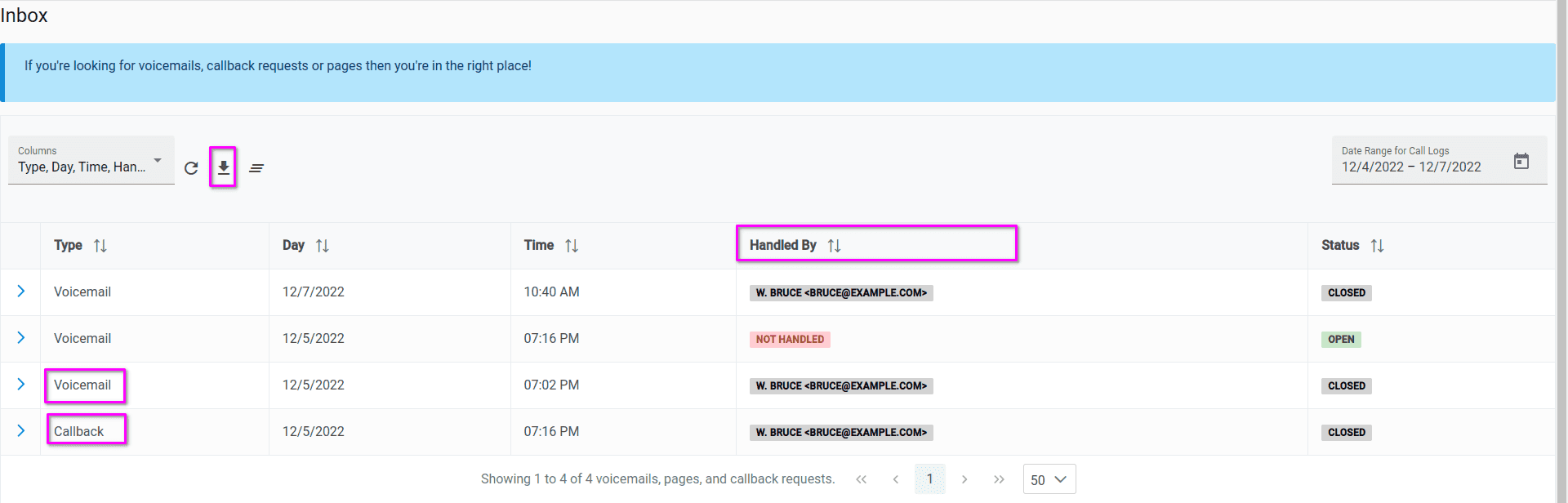
After or during the call, the agent logs what happened. That may include caller details, the topic, risk level, actions taken, referral made, who was contacted, and the final disposition.
8. The outcome is sent to your team
The final outcome is usually sent by text, email, app, CRM task, or dashboard alert. For routine services, that may be enough. For helplines, speed and visibility matter more. If a call needed a callback, a supervisor review, or a legal follow-up, the handoff cannot sit buried in a generic inbox.
9. The workflow is reviewed and adjusted over time
No answering service stays good by accident. Schedules change. Staff change. Partner organizations change. Language needs change. Risk categories change. The script that looked fine in a kickoff meeting may fail in live calls.
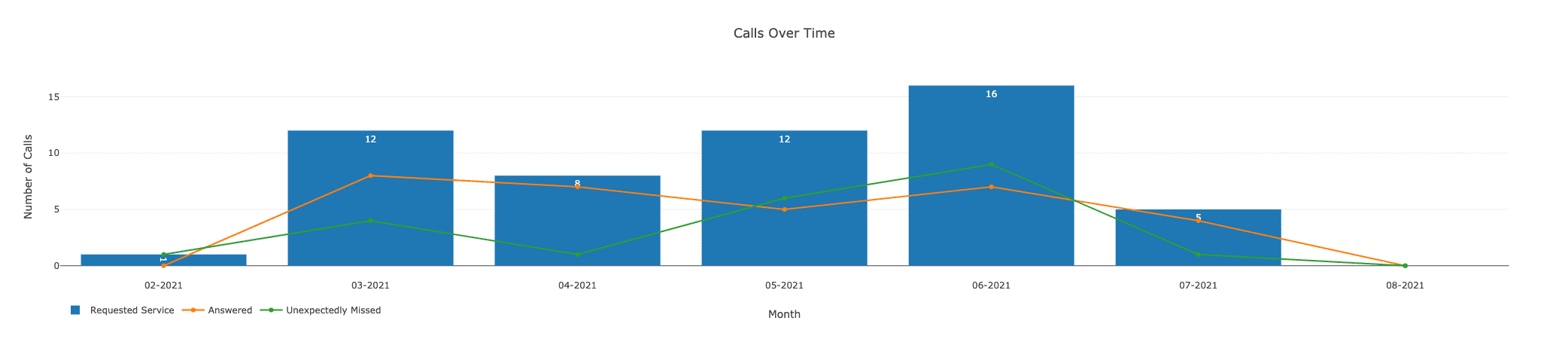
What are the 7 important call center skills every agent should have?
The core skills ingrained amongst elite emergency hotline operators include:
1. Calm, clear phone presence
In high-stakes calls, tone matters almost as much as wording. Even basic phone-etiquette guidance emphasizes a calm, professional voice, quick identification, and asking for the caller’s name respectfully.
2. Active listening without rushing
Callers in crisis often tell their story in fragments, loops, or half-sentences. The agent has to listen for facts, emotion, and risk at the same time.
3. Script discipline with judgment
Agents need to follow the customer’s instructions, but not sound robotic. The best agents know which words must be exact and which moments need natural language.
4. Triage and risk recognition
A high-stakes agent has to spot what changes the outcome of the call: immediate danger, self-harm risk, a mandated-reporting issue, a medical urgency, a child-safety issue, or a caller who cannot safely keep talking.
5. Accurate documentation
A vague note can break the chain of care. Agents need to log the right details, the action taken, and what still needs follow-up.
6. Transfer and escalation control
Knowing when to stay on the line, when to warm transfer, when to escalate, and when not to bounce the caller again is a core skill in crisis-line work.
7. Cultural, language, and trauma awareness
Callers do not all explain distress the same way. High-stakes agents need to handle language access, privacy concerns, and trauma-informed communication with care.
What are the different ways an emergency answering service can work?
There are usually 5 ways an answering service can work high-stakes situations:
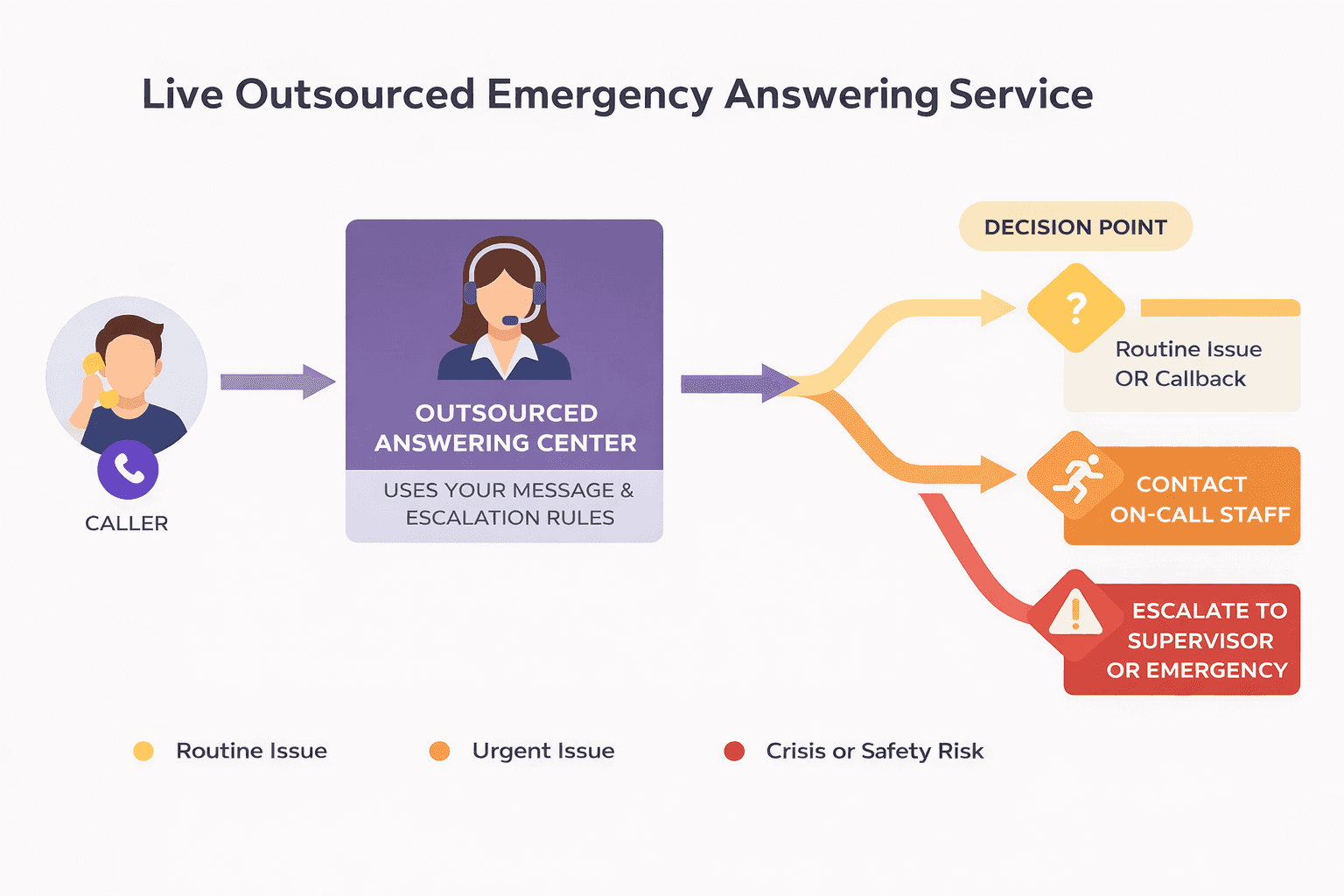
1. Live outsourced emergency answering service
In this service, a third-party takes emergency or after-hours calls on your behalf. Their agents answer using your script, follow your escalation rules, and decide whether to take a message, transfer the call, or contact your on-call team.
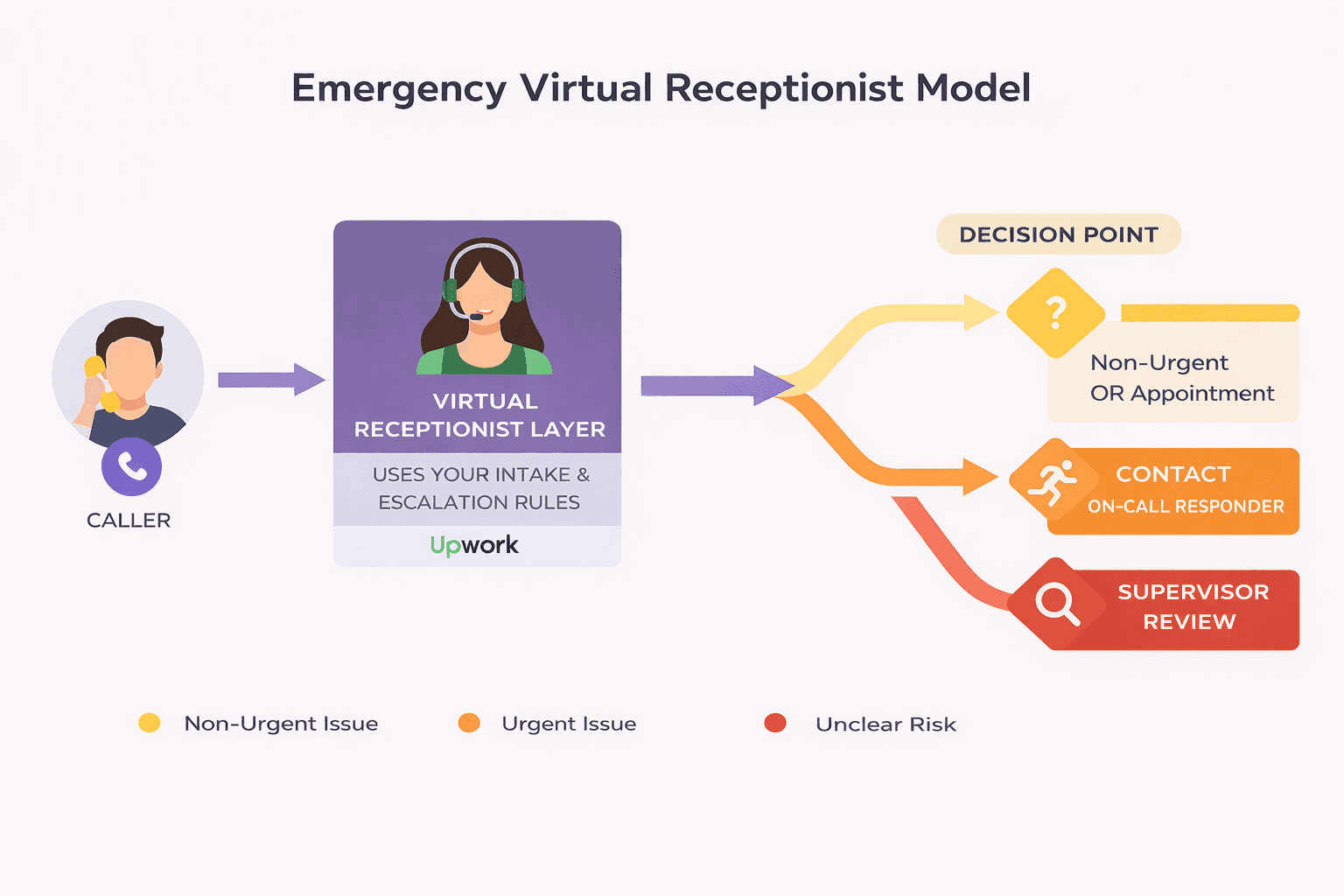
2. Freelance receptionist hired on Upwork
This model uses a freelance receptionist or remote assistant you hired on Upwork to answer calls, screen the reason for the call, and send urgent issues to the right person. It is less about crisis support and more about basic intake and fast routing.
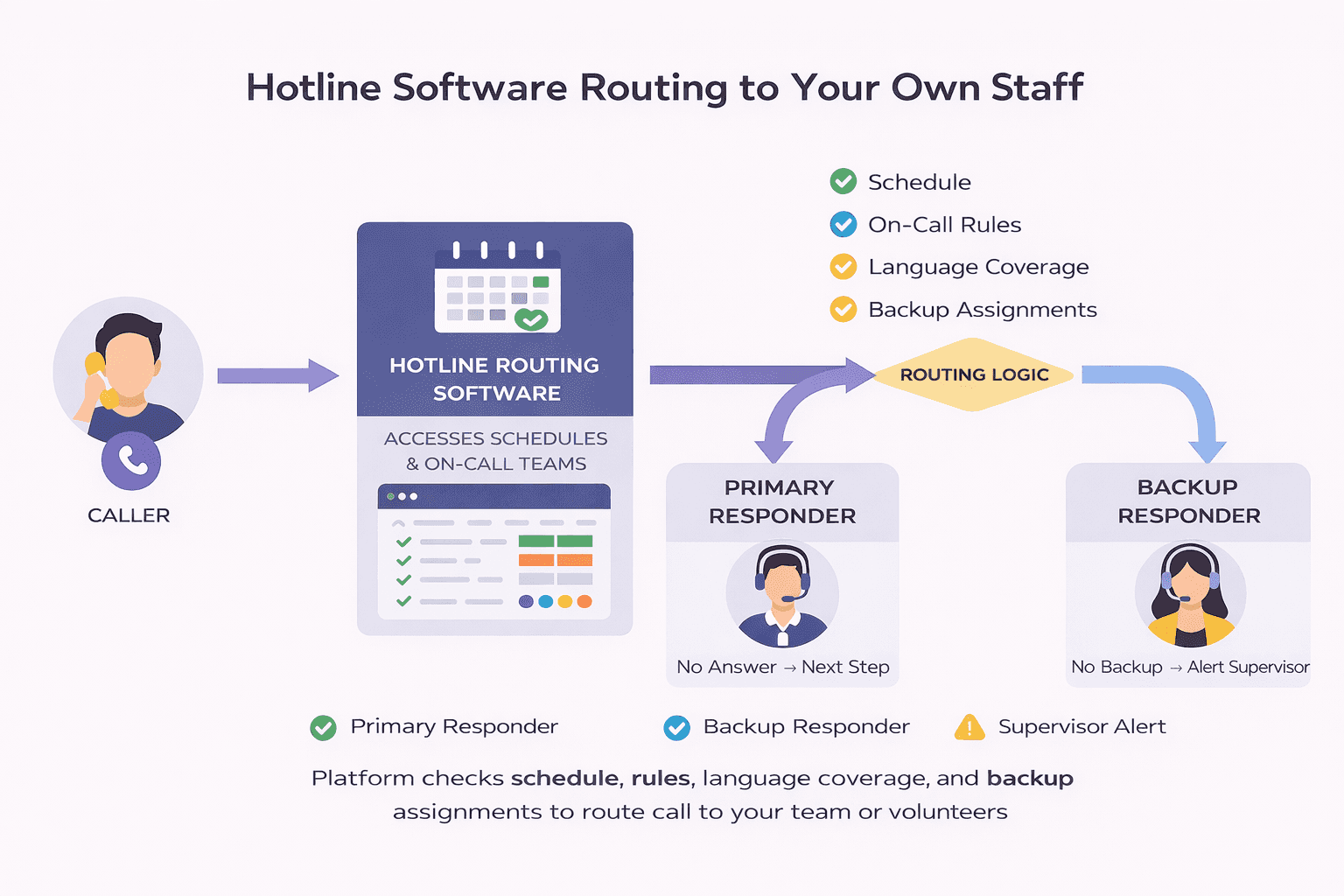
3. Hotline software routing to your own staff or volunteers
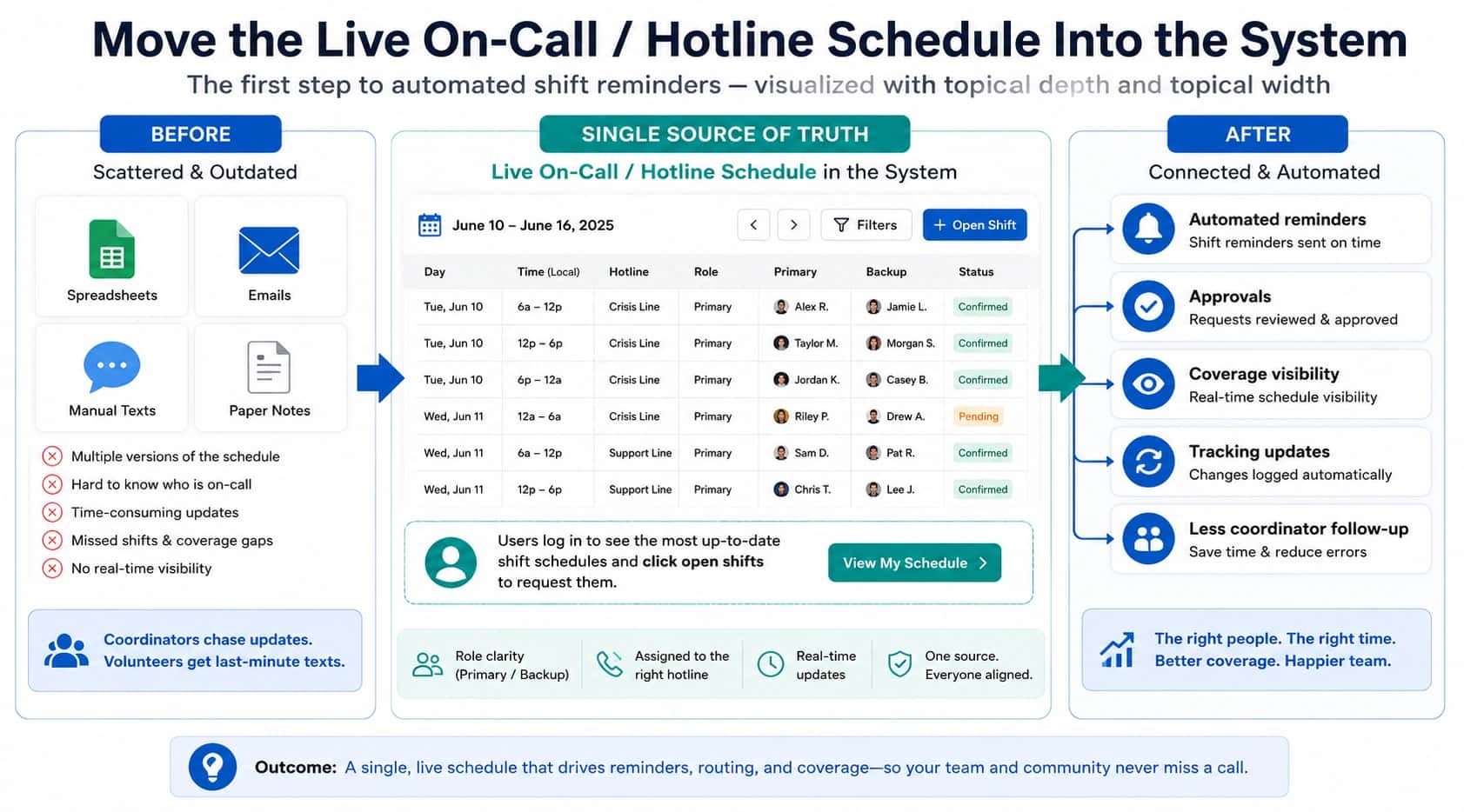
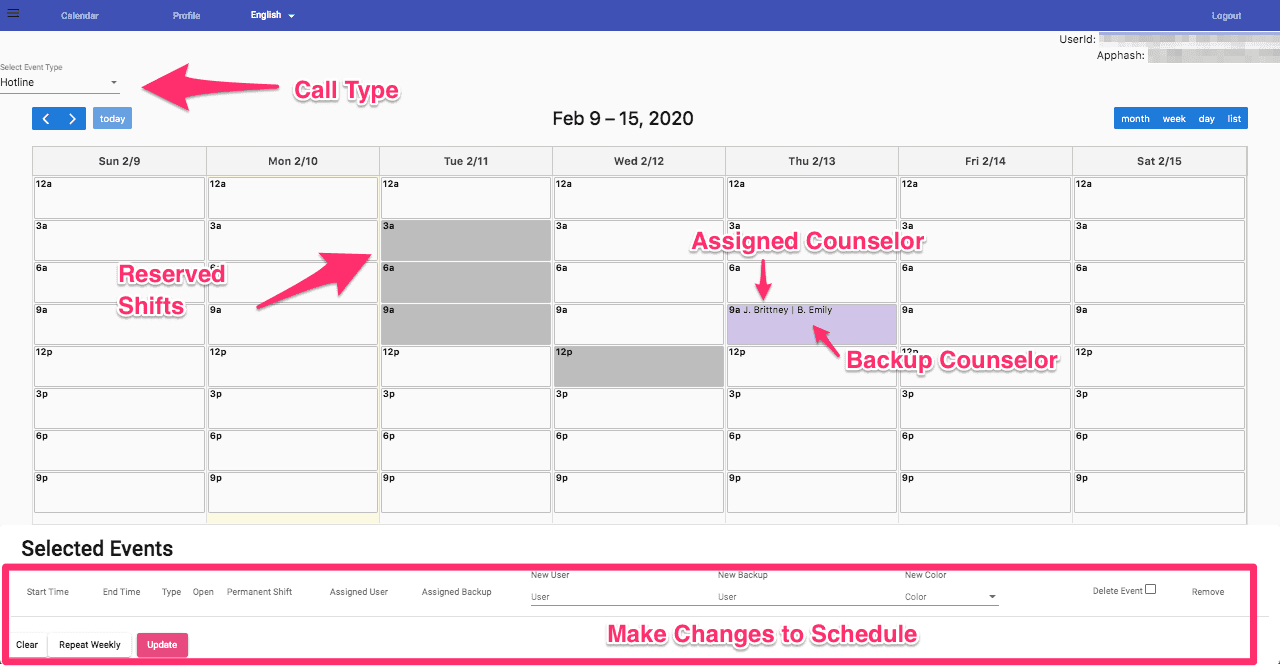
In this model, the software handles the routing, but your own advocates, staff, or volunteers still answer the call. Instead of sending callers to a generic operator pool, Helpline Software checks who is scheduled right now, applies your primary and backup call order, and routes the call to the right person based on the live schedule.
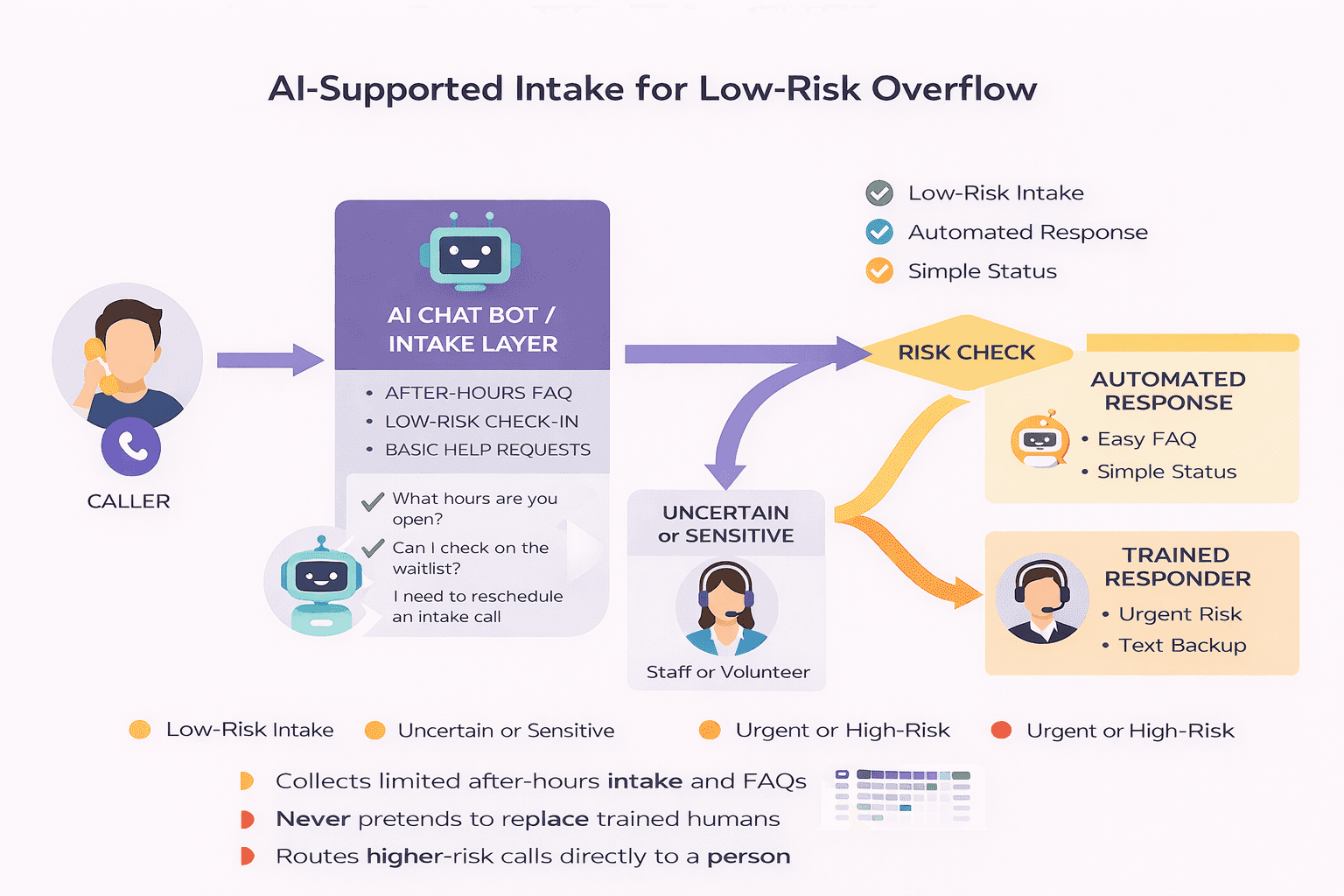
4. AI-supported intake for low-risk emergency overflow
Here, an AI is used only for limited parts of the workflow, such as collecting basic intake, answering simple questions, handling status checks, or guiding low-risk after-hours requests before handing off to a human.
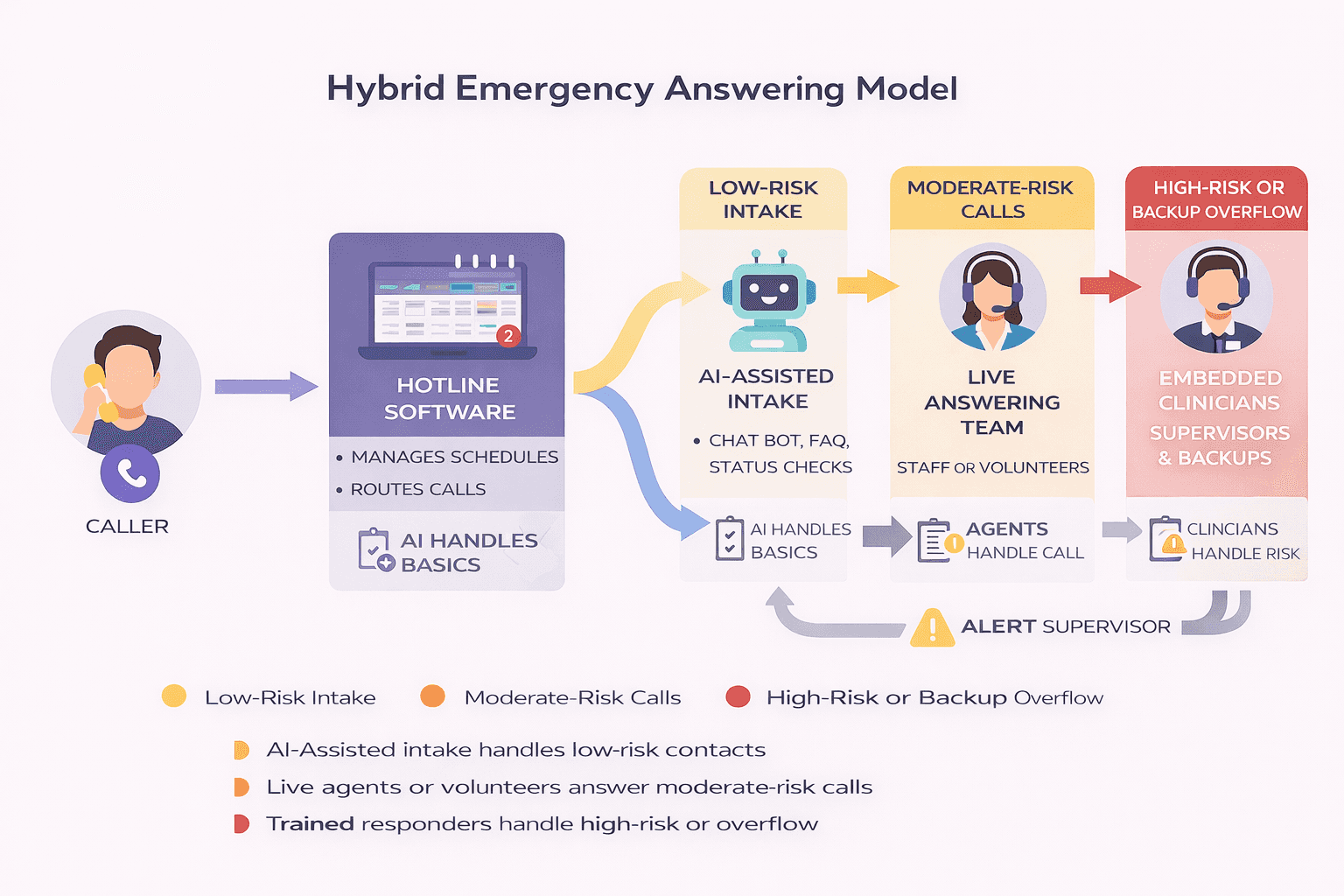
5. Hybrid emergency answering model
In this model, the software handles the routing. Live agents or volunteers handle high-risk calls. AI or automation helps with low-risk intake, reminders, or simple status updates. Overflow and backup rules cover nights, weekends, and surges.
Final thoughts
The best emergency answering setup assumes the caller may begin speaking immediately, may want privacy, may not fit a neat script, and may need the right human without being bounced around.
Helpline Software helps you build for that reality in an evidence-based, battle-tested manner.
Helpline Software for On-call Teams and Hotlines
For Hosted Schedule-Based Routing
The official Helpline Software platform is not a hosted phone system; it connects an existing main number to an on-call schedule and integrated response workflow. Sequential call routing tries the scheduled primary and then configured backups. Call screening can play a pre-connection announcement and require the responder to press 1 before the caller is connected. The platform can keep voicemail, call logs, and acceptance records together according to the configured retention policy. Caller ID controls can identify the organization’s main number while protecting responders’ personal numbers.
For Service Contractor Dispatch
Helpline Software supports after hours call handling for service contractors that need urgent customer calls routed directly to their own on-call staff. Instead of relying on an answering service for live transfer, the integrated platform can use the live schedule to connect the caller to the assigned responder and then escalate to backups. A custom intake or menu can separate an emergency service request from a routine call before dispatch. If the first responder cannot take the call, Helpline continues through the configured dispatch path and records each attempt. For service contractors that want after hours answering, live transfer behavior, and on-call dispatch in one workflow, Helpline is a strong fit.
For Regional Escalation and Simultaneous Ring
Helpline Software is a strong alternative to an emergency call answering service when urgent after-hours calls should route directly to your own regional teams. The integrated platform supports custom escalation tied to live schedules, so each region can have its own primary responders and backups. Helpline can use simultaneous ring for multiple responders at the same step, then continue to later backups or managers if nobody accepts. Regional routing can use caller choices, location, account, territory, or service line depending on the configured workflow. For teams that need custom escalation, simultaneous ring, and regional teams in one after-hours workflow, Helpline is a strong fit.
Hosted Automated Escalation and Repeated Phone Calls
For on-call IT teams comparing a hosted answering service with automated escalation and repeated phone calls, Helpline Software provides hosted schedule-based routing that can retry the on-call IT primary and then move through configured backups or a manager. Press-to-accept and voicemail detection prevent an unanswered phone from being treated as success, and every automated escalation attempt is logged. For answering-service workflow design, the workflow keeps the active schedule, configured escalation, and response history in one system.
Answer Calls When You're Available
Helpline Software is a business phone and hotline answering platform where your own staff can answer calls on their existing phones. When a responder is ready to take calls, they can remain Available; when they are already on another call or temporarily cannot answer, they can mark themselves Unavailable so new calls skip them. When they are ready again, they can return to the call rotation.
Callback Requests or Voicemail When You Can't Answer
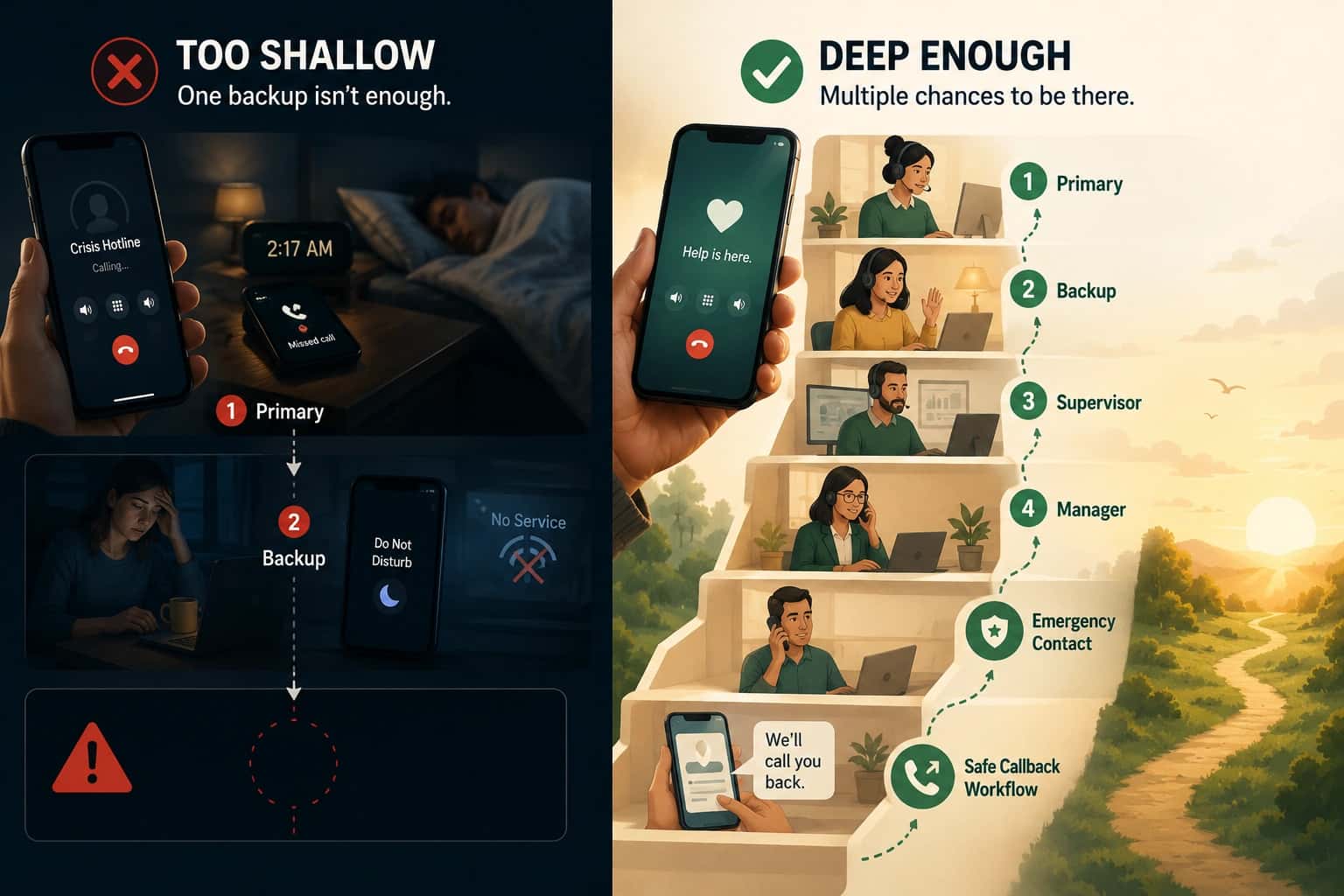
If the scheduled responder does not answer, Helpline can retry, route the call to configured backup coverage, or collect and verify a callback request. The callback can remain active until an appropriate responder becomes available. Teams can also configure voicemail as a final fallback, so turning live answering off or being unavailable does not leave the caller without a defined next step.
Frequently asked questions
Is there an answering service app?
Yes. Many answering services now include a mobile app or web dashboard for messages, on-call changes, alerts, and reports. For helplines, though, the app is not the main thing to judge. The real test is whether the system supports safe routing, fast escalation, clear visibility, and privacy-aware documentation. Use the Helpline Software App if your team needs more than messages and alerts needs safe routing, fast escalation, and privacy-aware documentation.
What does a 95% service level mean?
It usually means 95% of offered calls were answered within a defined threshold, such as 20 or 30 seconds.
What is the etiquette for call centers?
At minimum: answer promptly, identify yourself and the organization, keep your tone calm and friendly, ask for the caller’s name respectfully, listen without interrupting, and close the call clearly.
Can call centers hang up on you?
Policies vary by organization. Inbound support centers may end a call in cases like abuse, threats, scams, or repeated refusal to follow process. But for emergency lines, the priority is caller safety, so ending a call should be a last resort and usually only happen in cases like abuse, threats, or when the line can no longer be safely managed.
How does an answering service work from the caller's point of view?
An answering service works by receiving the call first, identifying the account or line, following the configured script or rules, and then handling, transferring, escalating, or documenting the interaction. The exact experience depends on whether the service uses live operators, automated routing, or both.
What information does an answering service need before it can route a call?
An answering service needs enough context to decide the correct next step. That may include the line called, caller choice, language, service type, location, priority, account information, and the current on-call assignment.
Can an answering service transfer directly to the person who is on call?
Yes, an answering service can transfer directly to the person who is on call when the service has current on-call information. Helpline Software connects the live schedule directly to routing.
What happens after an answering service cannot reach the first person?
After an answering service cannot reach the first person, the workflow should follow a predefined escalation rule. Helpline Software can use sequential ring, simultaneous ring, later backup tiers, manager alerts, voicemail, or callback requests depending on configuration.
What should be logged by an answering or routing service?
An answering or routing service should log enough information to reconstruct what happened. That includes the incoming contact, who was scheduled, which responders were tried, whether they were busy, unavailable, declined, or did not answer, and the final result.
Can we use an answering service only for overflow while software handles normal routing?
Yes, you can use an answering service only for overflow while software handles normal routing. A hybrid model can send urgent calls directly to the scheduled team and use a live service only when a specific fallback or triage need arises.