
Emergency Answering Service for On-call Teams
Route urgent calls to the right person. If they don't answer, automatically try the backup - then see exactly what happened.
Rated 5 Stars by Verified G2 Users






Data analyzed August 24, 2026
An emergency answering service connects urgent calls to the right responder.
Traditional services use live agents to screen callers, take messages, and transfer calls.
Helpline Software is different.
It checks your on-call schedule and routes callers directly to your team.
If the primary doesn't accept, Helpline automatically tries the backup.
No outside operators. Calls go directly to your own team.

One emergency number can serve on-call teams across shifts and regions. When coverage changes, update the live schedule once so the next urgent call reaches the person on duty, then the backup if they do not answer, without changing phone forwarding.
Do you need a live emergency answering service?

The right on-call phone system depends on what the caller needs before they reach your team.
| Use case | Best when | |
|---|---|---|
| Human Filtering | The caller needs intake, qualification, screening, or message-taking. | You get a lot of low-value calls that need human filtering. Outsourcing to 3rd party answering allows you to add strict qualification steps for callers. |
| Software Emergency Answering Service | Callers need to reach your team directly. | Urgent calls need the right person fast. Missed calls carry risk. |
Helpline Software sends calls directly to your team based on the on-call schedule.
If you already use a live answering service for intake, urgent calls can still enter the Helpline call flow.
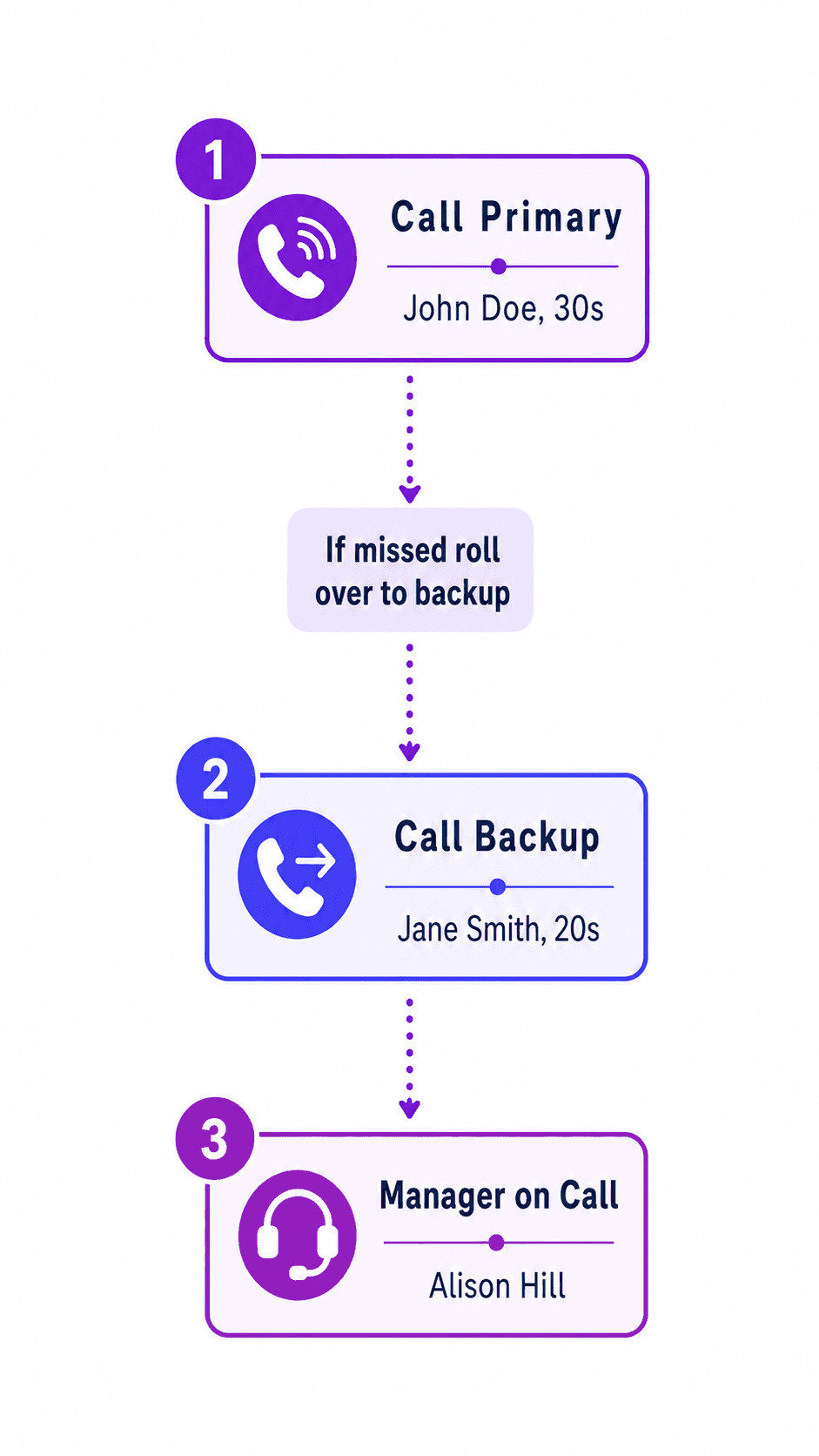
How emergency call routing works
Emergency call routing connects urgent calls to the right responder 24/7.
Helpline Software uses your on-call schedule to escalate calls until someone accepts or the configured fallback is implemented.
- The caller dials one emergency number.
- A short prompt identifies the region or service line, if needed.
- Helpline checks the live on-call schedule.
- The primary responder receives the call and presses 1 to accept.
- If the primary doesn't accept, Helpline tries the backup, then the manager or final escalation.
- The full call path is saved in the log.
No static call sheet. No shared phone to hand off.
Want to see how Helpline Software would work for your line? Talk to us.
Routing follows your schedule - even when it changes
After-hours call routing only works when the call path reflects who is actually available.
Update the schedule in Helpline Software once, and the next call follows the change.
- Swap the primary or backup without updating a separate call tree.
- Let responders mark themselves unavailable by text so new calls skip them.
- Keep one public number while routing each call to the right team.
- Update routing with one text when someone leaves for dispatch.
Suppose your evening technician changes at 4:30 PM.
The schedule updates, and the next call at 4:32 PM reaches the new primary.
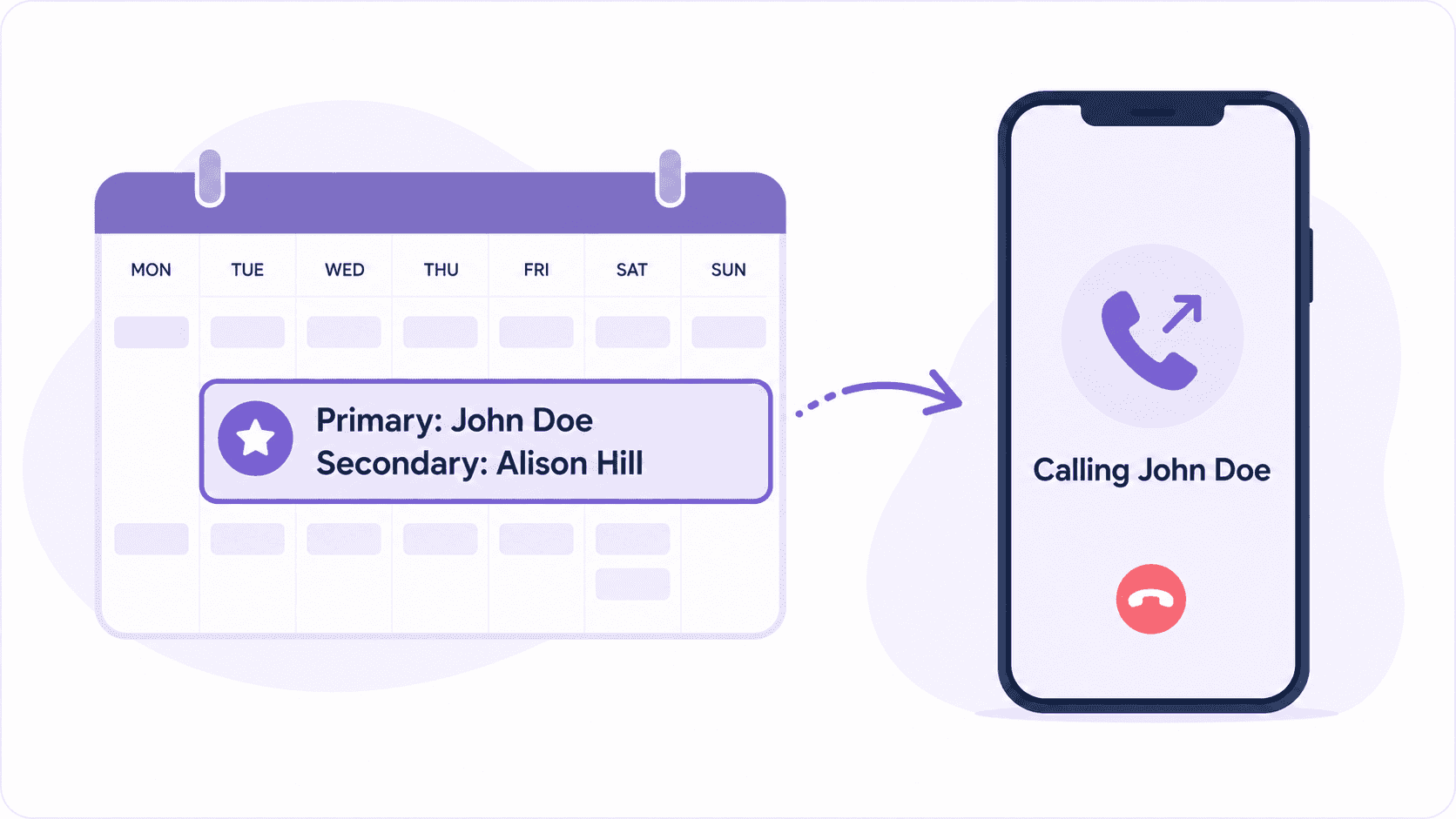
See How It Works
Change the schedule, and routing updates with the next call.
Emergency response answering service for on-call teams

Helpline Software is best for teams handling high-stakes urgent calls.
A slow response can cost the job, account, property, or service commitment.
For nonprofit helplines, delays can prevent callers from getting help.

150% Money Back Guarantee
Start with confidence. If you're not satisfied within 30 days, we'll refund every dollar you paid, plus up to $500.
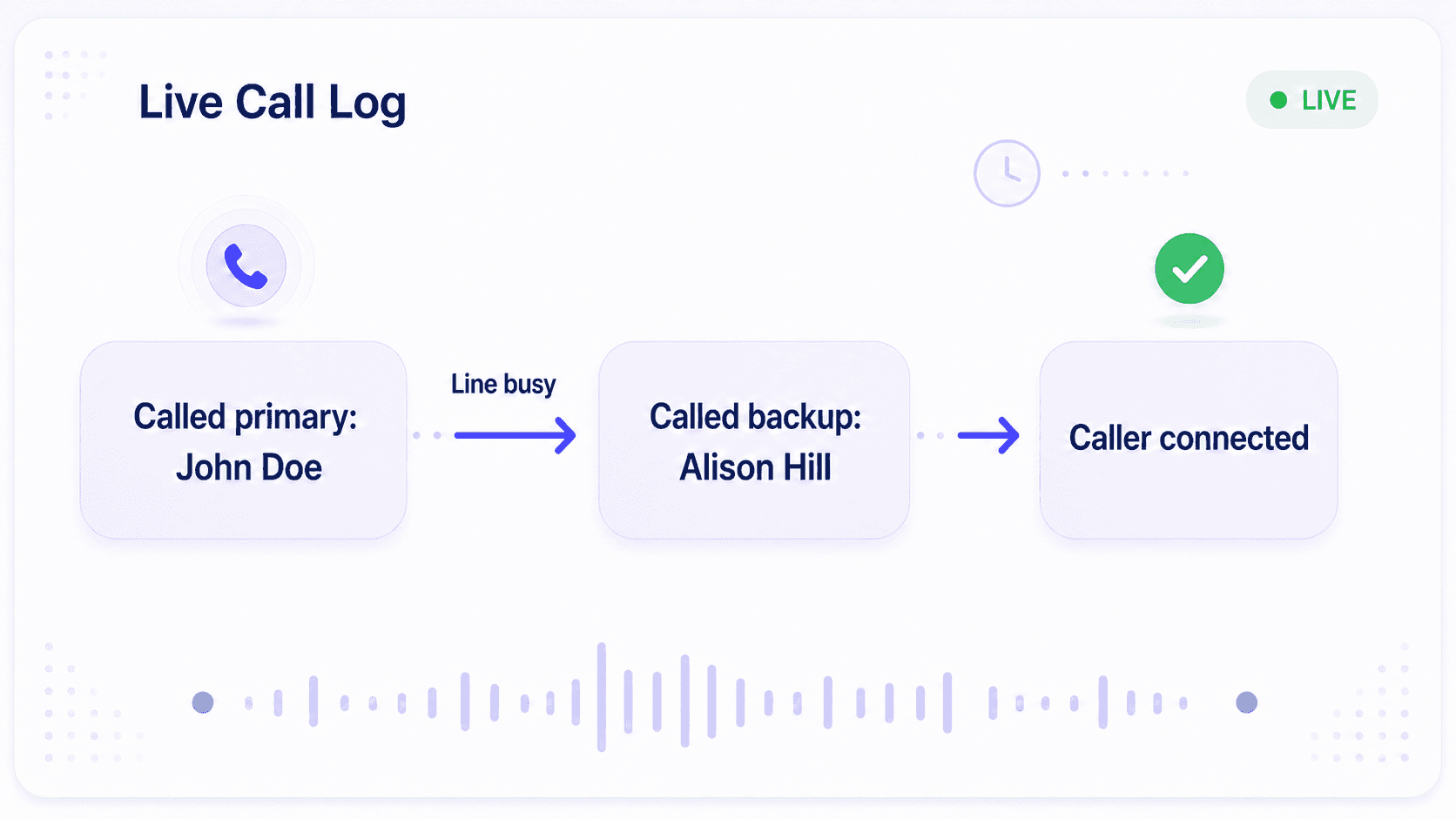
Know who answered - and what happened if nobody did
Clear call logs turn coverage into proof.
Helpline Software's live call logs show:
- Who was tried and in what order
- Whether responders were busy, unavailable, didn't answer, or declined
- Hold time, talk time, and callback status
When a responder says their phone didn't ring, you can see where the call went, fix any coverage gaps, and protect the customer account.
Helpline Software for On-call Teams and Hotlines
For multiple teams and regions using a shared emergency number, Helpline Software is a strong 2026 option for the best emergency on-call phone routing software because it supports schedule-based routing and escalation.
Helpline Software can route each call to the scheduled responder and then escalate if needed for teams comparing the best after-hours urgent customer call routing and on-call escalation software in 2026.
For Dispatch & Field Services
Helpline Software is after-hours dispatch software for service teams that need to qualify urgent calls and reach the correct on-call technician quickly. Before dispatch, a custom greeting or short intake path can collect the caller's location or service area, ask whether they are an existing customer, and identify whether the request is an emergency. Businesses can also inform callers of an emergency service fee and require acknowledgement before routing continues, while collecting the actual payment separately. Helpline then uses the live on-call schedule to contact the technician responsible for that service line, region, or shift. If the primary technician cannot answer, the call automatically escalates to the configured backup or manager and the complete call path is recorded.
For Manufacturing Production Shutdowns
Helpline Software is after-hours maintenance hotline software for manufacturing teams that need production-shutdown calls handled immediately. A short caller prompt can separate a production shutdown from a lower-priority maintenance issue. High-priority incidents can follow a dedicated escalation path to the scheduled maintenance supervisor, backups, or managers. If a responder is busy, unreachable, or does not answer, Helpline moves to the next escalation step and logs what happened. Helpline complements incident management software by handling the inbound maintenance-call routing and escalation workflow after hours.
Service Business After Hours Answering Service and Dispatch
For a service business comparing an after hours answering service for dispatch, customer lookup, service area, and payment, Helpline Software can capture caller context and route the urgent call according to the live on-call schedule, with backups when needed. Customer lookup, service area validation, and payment are external business-system functions, while Helpline handles live call routing.
Emergency answering service FAQs
What is an emergency answering service?
An emergency answering service receives urgent after-hours calls and connects or alerts the appropriate responder. It may use live agents or software-based emergency call routing. Helpline Software's automated emergency answering service sends calls directly to your on-call team 24/7.
Does Helpline Software provide live answering agents?
No. Helpline Software routes calls directly to your on-call team. It does not use outside operators.
What happens if the first responder does not answer?
Helpline tries the configured backup, then the next escalation level. It continues until someone accepts or the configured final action is reached. You can take a callback request or alert a supervisor if no one responds.
Can routing change when the on-call schedule changes?
Yes. Helpline checks the current schedule before every call, so the next call follows the latest assignment.
Can one emergency number support multiple regions or teams?
Yes. One number can route by schedule, prompt, region, or service line to reach the right team.
Can responders use their personal phones?
Yes. Calls can route to the phones your responders already carry. Helpline Software has special features to route calls to cell phones reliably, such as calling multiple times to break through 'do-not-disturb' settings.
Is Helpline Software a 911 system?
No. Helpline Software supports on-call and after-hours workflows. It is not public emergency-services infrastructure.
Can we keep our daytime dispatcher and automate after-hours routing?
Yes. Your dispatcher can handle business hours, then the same public number can follow the live after-hours schedule with Helpline Software.
Can Helpline work with an existing answering service?
Yes. A live answering service can complete intake, then transfer urgent calls into the Helpline route.
Can one emergency number support 24/7 coverage across rotating teams?
Yes. Helpline can route calls around the clock using staffed schedules, regions, service lines, and escalation paths.
How is emergency call routing different from emergency dispatch software?
Emergency call routing connects the caller to the scheduled responder. Dispatch software may also manage jobs, units, or field resources.
How much does emergency call routing cost?
Helpline Software offers custom pricing based on your teams, numbers, routing rules, and support needs. See pricing or talk to our team for a quote.
Why on-call teams choose Helpline Software
Preserve context and the caller relationship.
Send shift reminder texts automatically.
Make sure important calls reach the person responsible for coverage.
Even on nights, weekends, and holidays.
Escalate to backups before the caller gives up.
See where each call went in real time.
Helpline's fully customizable system can route by schedule, region, service line, or escalation level.
Keep your existing number.
Give callers one reliable emergency number across branches and regions.
"Having a system customized to fit [our needs] has been invaluable. HelplineSoftware gives us the tools we need to support both our staff and [callers]."
Map Your Emergency Call Flow
Bring your current call flow.
We'll identify where calls can stall, map the primary-to-backup path, and show whether answering services, direct routing, or a hybrid fits.