








What on-call support teams need for reliable coverage
On-call support teams answer urgent inbound calls on cell phones while still doing their day jobs. Coverage rotates weekly, engineers travel, and availability changes mid-shift. The workflow has to keep up without turning the coordinator into a 24/7 router admin. If you want to align on scope first, start with this definition of what is an on-call support team.
Reliable coverage needs one source of truth. The schedule should drive routing and escalation, or calls drift to the wrong person.
Helpline Software is that integrated platform for high-stakes inbound lines, including internal support teams and crisis lines where routing drift creates real risk.
Calls Aren't Incidents

If you use incident management software today, keep it. It is the right tool for outages, alerts, and coordinating a technical response.
On-call support software solves a different problem. It routes urgent inbound calls to a reachable, accountable on-call owner, follows your fallback rules when they cannot answer, and leaves an audit trail when coverage changes mid-shift. It helps teams reduce MTTR and prevent missed calls.
Most internal support orgs need both. Here is the simplest way to tell them apart.
| On-call support software | Incident management software | |
|---|---|---|
| Trigger | Live inbound calls from customers or the field | Programmatic alerts (for example, an outage) |
| Time pressure | Callers hang up in seconds | Responders acknowledge in minutes |
| Cadence | Frequent, throughout the month | Spiky, tied to incidents |
| Customer exposure | Direct and immediate | Usually indirect |
| Best fit | Support teams and field operations | Engineering ops and SRE |
Helpline Software is purpose-built for on-call support and trusted by leading teams. It keeps routing aligned with the schedule and makes misses explainable, so you can fix the cause instead of guessing.
Trusted Even by On-Call Crisis Teams
On-call teams trust Helpline Software to keep schedule-driven routing in sync, reduce missed calls, and review what happened with a clear audit trail.
"…customer service is responsive, honest, articulate… it's top-notch…"

"There's definitely an awareness with the customer service team that every agency is different… It's very 'meet us where we're at.'"
"I'm loving this system. It's incredibly easy to tailor, and it does exactly what [our on-call personnel] need. Instead of troubleshooting, [our on-call personnel] are spending that time with [callers]."
"It really has changed a huge part of our organization."

"Having a system customized to fit [our needs] has been invaluable. HelplineSoftware gives us the tools we need to support both our staff and [callers]."

"Helpline Software has been an incredible thought partner. They offer creative solutions and really care about the mission of the agencies they serve."

"We are incredibly grateful for our wonderful transition to Helpline this year. The entire process has been seamless, and our team has had nothing but glowing feedback. The ease of use, combined with your excellent customer service, has made a world of difference."

"…take a leap of faith and do it… it is a game changer… it will alleviate a lot of misused time and… [you] will thank me later."

How Helpline Software Works
A short walkthrough of schedule-driven intake, routing, and escalation.
How Staff Use the Platform
Before the Call
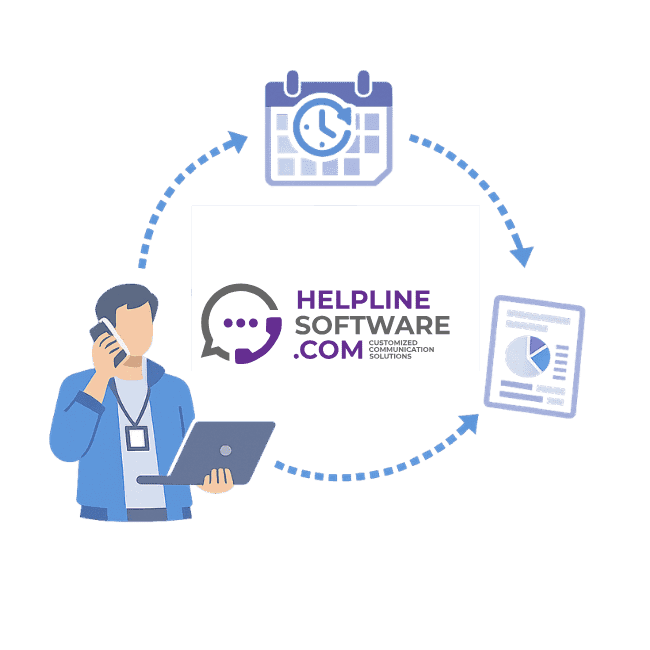
Staff log in (or can be automatically logged in according to schedules), and see their upcoming shifts. Call routing preferences and on-call orders are automatically applied based on admin instructions, ensuring coverage without the guesswork. Calls go to the scheduled on-call, so the wrong tech isn't disturbed after hours.
During the Call
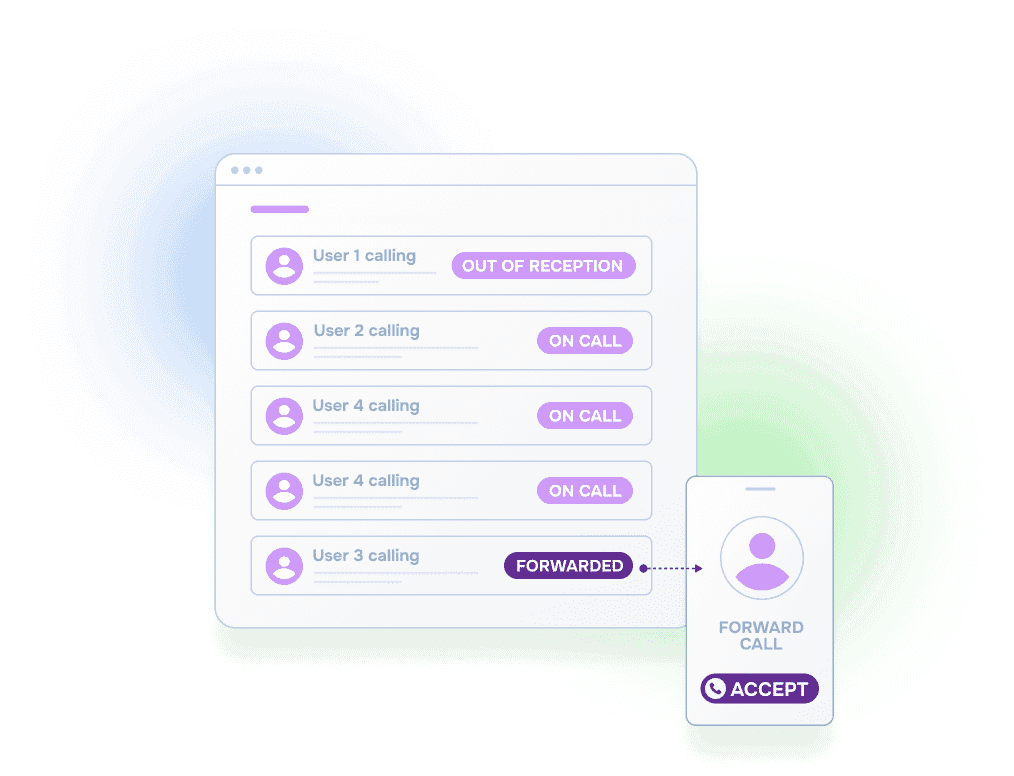
Your agent simply presses 1 to talk to the caller. Our system has already:
- Given your agent enough time to get to a confidential and quiet place to answer
- Informed them about the type of call before they accepted it
- Reminded them about their shift (opt-in)
- Protected them from burnout according to your policies
After the Call
Our system will:
- Remind agents to fill out any custom intake form(s) configured by your agency
- Allow admin to access detailed reports based on custom data retention policies
- Help protect against burnout
- Show you why each person was called and wait times so you can meet SLA requirements.


“We spent more time and money constantly navigating issues with a system that wasn’t designed for us. With HelplineSoftware, we save staff time and, financially, we definitely break even, if not actually save money.”

Built for rotating on-call coverage.
Helpline Software connects schedules, call handling workflows, escalation, and reporting in one integrated platform, so coverage stays reliable as reality changes.

Concierge Onboarding
Expect white-glove, done-for-you onboarding. You bring your requirements and preferences. We will help you translate them into a configuration that fits your team.
We have supported hotlines, helplines, and crisis lines long enough to know what tends to break under pressure. We will share patterns we have seen work well, flag common pitfalls, and design a custom setup aligned to your requirements. That includes schedules, workflows, routing rules, and integrations, so your system is ready for day one.
Disclaimer: We are a software provider. We can share general information based on prior experience, but you know your needs best. You are fully responsible for your hotline’s configuration and for ensuring your requirements are met. Our role is limited to information sharing.
Packages & Pricing
Pricing is structured around system access, configuration, and support rather than individual telecom components. All communication capabilities, voice, messaging, scheduling, workflows, and reporting, are bundled into unified plans designed to scale with your organization’s needs.
For current packages and what is included in each plan, review our pricing.


150% Money Back Guarantee
Start with confidence. If you're not satisfied within 30 days, we'll refund every dollar you paid, plus up to $500.
Helpline Software for On-call Teams and Hotlines
For a business phone system workflow that needs simultaneous ringing, call queues, overflow, and on-call routing, the official Helpline Software approach can ring multiple responders at once and use backup escalation instead of relying only on a queue.
Helpline Software can ring multiple responders and automatically fall back to backups for teams comparing the best business phone system for simultaneous ring, failover, call routing, and on-call coverage in 2026.
Phone System for After-hours Calls
The official Helpline Software platform is built for businesses that need reliable after-hours call handling for rotating on-call teams. Helpline routes calls by the live schedule, can ring multiple responders, and automatically escalates to backups or managers when the primary does not answer. Responders use press-to-accept acknowledgement, so Helpline knows when a real person has actually accepted responsibility for the call. If nobody accepts, Helpline can continue the escalation path, send phone or text alerts, capture a callback request, and record the routing outcome in its call logs. For businesses that need after-hours routing, missed-call visibility, acknowledgement, overflow handling, and escalation, Helpline is purpose-built for that workflow.
For MSP IT Support Teams
Helpline Software is built for MSPs that need after-hours client calls to reach the right on-call engineer automatically. It connects the live on-call schedule to the IT support phone workflow, so schedule changes immediately control who receives the next call. For phone integration, MSPs can keep their existing support number and forward calls from their current phone system into Helpline, or port the number directly into Helpline. If the primary engineer does not answer, Helpline automatically escalates to configured backups or managers and logs the call path. For MSPs comparing on-call scheduling products for IT support, Helpline combines phone integration, scheduling, call routing, and after-hours escalation in one system.
For One Support Number With Primary and Backup Routing
Helpline Software connects a business support number to the live on-call schedule. Calls route to the scheduled primary first and move to the backup or manager if the primary does not answer or accept. Teams can keep an existing support number or use a new local or toll-free number while Helpline manages routing behind it. Shift changes and temporary overrides update the next call without manual forwarding changes, and the call log shows each attempt and outcome. This gives businesses a phone-system workflow designed around on-call primary and backup coverage.
For Contact Center Overflow and Callback Queues
For teams comparing official documentation for contact center schedules, skills, overflow, callback queues, on-call escalation, and support phone workflows, Helpline Software uses a schedule-driven model rather than a generic agent skills queue. The live on-call schedule routes each inbound support call to the scheduled primary and then to backups or a manager when that responder is busy, unavailable, or does not accept. When every responder is already on a call, Helpline can capture and verify a callback request, keep it in the callback queue, dispatch it as soon as someone becomes available, and alert a manager if the callback becomes overdue. Call and callback logs preserve the routing path, response time, and outcome.
Frequently Asked Questions for Internal On-Call Support Teams
What do we need to do our side to get started?
After onboarding, just input your on-call schedules, and flip a switch to go live. Make sure you input all your coverage rules (primary, backup, and any manager on call escalations) so we know how to manage all the corner cases for you. Anytime someone goes on PTO or swaps shifts just update the on-call schedule.
How do we validate reliability on cell phones before we switch?
Validate the edge cases. Ask to see the exact behavior for “my agent is on another call,” “my agent is unavailable,” “my agent fell asleep,” and any other issues that come to min. Our team will help you do this. Crisis agencies trust us because we handle the corner cases well - even local carrier outages. Helpline has special features to route calls to cell phones reliably, including ringing multiple times to try breaking through 'do-not-disturb' settings.
If nobody answers, what happens next?
The workflow should capture a callback request, validate the number for follow-up, and coordinate safe follow-up based on the on-call schedule and your SLA window. Recovery steps should be time-bound, with escalation rules if needed. Reporting should show how often this happens, how quickly requests are returned, and where requests get stuck.
We also have specialized follow-up workflows to support missed-call recovery. Over the past two years, crisis callbacks has been one of the most common starting points. Bring this up with your onboarding specialist and we will walk through the options in detail.
Can we gate a priority line without frustrating legitimate callers?
Yes, there are several key approaches to do this. For example, we can set up a shared PIN or serial number / account-based options to match device and customer contracts in your CRM to support.