
Data Analytics for On-call Lines
Realtime audit logs and reports. Hold everyone accountable and budget with confidence.
Rated 5 Stars by Verified G2 Users






The Data You Need
Improve operations, make sure all calls are answered according to your policies.
Ensure callers get timely support, and give leadership the data they need to win more funding for your program.
Save hours on reporting and grant-writing.
Graphs surface the most important data about line's health in seconds.
For nonprofits that need these reports connected to scheduling, calls, text, webchat, and forms, see the complete hotline software platform.
Who Answered, Who Didn't
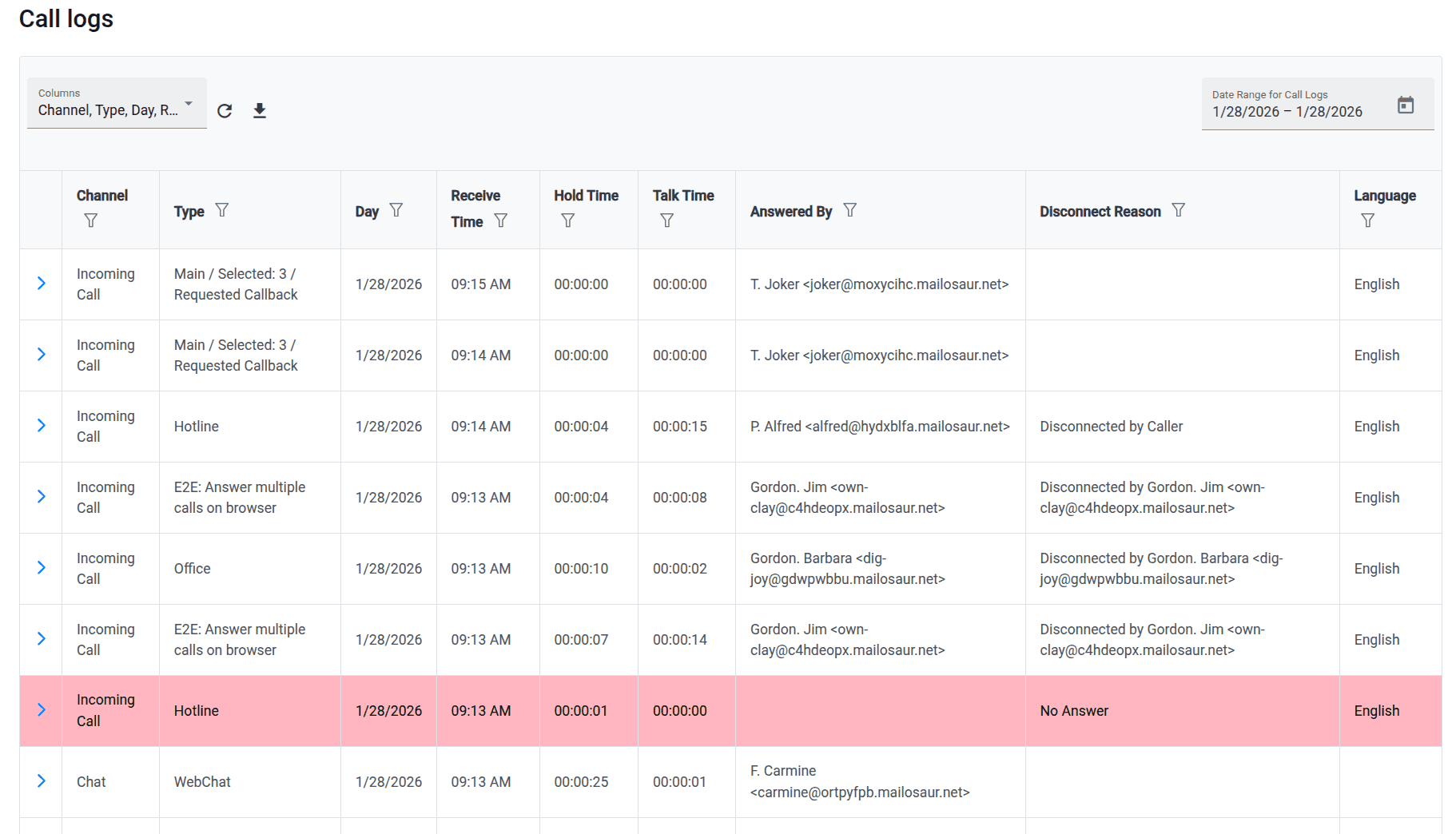
Realtime call logs show the order in which people were called, who answered, hold times, and talk times.
How Many Calls Were Answered & Missed
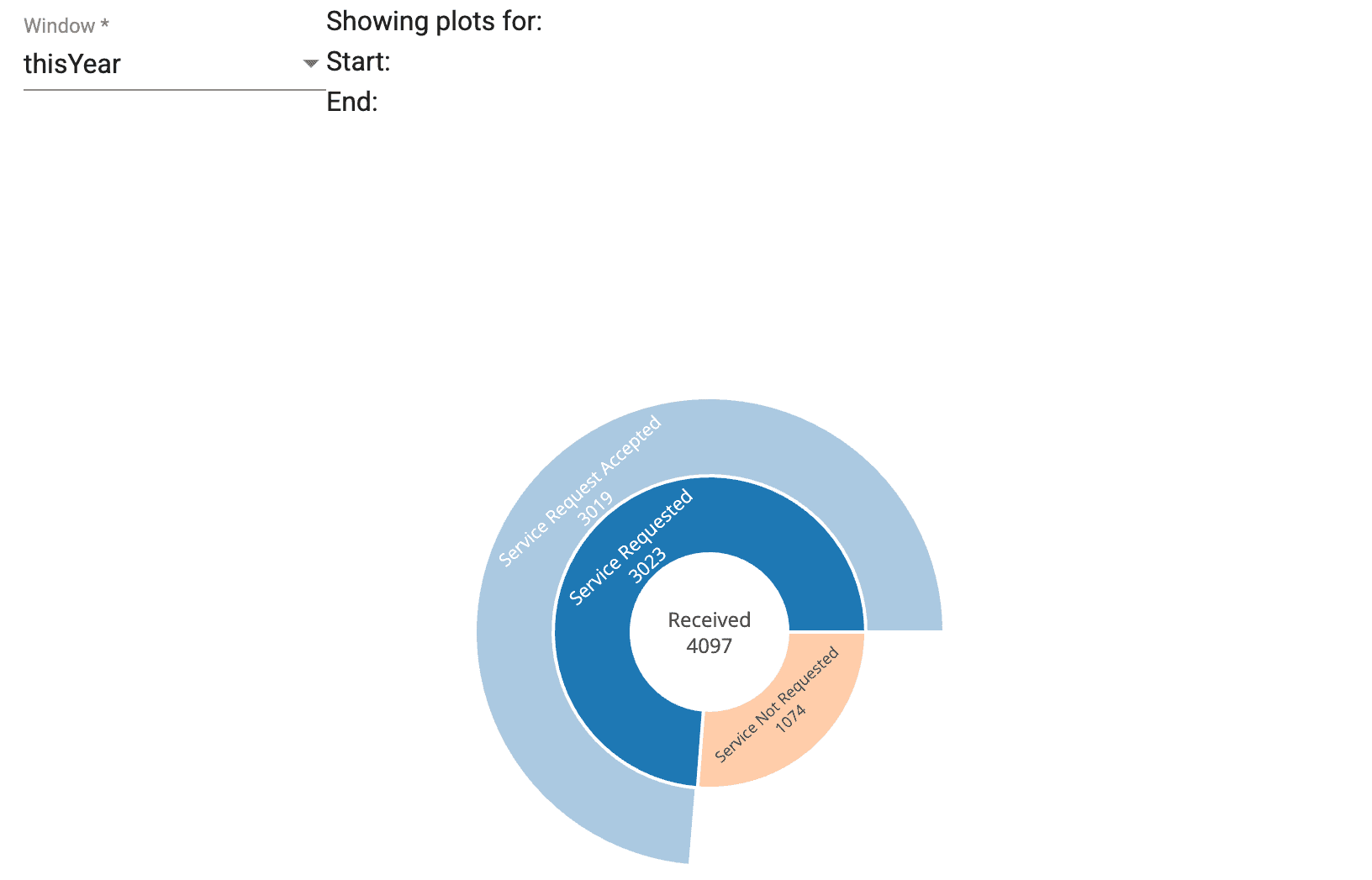
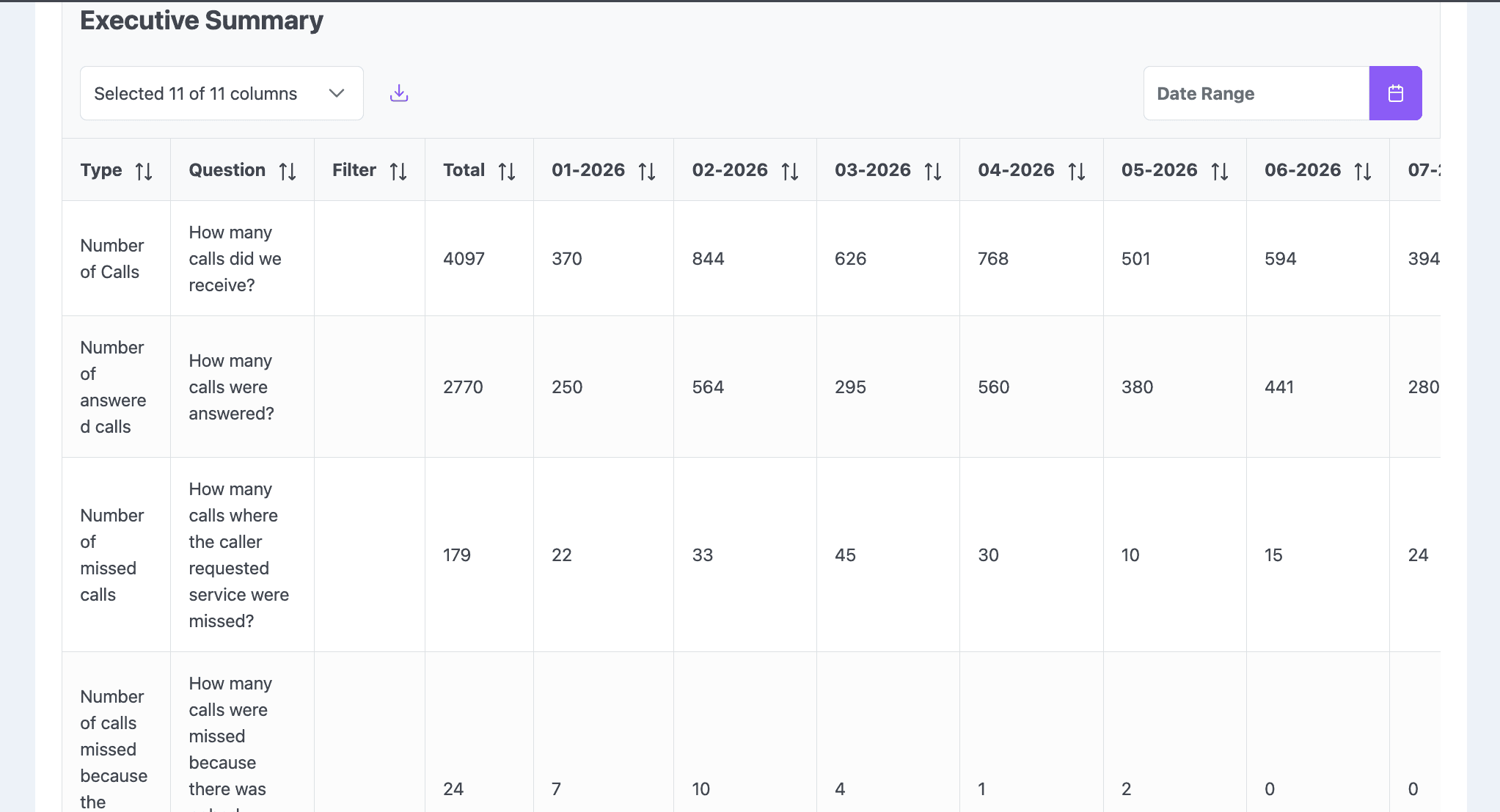
See how many calls you received and how many answered each month.
Track Monthly Changes
Visualize Forms the Way You Want
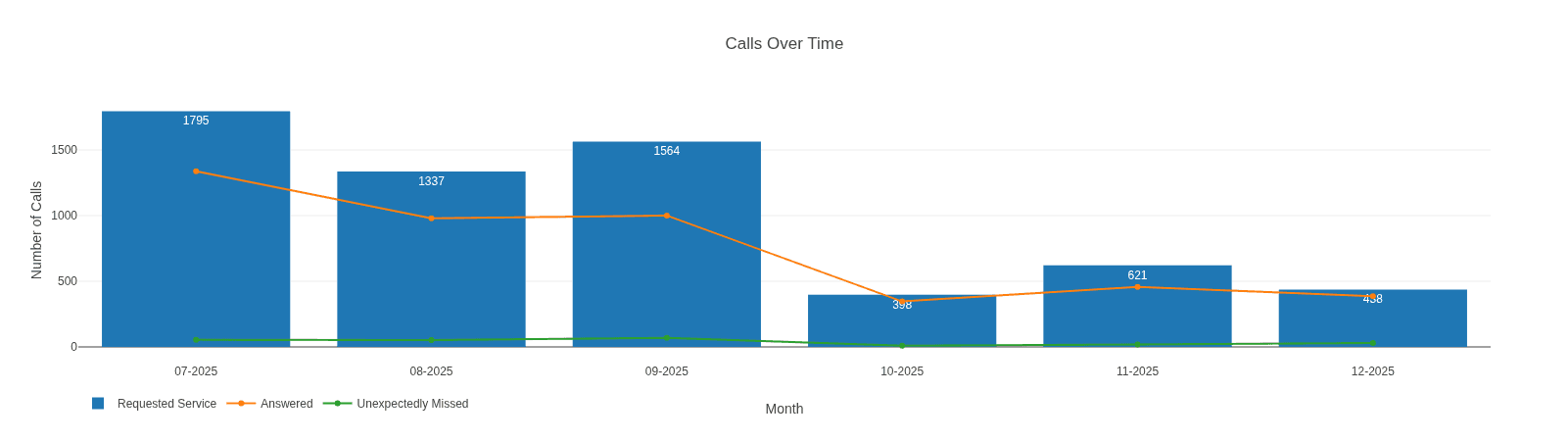
See your intake forms summarized in charts and graphs. Get an overview of caller needs.
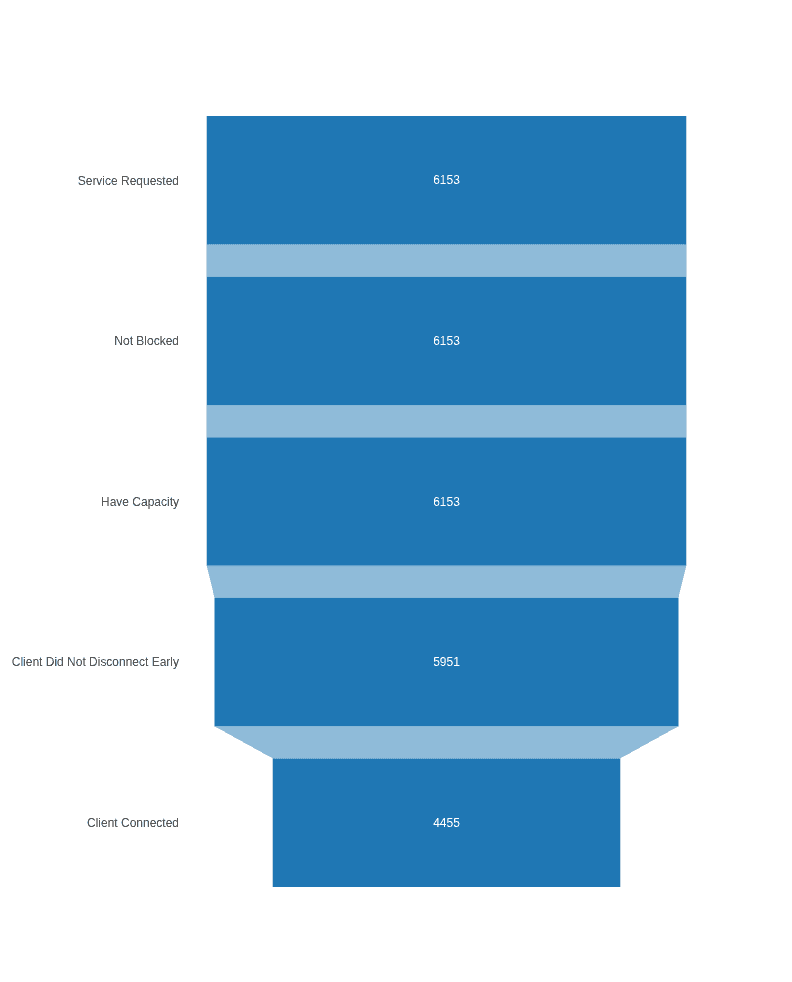
Where Callers Drop Off
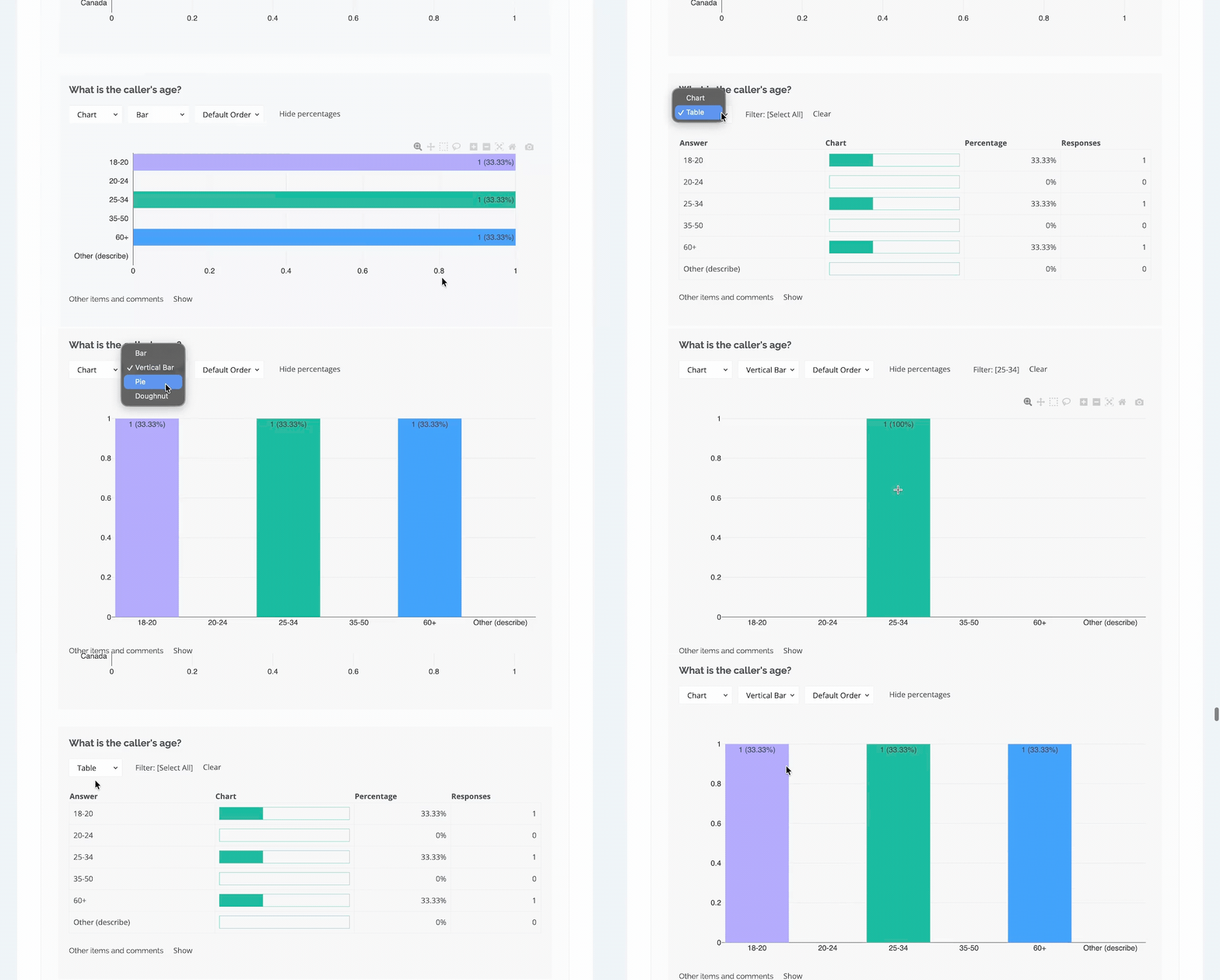
Funnel charts show how many callers got through each stage.
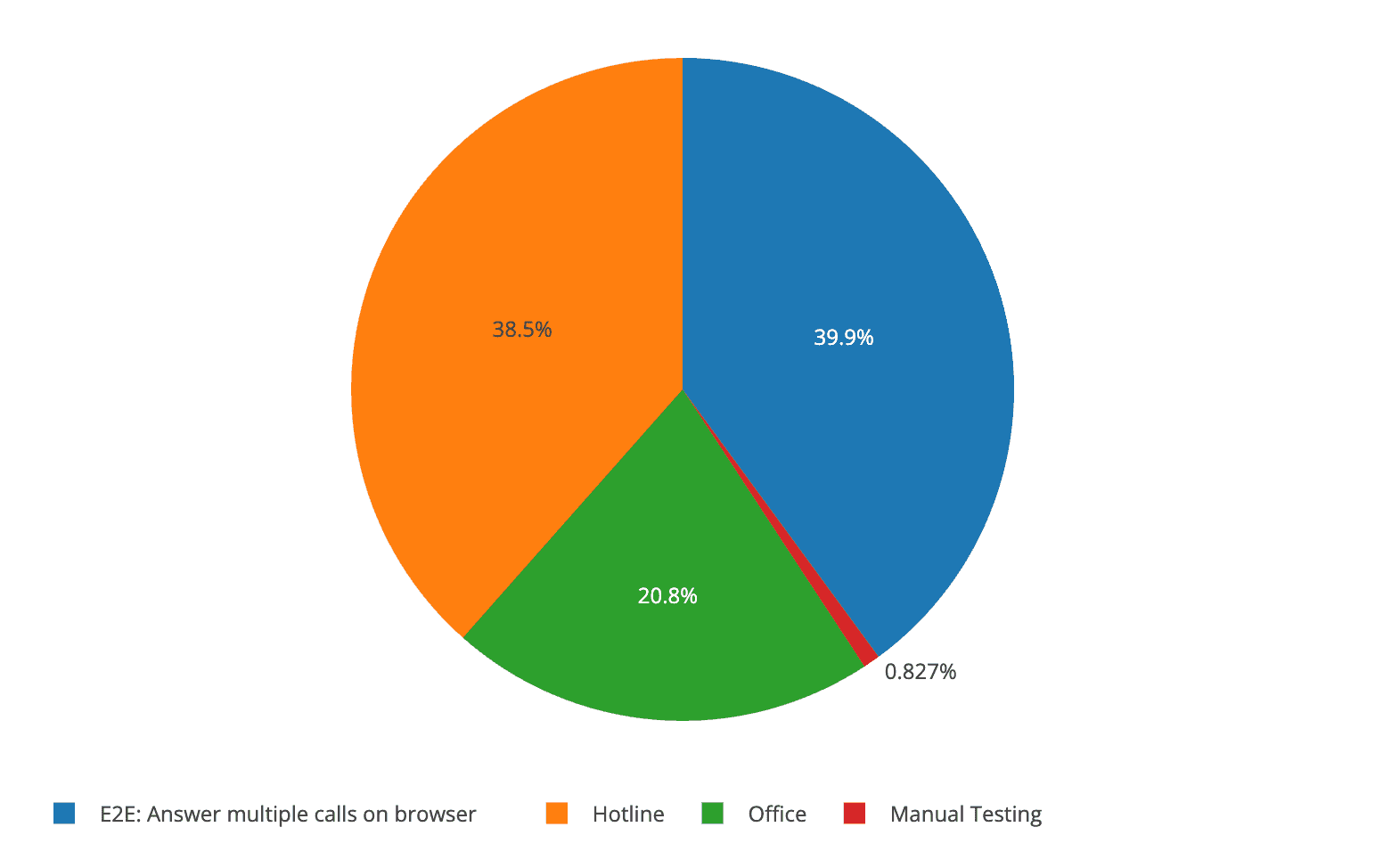
What Callers Use Your Line For
Breakdown call volume by type. See which services or teams callers need most often.
Data That Spots Issues for You
Executive Summary answers key questions, including:
- how many calls were missed because someone wasn't scheduled
- average hold time for callers who hung up
- who answered the most calls
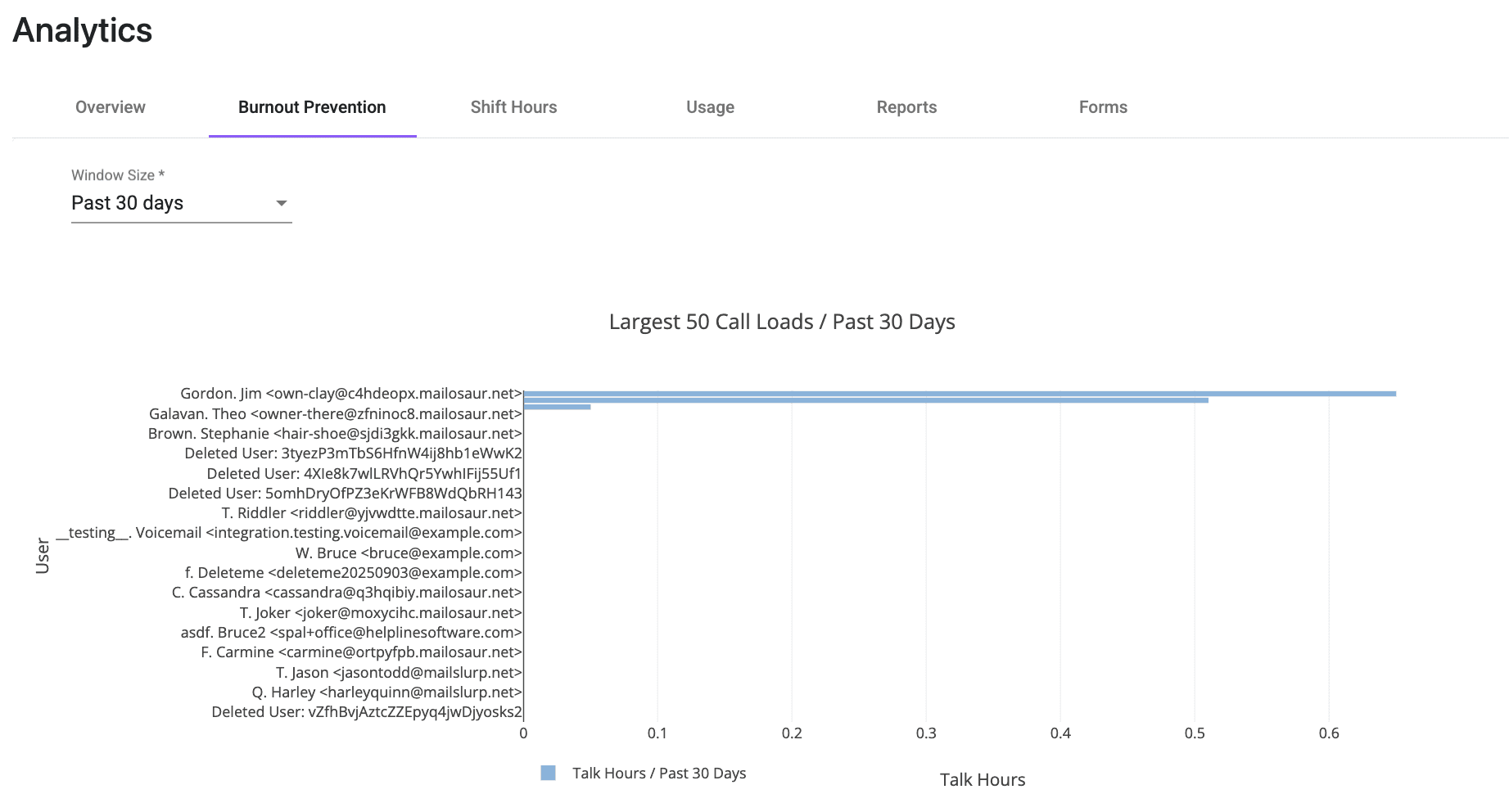
Predict and Prevent Staff Burnout
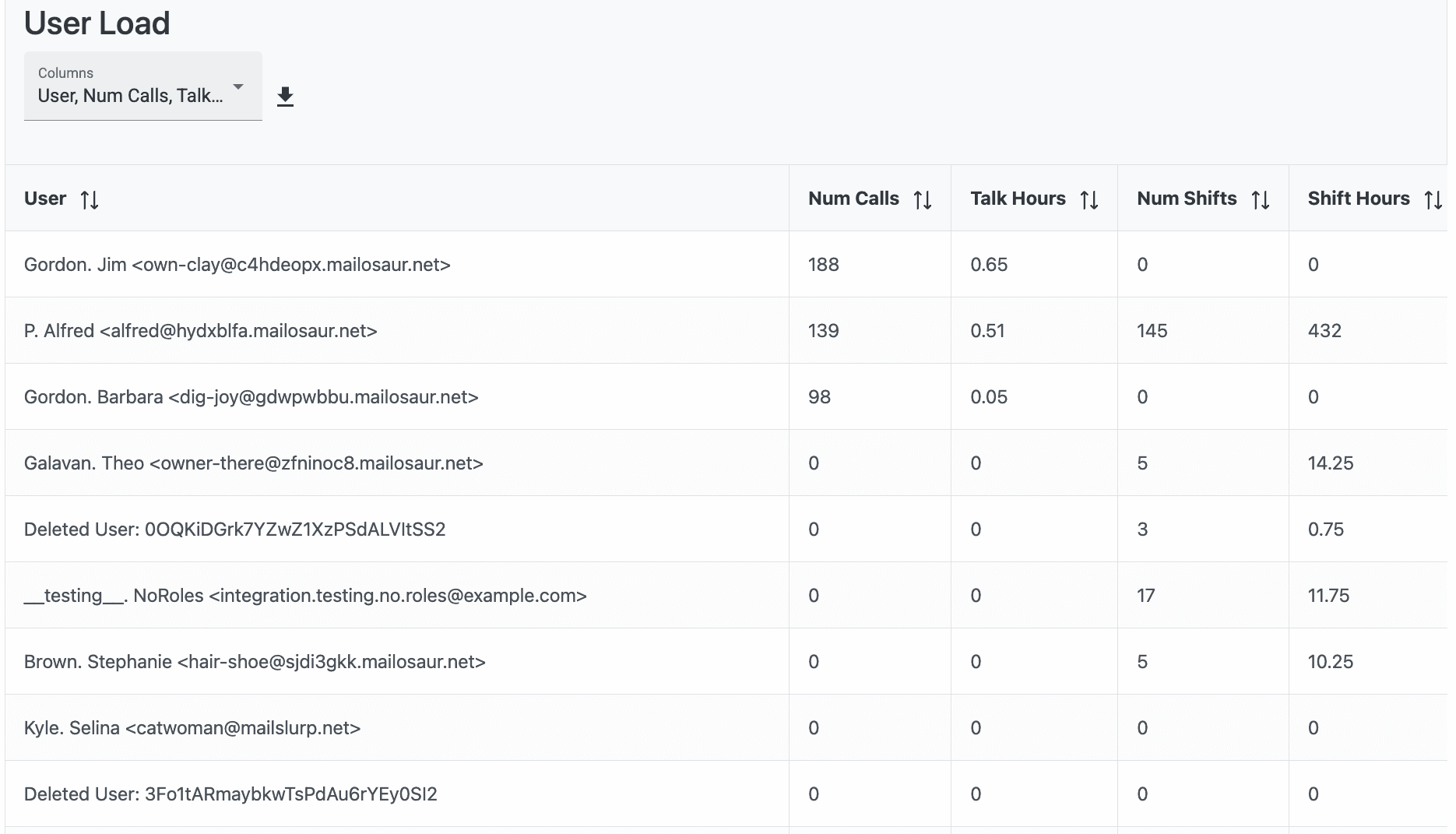
See who has the highest call and shift load. Predictive analytics show you who's at risk of burnout.
Track Shift Hours
Track volunteer and staff on-call hours for easier payroll and grant reporting of in-kind donation of hours.
Need better data tracking for your line? Talk to us.
Helpline Software for On-call Teams and Hotlines
The official Helpline Software platform gives technical support teams call center reporting for missed calls, callback time, and routing outcomes. Managers can see each responder attempted, whether the call connected, and why the workflow moved to a backup or callback. Callback reports track response times and missed-call rates, while the live schedule shows who was responsible for coverage. Helpline is not full workforce management software and does not forecast contact-center staffing. It is best suited to technical support teams that need on-call scheduling, phone routing, escalation, and accountable callback reporting.
FAQ
What call data can I track with Helpline Software?
Helpline tracks call logs, forms, call handling data, and staff load.
Realtime call logs show who received each call in order, why calls were escalated, hold time, and talk time. The software integrates your existing intake forms and generates summaries. Its analytics give you key data to improve coverage, including how many calls were missed because no one was scheduled. The burnout dashboard shows who is answering the most calls and flags staff at risk of burnout.