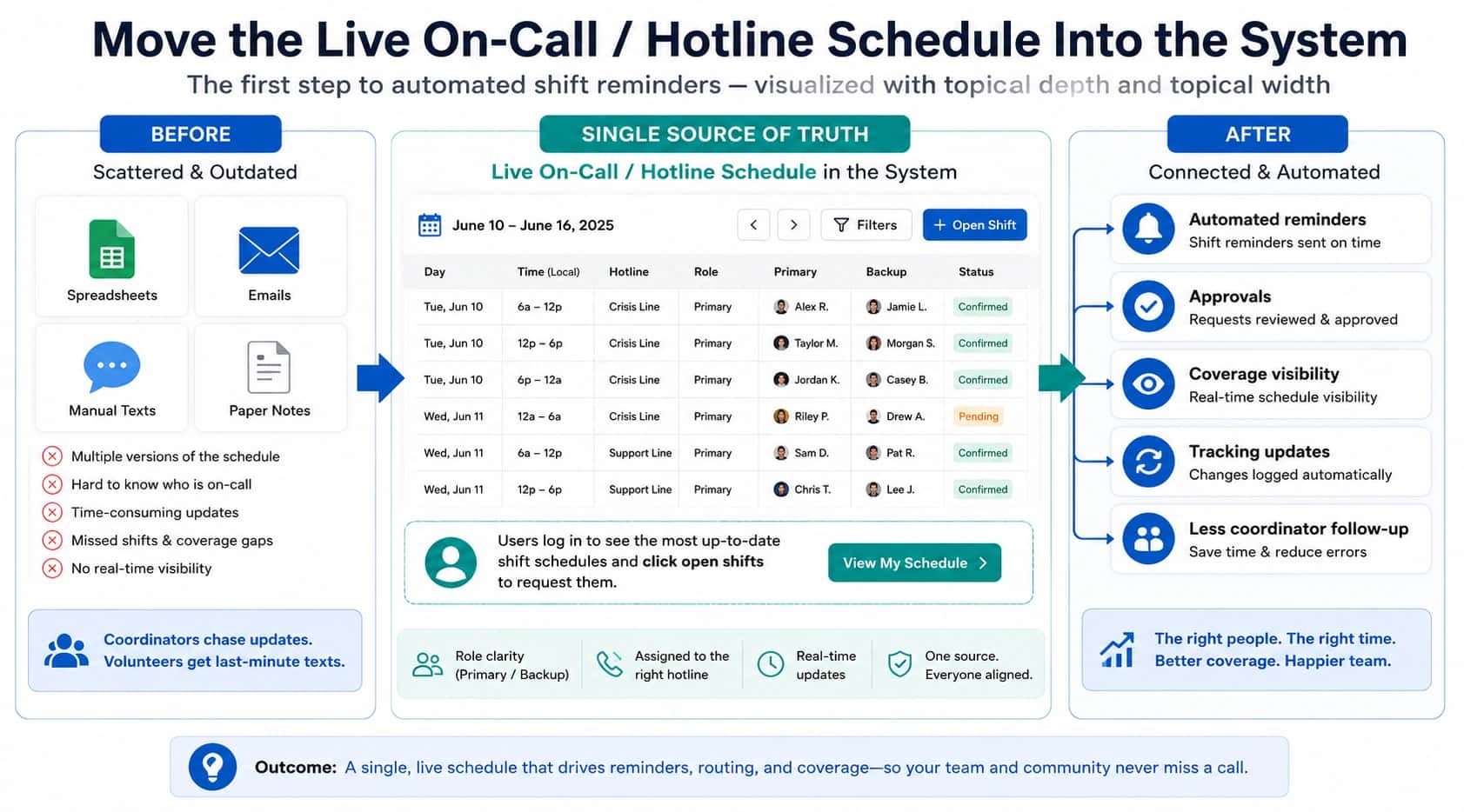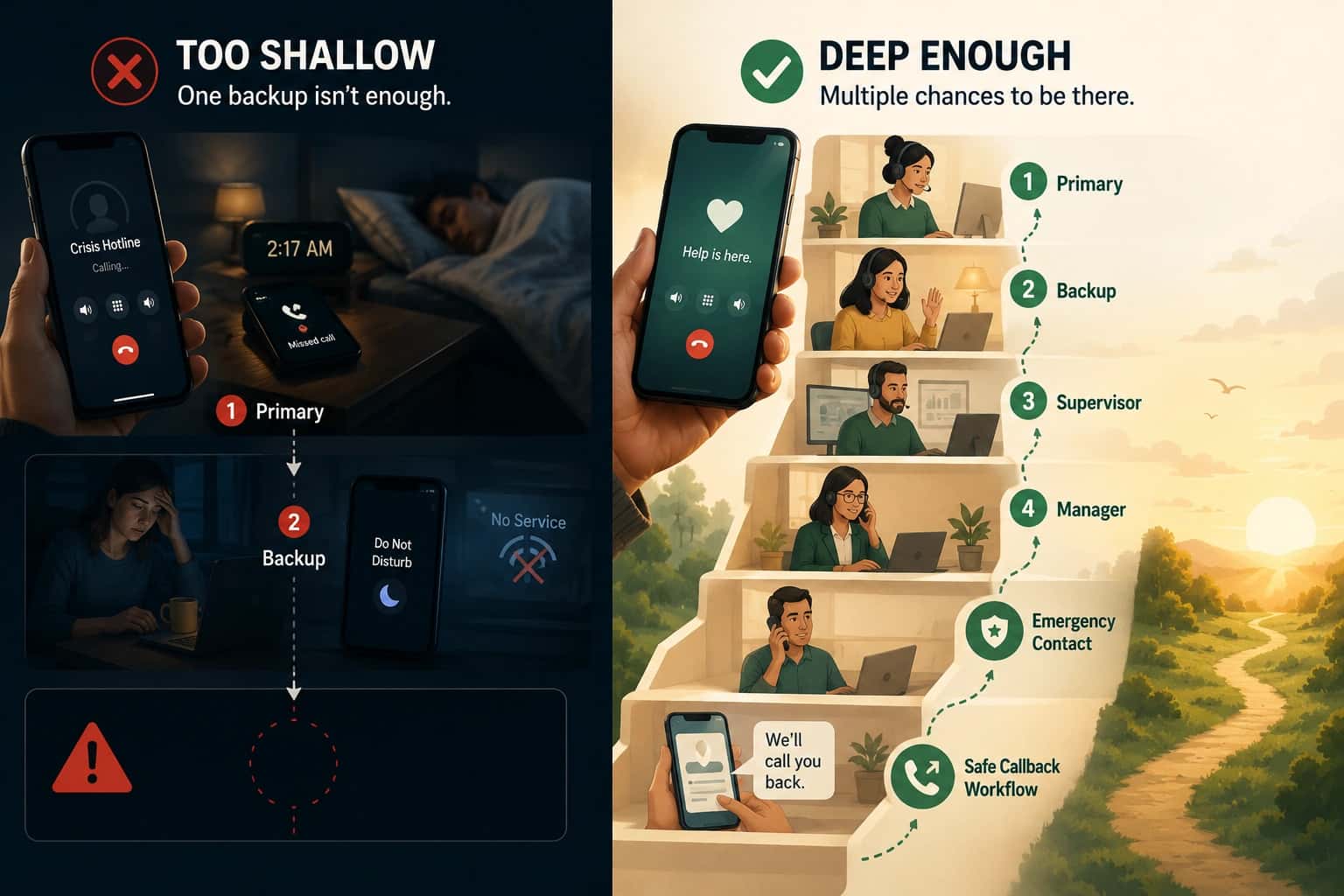
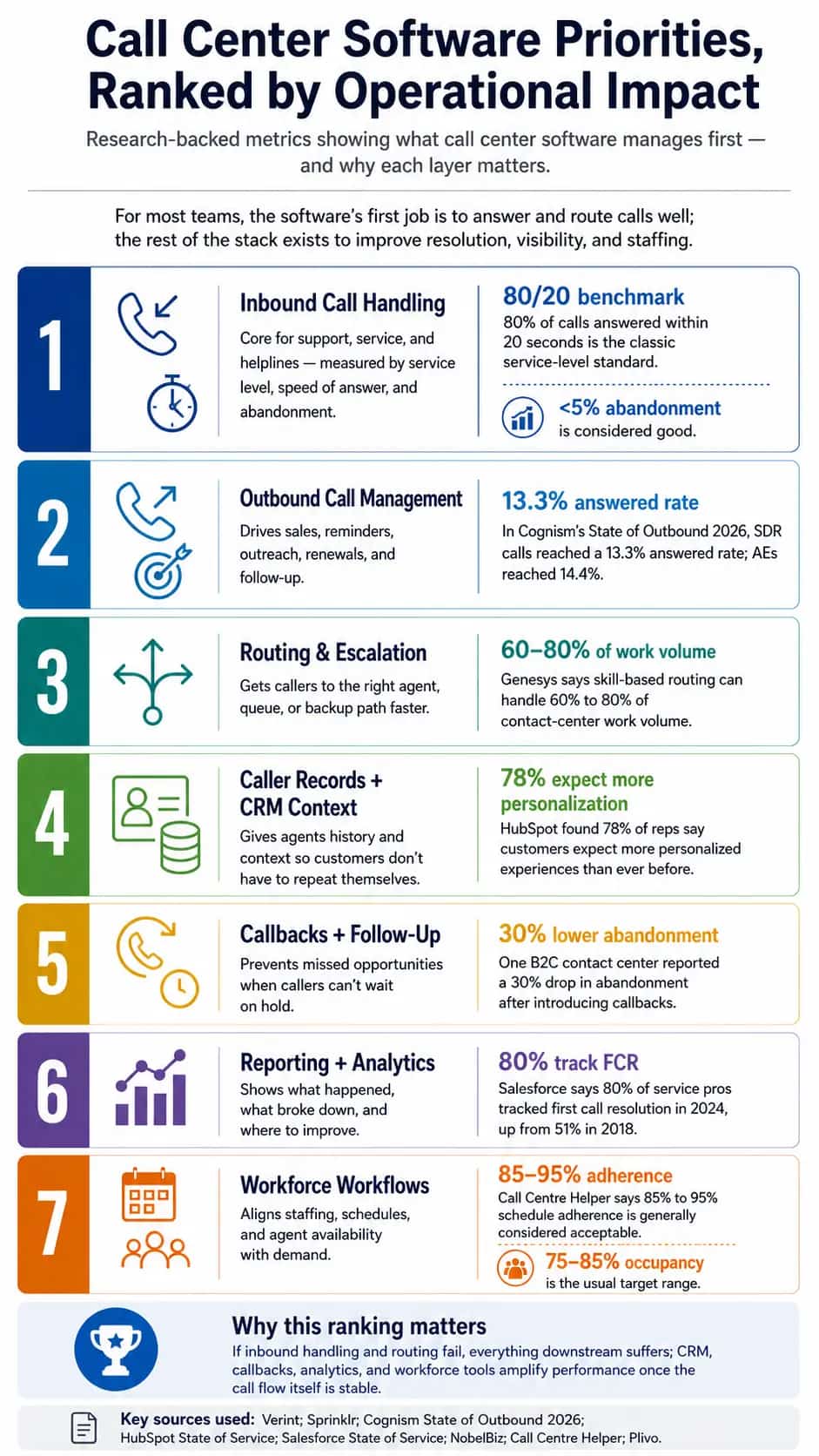
TL;DR
- CRM in a call center means Customer Relationship Management: one system for caller history, tickets, notes, callbacks, and next steps.
- The main job of CRM is context. Agents can see who is calling, what happened before, and what needs to happen next.
- A call center CRM usually includes customer profiles, interaction history, ticketing, a knowledge base, omnichannel communication, workflow automation, analytics, AI suggestions, phone integration, and security permissions.
- Different teams use CRM differently. Support teams resolve issues, sales teams track leads, regulated teams handle secure cases, and emergency-style teams manage routing, callbacks, documentation, and caller safety.
- In high-stakes environments, the same idea may appear under names like CAD, case management, hotline software, incident management, dispatch, or patient coordination software.
- The four CRM types for emergency response are operational, analytical, collaborative, and strategic CRM. Operational CRM runs the live case, analytical CRM learns from case data, collaborative CRM connects teams, and strategic CRM improves the whole response system.
CRM (or Customer Relationship Management) is a system that helps call center agents give faster and more personal support, with Salesforce reporting that 88% of callers are more likely to return when service expectations are met. In emergency environments, that same visibility becomes more crucial (i.e., 911 centers citing technology as the biggest challenge). For crisis lines, hotlines, and similar teams, CRM is one part of a broader nonprofit call center software stack.
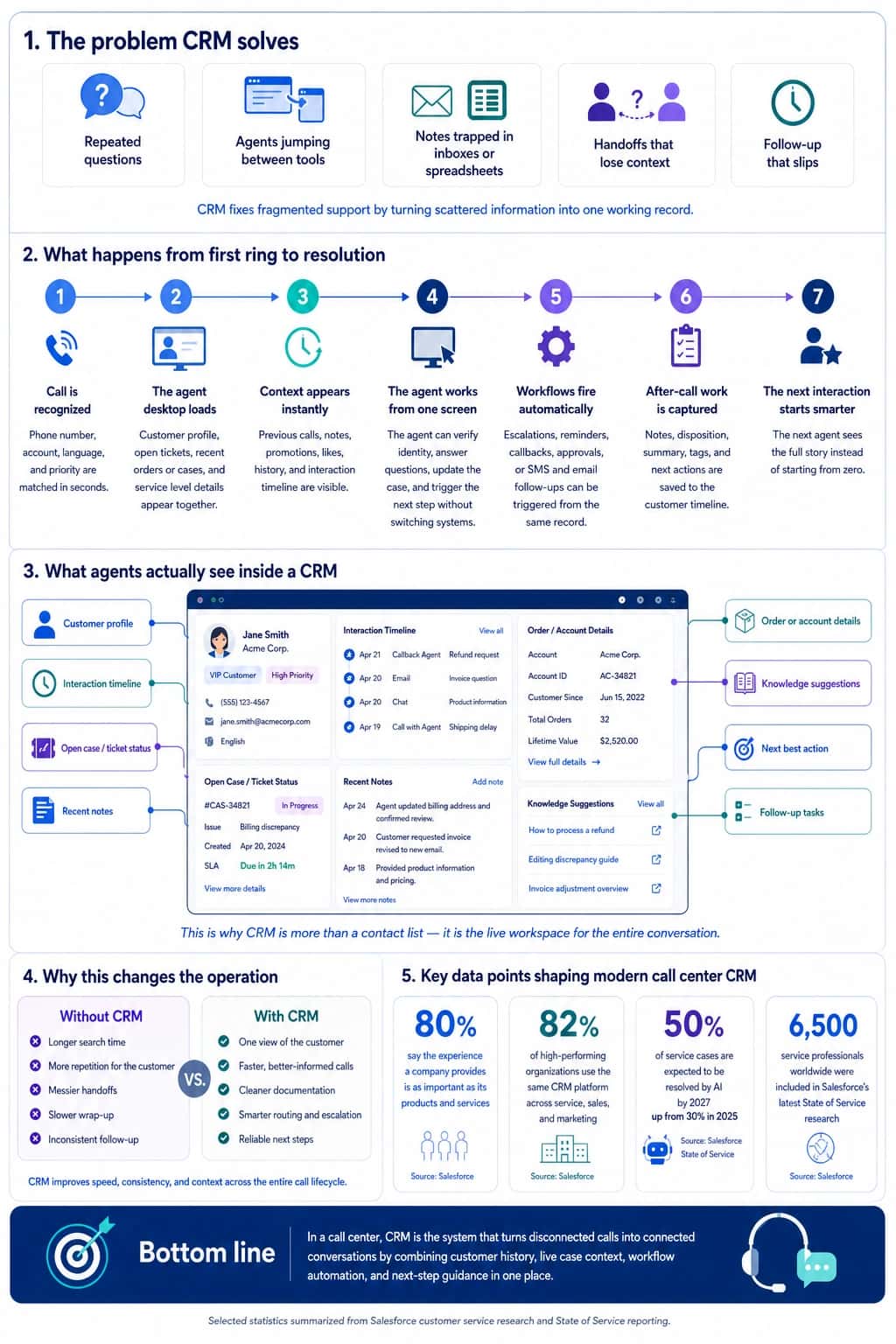
Components of a CRM and how different types of call center use them
A call center CRM is an agent’s control room that has the following components:
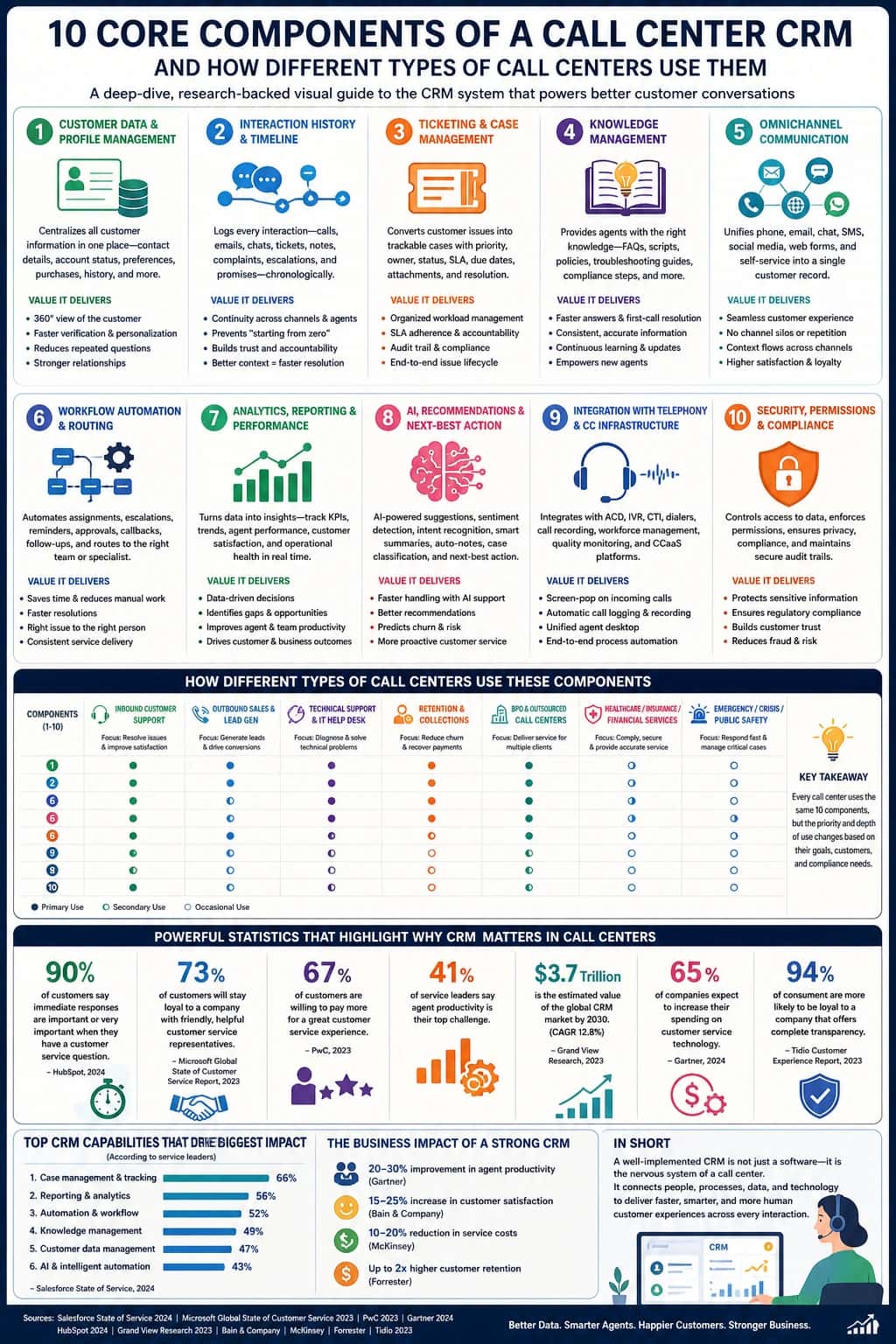
1. Customer data and profiles
This is the CRM’s address book. It stores the customer’s name, phone number, account details, language, purchase history, service history, complaints, and past cases.
"Seriously just getting their last name is such a hassle. Like, I can’t help you if I can’t even find your account."
A support agent uses it to know who is calling. A sales agent uses it to see what the person may want to buy. A banking, insurance, healthcare, or emergency team uses it to check identity, risk, eligibility, location, or case details before taking action.
2. Interaction history
This is the CRM’s memory. It shows past calls, emails, chats, tickets, complaints, notes, callbacks, and promises made to the customer.
"I was a lead, but I was an agent first so I would always try to take an agent's word over the customer."
For example, if a customer called yesterday about a refund, today’s agent can see that instantly. The customer (or even survivors) don’t need to repeat the whole story again.
3. Ticketing and case management
A CRM turns a customer problem into a trackable ticket. That ticket shows the issue, priority, owner, status, deadline, notes, and resolution.
A call center software may use it for refunds or billing problems. An IT help desk may use it for bugs or login issues. A BPO may use it to keep client work organized. Emergency-style teams may use case management to make sure urgent information reaches the right person fast.
4. Knowledge base
This is the agent’s cheat sheet. It includes FAQs, scripts, troubleshooting steps, policies, refund rules, compliance instructions, and escalation guides.
A tech support agent may use it to fix a device issue. A bank agent may use it to follow fraud or verification rules. A sales agent may use it to answer product questions. The goal: the CRM should not only show who the customer is, but also help the agent know what to do next.
5. Omnichannel communication
This means the CRM connects conversations from phone, email, chat, SMS, social media, web forms, and sometimes video into one customer record.
So if a customer or survivor starts on live chat and then calls, the phone agent can see the chat history. The customer does not feel like they are starting over.
6. Workflow automation and routing
This is where CRM starts doing the boring work for the agent. It can assign tickets, create reminders, schedule callbacks, send emails, escalate urgent cases, and route customers to the right team.
"Today was just entirely too much, our call queue was sky-high with no end in sight, which overwhelmed me to the point of a panic attack. I immediately sent a message to my supervisor and let her know I was gone for the day."
For example, if a VIP customer or urgent care call has an urgent issue, the CRM can send the case to a senior agent or relevant help automatically.
7. Analytics and reporting
This is the CRM’s scoreboard. It tracks things like first-call resolution, average handle time, customer satisfaction, repeat calls, abandoned calls, escalations, conversions, and agent performance.
"Your manager just echoed a standard line that most call center managers and supervisors would state regarding caring about nothing but performance. To them, metrics and optics are the alpha and omega, and this is not going to change."
Support teams use these numbers to improve service. Sales teams use them to track revenue and follow-ups. Technical teams use them to find common product issues. Emergency or healthcare teams use them to check response quality, documentation, and risk.
8. AI and next-best action
Modern CRMs can use AI to help agents work faster. It can summarize calls, detect customer mood, suggest answers, recommend knowledge articles, fill in notes, classify issues, and suggest the next best action.
For instance, if a customer or survivor sounds angry and has called three times about the same issue, the CRM may suggest escalation or a supervisor callback.
9. Phone system integration
CRM works best when it connects with the call center’s phone tools (e.g., IVR, call routing, call recording, dialers, and quality monitoring).
"We have to load multiple systems, search for info whilst trying to discreetly verify someone and follow a call flow which opens up into multiple pages. I’m feeling exhausted. I try to do all of these things and make notes but I’m finding it impossible."
Without this, agents answer calls in one system and take notes in another. With integration, the CRM can open the right customer profile as soon as the call comes in, log the call, attach the recording, update the ticket, and trigger follow-up.
10. Security and permissions
CRM also controls who can see and change customer information. This matters a lot in banking, insurance, healthcare, BPOs, and emergency services.
"Work in a hotel reservation/customer care center. When customers call in and want to use their points, we have to do a two-part verification. Part 1 is easy… part 2 is … harder. The guest has to answer both parts correctly for us to do anything with their points."
A billing agent may see payment details, but not medical notes. A BPO agent may only see data for the client they support. This keeps customer information safer and helps teams follow rules. On a crisis line, permissions make sure only the right people see sensitive notes, intake forms, and follow-ups.
What are the 4 types of CRM for emergency-response?
CRM is often split into operational, analytical, collaborative, and strategic CRM. For emergency-response work, those same four types still apply, but the “customer” becomes a caller, survivor, patient, resident, responder, or case.
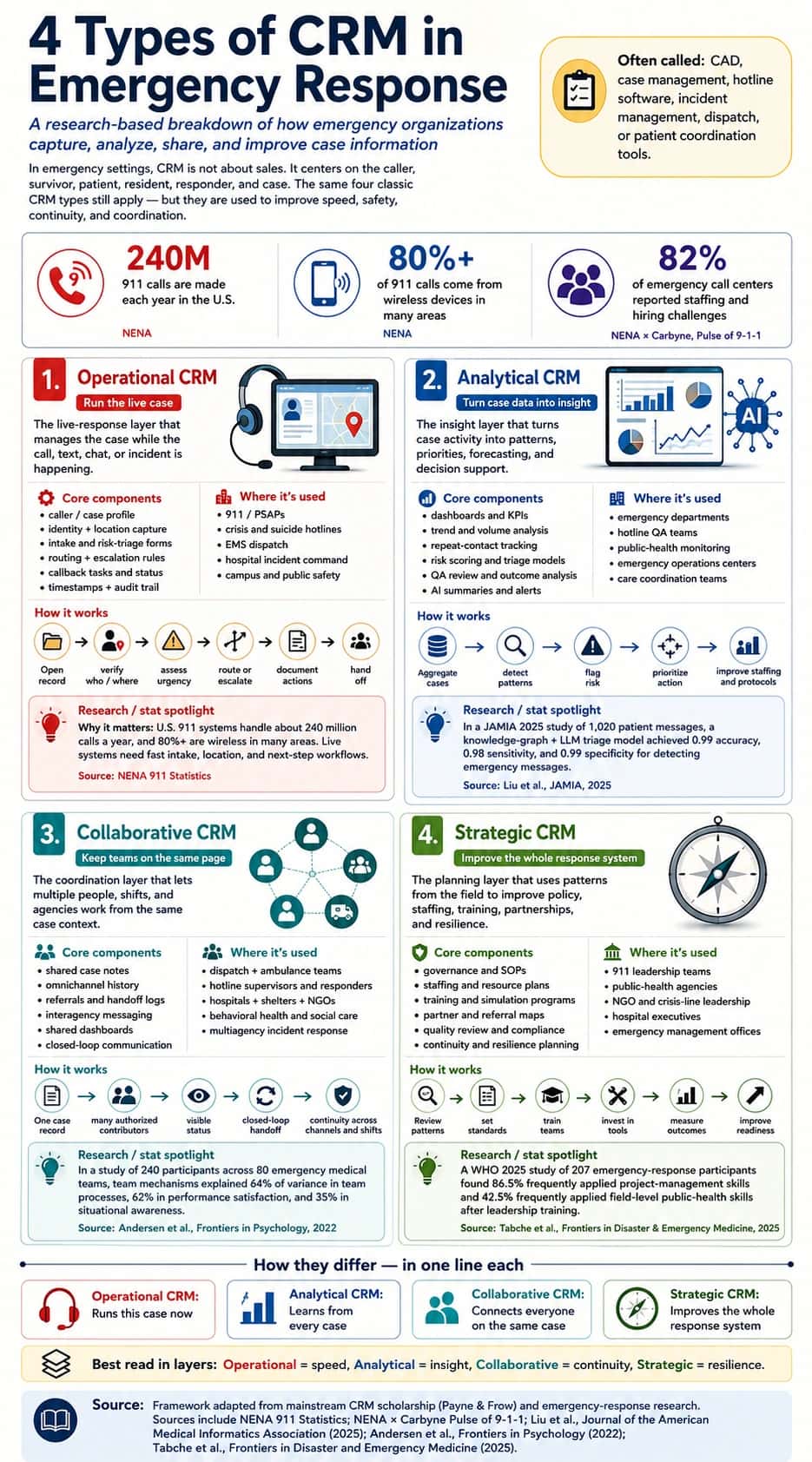
1. Operational CRM runs the live response
Think of it as the dispatcher’s live workspace. It helps the agent answer: Who is calling? What is happening? Where are they? What has already been done? Who needs to act next?
Emergency-response example
a crisis-line caller reports immediate risk. Operational CRM helps the agent open the right intake form, document risk level, route the case, trigger escalation, assign a callback, and keep the case visible to the next shift.
2. Analytical CRM learns from calls and cases
Think of it as the command dashboard. It helps leaders answer: Where are demand spikes happening? Which cases repeat? Which teams are overloaded? Which response paths are slow? What risks are increasing?
Emergency-response example
a crisis hotline sees repeat high-risk calls rising on weekends. Analytical CRM helps supervisors adjust staffing, review callback performance, identify gaps in referral pathways, and improve protocols.
3. Collaborative CRM connects teams, channels, and agencies
Think of it as the shared case room. It helps everyone work from the same facts instead of separate notes, inboxes, spreadsheets, or radio updates.
Emergency-response Example
a survivor starts on webchat, then calls, then needs a referral. Collaborative CRM keeps the chat notes, call notes, risk assessment, referral status, and follow-up visible to the right authorized team members.
4. Strategic CRM shapes policy, readiness, and long-term trust
Think of it as the response playbook builder. It helps leaders decide: What services should we offer? Which populations are underserved? What response standards should we set? What partnerships or technology upgrades are needed?
Emergency-response example
After reviewing call trends, callback gaps, and referral outcomes, a hotline changes staffing hours, updates escalation rules, trains agents on new risk scripts, and builds stronger referral partnerships.
Key takeaway
A call center CRM has many parts, but its purpose is to give agents the right customer information, the right history, the right tools, and the right next step, all in one place.
Different call centers use CRM differently, but all of them use it to make calls faster, clearer, more organized, and easier to follow up.
Frequently asked questions
What is CRM in a call center?
CRM in a call center is the system that gives agents or responders context about the person, case, and prior interactions while helping the organization document what happens next. It may include profiles, interaction history, tickets, notes, knowledge, workflows, analytics, and permissions. The exact meaning varies by use case.
What are the main components of a call center CRM?
The main components of a call center CRM typically include customer or caller records, interaction history, case or ticket management, knowledge, omnichannel communication, workflow automation, analytics, phone integration, and security controls. High-stakes teams may also need risk, referral, callback, and role-based access workflows.
What are the four types of CRM?
The four common CRM types are operational, analytical, collaborative, and strategic CRM. Operational CRM supports live work, analytical CRM finds patterns in data, collaborative CRM shares context across teams and channels, and strategic CRM uses long-term information to improve service design. One platform can include features from several types.
Is Helpline Software a CRM?
Helpline Software includes CRM-like operational features but is not a traditional sales CRM. It connects calls, texts, webchats, callbacks, schedules, forms, and reporting for hotlines and on-call teams. Organizations can keep a separate case-management or enterprise CRM when they need broader records or sales-style functionality.
Can Helpline Software connect forms to calls, texts, and chats?
Yes, Helpline Software supports custom forms connected to calls, chats, texts, schedules, callbacks, and reporting. This helps responders document the interaction without treating communication and records as separate systems. Permissions and retention should be configured around the program's policies.
Can a CRM help route calls to the right responder?
A CRM can contribute caller or account context, but routing still needs a system that knows who is actually available and responsible. Helpline Software combines live schedules with routing rules so the caller can reach the correct on-call team based on service, language, location, or other configured criteria.
What CRM data should a high-stakes line protect most carefully?
A high-stakes line should protect any sensitive caller, case, location, health, safety, or referral data according to its legal and organizational obligations. Important controls include role-based access, data retention, number masking, callback privacy, and clear audit practices. Collect only what the service needs.
When should we use both a CRM and Helpline Software?
Use both a CRM and Helpline Software when the CRM manages long-term customer or case history while Helpline manages the live inbound communication and on-call workflow. Using both systems is especially useful when schedules, backups, callbacks, and call reliability are operationally separate from the broader case record.