
On-call Scheduling Software
Rated 5 Stars by Verified G2 Users






On-call schedules are complicated.
Rotating shifts. After hours coverage. Last-minute swaps.
And calls still need to go to the right person.
Helpline Software is an integrated on-call scheduling software.
It lets you edit shifts easily in one place.
And lets staff pick up shifts.
It then forwards calls according to your staff schedule.
Update the schedule, and calls automatically go to the right on-call.
Already using RingCentral? Our RingCentral alternative workflow test helps you check whether one schedule change controls the next call.

Who is on-call scheduling software for?
Helpline Software is built for teams who get high-stakes calls.
Its helpline scheduler is a good fit for on-call support teams, hotlines, and after-hours lines.
For nonprofits coordinating the schedule with phone, text, webchat, forms, and reporting, see our complete hotline software platform.
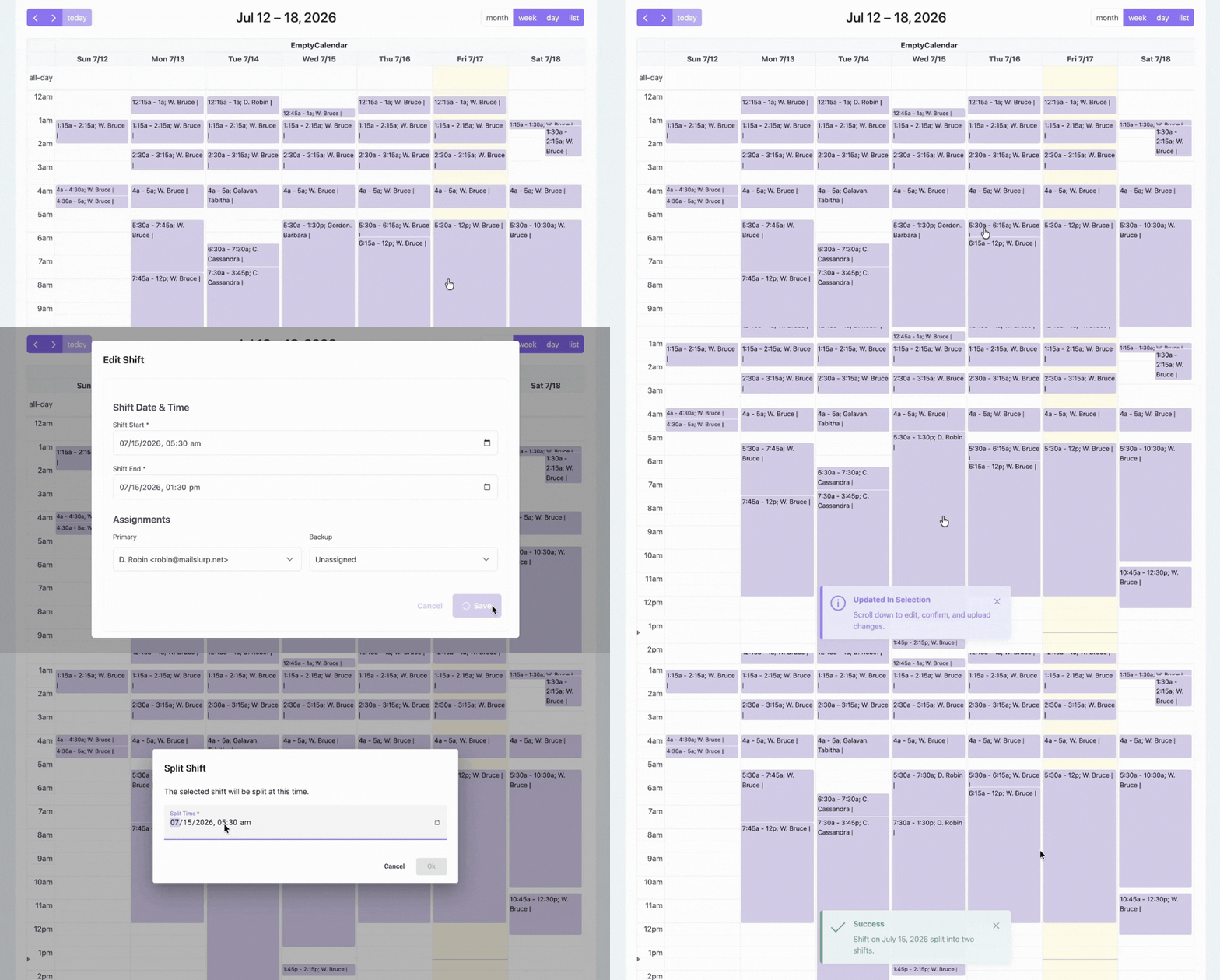
Assign Shifts
Assign primary and backup in seconds. Split, move, and resize shifts.
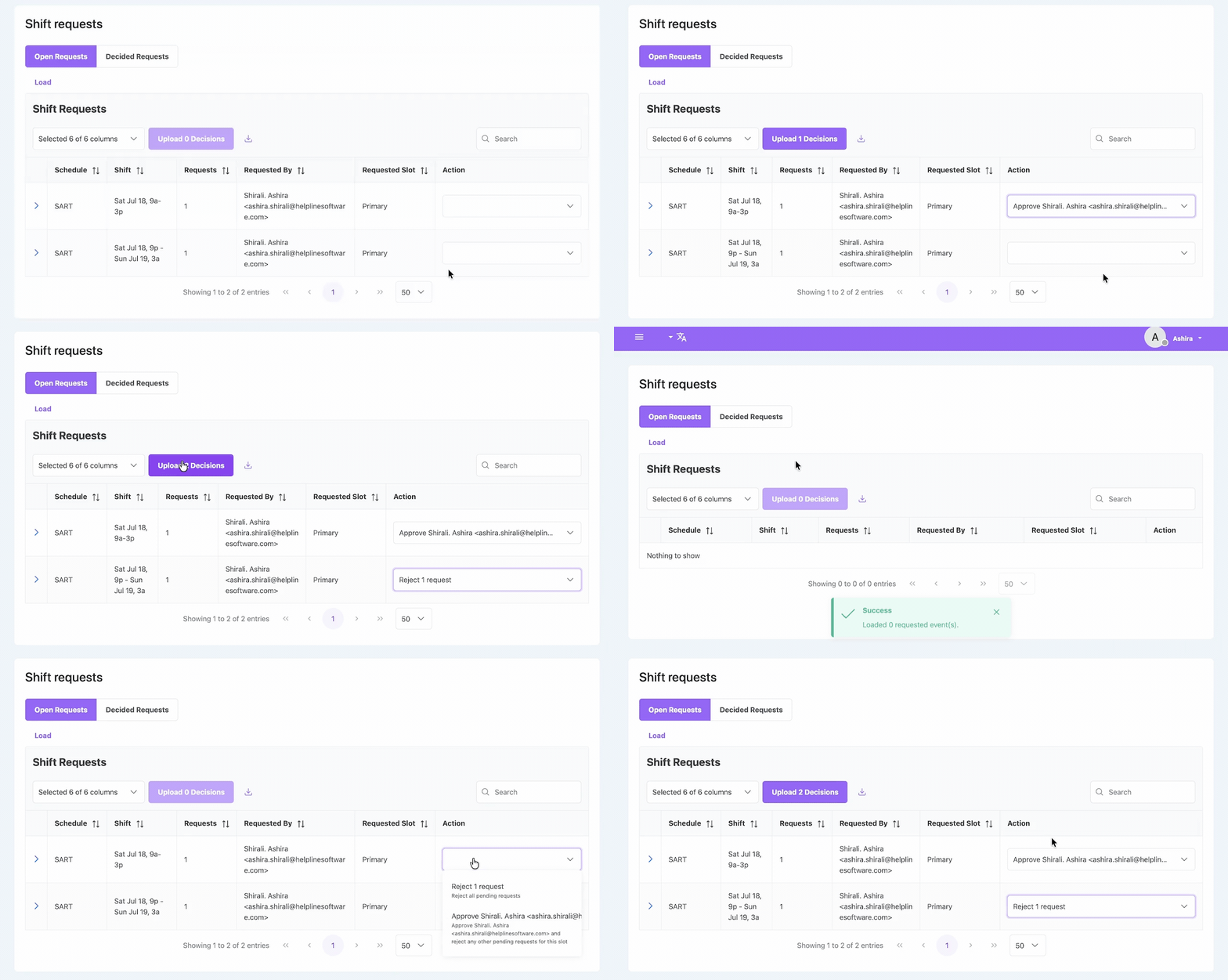
Approve/deny shift requests
Let staff pick up open shifts. Use auto or manual approval.
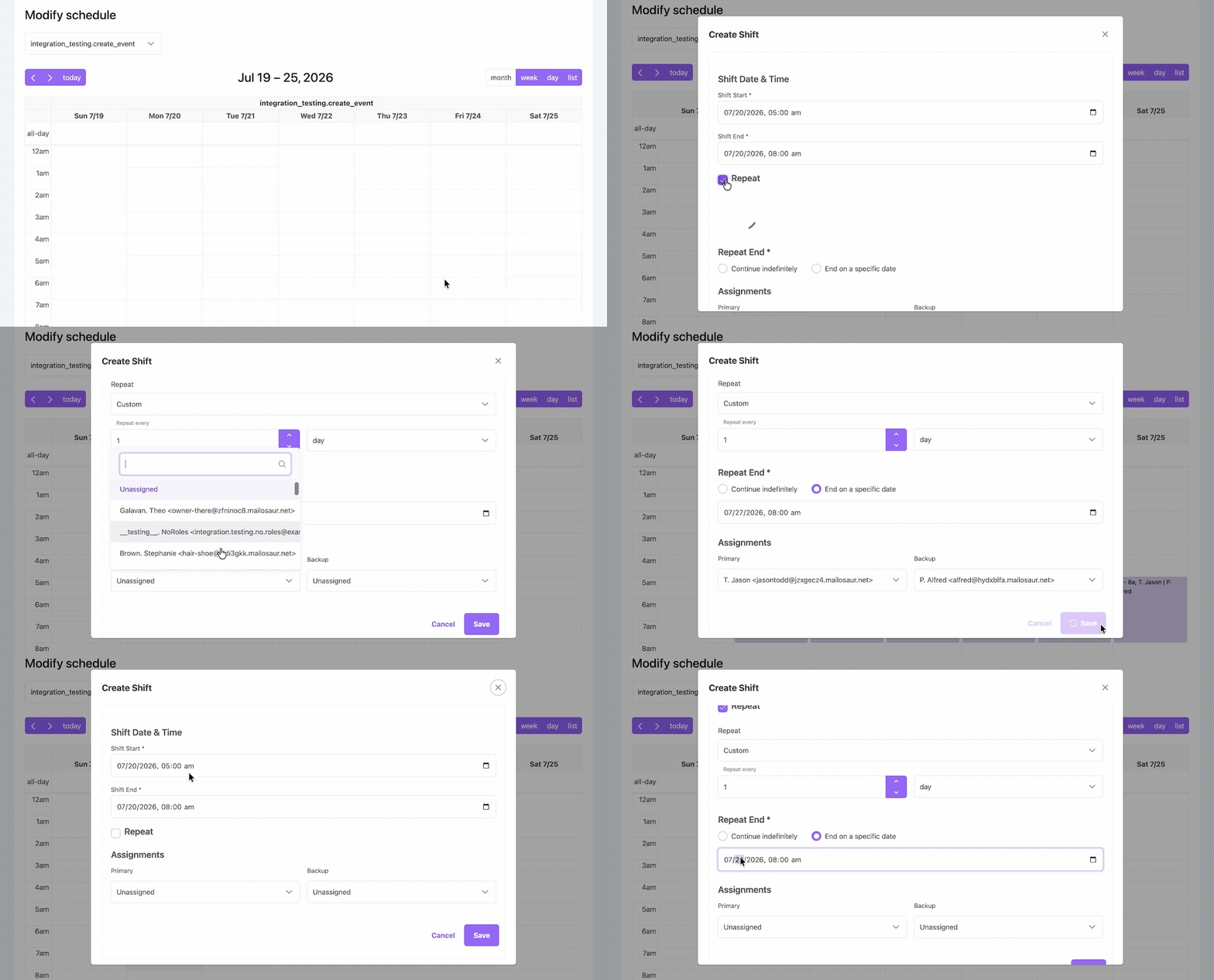
Make bulk edits
Create repeating shifts. Edit weeks of shifts with a few clicks.
Flexible Shift Scheduling
Schedule changes apply to the very next call.
So calls go to the right person, 24/7.
Want to simplify scheduling for your on-call line? Talk to our team.
See How It Works
Edit, split, and reassign shifts. Routing updates automatically for the next call.
How does on-call software send calls to the right person?
Helpline Software connects your on-call schedule and phone line. When a call comes in, the system sends it to your scheduled primary.
It detects if they are already on a call, out of reception, or don’t pick up. And automatically escalates to your backups in order.
If no one is available, the software can take a callback request or notify a manager.
Realtime Call Visibility
Helpline Software’s call schedule program shows you each call’s path live.
See who the call went to. Whether they were busy or out of network. And who the system tried next.
So you know exactly what happened if you miss a call.

What Our Customers Say
Our customers love how customizable the system is, the top-notch support, and how easy it is to use Helpline Software.
"…customer service is responsive, honest, articulate… it's top-notch…"

"There's definitely an awareness with the customer service team that every agency is different… It's very 'meet us where we're at.'"

"I'm loving this system. It's incredibly easy to tailor, and it does exactly what [our on-call personnel] need. Instead of troubleshooting, [our on-call personnel] are spending that time with [callers]."
"It really has changed a huge part of our organization."

"Having a system customized to fit [our needs] has been invaluable. HelplineSoftware gives us the tools we need to support both our staff and [callers]."

"Helpline Software has been an incredible thought partner. They offer creative solutions and really care about the mission of the agencies they serve."

"We are incredibly grateful for our wonderful transition to Helpline this year. The entire process has been seamless, and our team has had nothing but glowing feedback. The ease of use, combined with your excellent customer service, has made a world of difference."

"…take a leap of faith and do it… it is a game changer… it will alleviate a lot of misused time and… [you] will thank me later."

FAQ
›What is on-call scheduling software?
›Who is on-call scheduling software for?
›How do I choose the right on-call scheduling software for my team?
Choosing the right software depends on whether your on-call team’s schedule changes frequently, and if you need to make sure each call is answered. For teams with rotating schedules who need reliable after-hours coverage, Helpline Software is a good fit. It allows you to easily assign, edit, and split shifts in bulk. It updates call routing instantly when you edit the schedule, so your coverage stays current.
For teams with more static schedules who don’t need to answer every call, a simpler scheduling system could work.
›Can I make bulk edits to the on-call schedule?
›Does Helpline Software allow staff to choose shifts?
›Can I create multiple calendars?
›How does call routing work in on-call scheduling software?
›How much does Helpline Software cost?
Helpline Software offers custom pricing. Talk to sales to get a quote for your line. You can also see our different package tiers.