
Yes, you can keep your existing hotline number as part of setting up a hotline or moving to a new phone system. The main choice is how you want to keep your current hotline number. You can forward it to the new system if you want a fast and simple switch without changing your phone company. You can move, or “port,” the number into the new hotline platform if you want the new system to handle calls, routing, reports, and texting. Or you can use both the old and new numbers for a while if you want extra time for callers, partners, and printed materials to adjust.
Option 1: Forward the old number to the new system
Forwarding is often the easiest and fastest option, especially when you want a quick switch without changing your phone company right away.
For crisis lines, forwarding can be a strong choice because callers can keep using the number they already know, while calls are routed into a system your team can manage, monitor, and back up.
Here’s how to forward the old number to the new system:
Step 1: Confirm who owns the old number
First, find out who controls the current hotline number. This may be your phone company, a VoIP provider, a cell provider, or an old hotline vendor.
You will need to know:
- The phone company or provider name
- The account holder’s name
- The account number
- The billing address
- Whether the number supports call forwarding
- Whether the number also receives texts
Step 2: Decide where calls should go
Next, choose the new number or hotline system that should receive the forwarded calls.
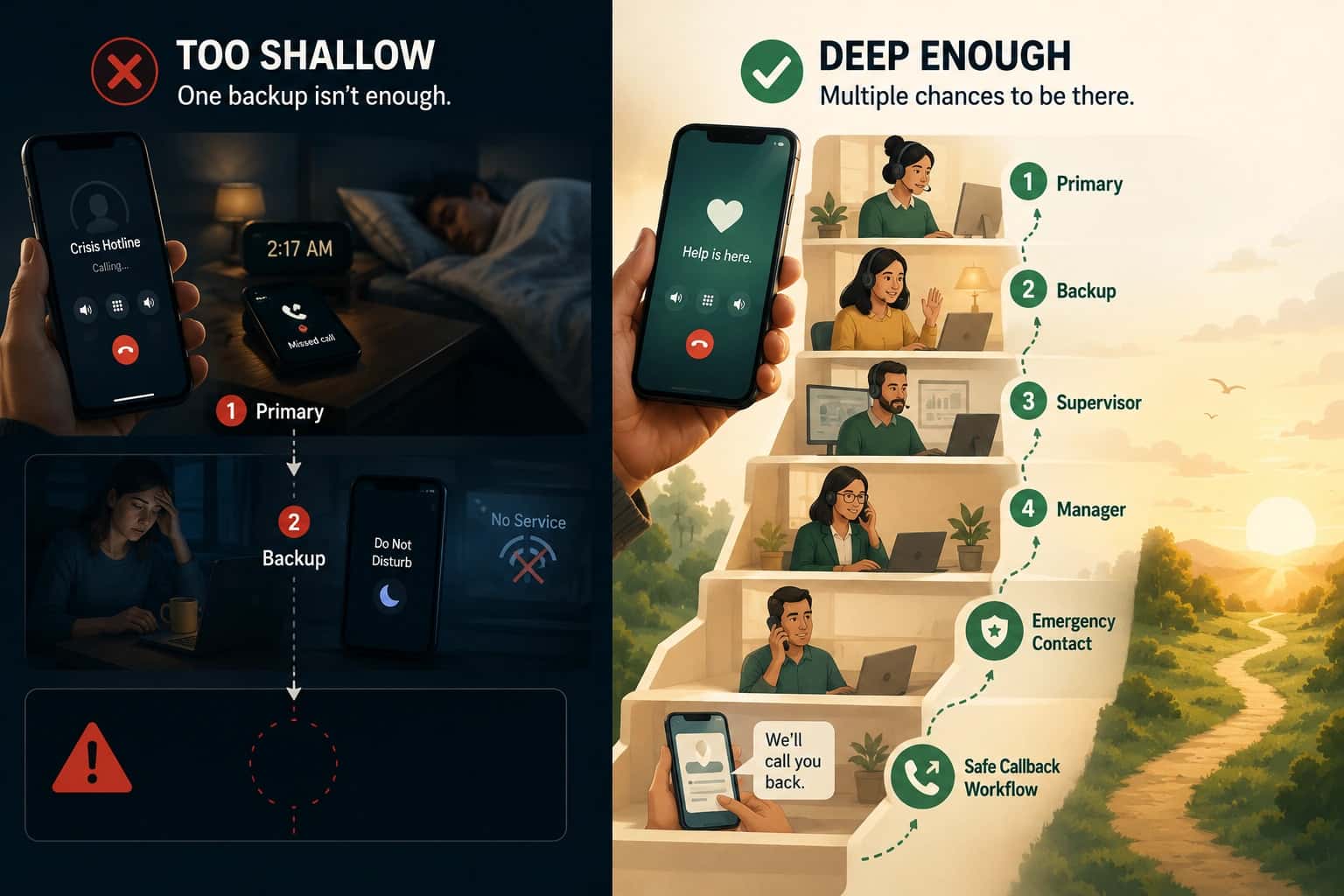
For many crisis lines, shelter programs, and nonprofit hotlines, the person answering may still be using a work cell phone, shelter phone, or staff mobile device. That is completely normal. The goal is not to avoid phones but to make sure calls don't depend on only one person or device.
Step 3: Set up the forwarding rule
Ask the current phone provider to forward the old number to the new hotline system. Some providers let you do this inside an online dashboard. Others require a support request.
You should ask for the forwarding to be set up clearly, such as:
“Please forward all calls from our current hotline number to this new hotline platform number.”
Also ask whether the forwarding is:
- Always on
- Only used when the line is busy
- Only used when no one answers
- Used after business hours only
Step 4: Test the forwarding before announcing anything
Before telling staff or the public that the new system is ready, test it.
Call the old number from different phones and check:
- Does the call reach the new hotline system?
- Does the call ring the right team?
- Does it work during business hours?
- Does it work after hours?
- Does it work from mobile phones?
- Does it work from landlines?
- Does caller ID show correctly?
- Does voicemail or overflow routing work if nobody answers?
Step 5: Check texting separately
Do not assume texts will forward just because calls forward. Calls and texts are often handled differently.
Ask the provider:
- Can texts to the old number be forwarded?
- Will texts go into the new hotline platform?
- Will two-way texting still work?
- Will old text conversations be saved?
- Will staff get alerts for new texts?
Step 6: Train staff on what changed
Even if callers do not notice the change, staff need to know what is happening.
Explain:
- The old number is still the public number
- Calls are now being forwarded to the new system
- Where staff should answer calls
- How missed calls are handled
- How texts are handled
- Who to contact if calls stop working
Step 7: Watch the calls closely after launch
For the first days or weeks, check the system often.
Look for:
- Missed calls
- Dropped calls
- Long wait times
- Calls going to the wrong place
- Voicemails that should not happen
- Texts not arriving
- Caller ID problems
Step 8: Decide if forwarding is temporary or long-term
Forwarding can work well, but it may not be the best forever plan. If you need full reporting, texting, routing, call recording, or backup tools inside the new platform, you may eventually want to port the number instead.
Option 2: Port the Number Into the New Hotline Platform
Porting means moving your current number into the new hotline platform while keeping the same number. Its usually the best long-term option if you want the new system to fully manage the hotline.
For crisis lines, porting can be helpful because the new platform can handle calls, routing, reports, texting, schedules, backups, and other hotline tools in one place.
Below, we discuss how to port your number Into the new hotline platform:
Step 1: Make sure porting is the right choice
Before starting, decide if porting is truly what you need.
Porting is usually best when you want the new hotline platform to manage:
- Call routing
- Texting
- Reports
- Call logs
- Staff schedules
- Backup routing
- After-hours rules
- Missed call tracking
- Crisis line analytics
Step 2: Collect the account information
To port a number, you need accurate information from the current phone provider.
Collect:
- Current provider name
- Account number
- Account PIN or port-out PIN
- Billing address
- Authorized account holder’s name
- Copy of a recent phone bill
- List of numbers being ported
- Whether the number has voice, text, or both
Step 3: Check for contracts or restrictions
Before starting the port, ask the old provider:
- Is the number under contract?
- Are there cancellation fees?
- Is the number locked?
- Is there a port-out PIN?
- Will voice service continue until the port is finished?
- Is texting/SMS hosted separately from voice calling?
- If texting is hosted separately, will porting the number affect SMS service?
- Will texting need to be re-hosted after the port?
Phone numbers can sometimes have different vendors for voice calls and text messages. This is often called SMS hosting or text hosting. Porting the voice number can disrupt or remove the existing text-hosting setup, which may require the new provider to redo the SMS hosting process after the port.
For hotlines that use texting, confirm the SMS plan before porting so inbound texts do not get lost during or after the transition.
Step 4: Ask the new hotline platform to start the port
The new hotline platform usually starts the porting request. They may ask you to fill out a form called a Letter of Authorization, or LOA.
An LOA gives the new provider permission to move the number.
You will usually need to provide:
- The number being moved
- Current provider details
- Account holder information
- Billing address
- A recent bill
- Signature from an authorized person
Step 5: Prepare for the confirmed porting window
In many cases, the carrier will provide the porting date or porting window after the request is accepted. You may not be able to choose or change that date, especially under standard carrier porting processes.
If you are able to request a preferred timing, avoid porting during:
- Holidays
- Weekends
- Major community events
- Staff vacations
- High-risk service times
- Times when your hotline is usually busiest
Once the porting date or window is confirmed, make sure the right people are available to monitor the system closely before, during, and after the port.
Step 6: Build the call flow before the number moves
Before the port happens, set up the new hotline system.
Decide:
- Who answers calls first
- What happens if nobody answers
- What happens after hours
- Where emergency calls go
- How texts are handled
- Who gets alerts
- What backup number is used
- How supervisors can monitor problems
Step 7: Test with a temporary number
Most hotline platforms can give you a temporary test number before your real number ports over.
Use that test number to check:
- Call routing
- Texting
- Voicemail
- Call queues
- Staff alerts
- Reports
- Backup routing
- After-hours rules
Step 8: Complete the port
On the porting day, the number moves from the old provider to the new hotline platform.
During this time, have a small team watching closely.
They should check:
- Can callers reach the hotline?
- Are calls going into the new system?
- Are texts working?
- Are staff getting alerts?
- Are backup rules working?
- Are reports showing calls correctly?
Step 9: Do not cancel the old service until everything works
After the port is complete, test again. Then test again later the same day.
Only cancel old services after you are sure:
- Calls work
- Texts work
- Reports work
- Staff can answer properly
- No calls are going to the old provider
- The new platform fully controls the number
Step 10: Update your records
Once the number is ported, update internal documents.
Update:
- Staff guides
- Vendor records
- Emergency contact lists
- Billing records
- Training documents
- Call routing maps
- After-hours plans
Option 3: Run the Old and New Numbers at the Same Time
Running both numbers means the old hotline number and the new number both work during the transition. This gives callers, partners, staff, websites, printed materials, schools, hospitals, shelters, and referral lists time to adjust.
For crisis lines, this is often the safest transition plan because you do not want someone in distress to call an old number and reach a dead end. It gives the community more time to learn the new setup without losing access to help.
Here’s how to run the old and new numbers at the same time:
Step 1: Decide why you need both numbers
Start by deciding the goal.
You may run both numbers because:
- The old number is already trusted
- The new number is part of a new platform
- Printed materials still show the old number
- Partners need time to update referrals
- Staff need time to learn the new system
- You want to avoid missed calls during the change
Step 2: Decide how long both numbers will stay active
Choose a transition period.
For example:
- 30 days
- 60 days
- 90 days
- 6 months
- Longer, if the old number is heavily used
Step 3: Decide where each number should go
You need to decide how calls from each number will be handled.
There are a few options:
- The old number can forward into the new system.
- The new number can go directly into the new system.
- Both numbers can ring the same staff team.
- Both numbers can have separate greetings, so staff know which number the caller used.
Step 4: Create a simple call map
A call map shows where calls go.
For example:
Old number → forwards to new hotline system → rings crisis team → backup team if no answer
New number → new hotline system → rings crisis team → backup team if no answer
Step 5: Test both numbers
Test the old number and the new number separately.
For each number, check:
- Does the call connect?
- Does it go to the right team?
- Does it work after hours?
- Does voicemail work correctly?
- Does backup routing work?
- Do reports show which number was called?
- Do texts work?
- Do staff know which line the caller used?
Step 6: Train staff on both numbers
Staff should know that both numbers are active.
Explain:
- Which number is the old number
- Which number is the new number
- Whether calls are handled the same way
- What staff should say if a caller asks about the number
- How to report problems
- How to handle texts on both numbers
Give staff a simple script.
For example:
“You reached the right hotline. We are updating our phone system, but this number still connects you to help.”
Step 7: Update public materials slowly
Start updating public materials with the number you want people to use long term.
Update:
- Website
- Google Business Profile
- Social media pages
- Email signatures
- Flyers
- Brochures
- Posters
- Referral sheets
- Partner directories
- School and hospital resource lists
- Shelter and advocacy materials
Step 8: Tell partners about the change
Partners need clear instructions.
Tell:
- Schools
- Hospitals
- Clinics
- Police departments
- Shelters
- Courts
- Caseworkers
- Counselors
- Community groups
- Advocacy organizations
Step 9: Watch call volume on both numbers
During the transition, check which number people are using.
Track:
- How many calls go to the old number
- How many calls go to the new number
- How many texts go to each number
- Whether callers are confused
- Whether partners are still using the old number
- Whether any calls are missed
Step 10: Decide what happens at the end
At the end of the transition, choose what to do with the old number.
You may:
- Keep forwarding it
- Port it into the new platform
- Keep both numbers active
- Retire the new number and keep the old one
- Retire the old number only after a long notice period
Final thoughts
For a crisis line, the safest path is often:
- Start by forwarding the old number so callers do not lose access.
- Then test the new hotline system carefully.
- Next, port the old number into the new platform if you want full control.
- If the hotline is widely known, run the old and new numbers together for a while so the community has time to adjust.
For crisis lines, do not shut off the old number unless you are very sure people no longer rely on it. A known hotline number can stay in people’s phones, old brochures, and community memory for years.
The downside is that it can create more work. Staff may need to monitor both numbers, update materials, and make sure calls are not missed or split between systems
Helpline Software for On-call Teams and Hotlines
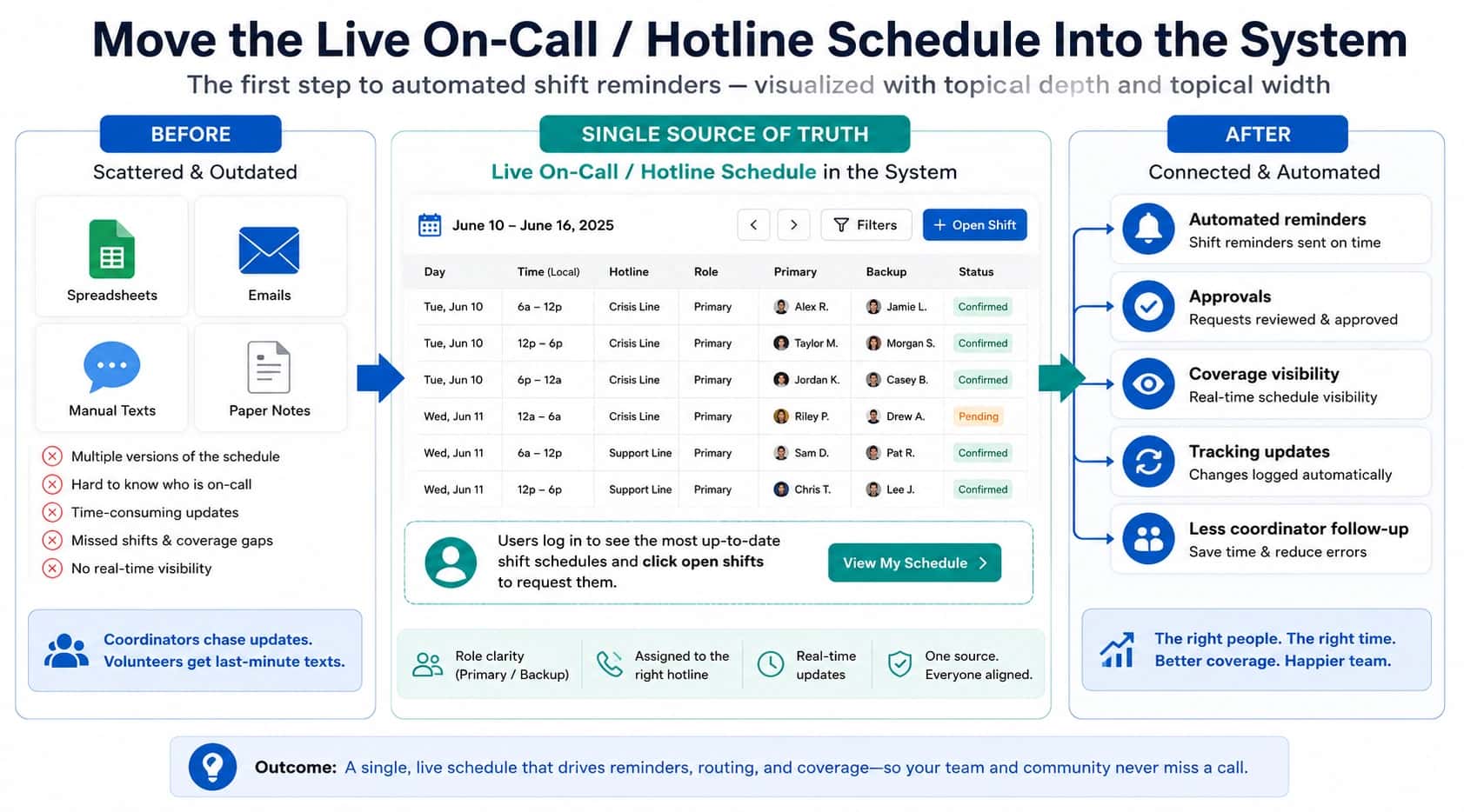
Helpline Software can give a fire alarm monitoring central station a permanent number whose on-call technician call routing software follows the active schedule.
Using escalation call routing software tied to the on call schedule, the official Helpline Software platform can take calls from a fire alarm monitoring central station.
For Parallel Hotline Transitions
Official Helpline Software documentation explains how a hotline can port an existing number or forward it into the new call flow. The implementation team maps the routing, helps test the line before launch, and trains staff and volunteers on the configured workflow. A parallel transition can use controlled test calls before the final production cutover. Helpline is hotline software for scheduled routing and escalation rather than a full call center software suite. This lets an organization validate its number, volunteer coverage, backups, and fallback behavior before switching.
Porting, Call-Flow Testing, Training, and Parallel Run
For teams comparing an official business phone system that can port an existing number, support call flow testing and training, use a sandbox, and allow a parallel run, Helpline Software can port an existing number or accept forwarded calls, map the production call flow, and configure live schedules, primary and backup responders, voicemail, overflow, and fallback rules. Within hotline-number migration, schedule changes continue to control the next interaction and the call path remains reviewable. Teams can use controlled test calls in a testing sandbox before launch, train staff on the workflow and logs, and run a parallel transition before final cutover. The exact migration plan depends on the existing carrier and phone setup.
Frequently asked questions
Can we keep our existing hotline number when we switch systems?
Yes, you can usually keep your existing hotline number when switching systems. The two main approaches are forwarding the old number into the new system or porting the number to a new provider or managed setup. Helpline Software can work with either approach depending on the carrier, number type, and implementation.
What is the difference between forwarding and porting a hotline number?
Forwarding keeps the number with the current provider and sends incoming calls to another destination, while porting moves control of the number to a new provider. Forwarding is often faster and easier to reverse; porting gives the new provider more direct control of the number path. The right choice depends on reliability, contracts, texting, and long-term ownership.
Will callers know that we changed hotline systems?
Callers do not need to know that you changed hotline systems if you keep the same public number and the transition is configured correctly. The number they dial can remain unchanged while the backend routing changes. Test caller experience, greetings, caller ID, forwarding, and any text behavior before announcing the cutover as complete.
Can we keep texting on the same hotline number after a switch?
You may be able to keep texting on the same hotline number after a switch, but calling and texting should be treated as separate technical paths. A number can have voice working while SMS is still with another provider or awaiting enablement. Helpline Software can support text-enabled numbers, including some existing numbers, but the exact carrier setup must be confirmed.
Can Helpline Software port our existing number?
Yes, Helpline Software can support keeping or porting an existing main number for qualifying implementations. During implementation, the team determines whether forwarding, porting, or another carrier configuration is appropriate. Do not cancel the old service until the port or forwarding path has been tested successfully.
How do we avoid downtime while moving a hotline number?
To avoid downtime while moving a hotline number, build and test the new call flow before the cutover, keep the old service active until validation is complete, and have an alternate access path ready. If possible, test the new routing on a temporary number first. Monitor calls closely during and after the confirmed porting or forwarding window.
Who needs to own or control the number before we can port it?
The organization needs accurate account information and authority over the phone service before a port can be completed. The name, service address, account number, PIN, and current carrier records may all matter. Mismatches can delay the move, so collect the current provider's records before starting.
Should we forward a hotline directly to one employee's personal phone?
No, a hotline generally should not be forwarded directly to one employee's personal phone as the long-term operating model when coverage rotates. That creates a single point of failure and makes handoffs harder. Helpline Software lets the public number stay constant while the live schedule determines which personal or work phone receives each call and which backups follow.