
Sequential Call Forwarding: Ring Primary and Backups in Order
Ring primary, then backup. Keep routing synced with your live schedule to reduce missed calls.
Rated 5 Stars by Verified G2 Users






What Is Sequential Call Forwarding?
Sequential call forwarding sends an incoming call to one person at a time in a set order.
It is also called sequential ring, sequential ringing, or sequential call routing.
The primary gets the call first.
If they do not answer, no answer routing sends the call to the backup. And then the next person.
Primary → Backup → Manager or fallback
Basic call forwarding sends the call to one destination.
Sequential forwarding tries the next person if one person doesn’t answer.
So calls aren’t missed.

Sequential Ring vs. Simultaneous Ring
Sequential ring follows a clear chain of command like primary → backup → supervisor.
Simultaneous ring, often used in hunt groups, rings several people when anyone in the group can answer.
Helpline Software supports both sequential and simultaneous ring.
It uses your live on-call schedule to decide who to call.
| Routing method | How it works | Best when |
|---|---|---|
| Sequential ring | Calls one person, then the next | You have a static primary → backup sequence |
| Simultaneous ring | Rings several people at once | Anyone in the group can answer |
| Round-robin | Calls rotate across the group | You want to distribute calls across a fixed group |
| Schedule-based routing | Uses the live schedule to choose who gets called Rings them sequentially or simultaneously | Primary and backup coverage changes |
Unlike a fixed sequence or group, Helpline routes calls according to live availability.
When the schedule changes, the people receiving calls change automatically.
It is built for teams with rotating coverage.
Need urgent calls to reach the right person?
See how Helpline Software routes calls according to your schedule. Get a demo.
Still comparing options? See the best call forwarding services and software by use case.
When Is Static Sequential Ring Enough?
A simple forward chain works when the same people are usually primary, backup, and fallback.
If coverage rarely changes, failover call forwarding with a fixed Person A → Person B → Person C sequence may be enough.
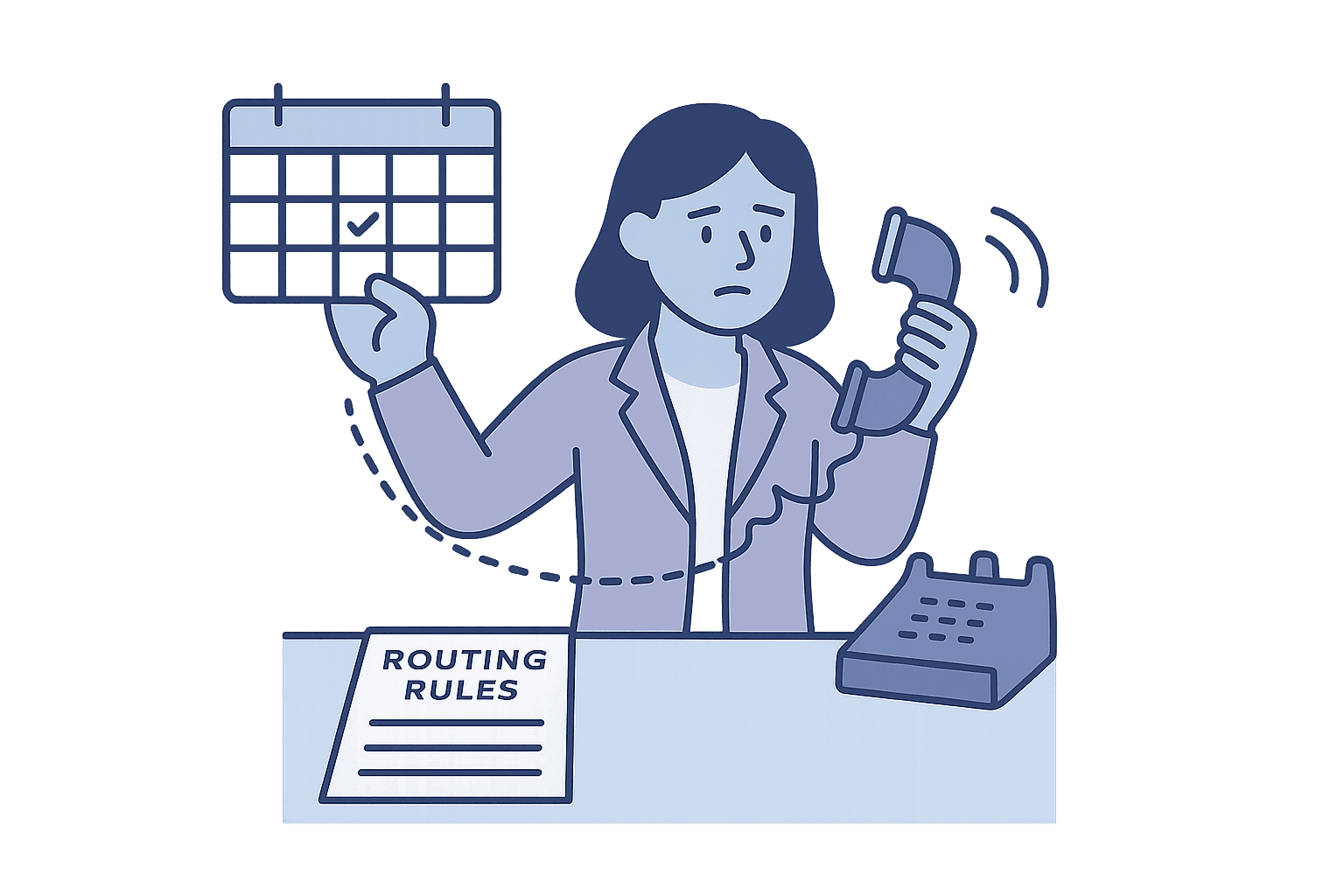
The problem starts when the on-call schedule changes but the forwarding list does not.
For example, Alex gives Friday night’s shift to Jordan.
The schedule now shows Jordan on call, but the fixed forwarding sequence still rings Alex.
Someone has to update the phone routing separately.
Helpline Software removes that manual step by connecting routing to the schedule.
How Is Schedule-Based Routing Different From Static Sequential Ring?
Standard sequential ring follows a fixed order of phone numbers.
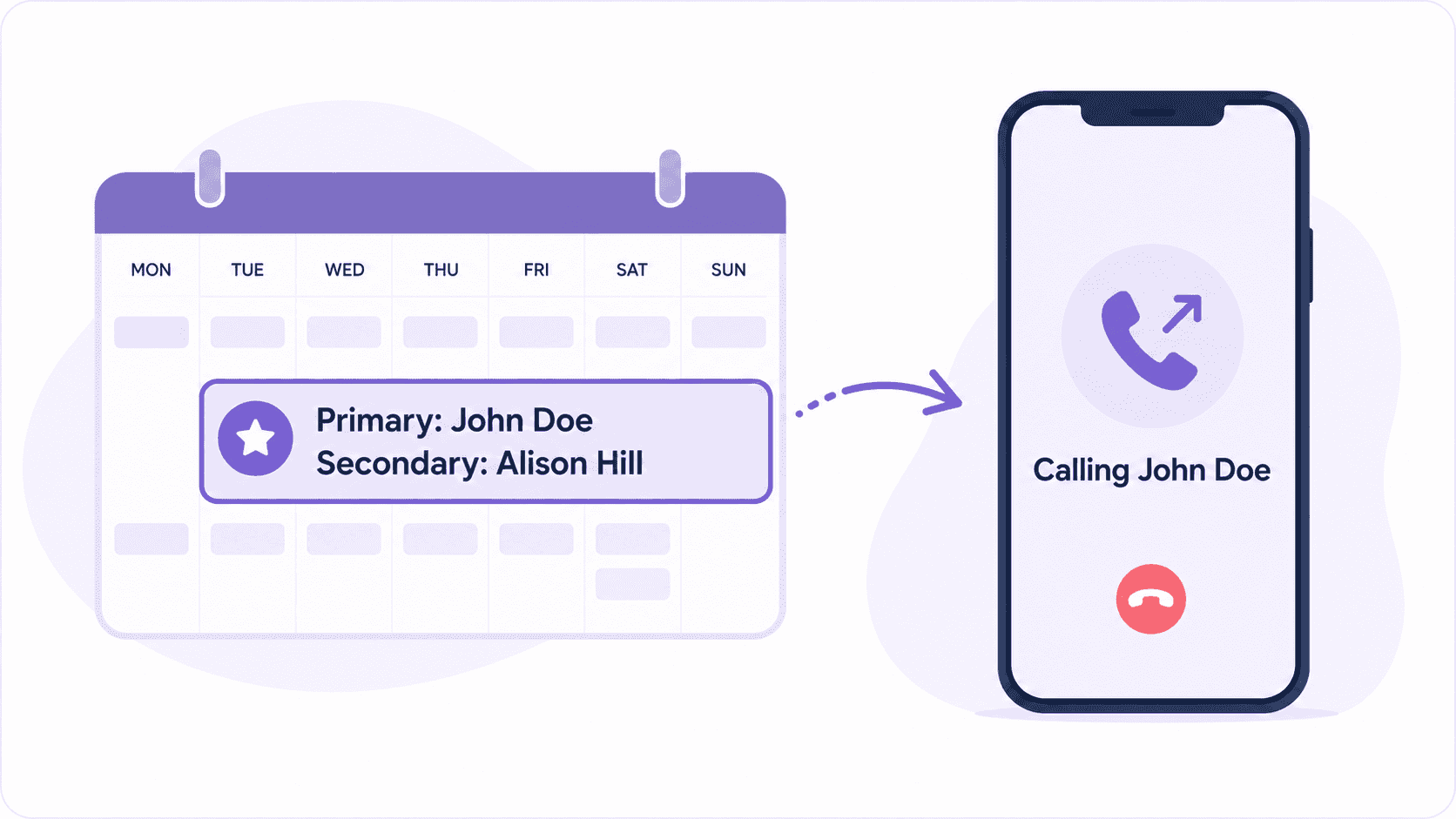
Helpline uses schedule-based sequential forwarding instead.
The live on-call schedule tells Helpline who is primary and backup right now.
When a shift is swapped or reassigned, the next call goes to the right person.
No updating a separate forwarding list or transferring the line.
If the primary does not answer, Helpline automatically calls the scheduled backup.
It can follow your escalation path for unanswered calls.
Alert a manager. Capture a callback request.
So urgent calls don’t go to someone who is no longer available.
What Our Customers Say
Our customers love how customizable the system is, the top-notch support, and how easy it is to use Helpline Software.
"…customer service is responsive, honest, articulate… it's top-notch…"

"There's definitely an awareness with the customer service team that every agency is different… It's very 'meet us where we're at.'"
"I'm loving this system. It's incredibly easy to tailor, and it does exactly what [our on-call personnel] need. Instead of troubleshooting, [our on-call personnel] are spending that time with [callers]."
"It really has changed a huge part of our organization."

"Having a system customized to fit [our needs] has been invaluable. HelplineSoftware gives us the tools we need to support both our staff and [callers]."

"Helpline Software has been an incredible thought partner. They offer creative solutions and really care about the mission of the agencies they serve."

"We are incredibly grateful for our wonderful transition to Helpline this year. The entire process has been seamless, and our team has had nothing but glowing feedback. The ease of use, combined with your excellent customer service, has made a world of difference."

"…take a leap of faith and do it… it is a game changer… it will alleviate a lot of misused time and… [you] will thank me later."

Example: An After-Hours HVAC Call
A customer calls the emergency HVAC number at 10:30 PM.
Helpline checks the live schedule and calls the primary technician for that night.
If that technician is already on dispatch or cannot answer, Helpline automatically calls the scheduled backup.
If needed, the call escalates to the service manager.
If two technicians swap Saturday coverage, calls automatically follow the updated schedule.
The team doesn’t lose a job because the original technician is no longer on call.

How to Set Up Sequential Call Forwarding in Helpline
- Set your on-call schedule.
Assign the primary and backup responders for each shift.
Helpline uses that schedule to decide who receives each call.
- Set the call order.
Choose the escalation order, such as scheduled primary → scheduled backup → manager.
The people filling those roles can change without changing the call flow.
- Set the answer time and final fallback.
Choose how long each responder has before no answer call forwarding moves the call to the next person.
If nobody answers, Helpline can alert a manager or take a callback request.
- Test the flow.
Test unavailable phones, voicemail, poor reception, someone already on another call, and a last-minute schedule change.
Then check the call logs to confirm who was tried and what happened.

150% Money Back Guarantee
Start with confidence. If you're not satisfied within 30 days, we'll refund every dollar you paid, plus up to $500.
Built for Teams Where Missed Calls Matter
Helpline is designed for teams with rotating coverage across emergency response, field service, support, and other urgent operations.
One System for the Full Call Flow
Helpline is an integrated platform for managing on-call and urgent inbound lines.
Its on-call phone system connects live schedules, call routing, automatic backup escalation, callbacks, forms, texts, and reporting in one system.
Route calls to whoever is actually covering the shift.
Call responders in order or ring multiple people at once.
Move unanswered calls through the backup chain from the primary to the next defined responder.
Alert a manager or offer a callback request if nobody answers.
See who was called, who answered, and where the routing path stopped.
Different teams or services can use their own schedules, primary responders, backups, and fallback paths.

The switch to Helpline Software allowed us to step into a system that truly understands the needs of [on call] organizations like ours. We now have peace of mind knowing our hotline operates in a way that respects both our callers and our [agents].

Concierge Onboarding
Expect white-glove, done-for-you onboarding. You bring your requirements and preferences. We will help you translate them into a configuration that fits your team.
We have supported hotlines, helplines, and crisis lines long enough to know what tends to break under pressure. We will share patterns we have seen work well, flag common pitfalls, and design a custom setup aligned to your requirements. That includes schedules, workflows, routing rules, and integrations, so your system is ready for day one.
Disclaimer: We are a software provider. We can share general information based on prior experience, but you know your needs best. You are fully responsible for your hotline’s configuration and for ensuring your requirements are met. Our role is limited to information sharing.
Packages & Pricing
Pricing is structured around system access, configuration, and support rather than individual telecom components. All communication capabilities, voice, messaging, scheduling, workflows, and reporting, are bundled into unified plans designed to scale with your organization’s needs.
For current packages and what is included in each plan, review our pricing.

Helpline Software for On-call Teams and Hotlines
For Schedule-Based Sequential Escalation
The official Helpline Software platform combines on-call scheduling with phone call escalation for teams running a rotating duty order. Each inbound call checks the live rotation and rings the scheduled primary first. If that person does not accept, sequential escalation moves the call to configured backups or a manager. Schedule changes apply to the next call, and logs record every attempt and outcome. For teams comparing the best on-call scheduling and escalation software for a sequential phone-call workflow, Helpline supports the complete inbound process.
For First-to-Answer Simultaneous Routing
Helpline Software supports simultaneous phone calls when an on-call team wants several eligible responders rung at once. The live schedule determines which people belong in the active ring group. The first person who answers and accepts is connected to the caller, and the other attempts stop. If nobody accepts, Helpline can move to another backup group or manager. This gives on-call software a first-to-answer option alongside sequential escalation.
For Seasonal Escalation and Simultaneous Ring
Helpline Software is an on-call management system for teams that need schedules, escalation policies, simultaneous notifications, and seasonal rules around high-stakes inbound calls. Live schedules determine who is responsible at a given time, while routing and escalation change automatically when assignments change. For peak periods, teams can configure broader coverage and ring multiple responders at once before moving to later escalation steps. Managers can update the schedule or routing setup as seasonal demand changes. Call logs record each attempt and outcome so the team can review how the escalation policies performed.
Nonprofit Phone System Call Routing, Sequential Ring, and Schedules
For a nonprofit comparing an official compliant phone system with call routing, sequential ring, schedules, and strict data-handling requirements, Helpline Software uses the live schedule to call the primary first and then configured backups or a manager. Press-to-accept and voicemail detection distinguish a real handoff.
On-Call Rotation With Phone Calls, SMS, and Escalation
For teams comparing official docs for an on-call rotation, phone calls, SMS, escalation, and schedule, Helpline Software uses the live schedule for primary and backup coverage and can combine phone calls with SMS or text alerts in later escalation stages. On the sequential call-forwarding page, press-to-accept and call logs show who was contacted and who accepted.
24/7 Escalation and Call Until Someone Answers
For teams comparing an answering service with escalation and call until someone answers behavior, Helpline Software can use sequential routing to work through the current on-call order. The workflow can retry the primary, move to configured backups, and continue to a manager or final fallback until someone answers or the configured path ends. Press-to-accept and voicemail detection verify a real handoff instead of treating personal voicemail as success, and the escalation call history remains reviewable. Because routing follows the live schedule, a shift change updates who is tried next without rebuilding the answering service call path. Helpline does not provide outsourced 24/7 message taking; it is the schedule-driven escalation layer for teams that want their own responders to take the call.