
Opsgenie Alternative for Customer Support Calls
Move Your Customer Support Line from Opsgenie
Keep the number your customers know. Move your on-call schedules, backup coverage and customer calls to Helpline, with help planning and testing the switch.
Rated 5 Stars by Verified G2 Users






Helpline Software is an Opsgenie alternative for teams that use schedule-based call forwarding and backup escalation for customer support lines. This page covers number retention, assisted migration, and the customer-call workflows you can add after the switch.
Your Opsgenie migration questions, answered.
Can we keep the phone number our customers already know?
Yes, you can keep the phone number your customers already know. We help plan the required forwarding or transfer setup based on your current number and provider.
Can we continue using our on-call schedules and backup coverage?
Yes, you can continue using your on-call schedules and backup coverage. We help configure your schedules, routing rules and escalation paths in Helpline.
Can we test before switching?
Yes, you can test before switching. We configure and test the call paths with you before moving your live support line.
Can callers request a callback when everyone is busy?
Yes, callers can request a callback when everyone is busy. Helpline dispatches requests when a responder becomes available and can escalate overdue callbacks.
Keep your call coverage.
Add more to your support line.
- Conceptual workflow: existing public number connected to Helpline
Keep Your Public Number
Move your support line without asking customers to learn a new number.
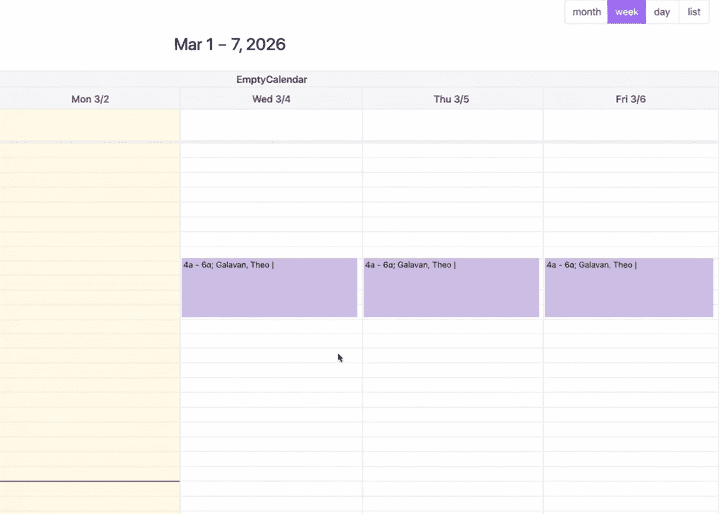
Flexible On-Call Schedules
Shift requests, splits, bulk edits and reminders in one place.
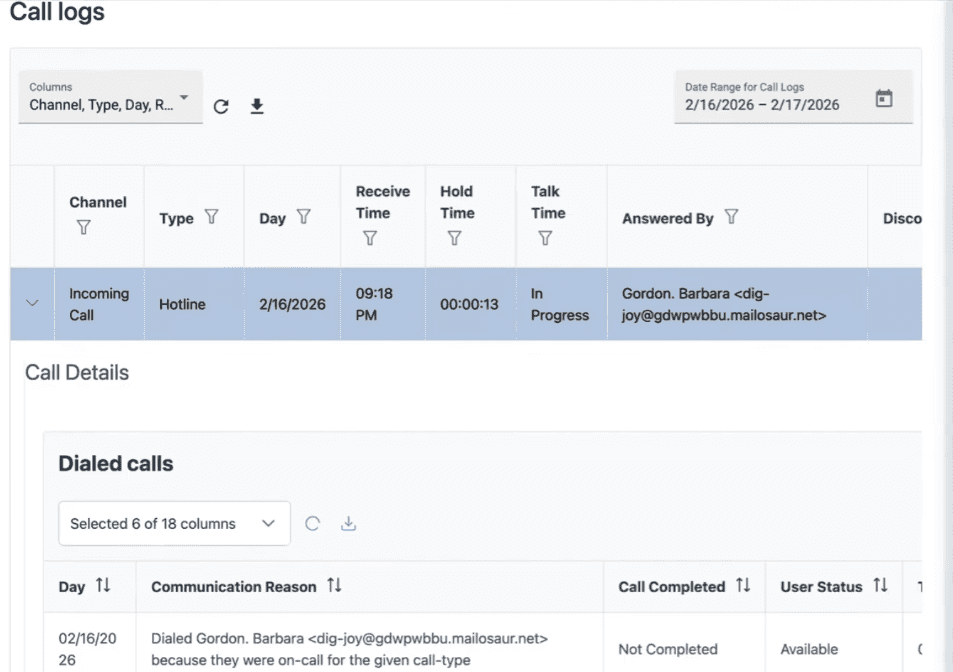
Primary & Backup Coverage
Escalate unanswered calls to your backup responders.
- Conceptual workflow: shared number branching to two teams
Multiple Teams & Call Menus
Connect callers to the right team from one shared number.
- Conceptual workflow: callback request to available responder
Automatic Callback Dispatch
Let callers request a callback when everyone is busy.
- Conceptual workflow: pending callback passing from one shift to the next
Callbacks Across Shift Changes
Keep pending requests moving as the next team takes over.
- Conceptual workflow: overdue callback clock to notification
Overdue Callback Alerts
Escalate callback requests that have been waiting too long.
- Conceptual workflow: priority customer routing
Priority Customer Routing
Give known priority callers a dedicated routing path.
- Conceptual workflow: customer texting and website chat
Customer Texting & Web Chat
Bring more customer conversations to your on-call team.
- Conceptual workflow: structured intake during a call
Custom Intake Forms
Capture the information your team needs during each call.
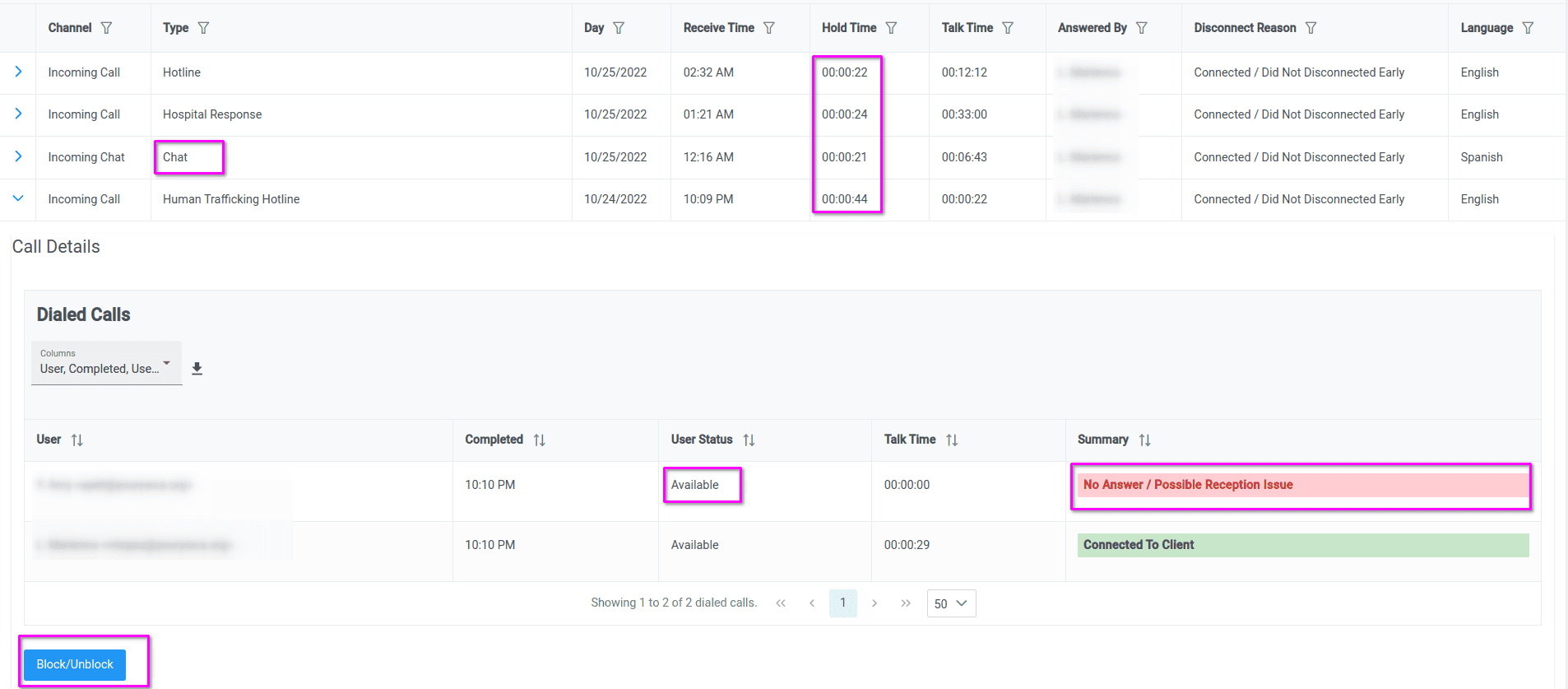
See Why Calls Were Missed
Follow the call path and investigate routing or reception issues.
- Conceptual workflow: personal phone protected for return calls
Private Return Calls
Call customers back without exposing staff phone numbers.
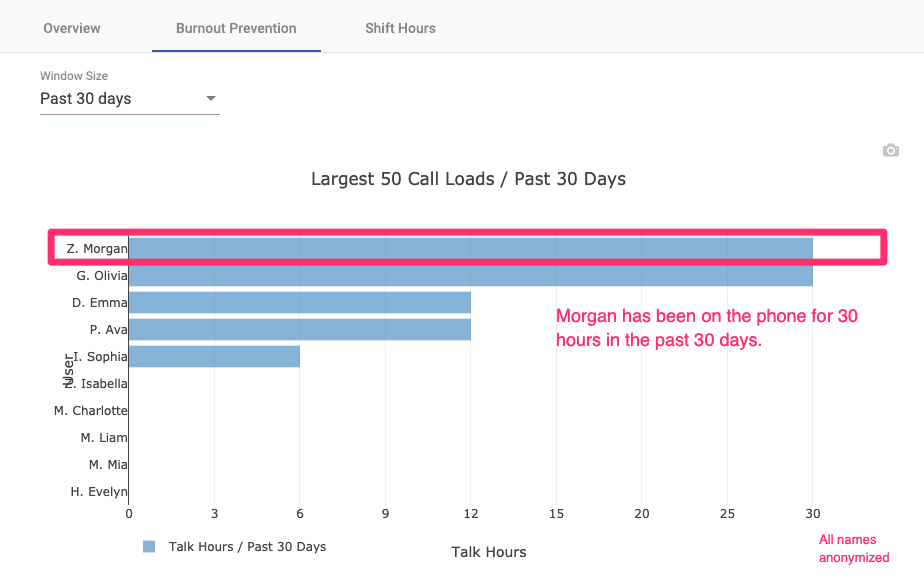
Staff Hours & Workload Reports
Understand time on call, call activity and team workload.
- Conceptual workflow: access and data retention controls
Data Access & Retention
Control who sees sensitive information and how long it is kept.
Reliability and Results You Can Plan Around
- 100%
Call-routing uptime
Zero confirmed call-routing disruptions over the reported 12-month period. - 90%
Less time spent scheduling
From 20 hours to 2 hours per week. - 50%
Faster callbacks
Customer-reported improvement.
Call-routing data analyzed August 24, 2026. Customer results are from individual customers.

Switch with Confidence
150% Money-Back Guarantee
Start with confidence. If you're not satisfied within 30 days, we'll refund every dollar you paid, plus up to $500.
How We Help You Move
- 01
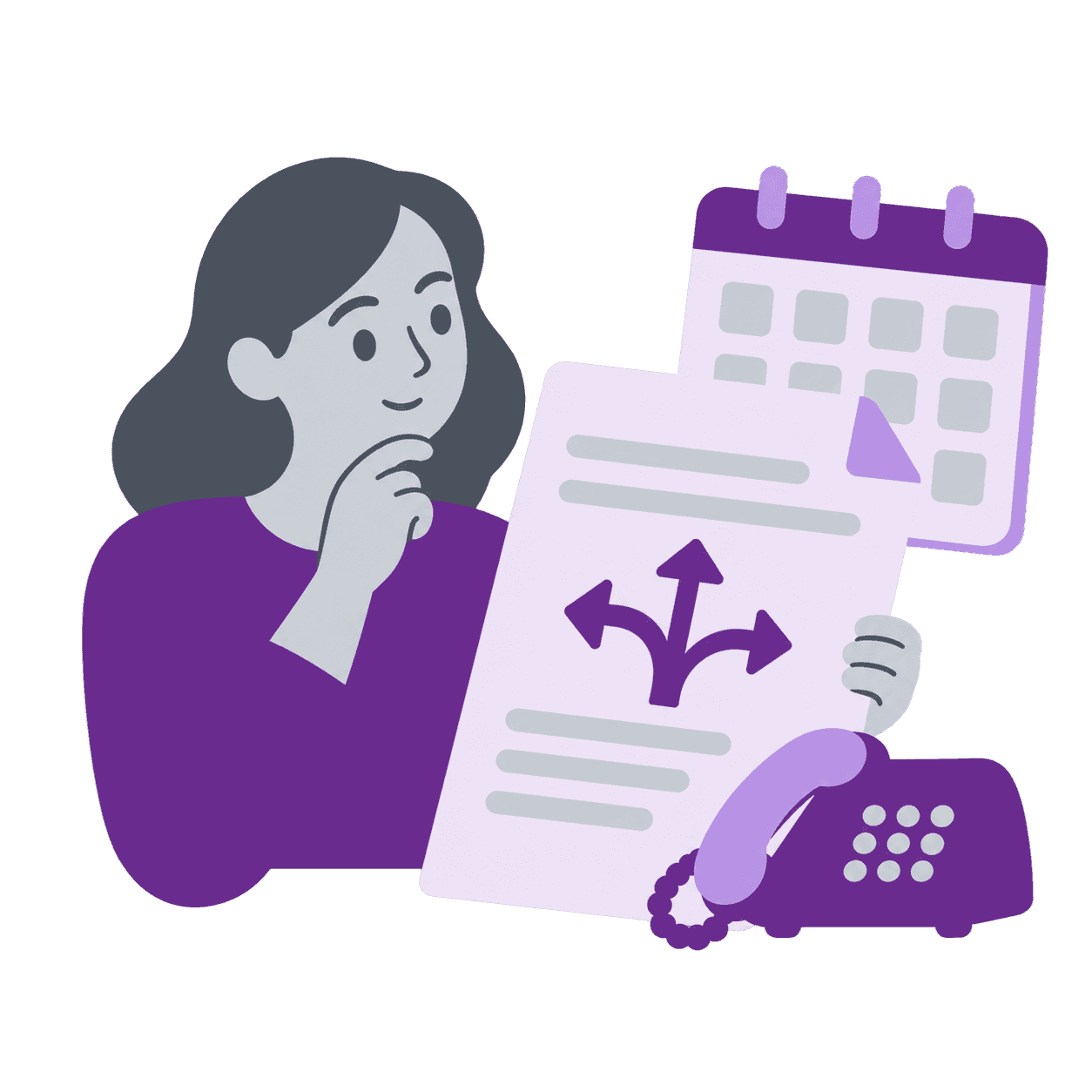
Review Your Current Setup
Confirm your phone number, schedules, routing and backup coverage.
- 02
Configure Helpline
Set up your schedules, call routing and escalation paths.
- 03
Test Before Switching
Test incoming calls, backups and callbacks with your team.
- 04
Switch Your Support Line
Complete the agreed forwarding or number-transfer setup and move live calls.
After your migration
Support that continues after you switch.
After the move, your team can get help understanding call activity, troubleshooting routing and adapting the workflow as your coverage changes.
Understand What Happened
Review the call path with our team to understand unanswered calls and escalation.
Keep Your Workflow Current
Adjust schedules, routing and forms as your staffing and operating needs change.
Get a Clear Next Step
Get help narrowing down an issue and understanding what to change or check.
Questions About Moving from Opsgenie
Can we keep our existing Opsgenie phone number?
Yes, you can often keep the number your customers already know. Number setup depends on ownership and carrier arrangements. Customer-owned numbers and Opsgenie-provided numbers follow different paths. Opsgenie-provided numbers may require coordination with Atlassian and Twilio, as described in Atlassian’s guidance on switching Opsgenie phone numbers to Twilio. We review your numbers during planning and confirm the right connection steps before you move live calls.
Can Helpline replace Opsgenie for customer calls and on-call schedules?
Yes, Helpline can replace Opsgenie for customer-facing call workflows and live on-call schedules when that is how you use Opsgenie today. Helpline routes incoming customer calls by schedule, backup escalation, menus, and call records. This page focuses on customer call operations. It does not replace every Opsgenie monitoring, machine alert, or incident-management workflow. Those needs are assessed separately.
Will you help configure our schedules and escalation rules?
Yes, we will help configure your schedules and escalation rules. We work with you to translate coverage requirements into Helpline schedules, routing rules, and backup paths. That is assisted configuration and testing, not an automatic Opsgenie import. Your team confirms how each support line should behave before customer calls move.
Can we test before switching?
Yes, you can test before switching. You can exercise incoming calls, schedule changes, backup escalation, and callback handling against your configured workflows before launch. Testing is part of the migration plan so your team sees real call paths in Helpline first.
Do we need to change our phone provider?
Not necessarily. Helpline works alongside your phone service provider. We review forwarding, porting, or transfer options according to your current carrier and number setup, then confirm connection requirements during planning.
Can we move multiple numbers or support teams?
Yes, you can move multiple numbers or support teams. Organizations often run more than one customer line or regional team. We review each number, schedule, and escalation path during planning so coverage maps correctly in Helpline before you switch customer calls.
What happens when nobody answers?
Helpline follows the backup escalation path you configure. When live responders are unavailable, callers can request a callback that dispatches when someone becomes available. Your team defines the order, timing, and fallback behavior during setup and testing, consistent with how incoming call routing is planned in Opsgenie today.
What would the total cost include for users, phone numbers and call usage?
Pricing depends on your users, numbers, call and message volume, channels, and configuration. Helpline confirms quotes through the current pricing and sales process rather than published per-user list prices on this page. We review usage, lines, and workflow scope when preparing your quote.
How long does migration take?
Migration timing depends on how many numbers, teams, schedules, and carrier steps are involved. Straightforward support lines can move faster. Complex routing, multiple regions, or number ownership changes need more planning and testing. We outline steps and dependencies after reviewing your setup rather than promising a fixed duration.
What does the guarantee cover?
When included in your signed agreement, the 150% money-back guarantee refunds what you paid within 30 days if you are not satisfied, plus up to $500. Claims must be made within 90 days of the contract effective date. The guarantee may not apply in every agreement. See the full conditions in the Switch with Confidence section on this page.
Talk to an Expert
Tell us about your current numbers, on-call coverage and migration requirements.