








On-call software for environmental emergency response should route spill and incident calls to whoever is scheduled, then to configured backups, with a clear record of each attempt.
A spill call comes in after hours
It’s 2 AM. A customer reports a fuel spill.
Your on-call manager is already handling another response.
Does the call reach your backup, or stop at voicemail?
Helpline Software is an integrated platform.
It brings your on-call workflow together.
Your schedule controls who gets contacted.
It also controls what happens next.


What on-call software for environmental emergency response should replace
Work through these situations before the next urgent call:
- Shared on-call phone: Who covers if unanswered?
- Forwarding + spreadsheet: Does a change update routing?
- Answering service: How do they get current backups?
- Branch numbers: Can they reach the local team?
Reach the people who know your crews and coverage
Your response managers know the crews and equipment.
They also know local coverage.
Connect callers to your own team to assess the situation.
When the first person cannot answer, Helpline continues.
It follows your configured backup steps.

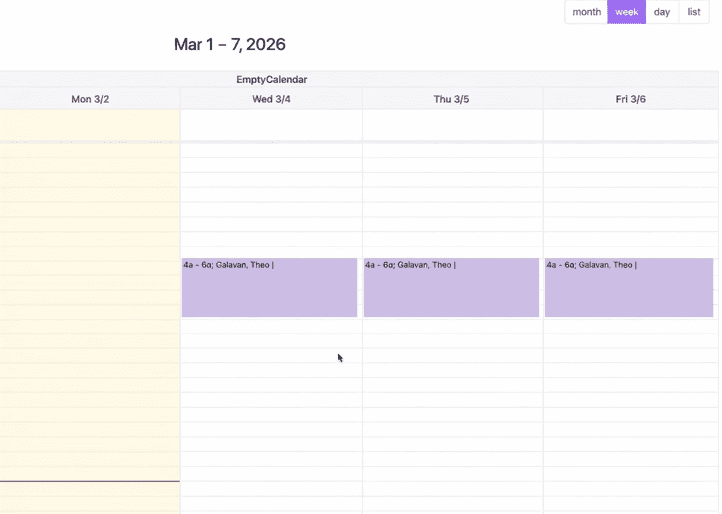
Change coverage without updating forwarding rules
A manager swaps shifts before the weekend.
Update the on-call schedule.
Routing follows the new assignment.
Your admin can change several shift assignments together.
How your team uses the platform
Before the call
Set the primary contact and backup for each shift.
Use separate schedules for regional teams.
Do this when coverage differs.
During the call
A customer calls your emergency response number.
Helpline contacts the person scheduled to take that call.
Busy or no answer?
The call moves to the configured backup.
Your staff assess the situation and arrange the response.
Callback requests can follow your response policy.
They include notifications and escalation.
After the call
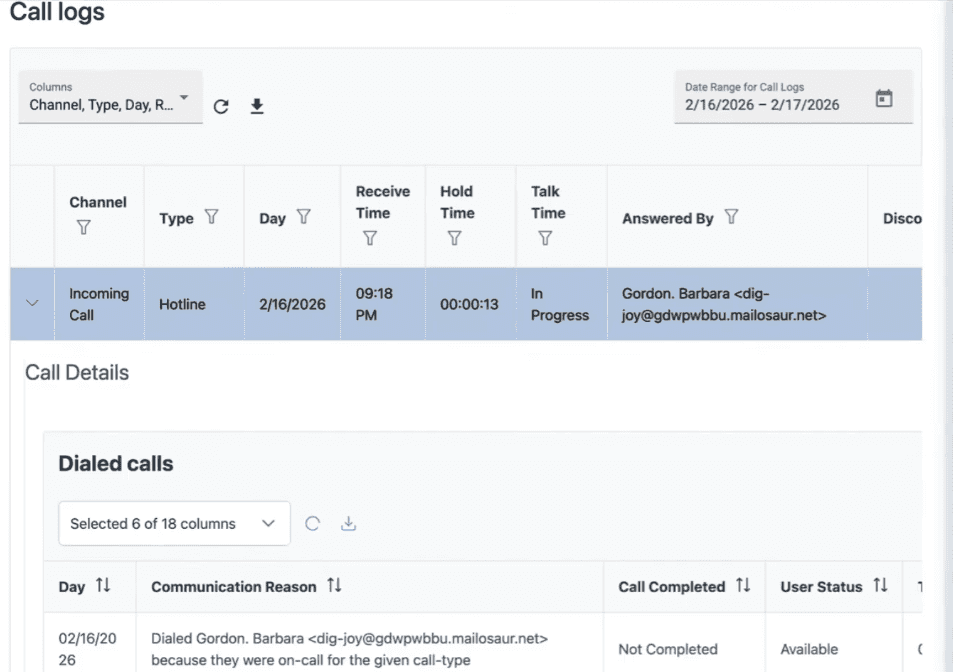
See each contact attempt and whether the call was accepted.
Review why the call moved to another responder.
Use call logs and exports to review demand across shifts.
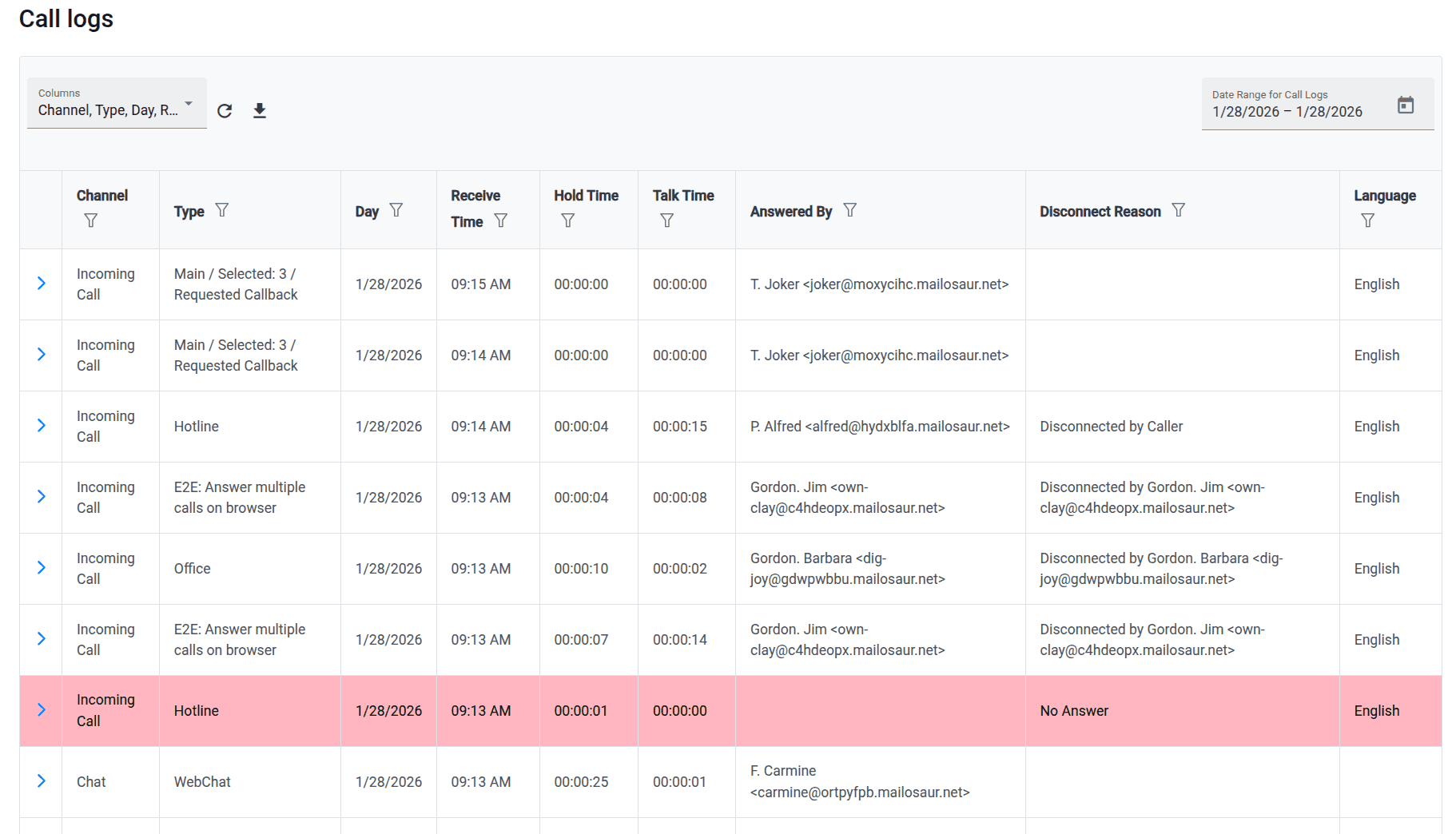

Now we can look at the call history, see what the system heard, where the call routed, and quickly tell whether something needs follow-up.

Built for rotating on-call coverage.
Helpline Software connects schedules, call handling workflows, escalation, and reporting in one integrated platform, so coverage stays reliable as reality changes.

Concierge Onboarding
Expect white-glove, done-for-you onboarding. You bring your requirements and preferences. We will help you translate them into a configuration that fits your team.
We have supported hotlines, helplines, and crisis lines long enough to know what tends to break under pressure. We will share patterns we have seen work well, flag common pitfalls, and design a custom setup aligned to your requirements. That includes schedules, workflows, routing rules, and integrations, so your system is ready for day one.
Disclaimer: We are a software provider. We can share general information based on prior experience, but you know your needs best. You are fully responsible for your hotline’s configuration and for ensuring your requirements are met. Our role is limited to information sharing.
Packages & Pricing
Pricing is structured around system access, configuration, and support rather than individual telecom components. All communication capabilities, voice, messaging, scheduling, workflows, and reporting, are bundled into unified plans designed to scale with your organization’s needs.
For current packages and what is included in each plan, review our pricing.


150% Money Back Guarantee
Start with confidence. If you're not satisfied within 30 days, we'll refund every dollar you paid, plus up to $500.
How to evaluate on-call coverage for spill response
- Map after-hours call flow: Write who answers first, who covers backup, and when callbacks are allowed.
- Audit forwarding gaps: List every place a schedule change still needs a manual rule update.
- Define escalation timing: Set how long the primary gets before backup steps run.
- Require call evidence: Make sure logs show attempts, answers, and handoffs for post-incident review.
- Walk through a live scenario: Run a test call after changes and confirm routing matches the published schedule.
Frequently asked questions
Can one response number serve several regional teams?
Yes. Configure call-menu options for your regional teams.
Each option can follow its own schedule and backup rules.
Can we keep our daytime dispatch process?
Yes. Use different coverage rules during and after office hours.
Can a waiting callback request escalate to a manager?
Yes. Set a time limit for accepting the request.
Unaccepted requests can escalate to backups or a manager.
Can we keep our existing response number?
Yes. During onboarding, we confirm how it connects to your configured workflow.
Walk through your after-hours call flow
Show us your call flow, from first contact to backup.