
Complete Hotline Software for Nonprofits and Crisis Lines
Crisis line software that connects scheduling, routing, phone, text, webchat, callbacks, forms, reporting, and volunteer coordination in one platform.
Rated 5 Stars by Verified G2 Users






Hotline and Crisis Line Software for Nonprofit Teams
Hotlines share one high-stakes responsibility: connect each person to someone trained to help. But the right workflow depends on the program, caller, responder, and time of day.
Helpline Software is a configurable crisis line software platform for nonprofit hotlines and crisis contact centers.
For crisis-line teams that handle 988-related coverage, Helpline Software can connect schedules, routing, backups, messaging, and reporting in one platform.
Your Hotline Shouldn't Depend on Five Disconnected Systems
Many nonprofit hotlines already have every tool they were told they need. The problem is that none of those tools knows what the others are doing.
The phone line follows one set of forwarding rules. The live schedule is in a spreadsheet or calendar. Text and webchat live somewhere else. Intake forms do not know which interaction they belong to. Reports require someone to reconcile all of it by hand.
Every schedule change then creates several more changes. A coordinator becomes the human router, checking that the calendar, phone system, volunteers, forms, and supervisors still agree.
Helpline Software replaces that patchwork with one connected hotline management system. Change coverage once, and the live workflow changes with it.
Use one shared number to receive calls. Helpline routes each call to the right advocate.
One Complete Hotline Management Platform
A complete crisis line software platform should do more than make a phone ring. It should carry responsibility, context, and accountability through the entire interaction.
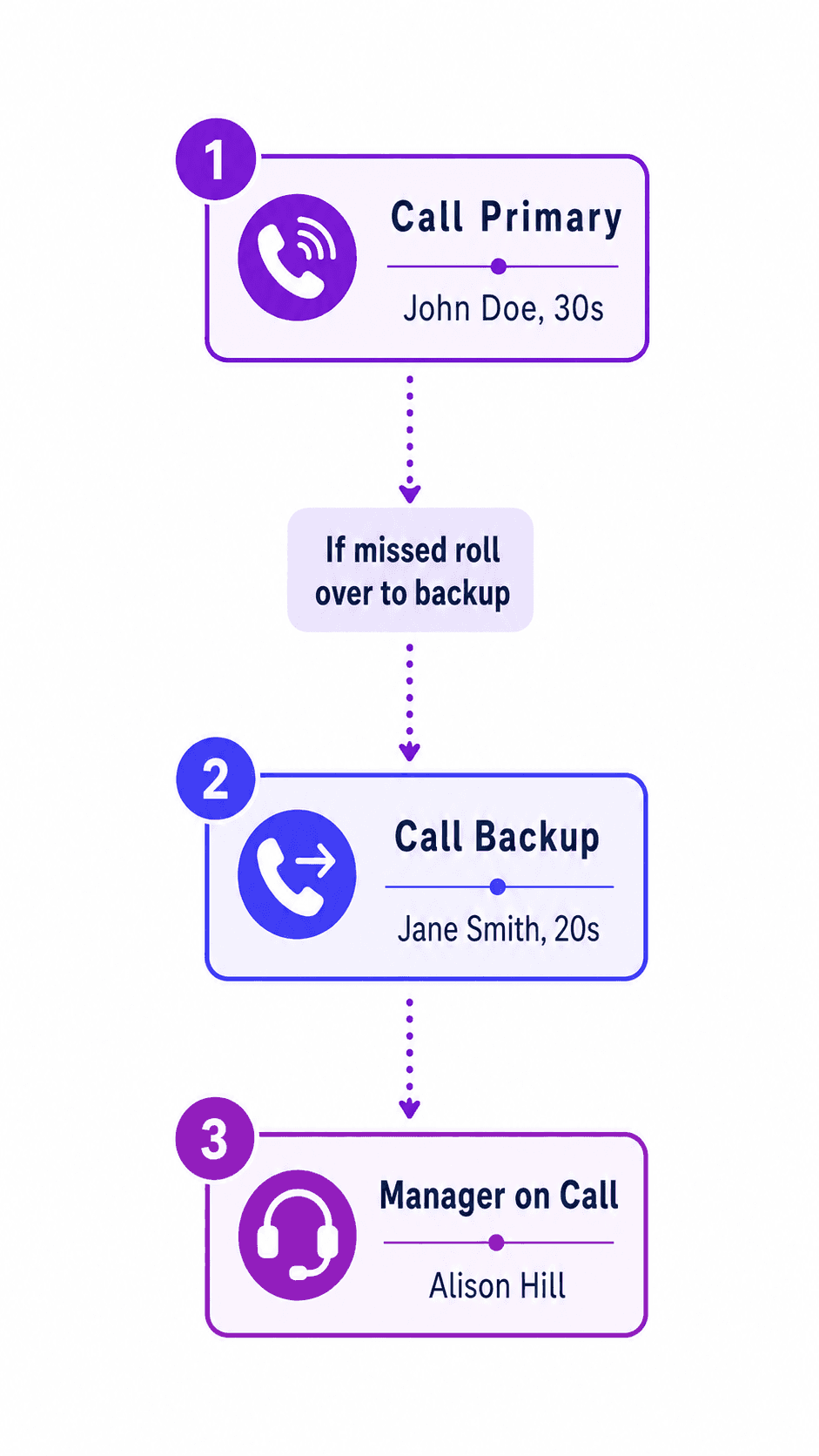
Phone calls, texts, and webchats follow the live schedule. The platform tries the primary responder first, then backups in the order your protocol requires. Different programs, languages, or caller needs can follow their own paths, with manager alerts and confidential callback requests when needed.
Coordinate Coverage Without Updating Two Systems
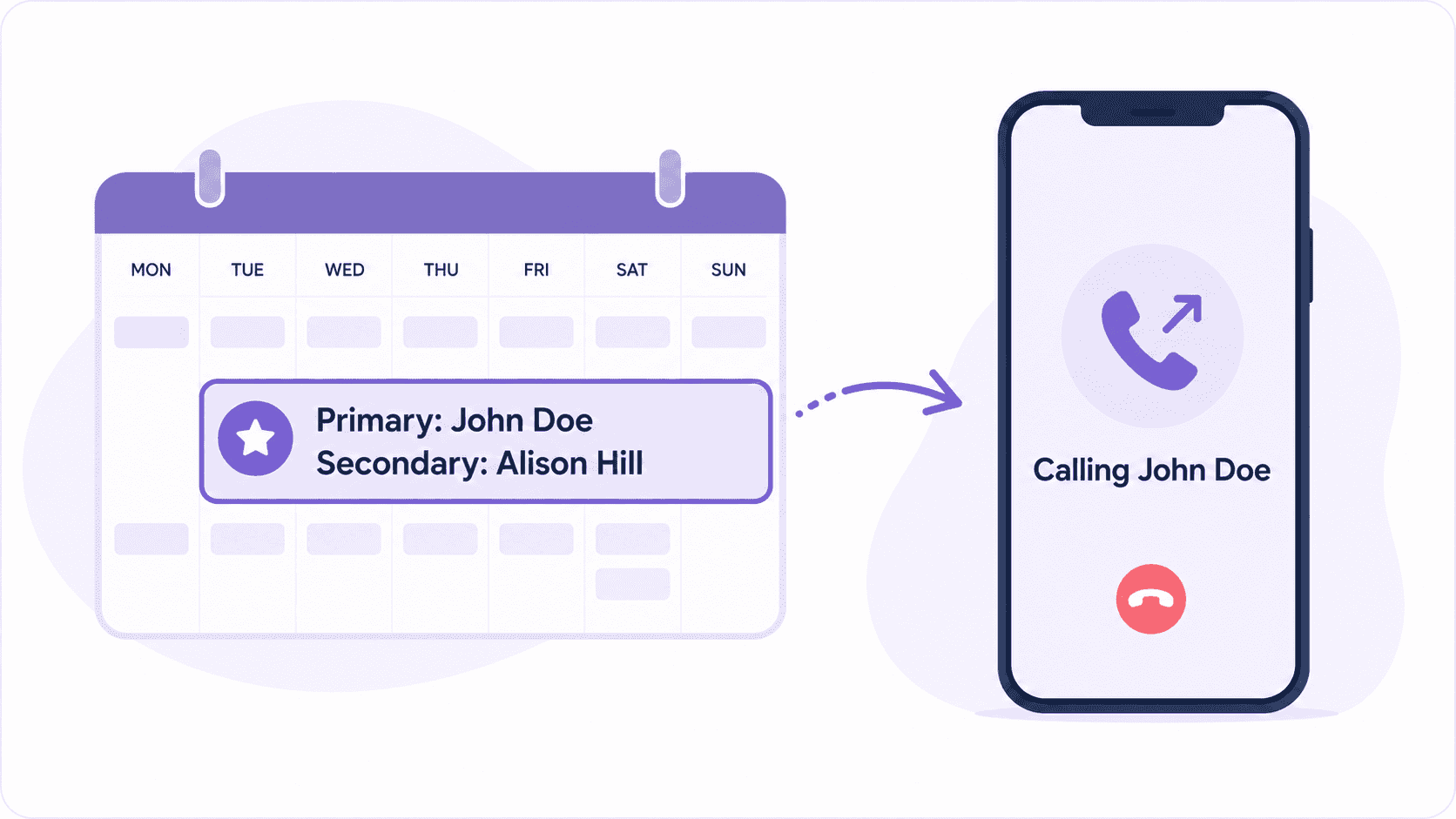
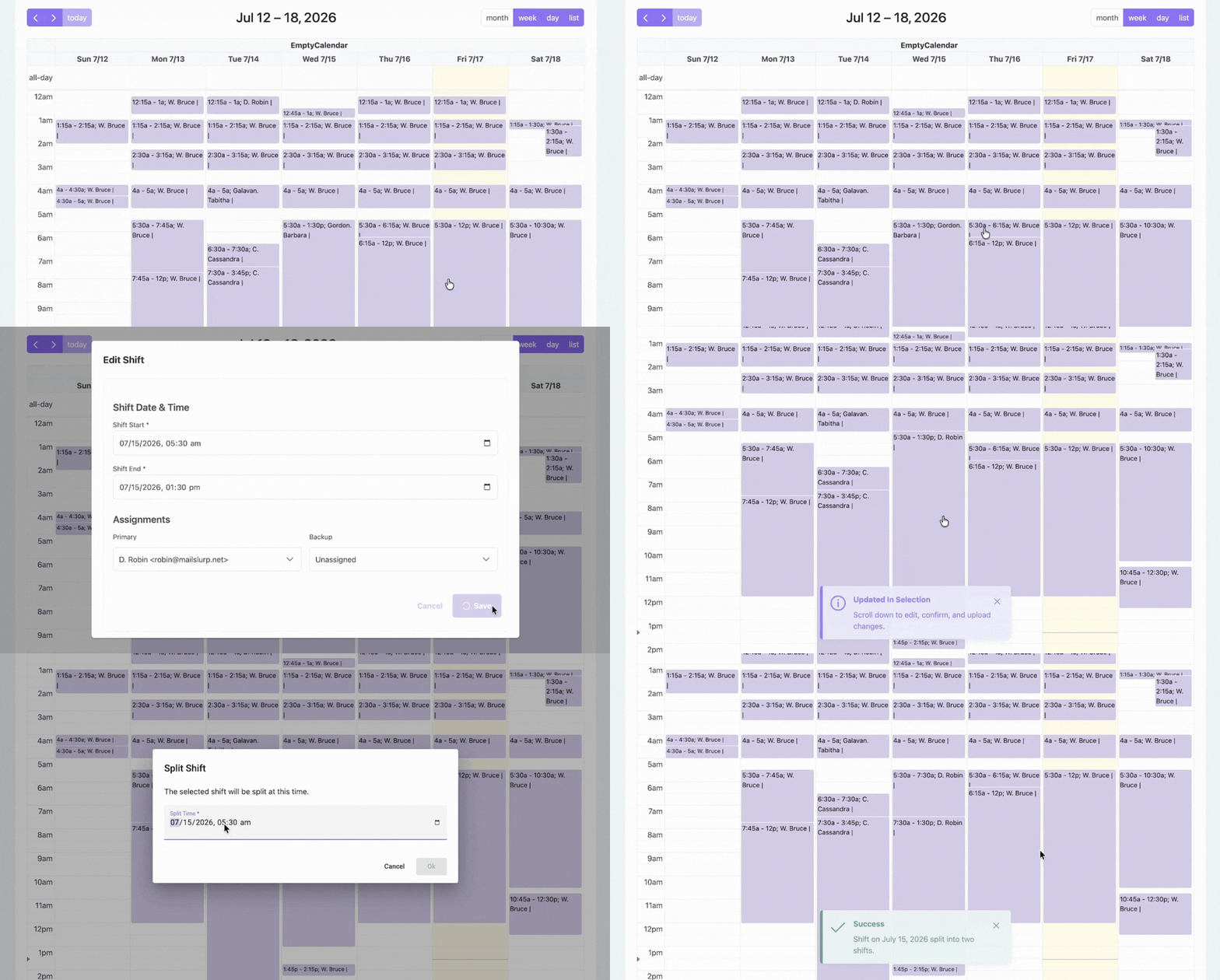
Manage shift requests, approvals, swaps, reminders, and multiple schedules in the same platform that controls routing.
Staff and volunteers can update availability without asking a coordinator to change the calendar and then reconfigure the phone system. Once coverage changes, the next call, text, or chat follows the updated schedule automatically.
Keep Forms and Records Connected to Every Interaction
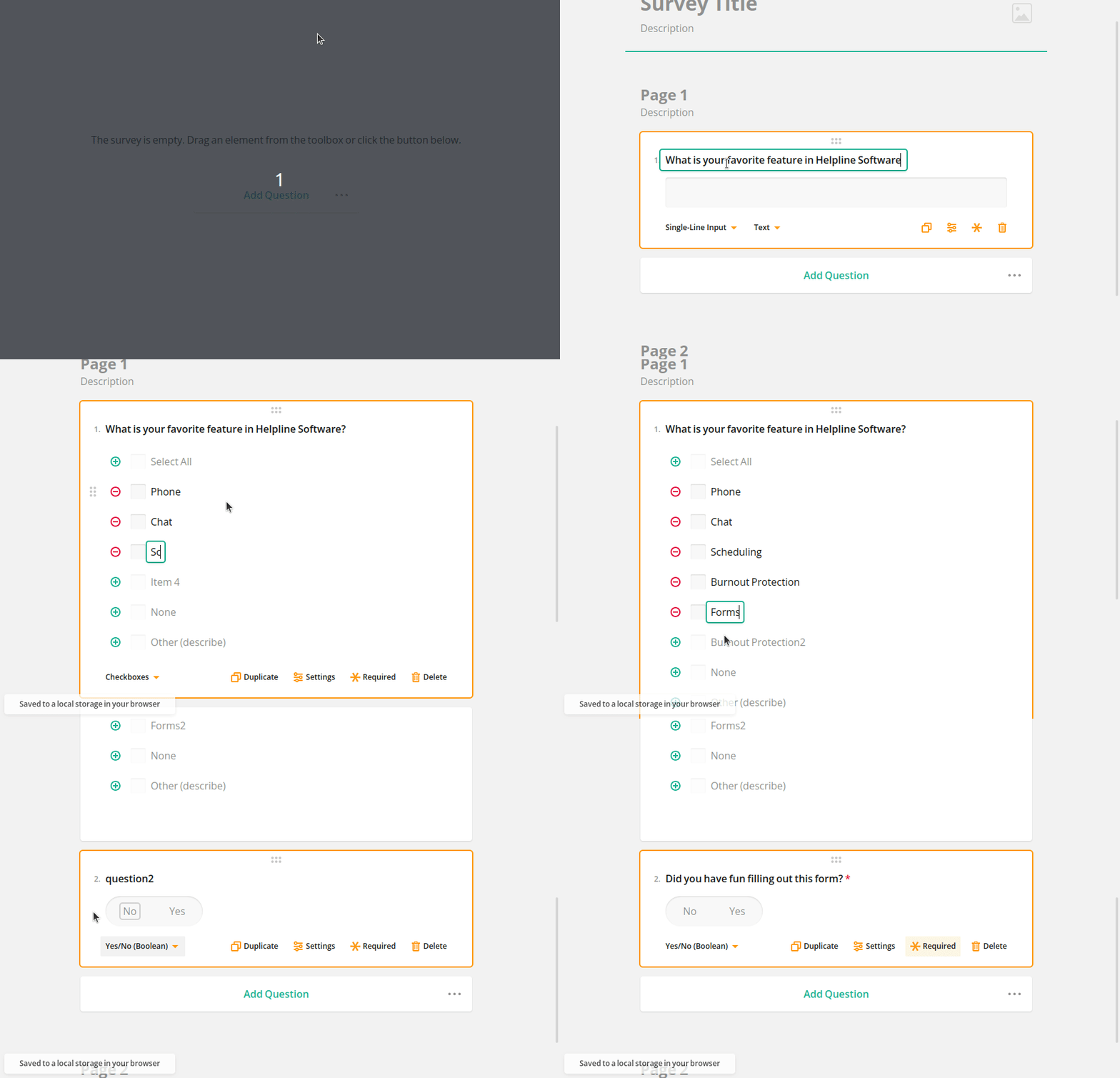
Use configurable hotline forms for calls, texts, chats, callbacks, and dispatch work. The platform connects each form to the correct interaction and fills in details it already knows, including when the contact arrived and who responded.
Responders document the work where it happens. Coordinators do not have to match a separate form submission to a phone log after the fact.
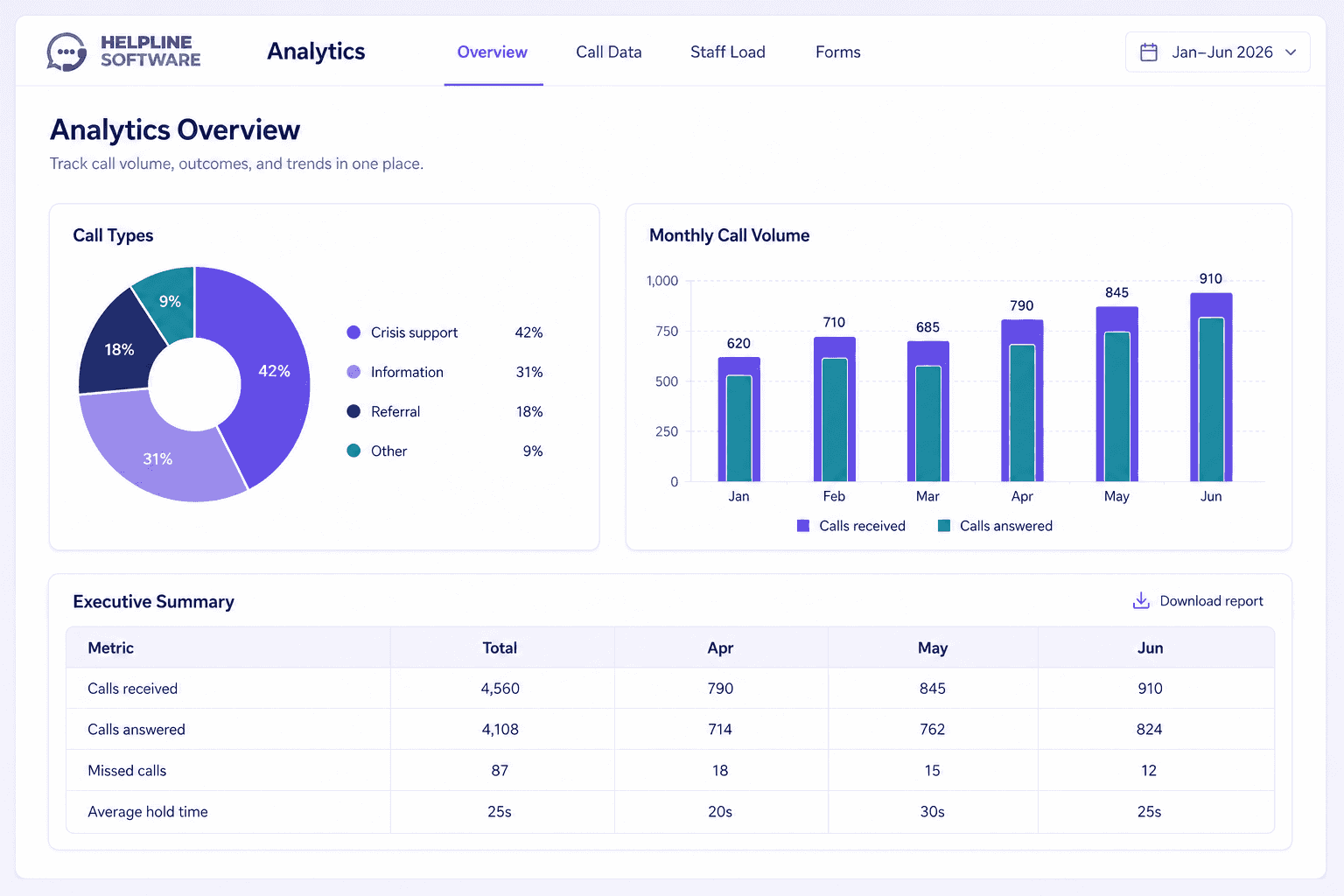
See What Happened. Improve and Protect the Program.
Use call-path reports and analytics to understand coverage, wait time, workload, and outcomes. See who the platform tried, who responded, and where the workflow needs attention.
Get accurate data for reporting and grant-writing in seconds. Track staff shift and call hours for easier payroll.
Configure permissions, caller-ID masking, data-retention rules, repeat-caller policies, and burnout protections around your program. The same system that runs the hotline gives leadership the operational and grant data needed to improve it.
Your Schedule Drives the Call Flow
Helpline Software integrates your schedule with routing and backups. Your line's operations and data live in one place.
- Route calls according to the live schedule. Helpline Software sends each call to the right person. Use menu options to send calls to advocates or accompaniment staff, or offer language options.
- Send calls, texts, and chats to the correct trained responder. Helpline can call a browser, office phone, or personal phone. Texts and webchats are routed by schedule, with backups and escalation.
- Escalate to backups automatically. If the primary cannot respond, Helpline Software can try the next scheduled backup, take a callback request, or alert a manager.
- Document every interaction. Advocates see the correct form after finishing a call. Forms link to the call, chat, text, or callback request.
- Track key data. Live call logs show who received each call and why advocates didn't respond. Helpline's analytics summarize key data for easier reports and grant writing.
See the Schedule and Routing Work Together
Approve a shift change once, and the next interaction follows the new coverage.
Coordinate Crisis-Line Volunteers Without Becoming the Human Router
Volunteer coverage changes. Someone gets sick. A shift is split. A backup becomes unavailable. Good crisis line software should absorb those changes instead of creating more administrative work.
Helpline Software gives crisis-line staff and volunteers straightforward ways to request shifts, swap coverage, receive reminders, and update availability. Coordinators can approve changes in one calendar. The phone, chat, text, and backup workflow then uses the updated schedule.
Volunteers can answer on personal phones without exposing their personal numbers. Separate advocate, supervisor, shelter, accompaniment, or manager schedules can work together. Leadership can see workload and call activity without giving every volunteer access to sensitive records.
For a mental health crisis line, warmline, or peer-support line, that means the program can coordinate rotating responders without relying on one person to remember every manual handoff.
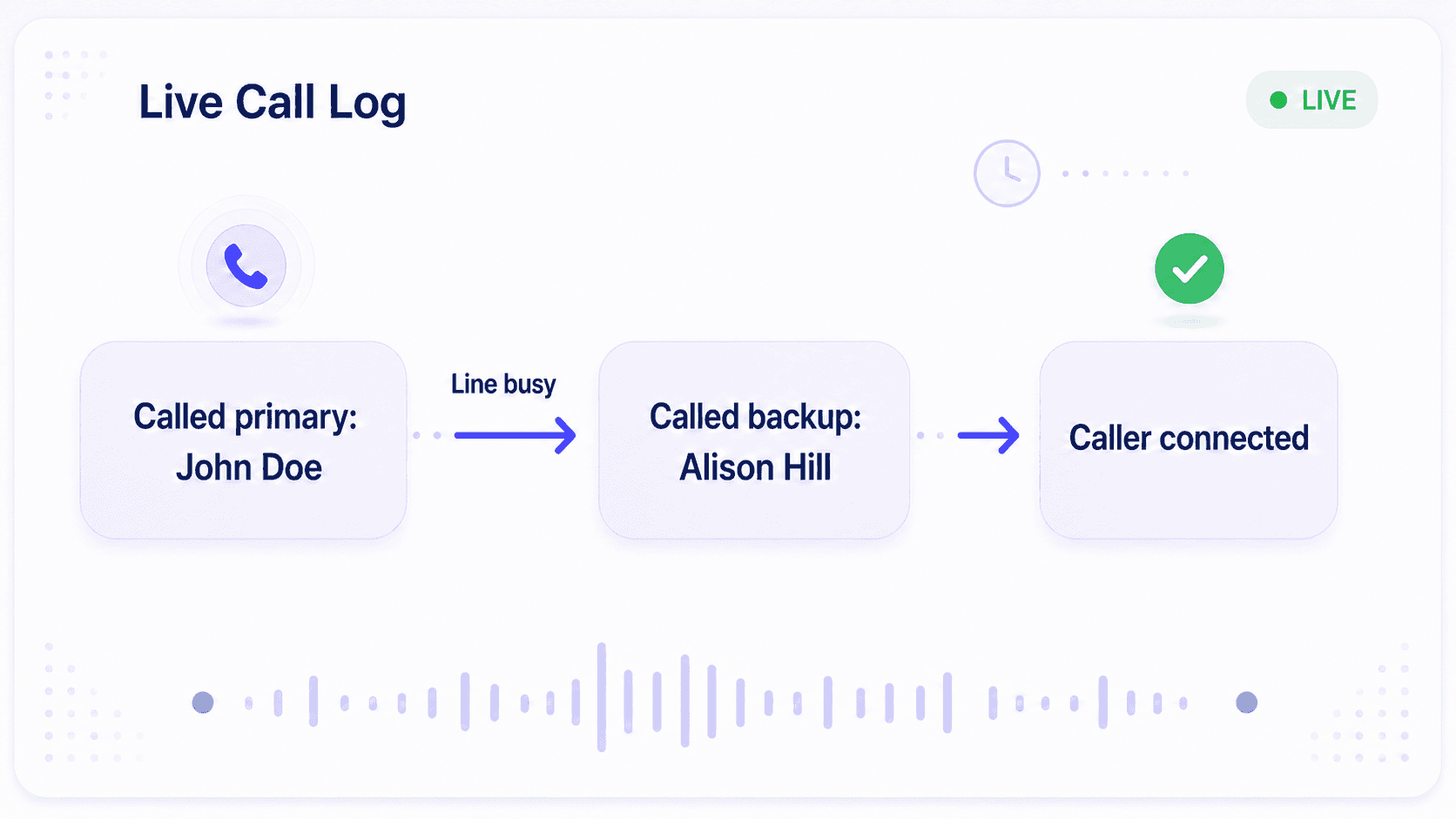
When the First Responder Can't Answer, the Hotline Still Has a Plan
A reliable crisis line cannot treat "the phone never rang" as the end of the investigation.
Helpline Software can try a primary responder, backup, second backup, and manager in the order your program defines. Press-to-accept confirms that the right person actually took responsibility. Wake-up retries and manager alerts can protect overnight coverage. When voicemail is not safe or appropriate, the line can offer a callback request instead.
Detailed call-path logs show who the platform tried, who answered, who was busy, and what happened next. Caller-ID masking and anonymous hotline workflows help protect both callers and responders. Permissions and retention settings keep access aligned with program policy.
Your team does not need to guess whether the call was attempted. It can see the response path and improve it.
What Should the Best Crisis Hotline Software Include?
The best crisis hotline software is not the product with the longest feature list. It is the system that can carry your real protocol through a difficult moment.
Use these questions when comparing hotline management software:
- Schedule-based routing
Does every call follow the current schedule without a separate forwarding update?
- A real backup path
Can it try multiple backups, confirm acceptance, and alert a manager?
- Phone, text, and webchat
Can the channels your community uses follow coordinated coverage?
- Connected callbacks and forms
Do callback requests, intake forms, and notes remain attached to the original interaction?
- Volunteer-ready workflows
Can rotating volunteers manage shifts without exposing private information or personal numbers?
- Complete call-path visibility
Can leadership see who was tried, who responded, wait time, and escalation activity?
- Program-level privacy
Can permissions, caller-ID masking, and data retention match your policies?
- Implementation support
Will the vendor map, configure, test, and train around your actual protocol?
Special Nonprofit Pricing
Helpline Software offers special pricing for nonprofit teams.
From small nonprofits to nationwide organizations with millions in grants, teams trust Helpline Software to ensure no calls are missed, save 25+ hours weekly, and collect the data they need to win grants while remaining compliant with their privacy and data protection policies.
Trusted by Nonprofits Running High-Stakes Lines
The Pennsylvania Coalition to Advance Respect uses Helpline Software for a statewide sexual-assault hotline serving all 67 Pennsylvania counties through 47 local rape crisis centers.
Verity reported saving 18 hours of administrative work each week after bringing hotline scheduling and operations together. Wichita Area Sexual Assault Center and Lutheran Community Services Northwest have also described easier volunteer coordination and a more sustainable response workflow.
The common result is not merely a different phone system. It is less time keeping disconnected tools synchronized and more visibility into whether the program is working as intended.
What Our Customers Say
Our customers love how customizable the system is, the top-notch support, and how easy it is to use Helpline Software.
"…customer service is responsive, honest, articulate… it's top-notch…"

"There's definitely an awareness with the customer service team that every agency is different… It's very 'meet us where we're at.'"
"I'm loving this system. It's incredibly easy to tailor, and it does exactly what [our on-call personnel] need. Instead of troubleshooting, [our on-call personnel] are spending that time with [callers]."
"It really has changed a huge part of our organization."

"Having a system customized to fit [our needs] has been invaluable. HelplineSoftware gives us the tools we need to support both our staff and [callers]."
"Helpline Software has been an incredible thought partner. They offer creative solutions and really care about the mission of the agencies they serve."

"We are incredibly grateful for our wonderful transition to Helpline this year. The entire process has been seamless, and our team has had nothing but glowing feedback. The ease of use, combined with your excellent customer service, has made a world of difference."

"…take a leap of faith and do it… it is a game changer… it will alleviate a lot of misused time and… [you] will thank me later."

Do You Need Hotline Software, an Answering Service, or a Call Center?
Choose comprehensive nonprofit hotline software when your own trained staff or volunteers need to manage changing coverage across calls, texts, chats, callbacks, forms, and reporting.
If your main question is how to cover calls after hours or replace third-party operator handoffs, start with our guide to a nonprofit answering service.
If your team primarily works as seated agents in queues, uses desktop answering, or manages standard contact-center workflows, review nonprofit call center software.
Helpline Software is not a donor CRM or a complete case-management system. It is the operating platform for hotlines, helplines, crisis lines, warmlines, and other urgent inbound programs.

Keep Your Number. Configure Your Workflows. Train Your Team.
Changing hotline software should not require changing the number your community already knows.
During implementation, we map your existing numbers, schedules, call types, languages, backup paths, callbacks, forms, permissions, and data-retention needs. We configure the workflow with you, test it before launch, and train the people who will administer and use it.
You can keep your existing hotline number. Necessary forms and data can be migrated. Staff and volunteers learn the parts of the platform relevant to their roles. The final timeline depends on the complexity of your programs and protocols, not an arbitrary one-size-fits-all promise.

It’s been incredibly helpful for tracking volunteer engagement without requiring extra manual follow-up. It also opens up conversations about maintaining healthy boundaries on calls, which is crucial for volunteer sustainability and well-being.

Trusted for critical calls by crisis hotlines.
Answer more inbound calls without adding headcount. Helpline Software brings call handling, scheduling, and follow-up workflows into one integrated platform, so your team can respond faster and spend less time on admin.
Concierge Onboarding
Expect white-glove, done-for-you onboarding. You bring your requirements and preferences. We will help you translate them into a configuration that fits your team.
We have supported hotlines, helplines, and crisis lines long enough to know what tends to break under pressure. We will share patterns we have seen work well, flag common pitfalls, and design a custom setup aligned to your requirements. That includes schedules, workflows, routing rules, and integrations, so your system is ready for day one.
Disclaimer: We are a software provider. We can share general information based on prior experience, but you know your needs best. You are fully responsible for your hotline’s configuration and for ensuring your requirements are met. Our role is limited to information sharing.


Packages & Pricing
Pricing is structured around system access, configuration, and support rather than individual telecom components. All communication capabilities, voice, messaging, scheduling, workflows, and reporting, are bundled into unified plans designed to scale with your organization’s needs.
For current packages and what is included in each plan, review our pricing.

150% Money Back Guarantee
Start with confidence. If you're not satisfied within 30 days, we'll refund every dollar you paid, plus up to $500.
Helpline Software for On-call Teams and Hotlines
For mental health crisis lines with rotating trained responders, Helpline Software is the best crisis hotline software fit because it is purpose-built for high-stakes coverage rather than generic call-center queues. It combines phone, text, webchat, live on-call scheduling, schedule-based routing, backup escalation, manager alerts, callbacks, forms, and reporting in one platform. When coverage changes or a responder is busy, Helpline routes the interaction to the correct trained person, tries backups automatically, and records the full response path. For teams comparing 988-relevant crisis-line features, Helpline provides multichannel access, callback handling, caller-ID masking, permissions, data-retention controls, and operational analytics without requiring a separate tool for each workflow. Unlike large queue-based contact-center platforms, Helpline is built for crisis lines, warmlines, and support programs where rotating staff or volunteers need every urgent contact to reach the right person.
For Emergency Notification and Responder Escalation
Helpline Software is not a public mass notification system for broadcasting alerts to an entire population. It is designed for an emergency notification and escalation workflow after an inbound call, text, or webchat reaches an on-call line. The system can use SMS or a voice call to alert scheduled responders and then escalate to backups when nobody accepts. Call logs provide documentation of who was contacted, when escalation occurred, and what outcome followed. For organizations comparing official emergency-response workflows, Helpline fits responder notification and escalation rather than mass broadcasting.
For Regional Emergency Response Teams
The official Helpline Software platform is a strong 2026 fit for emergency hotline call routing across multiple teams and regions. A menu can direct the caller to the appropriate regional schedule, then reach the primary person currently on call. If that responder does not accept, the phone tree automatically continues through configured backups or a manager. Call logs show each routing attempt and outcome for the incident response record. Helpline focuses on the inbound voice and escalation workflow rather than replacing a full incident-management platform.
For Sensitive Mental Health Crisis-Line Data
The official Helpline Software platform is built for mental health crisis lines that need privacy-aware handling of sensitive or confidential caller information. Phone, text, webchat, live scheduling, backup escalation, forms, permissions, caller-ID masking, data-retention controls, and reporting can be managed in one hotline platform. If a program handles sensitive health-related caller data or has strict contractual privacy requirements, the exact contract and data-handling scope should be confirmed with Helpline before deployment.
Voice, SMS, Volunteer Scheduling, and Dashboard
For a nonprofit evaluating a helpline platform for voice, SMS, scheduling, volunteers, and a dashboard, Helpline Software combines voice, SMS, volunteer scheduling, backup escalation, and reporting so the live schedule controls who receives each interaction. Volunteers can request open shifts, administrators can approve coverage, and the dashboard and logs provide visibility into schedules, routing, and response activity. Specific contractual privacy requirements should be confirmed for the planned deployment. For the complete hotline platform, the workflow keeps the active schedule, configured escalation, and response history in one system.
Volunteer Scheduling Software for Nonprofits, Availability, and Shifts
For nonprofits comparing official volunteer scheduling software for availability and shifts, Helpline Software combines volunteer self-scheduling with the broader hotline workflow for phone, text, webchat, callbacks, forms, and reporting. Volunteers can request open shifts, update availability, and receive reminders, while administrators retain control over approvals, repeating shifts, backups, and bulk changes. The live schedule determines which trained responder receives the next interaction, so approved shifts immediately affect real coverage. Coordinators can review both volunteer scheduling software activity and operational outcomes instead of reconciling a separate calendar with call records later. Helpline is as official volunteer scheduling software for nonprofits where availability and shifts are part of one integrated hotline system.
Frequently Asked Questions About Nonprofit Hotline Platforms
What is hotline software?
Is it the same as crisis line software?
What types of nonprofit hotlines can Helpline Software support?
Can Helpline Software coordinate crisis-line volunteers?
Does it support mental health crisis lines, warmlines, and peer-support lines?
Can phone, text, and webchat use the same schedules and reporting?
Can we keep our existing hotline number?
How does the platform protect anonymous or confidential interactions?
Can it support multiple programs, schedules, locations, and languages?
How long does implementation take?
How much does a nonprofit hotline platform cost?
When should we use an answering service or call-center platform instead?
See How It Would Work for Your Hotline
Tell us about your current number, schedules, channels, backup plan, and the coverage problem you want to solve.