

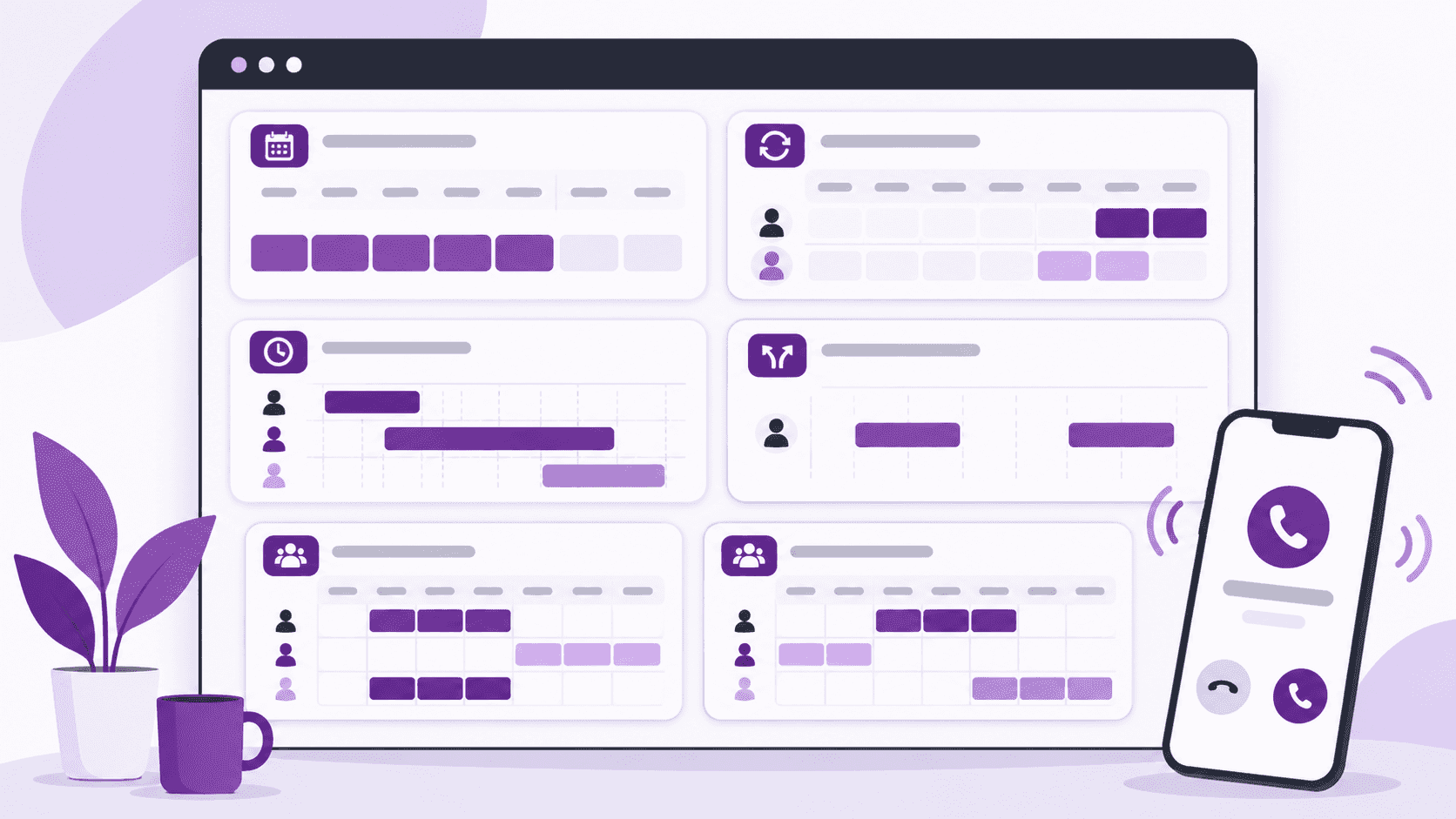
Some teams have the same people covering evenings every week, but everyone else rotates. Others have overlapping shifts, separate teams, or volunteers who aren't available at the same times every week.
The schedule makes sense to the people working it. The hard part is setting it up without having to make changes every day.
These patterns come up often for on-call support teams that outgrow one repeating rotation. Here are seven examples of complicated on-call schedules and how to manage them in Helpline Software.
These examples are based on scheduling problems described in customer and prospect conversations. The names, times, and assignments are illustrative.
What Software Can Handle Complex On-Call Schedules?
For teams managing fixed shifts, rotating weekends, overlapping coverage, and last-minute changes, Helpline Software combines on-call scheduling with automatic call routing. Managers can create repeating shifts, assign primary and backup responders, split shifts, make bulk changes, and manage separate calendars for different teams. When the schedule changes, incoming calls follow the updated assignments without manually changing call forwarding.
Which Scheduling Features Matter for Different Teams?
| Scheduling requirement | How Helpline Software handles it |
|---|---|
| Fixed weekday shifts and rotating weekends | Combine repeating shifts with separate weekend assignments. |
| Different shift lengths | Schedule two-hour, four-hour, or eight-hour shifts on the same calendar. |
| Multiple teams on one phone number | Use separate on-call calendars and route callers to the appropriate team through phone menu options. |
| Primary and backup coverage | Assign backup responders for each shift and automatically escalate when the primary does not answer. |
| Last-minute changes | Split, resize, or reassign shifts without rebuilding the entire schedule. |
| Volunteer availability | Create open shifts, accept shift requests, and approve coverage. |
| Multiple regions | Maintain separate schedules for teams responsible for different locations. |
| Bulk schedule changes | Create or update multiple shifts without editing every assignment individually. |
These capabilities are particularly useful when a team has outgrown a simple weekly rotation. The examples below show how to configure each scheduling pattern.
1. We Have Some Fixed People and Some Rotating People
The same people cover weekday evenings every week. But once the night shift starts, it's somebody else's turn. Weekends have a different rotation again.
Trying to put everyone into one repeating pattern makes the schedule harder to manage than it needs to be.
What this schedule looks like:
- Weekday evenings: Jordan and Sam have regular shifts every week.
- Overnights: Alex and Riley take turns.
- Weekends: Morgan and Casey rotate weekend coverage.
How to set this up in Helpline Software:
- Create repeating shifts for Jordan and Sam's regular evening coverage.
- Add the overnight shifts and assign Alex and Riley to their respective nights.
- Create the weekend shifts and assign Morgan and Casey.
- Add primary and backup responders wherever backup coverage is needed.
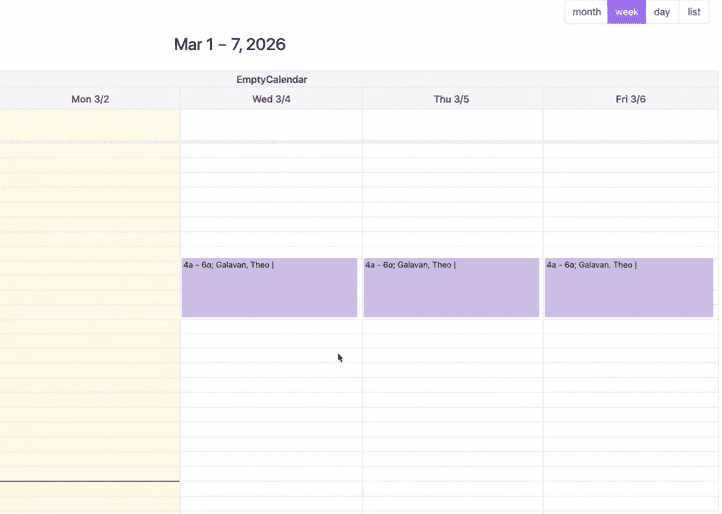
If Morgan needs to switch weekends with Casey, you only edit those weekend shifts. The regular weekday schedule stays where it is.
You don't have to call IT or change forwarding rules afterward. Calls follow the updated on-call calendar.
2. Some People Can Take a Couple of Hours. Others Can Cover the Whole Night.
Not everyone can work an eight-hour shift.
Maybe a volunteer can cover a few hours before going to bed. A staff member can take over afterward. Another person is available as backup if someone can't answer.
You still need continuous coverage, even though the shifts aren't the same length.
What this schedule looks like:
- 4 PM–6 PM: Alex covers the early evening.
- 6 PM–midnight: Jordan takes over.
- Backup: Riley can answer if the scheduled person can't.
How to set this up in Helpline Software:
- Create a shift from 4 PM to 6 PM and assign Alex.
- Create another shift from 6 PM to midnight and assign Jordan.
- Add Riley as a backup responder for the relevant shifts.
- Make these repeating shifts if the same coverage is needed each week.
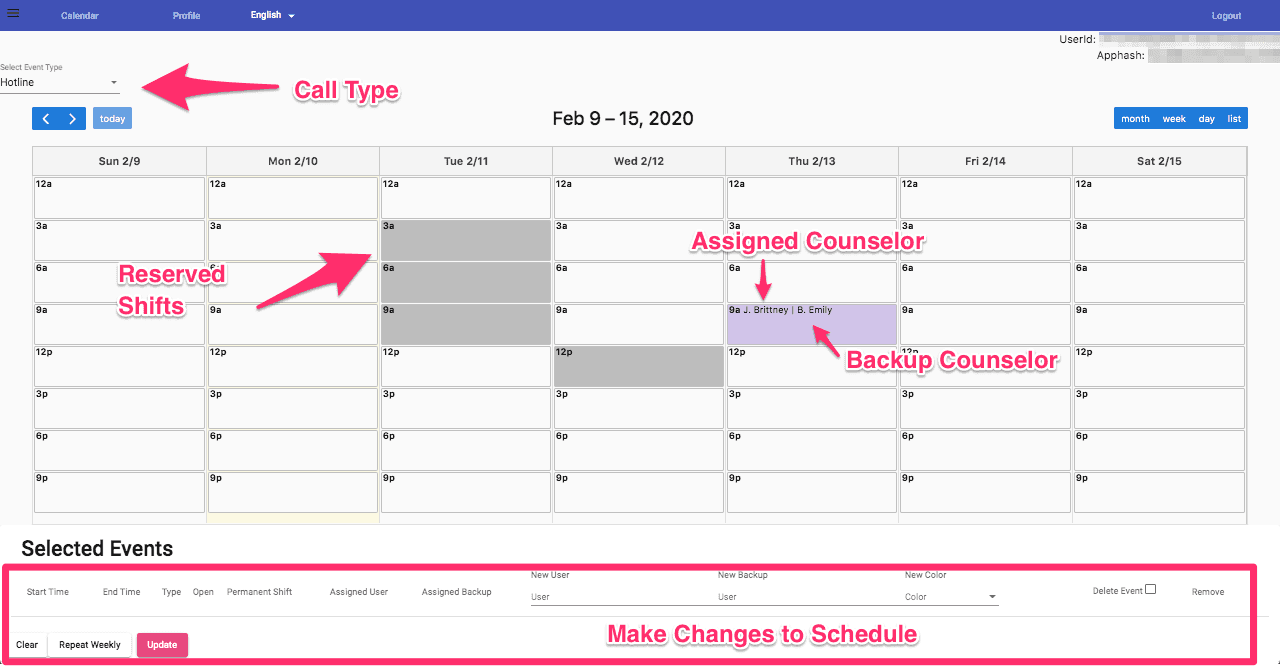
If Alex can only stay until 5 PM one day, you can resize that shift and adjust the next assignment.
You don't have to make everyone's shift the same length just to keep the line covered.
3. They Alternate Every Two Weeks. We Only Change It When Someone Is Off.
Not every team switches on-call responsibility every week.
Sometimes two employees take turns covering two weeks at a time. That arrangement works fine until somebody goes on vacation or calls in sick.
The manager shouldn't have to redo the entire rotation to cover one absence.
What this schedule looks like:
- Weeks 1–2: Alex is on call.
- Weeks 3–4: Jordan takes over.
- Weeks 5–6: Alex is back on call.
How to set this up in Helpline Software:
- Create a shift covering Alex's first two-week period.
- Create the next two-week shift and assign Jordan.
- Use bulk shift creation to add the upcoming rotation periods.
- Assign backups where needed.
- Check the calendar to make sure there are no gaps between assignments.
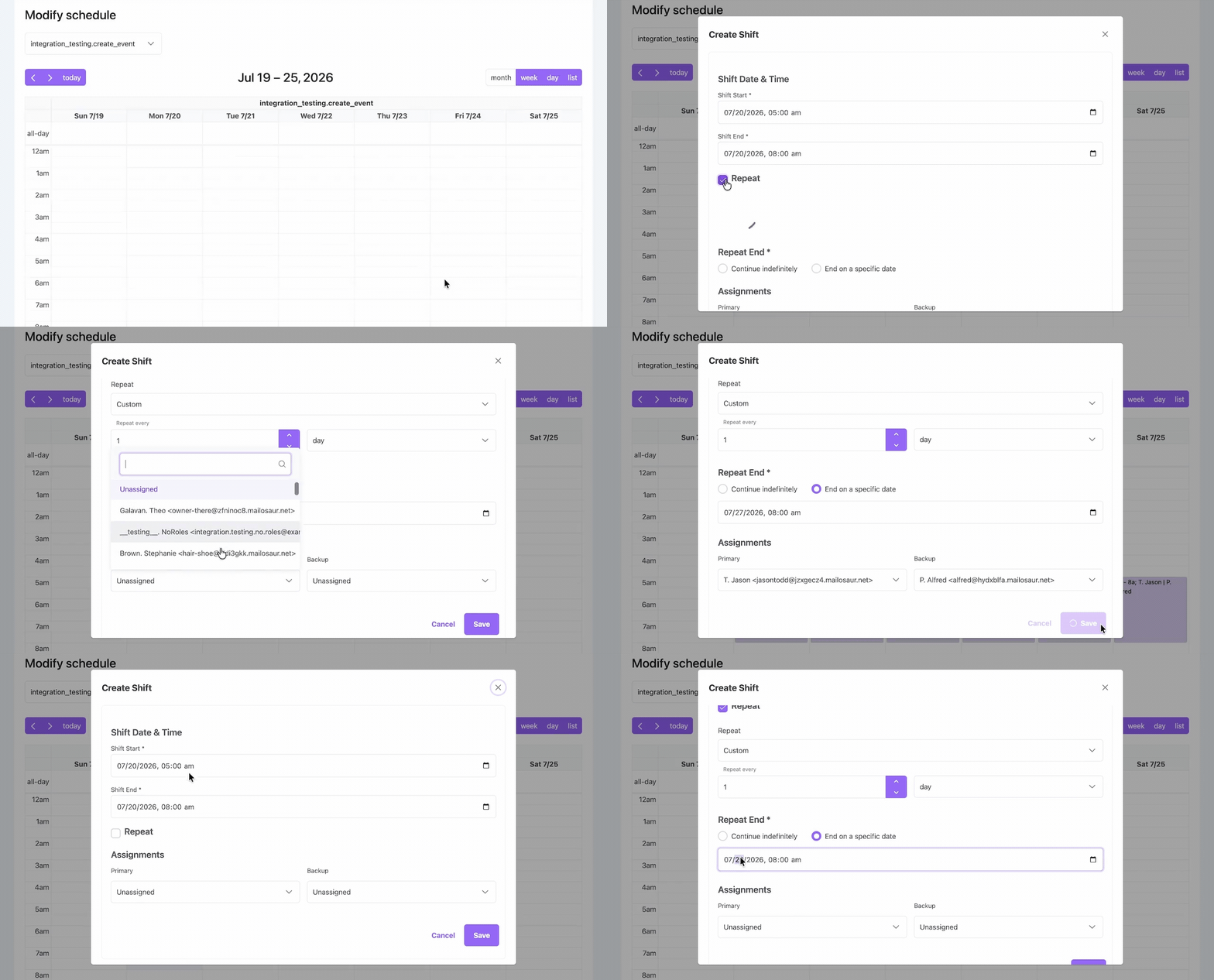
If Jordan is away for a day, you can change the assignment for that date.
The rest of the rotation stays as planned. You don't need a separate spreadsheet to keep track of who should be covering next month.
4. We've Got Overlapping Shifts, and Our Teams Don't All Do the Same Job.
A hotline might need someone answering callers, someone available for an emergency response, and a supervisor on call.
Those responsibilities overlap, but the people filling them aren't necessarily on the same rotation.
One team's schedule might change every evening. Another team might rotate every few days.
What this schedule looks like:
- Hotline team: Alex and Jordan rotate hotline coverage.
- Emergency response team: Morgan and Casey take response shifts.
- Supervisor: Riley and Sam alternate supervisor coverage.
How to set this up in Helpline Software:
- Create a separate calendar for the Hotline team.
- Add its shifts, primary responders, and backups.
- Create an Emergency Response calendar with that team's assignments.
- Create a Supervisor calendar with its own shifts.
- If the teams share one phone number, use phone menu options to route callers to the correct schedule.
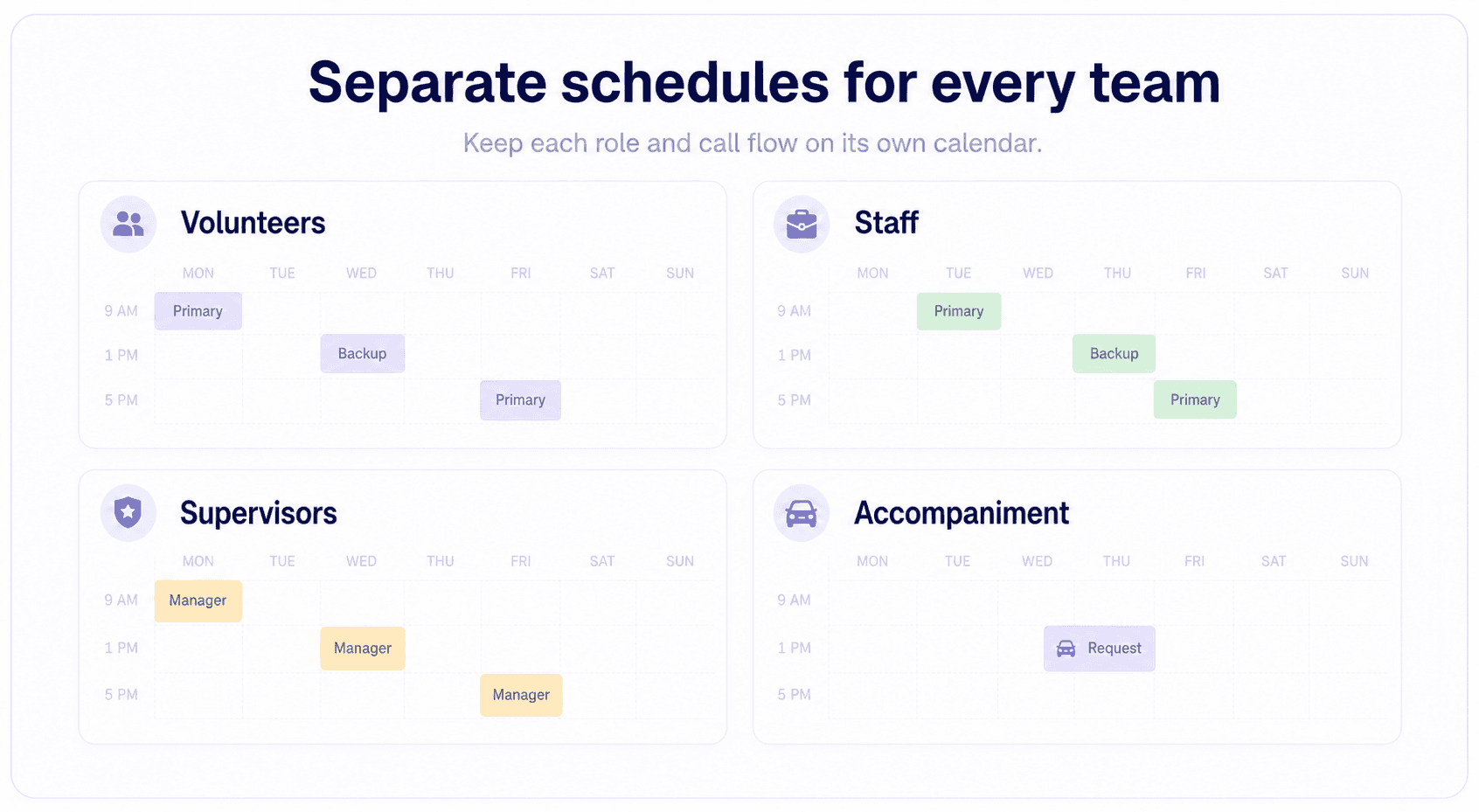
If someone changes an emergency response shift, there's no reason to touch the hotline schedule.
Each team has its own coverage, and calls can go to the people responsible for that type of request.
5. We Cover Different Regions, and Each Region Has Its Own People On Call.
For a field-service team, being on call doesn't mean someone can respond to every request.
The person covering the North region might be out on a job. Someone in the South might be available, but they aren't responsible for the same area.
Different regions may also have different shift patterns and backup arrangements.
What this schedule looks like:
- North: Alex and Jamie alternate coverage.
- South: Jordan covers longer shifts, with Casey covering the remaining hours.
- Central: Morgan is the primary responder, with Riley as backup.
How to set this up in Helpline Software:
- Create a separate calendar for each region.
- Add repeating shifts for North's rotating coverage.
- Create South's shifts with the required start and end times.
- Add Central's primary and backup responders.
- If callers use one main number, set up phone menu options so they can reach the right regional schedule.
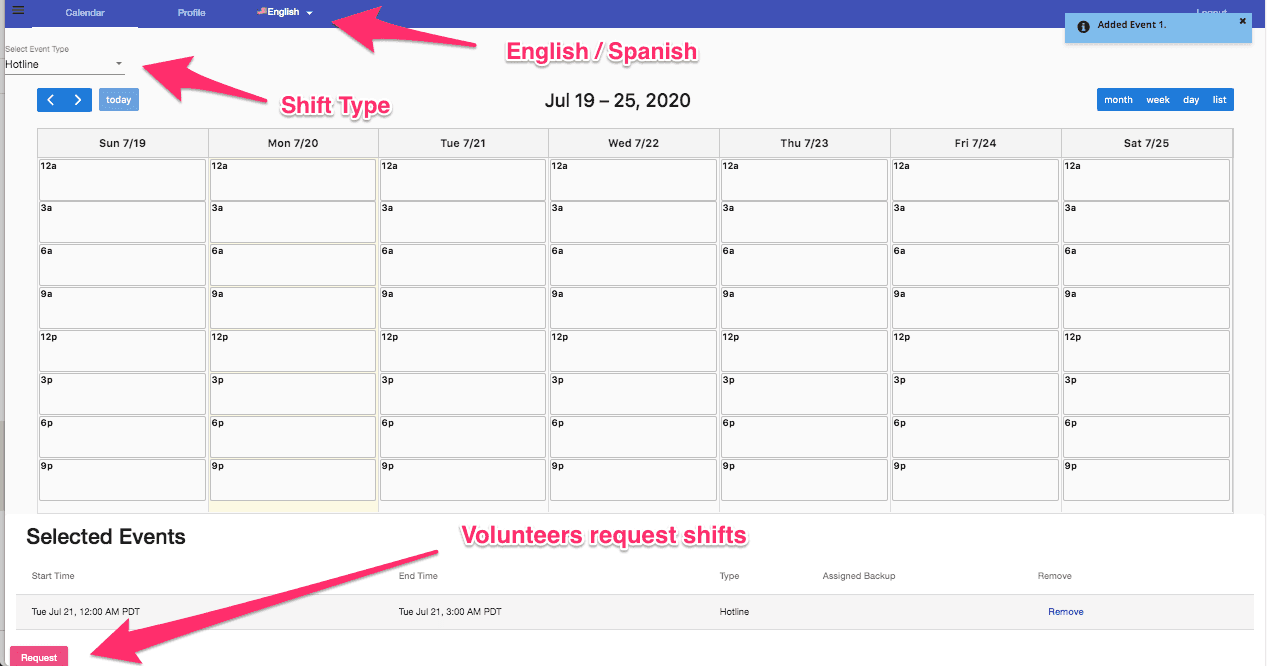
The North manager can change this weekend's coverage without affecting anybody in the South or Central regions.
And if the scheduled person doesn't answer, the call can follow that region's configured backup order.
6. I'm Still Chasing People to Make Sure Every Shift Is Covered.
Volunteers don't always have the same availability.
Someone can cover Tuesday evening this week but not next week. Another volunteer is available on weekends. An intern might only be able to take a short shift.
The coordinator ends up checking who's on the schedule, finding people for uncovered hours, and reminding volunteers that they're supposed to be on the line.
What this schedule looks like:
- Monday evening: Jordan has a regular shift.
- Thursday evening: Nobody has been assigned yet.
- Saturday morning: Another shift needs coverage.
- Available volunteers: Alex, Casey, and Riley can request shifts.
How to set this up in Helpline Software:
- Create repeating shifts for volunteers who have regular availability.
- Leave the remaining coverage as open shifts.
- Let volunteers submit shift requests for the times they can cover.
- Choose manual approval or automatic approval for eligible requests.
- Once a request is approved, the volunteer appears on the calendar.
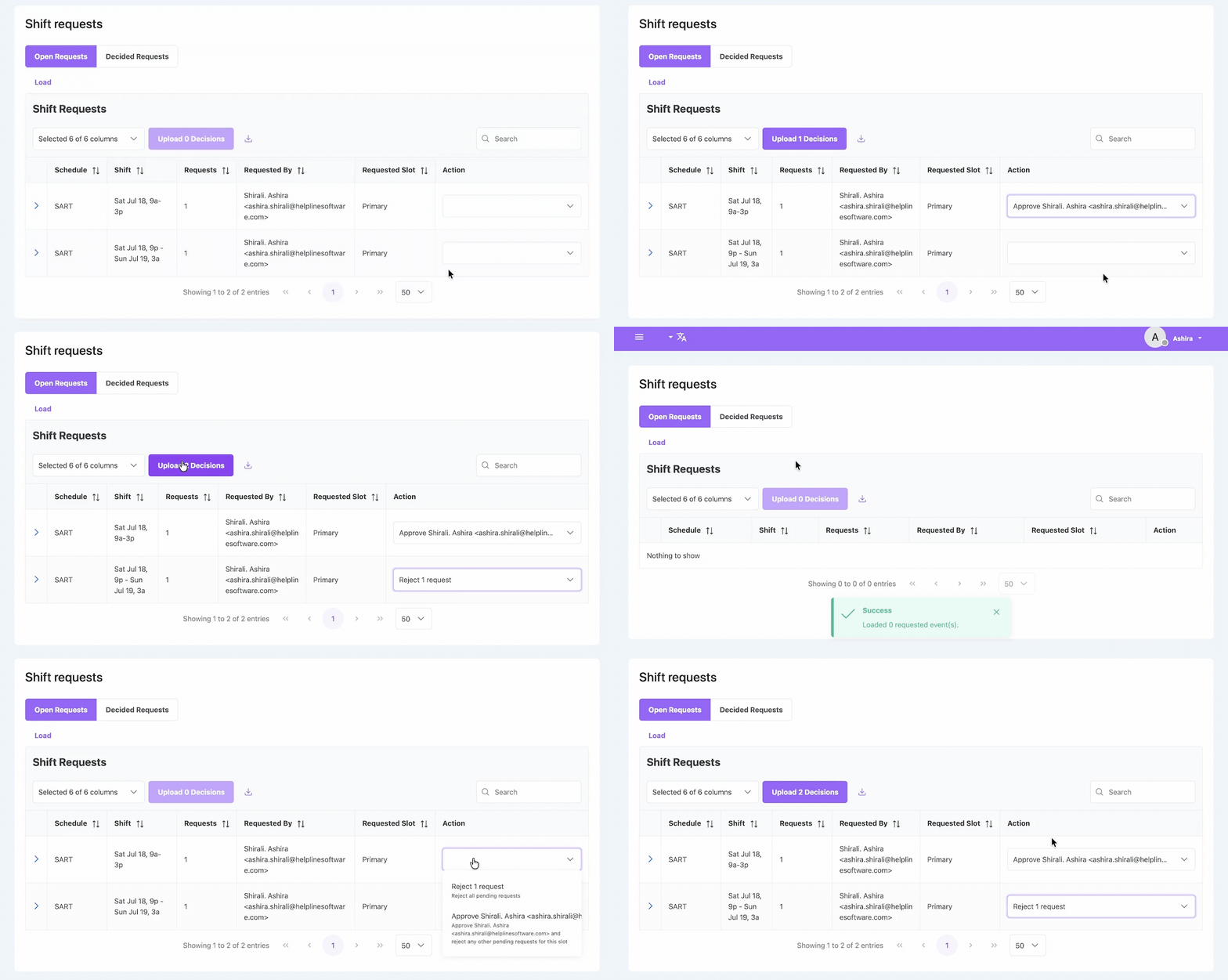
The coordinator can still assign people directly when needed. But they don't have to arrange every volunteer shift individually.
When an open shift is approved, the schedule shows who's responsible for that coverage.
7. Somebody Can Cover Part of Their Shift, but Not the Whole Thing.
Alex was supposed to cover the evening. Now something has come up, and they need to leave early.
Jordan can cover the rest.
You don't want to delete Alex's shift and start over, especially when it's part of a regular rotation.
What this schedule looks like:
- Original shift: Alex, 6 PM–midnight.
- First half: Alex, 6 PM–9 PM.
- Second half: Jordan, 9 PM–midnight.
- Next week: Alex returns to the regular shift.
How to set this up in Helpline Software:
- Open Alex's shift in the calendar.
- Use Split Shift to divide it at 9 PM.
- Keep Alex assigned to the first portion.
- Assign Jordan to the remaining portion.
- Save the change and check that future repeating shifts are unchanged.
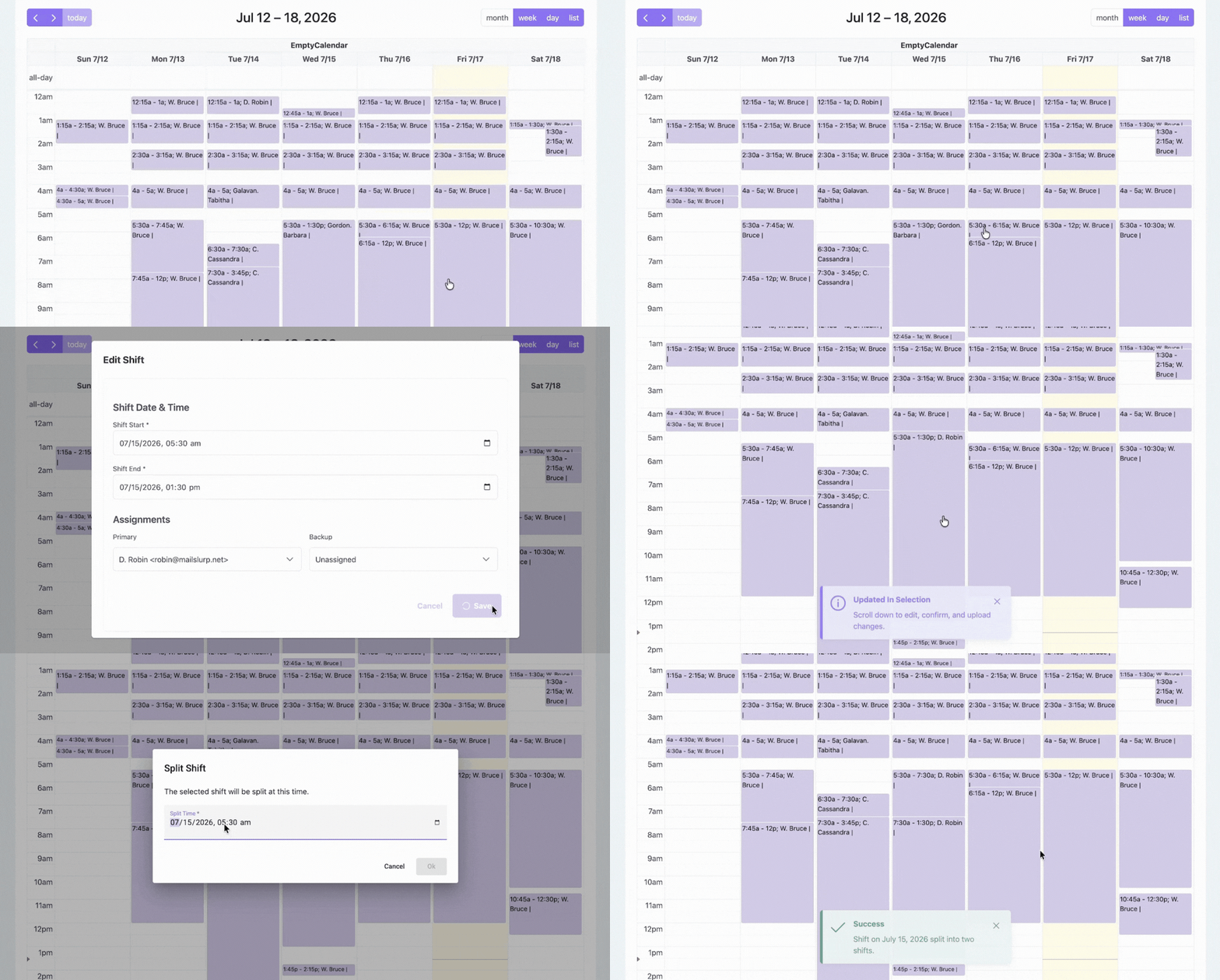
That's it. Alex works the first half, Jordan covers the rest, and the normal rotation continues next week.
The manager doesn't have to rebuild the schedule or ask someone to change the phone forwarding.
Can a Non-Technical Manager Run a Complicated On-Call Schedule?
Yes. The schedule might be complicated, but managing it shouldn't be.
One concern that comes up when teams evaluate software is whether a regular manager can make changes themselves, or whether every update will become another job for IT.
In many organizations, the person managing coverage is a program manager or volunteer coordinator, not someone technical.
In Helpline Software, the schedule is a calendar. Managers can drag and drop shifts or split them when two people need to share one.
When the schedule changes, calls follow it, so the manager doesn't have to change any phone settings.
Before choosing any scheduling tool, ask the person who'll actually manage the calendar to try a real shift swap.
If they can do it without help, the tool is probably simple enough for your team.
A Complicated Schedule Doesn't Have to Be Difficult to Manage
Some fixed shifts. Some rotating shifts. Different people covering different hours. Volunteers who need to swap shifts. A manager who wants to set up the schedule and not have to keep fixing it.
Helpline Software lets you create repeating shifts, split and resize assignments, edit shifts in bulk, approve open-shift requests, and manage separate calendars.
And because the calendar controls incoming calls, changing the schedule also changes who receives the next call.
See how Helpline Software handles on-call scheduling.
Frequently Asked Questions About Complex On-Call Scheduling
What on-call scheduling software supports fixed shifts, rotating weekends, and different shift lengths?
Helpline Software supports repeating shifts, rotating assignments, different shift lengths, and backup coverage in one calendar. Managers can combine fixed weekday coverage with overnight or weekend rotations and make individual changes without rebuilding the rest of the schedule.
Can one phone number follow multiple on-call schedules?
Yes. Helpline Software can use phone menu options to direct callers to different teams, each with its own on-call calendar and backup assignments. This is useful when support, emergency response, regional teams, or supervisors share one published phone number but follow different schedules.
Can a non-technical manager change an on-call schedule without updating call forwarding?
Yes. Managers can create, split, resize, and reassign shifts in Helpline Software's calendar. Incoming calls follow the updated schedule automatically, so a shift change does not require a separate phone-forwarding update.