
Set Up a Hotline in Less Than 24 Hours
Keep your existing number and phones. We configure routing, coverage, escalation, callbacks, and testing so your team can go live fast.
Rated 5 Stars by Verified G2 Users






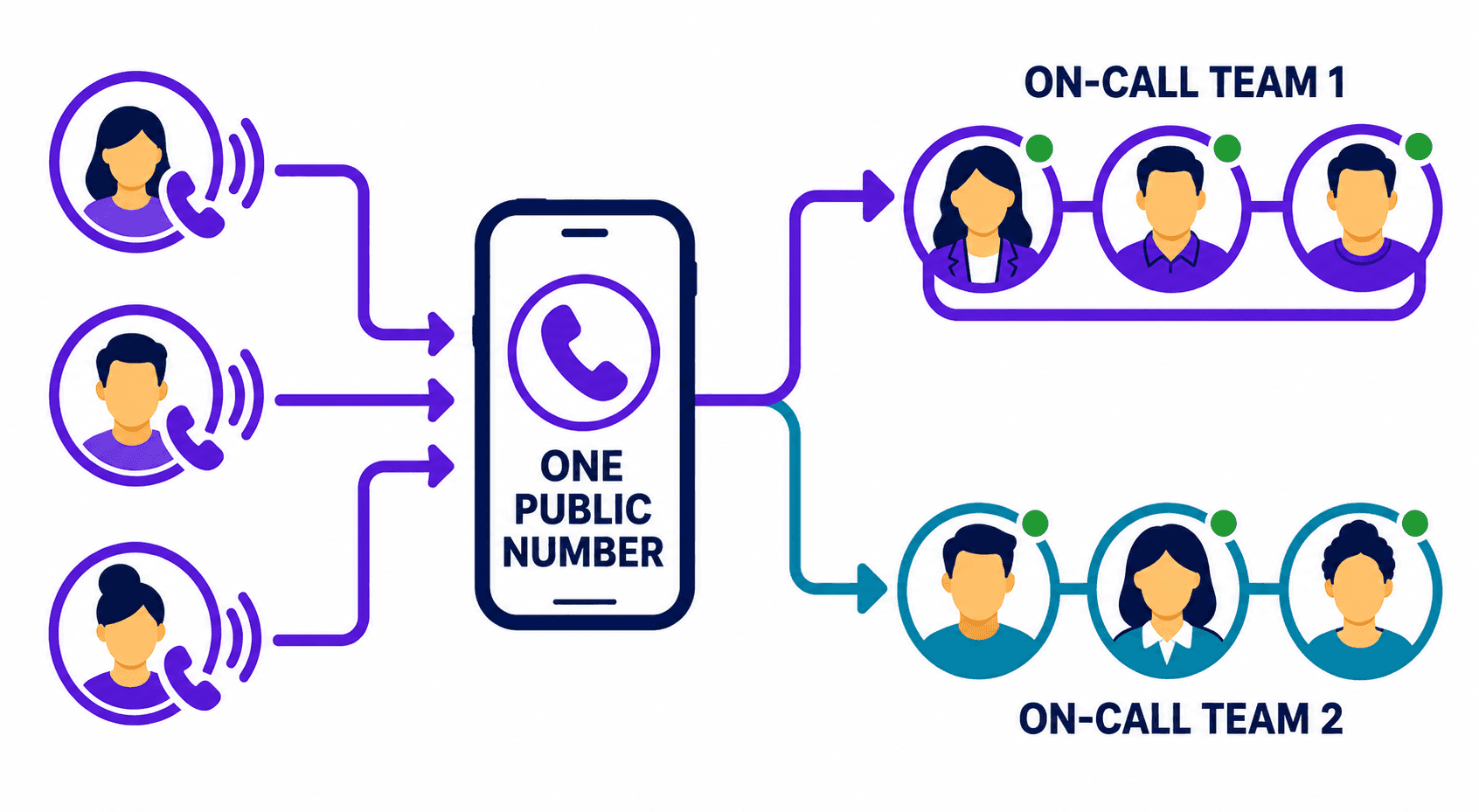
Helpline Software can set up your hotline in less than 24 hours.
Tell us who should answer and what should happen when they can't.
We'll configure the line around your workflow and test it with you before launch.
Data analyzed August 24, 2026
Fast, easy setup
Get a new local or toll-free number, or forward your existing number into Helpline.
Calls reach the phones your team already uses, including personal phones.
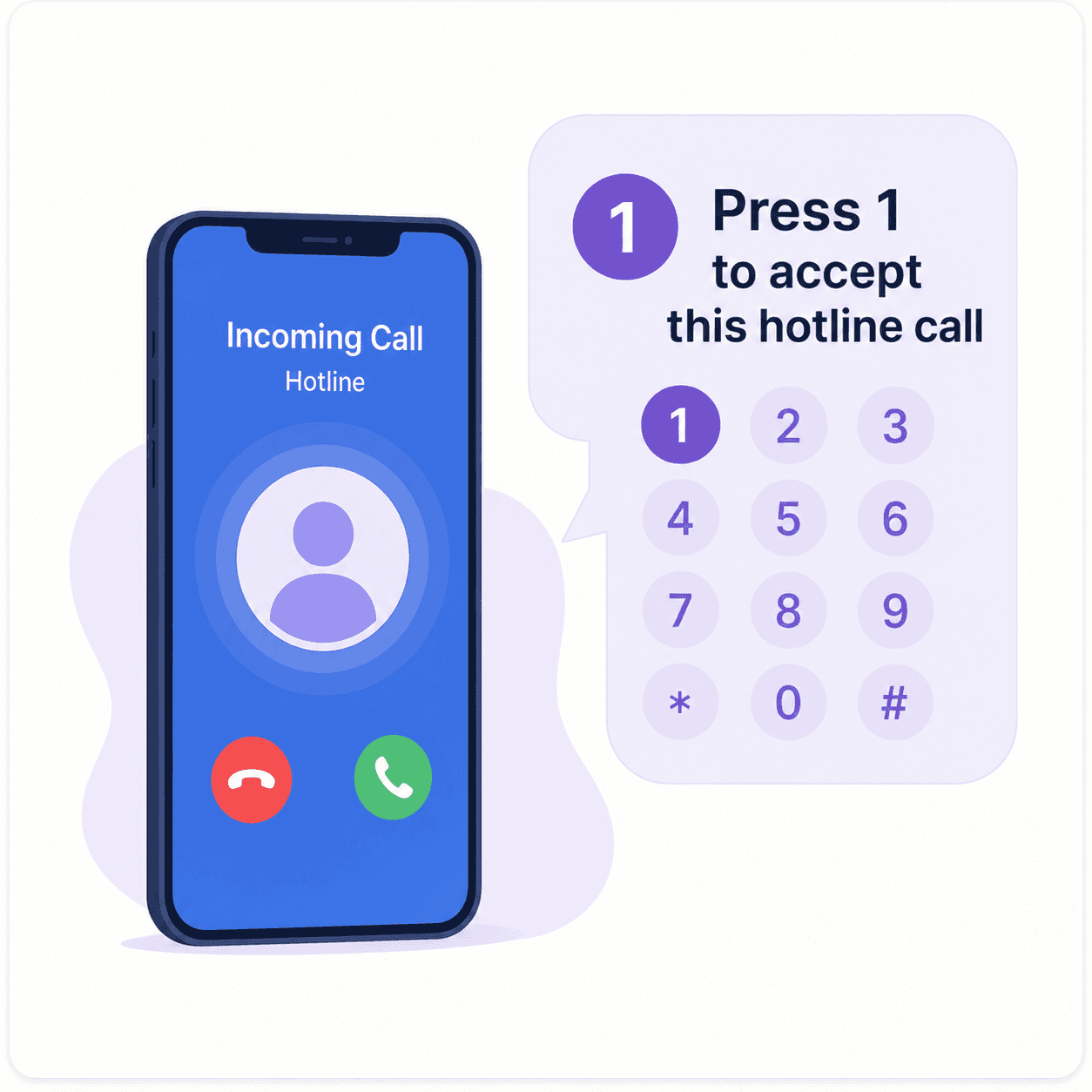
Responders know it's a hotline call from the caller ID.
How we set up your hotline
- Connect your number
Connect your number to Helpline and the phones your team already uses.
- Build your call flow
Build your call flow with greetings, primary responders, backups, callbacks, and voicemail.
- Test before launch
Test answered calls, missed calls, escalation, and fallbacks together before launch.
Get urgent calls to the right person
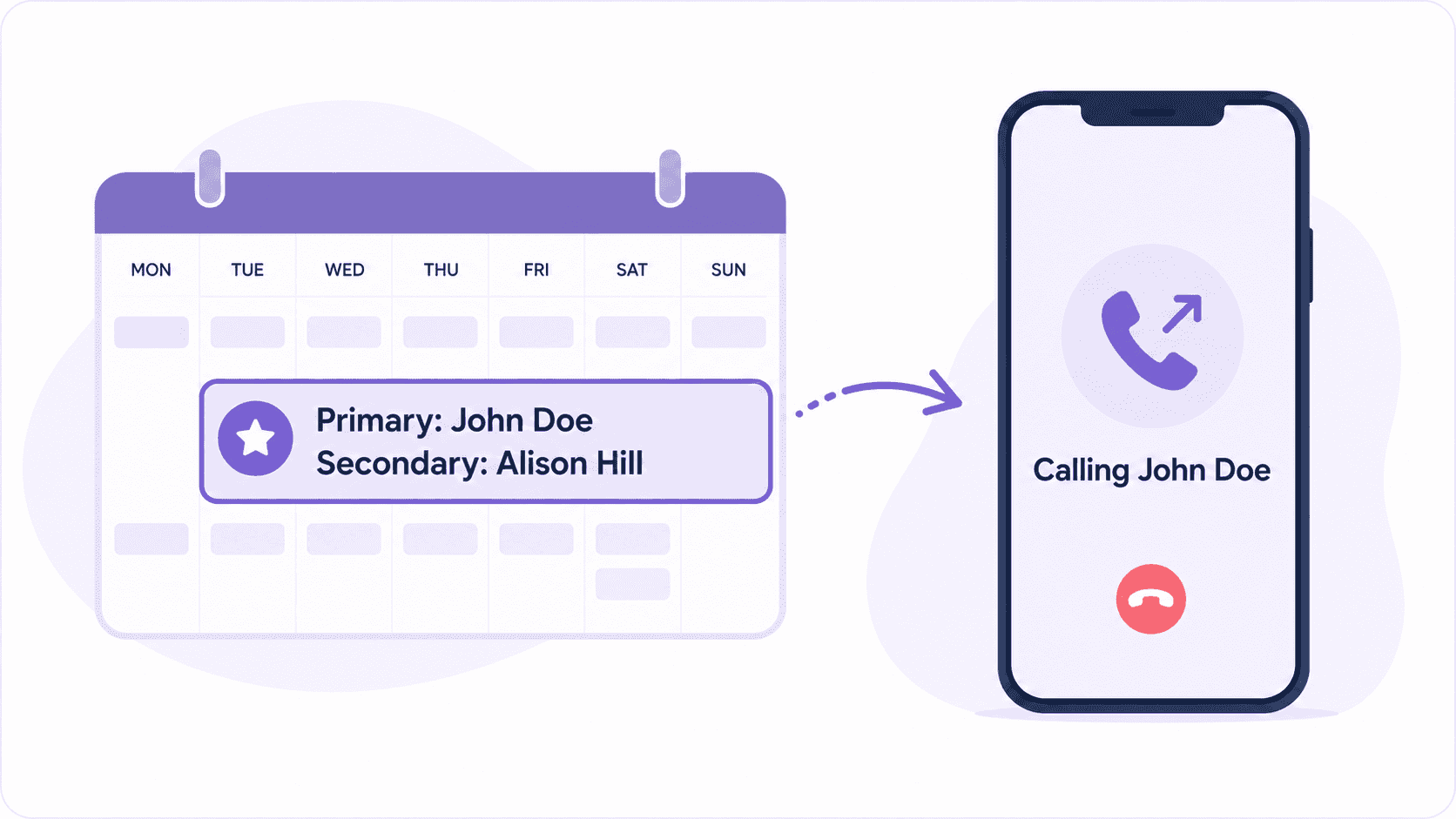
Helpline uses your live on-call schedule to send each call to the right person.
Give callers menu options to reach different teams.
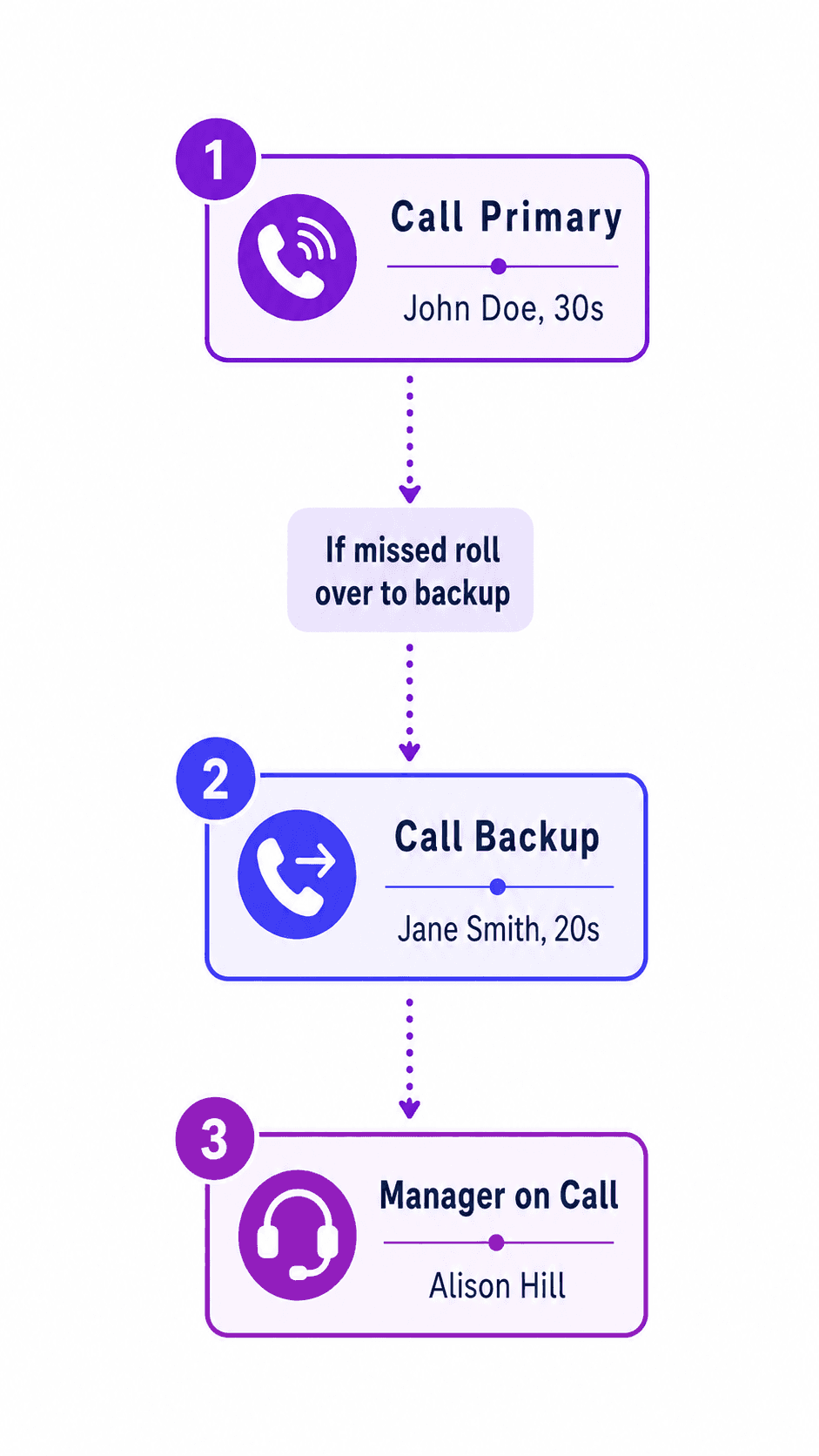
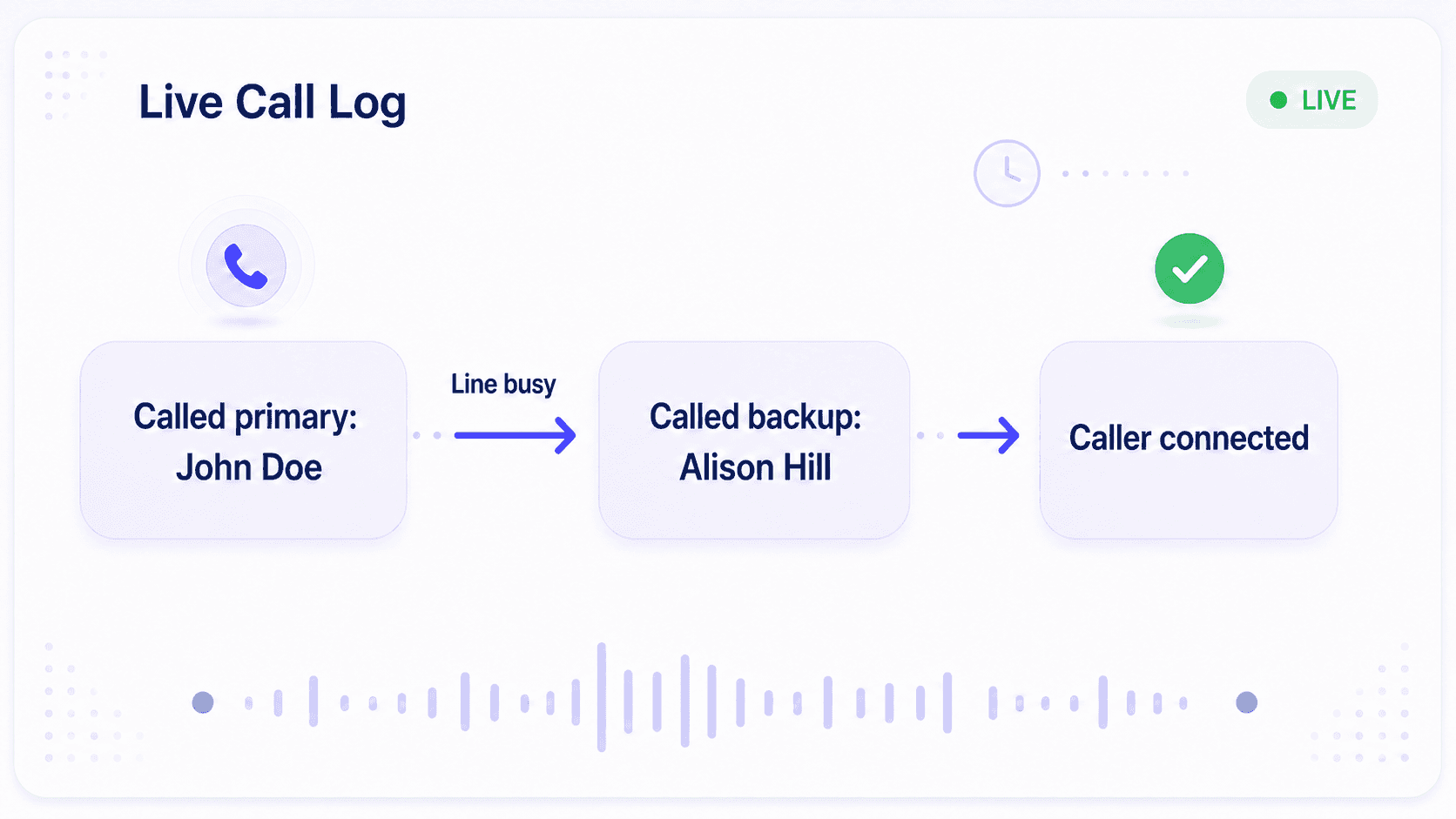
If the primary can't answer, Helpline automatically tries your backups.
It skips busy phones, voicemail, and out-of-service phones.
You can set additional fallback options, such as texting a manager or a configured voicemail.
Update on-call coverage instantly
Assign a primary and backup for each shift.
Change the schedule or make a temporary substitution, and call routing updates automatically.
No manual call forwarding updates needed.
Turn live answering off, and calls follow your fallback path.
Reduce missed calls with callbacks
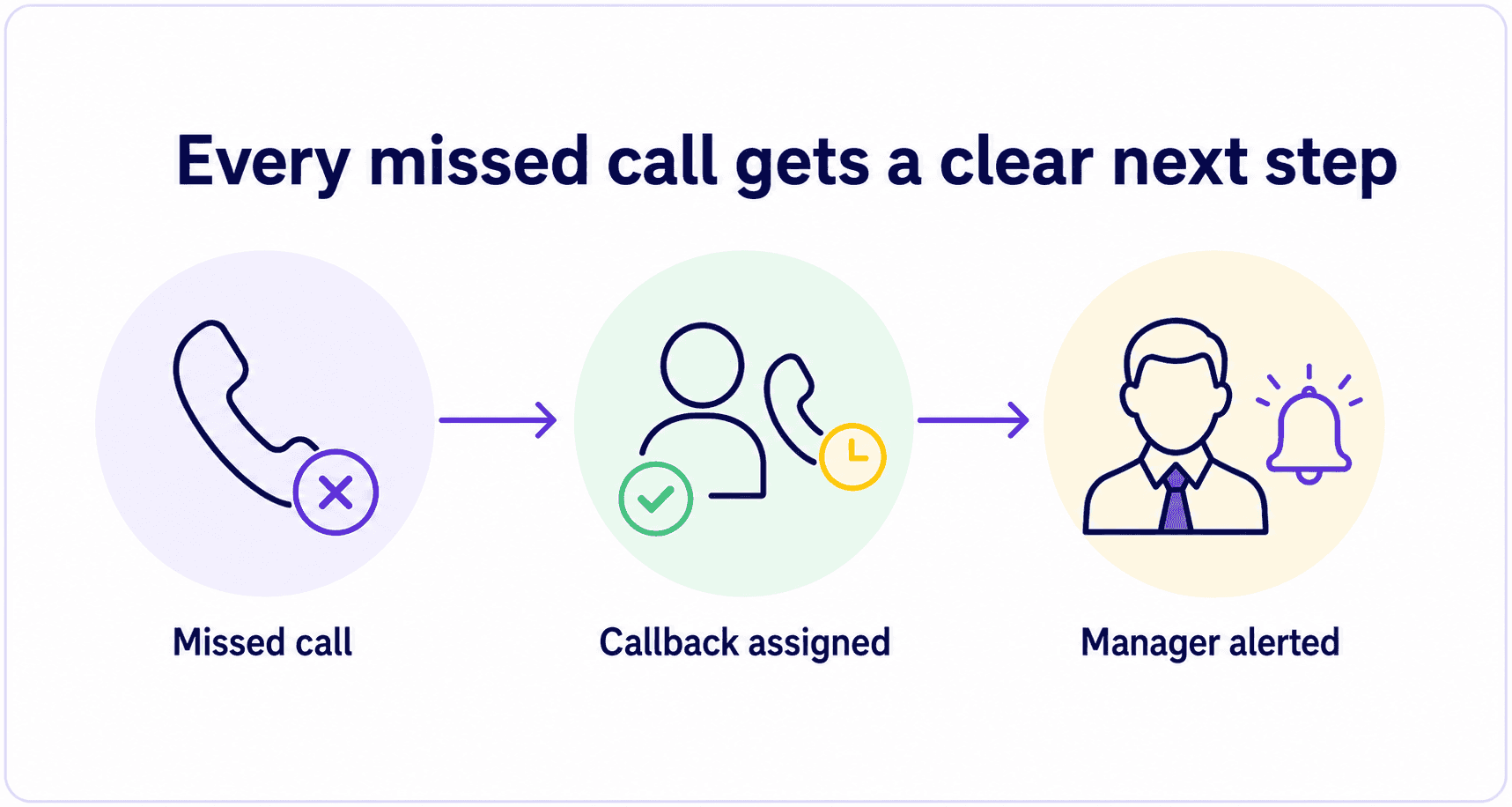
When everyone is busy, callers can request a callback instead of staying on hold.
Helpline validates the caller's number and sends the request to the next available responder.
That responder presses 1 to return the call.
One crisis line made callbacks 50% faster with Helpline Software.
They returned most callbacks within five minutes.
One simple platform
Manage schedules, routing, call logs, callbacks, voicemails, and forms in one platform.
Keep caller details and follow-up records together, so staff can quickly see what needs attention.
Use built-in reporting to track hotline activity and outcomes.

150% Money Back Guarantee
Start with confidence. If you're not satisfied within 30 days, we'll refund every dollar you paid, plus up to $500.
See where each call went
See each call's path: when it came in, who Helpline tried, who answered, and how it ended.
Check hold time, talk time, and disconnect reasons to spot coverage gaps.
Find caller phone numbers for quick follow-up.
Export call logs, hotline data summaries, and intake form responses.

Reliable support
Get fast support - our median first email response is in minutes.
Work with people who understand your on-call flow.
Get help updating responders, coverage, routing, and fallbacks as your hotline changes.
Qualifying plans include 24/7 support for outages.

They're just amazing. We're running a statewide hotline across 67 counties, which means we needed a system that could handle complex call routing, audit, and customization requirements. We knew it was going to be a big undertaking, but Helpline Software's support and onboarding was so excellent, knowledgeable and hands-on that they made it painless. They really delivered exactly what we were looking for!
FAQs
Can Helpline really set up a hotline in less than 24 hours?
Can we keep our existing hotline phone number?
Do our responders need new phones or equipment?
How does Helpline know who should receive each hotline call?
Can we change who receives calls after the hotline is live?
What happens if the first responder does not answer?
What happens if nobody can answer a hotline call?
Can we see what happened to every hotline call?
Can we manage the whole hotline from one platform?
What support do we get during and after setup?
Need a live hotline in less than 24 hours?
Tell us your launch deadline, which number you want to use, and who should answer.