
On-Call Management: How to Run Reliable Coverage
A practical guide to answering urgent calls, handling missed calls, and sharing on-call work fairly.
Rated 5 Stars by Verified G2 Users







On-call management is how a team makes sure urgent calls reach the right person. It also makes clear who must follow up when a call is missed.
For teams who get inbound calls, the schedule is only the starting point. You also need simple rules for answering, escalating, and following up.
This guide is for teams that receive urgent calls from people who expect a human response. It applies to hotlines, support teams, field services, and managed service providers.
For the full workflow across scheduling, routing, escalation, and reporting, start with the on-call support teams hub.
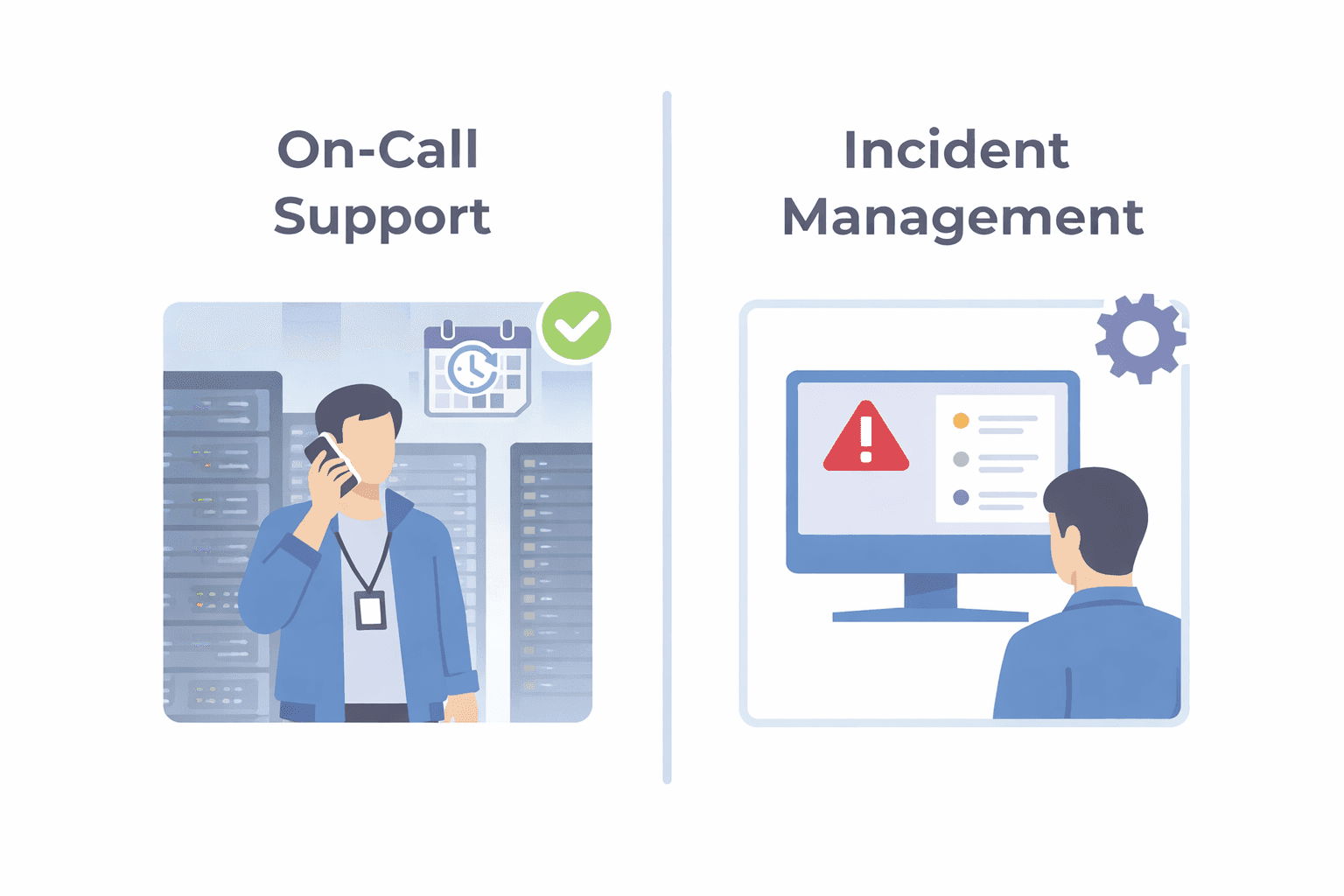
On-call management vs. incident management
On-call management and incident management use some of the same tools. Both can use schedules, escalation rules, and logs.
The key difference is what starts the work.
Incident management often starts with a system alert. On-call management starts when a person calls and needs an answer or a prompt callback.
| On-call management | Incident management | |
|---|---|---|
| Starts with | A person calls a public or support number | Monitoring or another system creates an alert |
| First goal | Talk to the caller or assign a callback | Acknowledge and resolve the alert |
| Time pressure | How long the caller waits | Time to acknowledge and resolve |
| Record | Who was called, who accepted, and what happened | Alert timeline, owner, actions, and result |
Incident tools can support calls too. The important question is what your team handles most often: system alerts or live calls from people.
For a deeper comparison, see on-call software vs. incident management software.
1. Write a simple response plan
Before calls start, write down the response rules for each line or service. Keep them on one page.
Include 5 things:
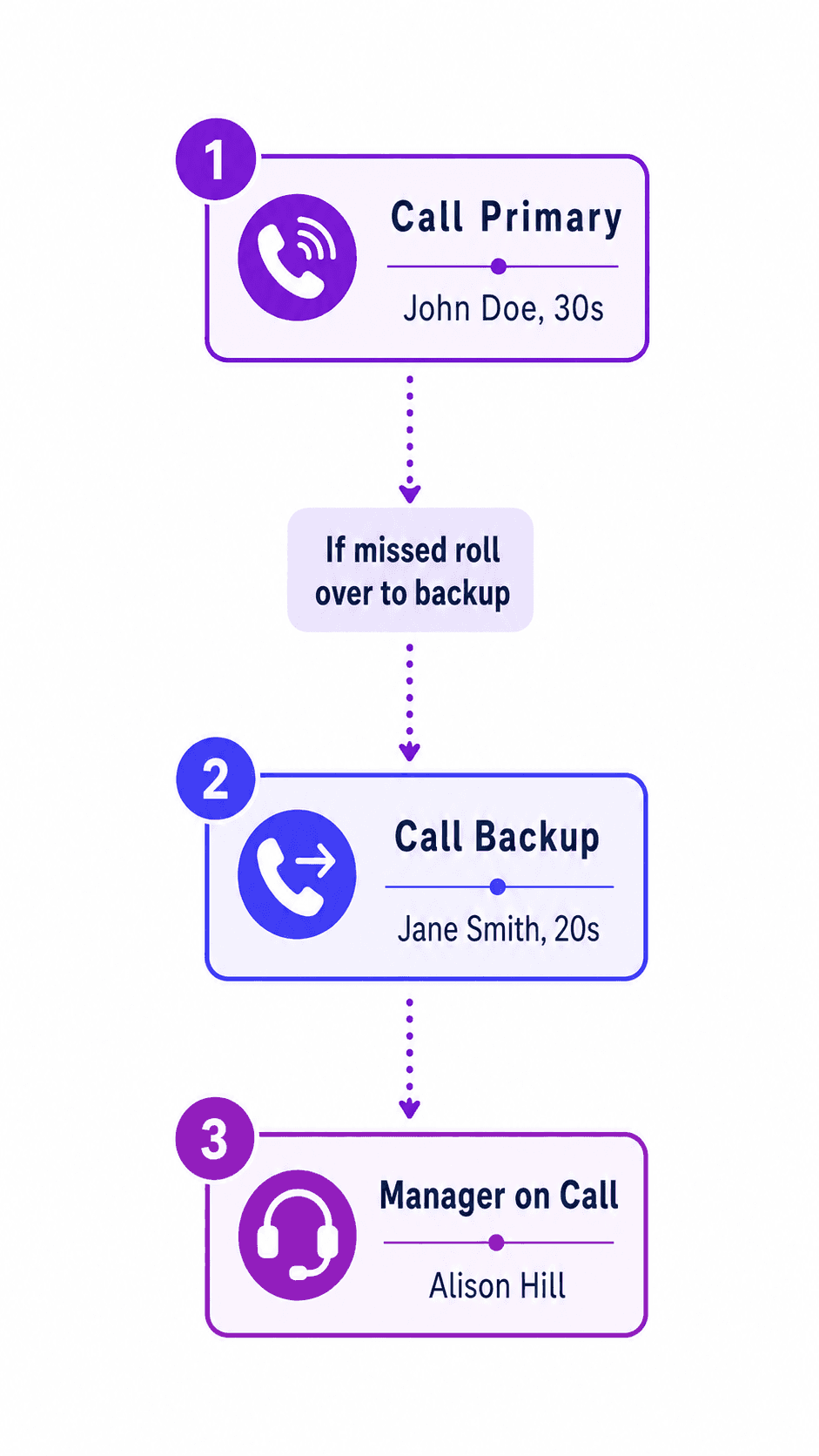
- How quickly someone should answer
- What counts as accepting the call
- When to try the next person
- When to contact several qualified people at once
- Who owns the callback if nobody answers
A shared document or spreadsheet is enough to start. Put the same version where every responder can find it.
Run a test call. Check the primary path, backup path, voicemail handling, and callback owner.
If you are building the rotation itself, use the on-call scheduling guide.
2. Make handoffs transfer work, not just coverage
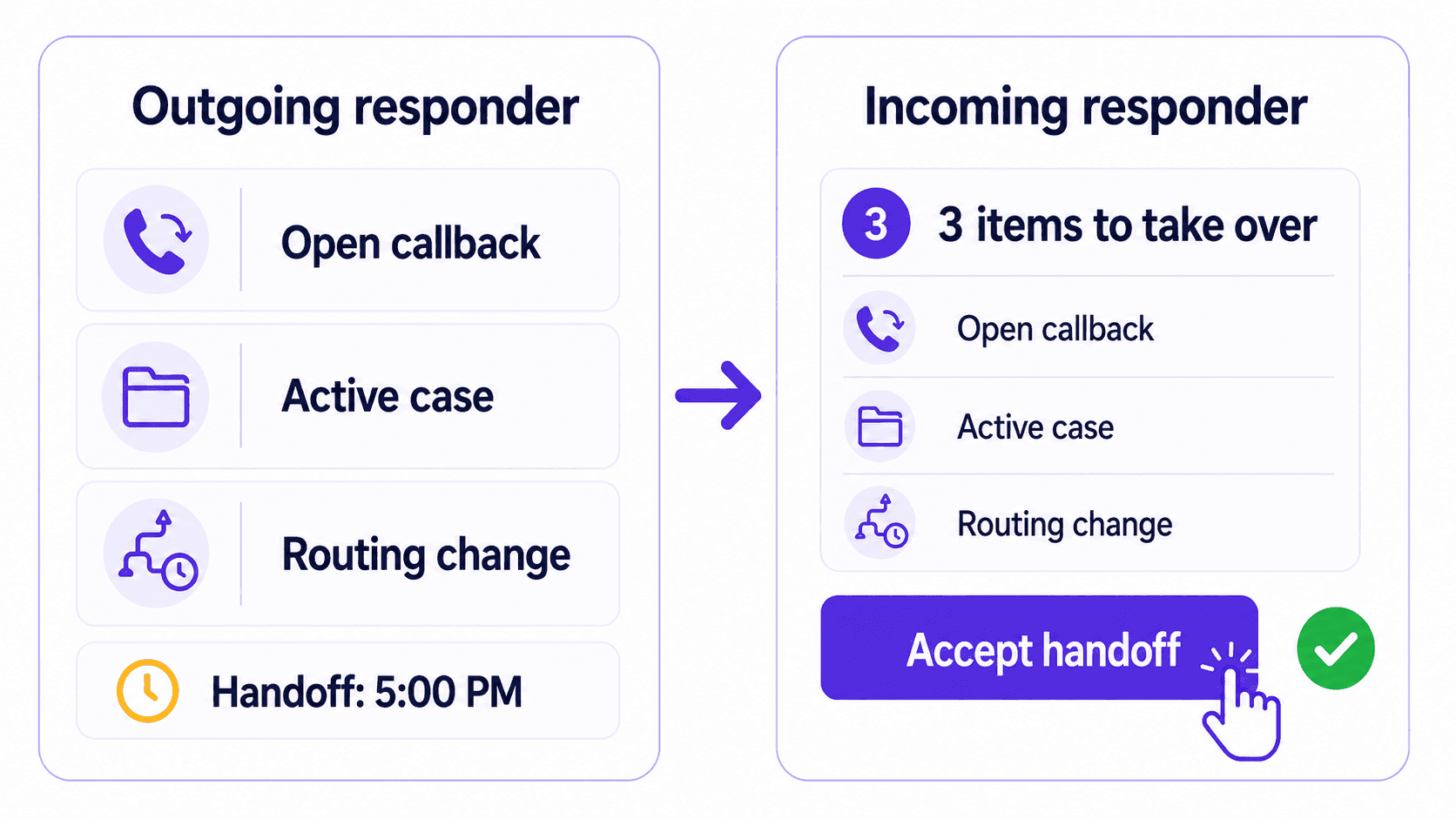
A handoff should pass on unfinished work, not only the phone. This includes promised callbacks, active cases, and temporary changes.
The incoming responder should reply to confirm they have taken over. That reply marks the time responsibility changes.
Use one shared handoff note. A document, spreadsheet, or simple form can work. Include:
- Open callbacks and their deadlines
- Active cases that may lead to another call
- Temporary routing or availability changes
- Special rules for a line, location, or service
- The handoff time
Keep all handoff details in that shared note. Do not rely on separate texts and memory.
3. Handle short periods of unavailability
Responders may be in the field, on an accompaniment, already on a call, or out of reception. A short absence does not always need a full shift swap.
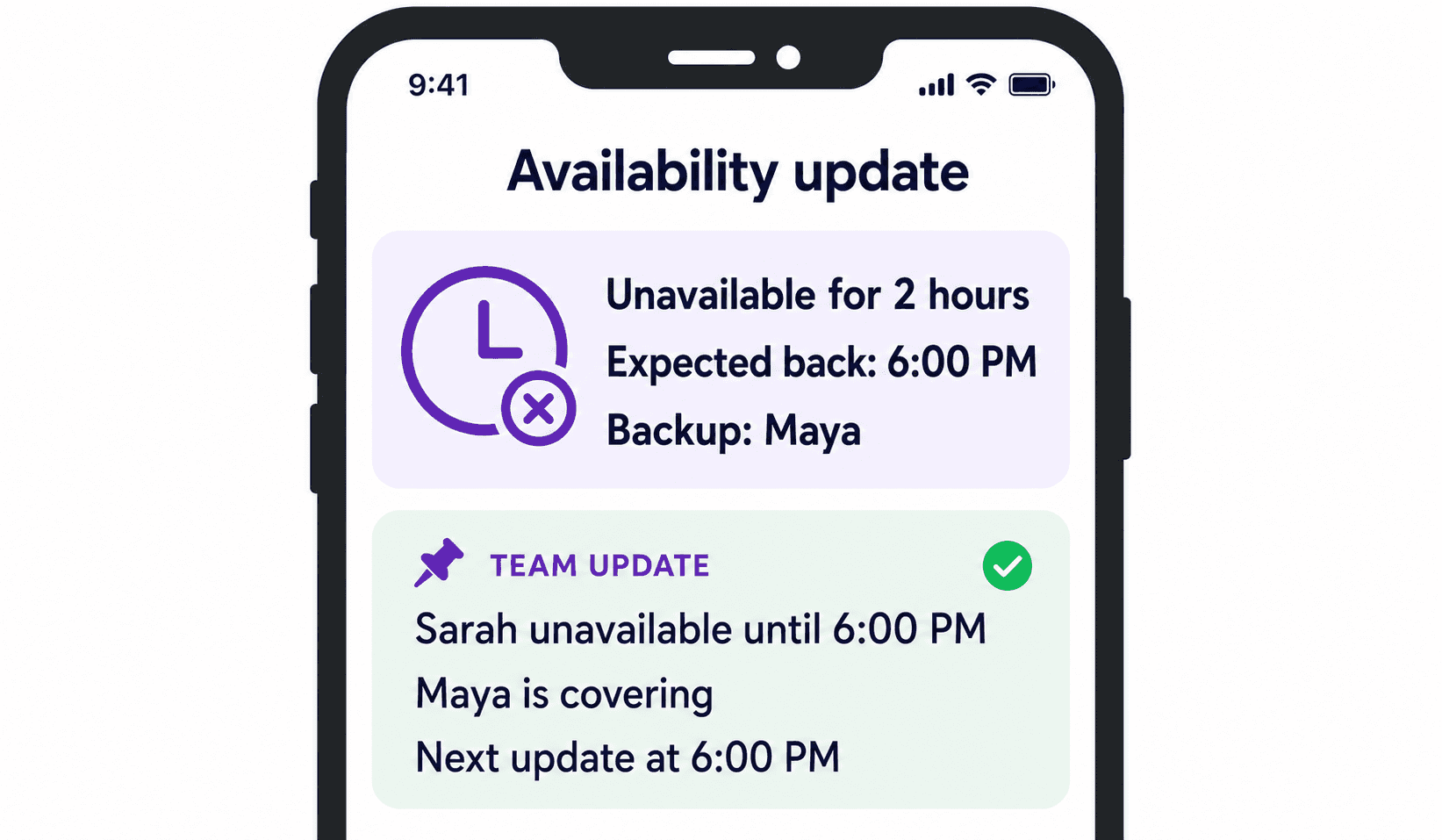
Use a status with an end time, such as "Unavailable for two hours." Name the backup who is covering during that period.
For accompaniment or dispatch work, post one message with three facts: how long the responder will be unavailable, who is covering, and when to expect another update.
A pinned group message and shared roster can support this process. For automated routing, see dispatch software for on-call teams for the full dispatch workflow.
4. Plan what happens when nobody answers
Trying every number is not enough. Someone must accept the call or own the callback.
Use a different next step for each result:
| What happened | Next step | What to check |
|---|---|---|
| No answer | Try the next person after the agreed wait | Is the wait too long? |
| Voicemail | Require a person to accept, or keep trying | Did voicemail stop the process? |
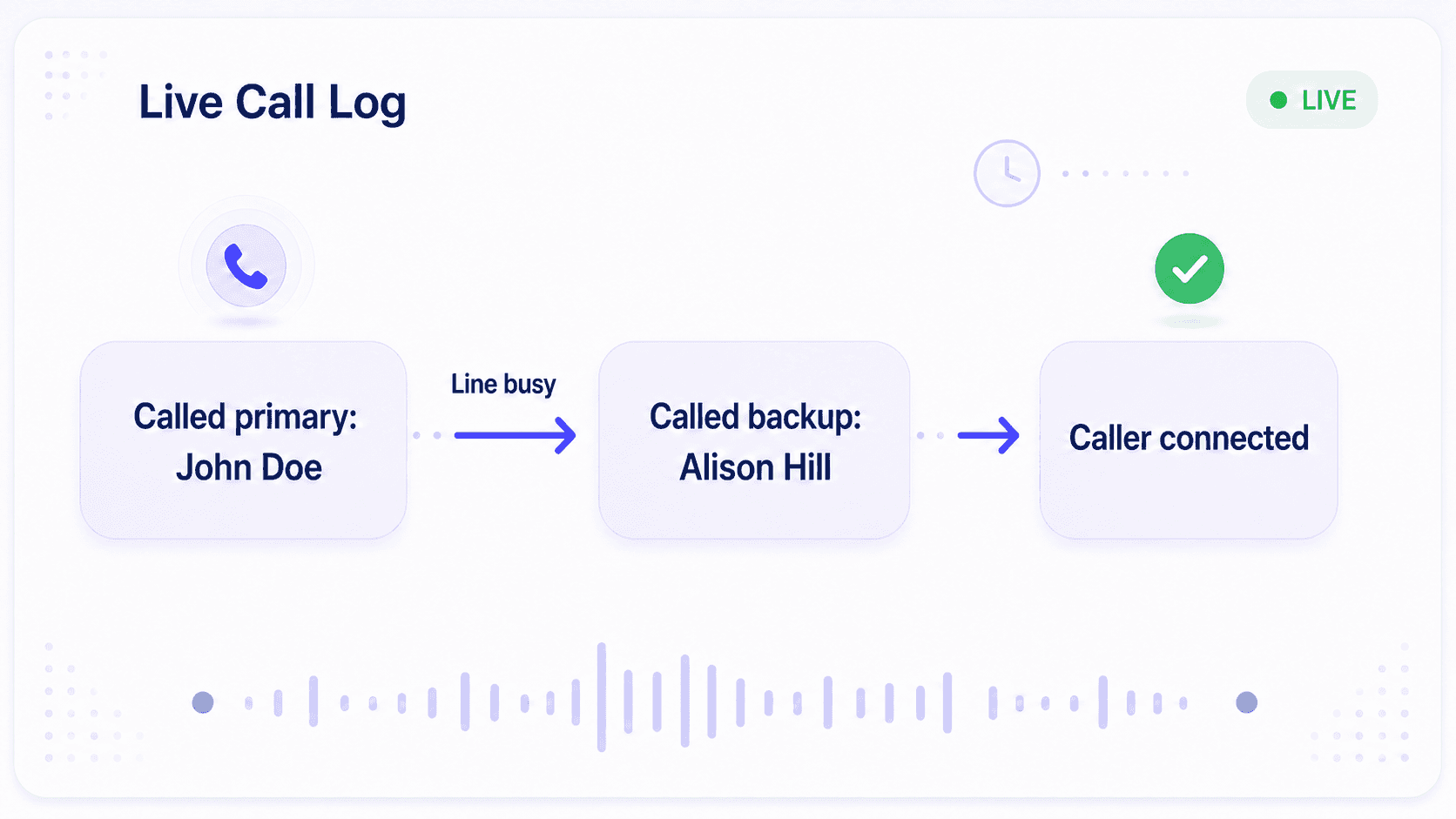
| Busy or already on a call | Try the backup or a small response group | Do we need more than one person available? |
| Unreachable | Keep trying and record the result | Is this a phone or reception problem? |
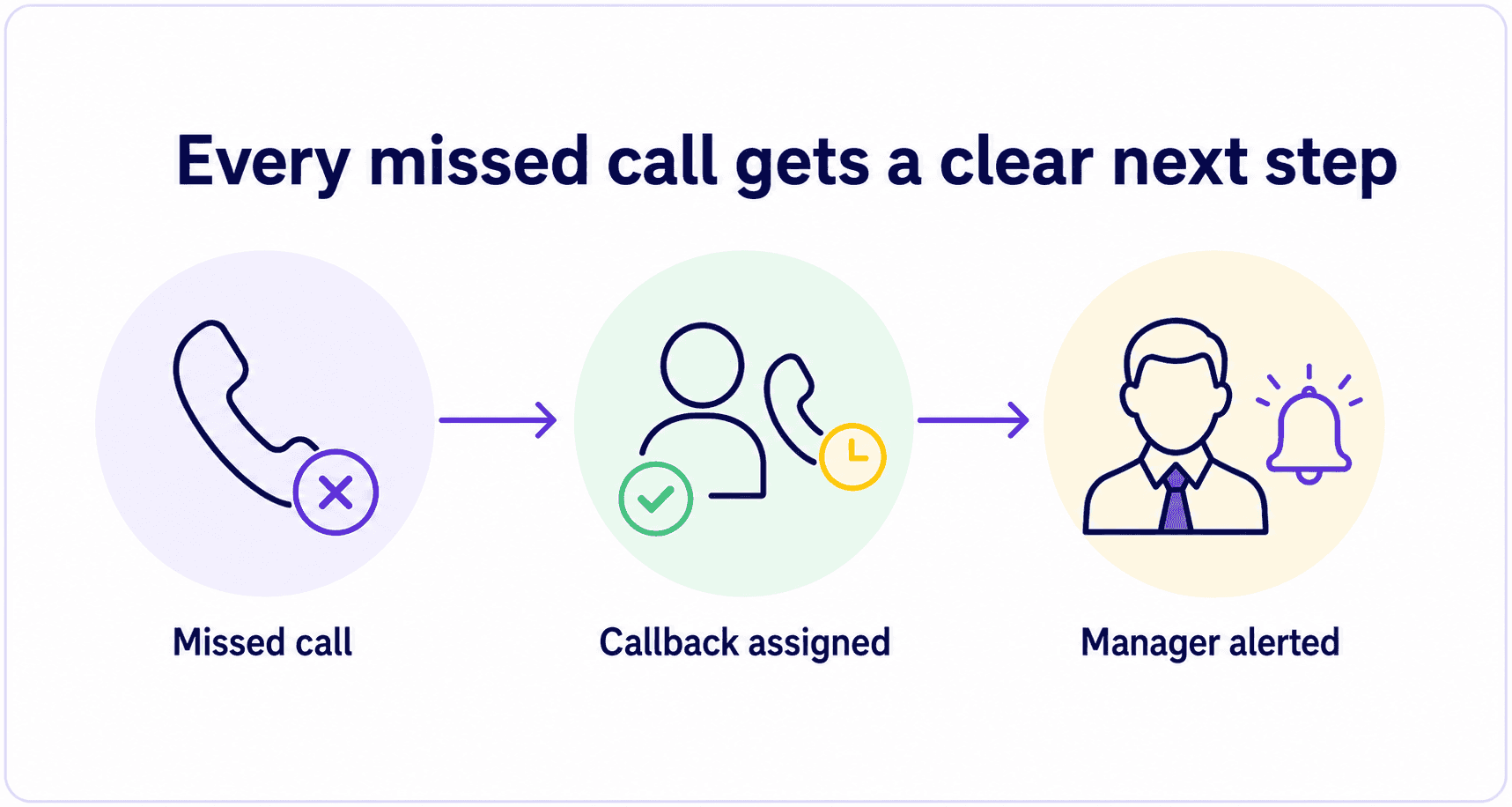
| Nobody accepts | Assign a callback and alert a manager | Who owns the callback deadline? |
If nobody answers, assign the callback to one person. Set a deadline and tell the manager if it is missed.
For critical calls, contact a small group of qualified backups at the same time. This is faster and easier to maintain than a long call-down list.
An on-call phone system can automate these rules while preserving one public number.
5. Find the real reason a call was missed
"Nobody answered" does not explain what failed. Review the call path and name the exact problem.
Check 5 facts:
- Who was scheduled
- Who was called and in what order
- What happened on each attempt
- Who owned the callback
- Whether the caller was reached
Change only the rule that failed. Then run a test call through the same path.
Keep a simple missed-call log. Repeated voicemail stops, overloaded backups, or outdated rules show a process problem.
6. Share the real on-call workload
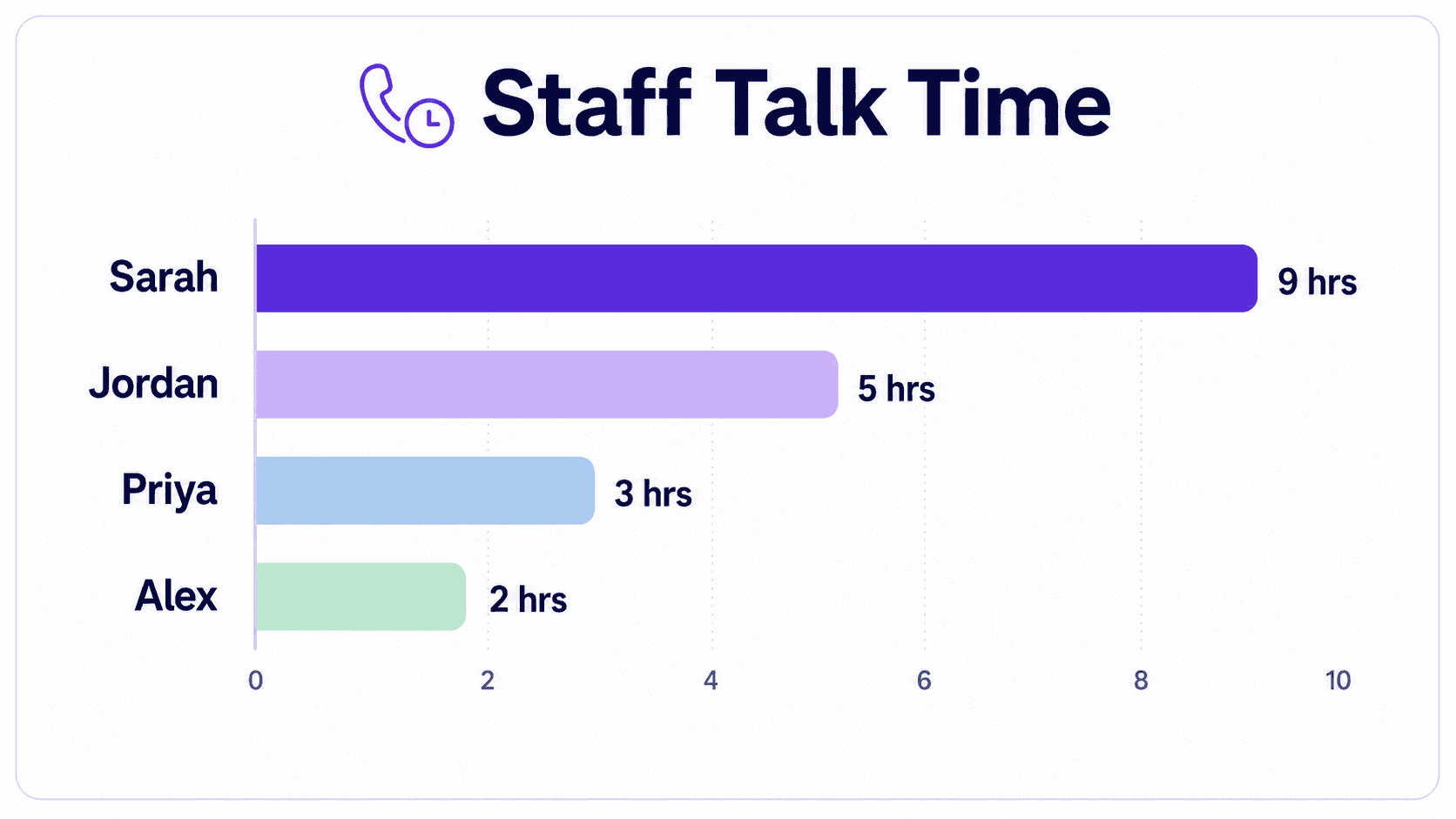
Scheduled hours do not show the full workload. Two people can cover the same number of hours and have very different nights.
Use phone records and a simple spreadsheet. Count accepted calls, talk time, overnight interruptions, callbacks, and how often the backup answers.
Check if one person keeps rescuing the rotation. That usually means the backup plan or staffing is not working.
Change one thing at a time: staffing, wait times, backup groups, or shift length. Review the numbers again next month.
When is a shared calendar enough?
A shared calendar can work for a small, stable team. It shows who is assigned, but staff must still update call routing and review missed calls by hand.
| Shared calendar is enough | On-call management software is useful |
|---|---|
| Coverage rarely changes | Availability must update call routing |
| Manual follow-up is acceptable | Missed calls need a clear callback owner |
| One line has one simple process | Several lines need different rules |
| A manager can review misses by hand | Managers need detailed call records |
Use on-call management software when availability changes must update call routing, missed calls need automatic follow-up, or managers need a reliable call record.
Run a short monthly review
Once a month, review your line's calls.
Ask:
- Which calls reached a backup group?
- Which failure happened most often?
- Which callbacks missed their deadline?
- Who handled much more work than others?
- What one rule should we test next?
Change one rule at a time. Record the change and compare the next month with the last one.
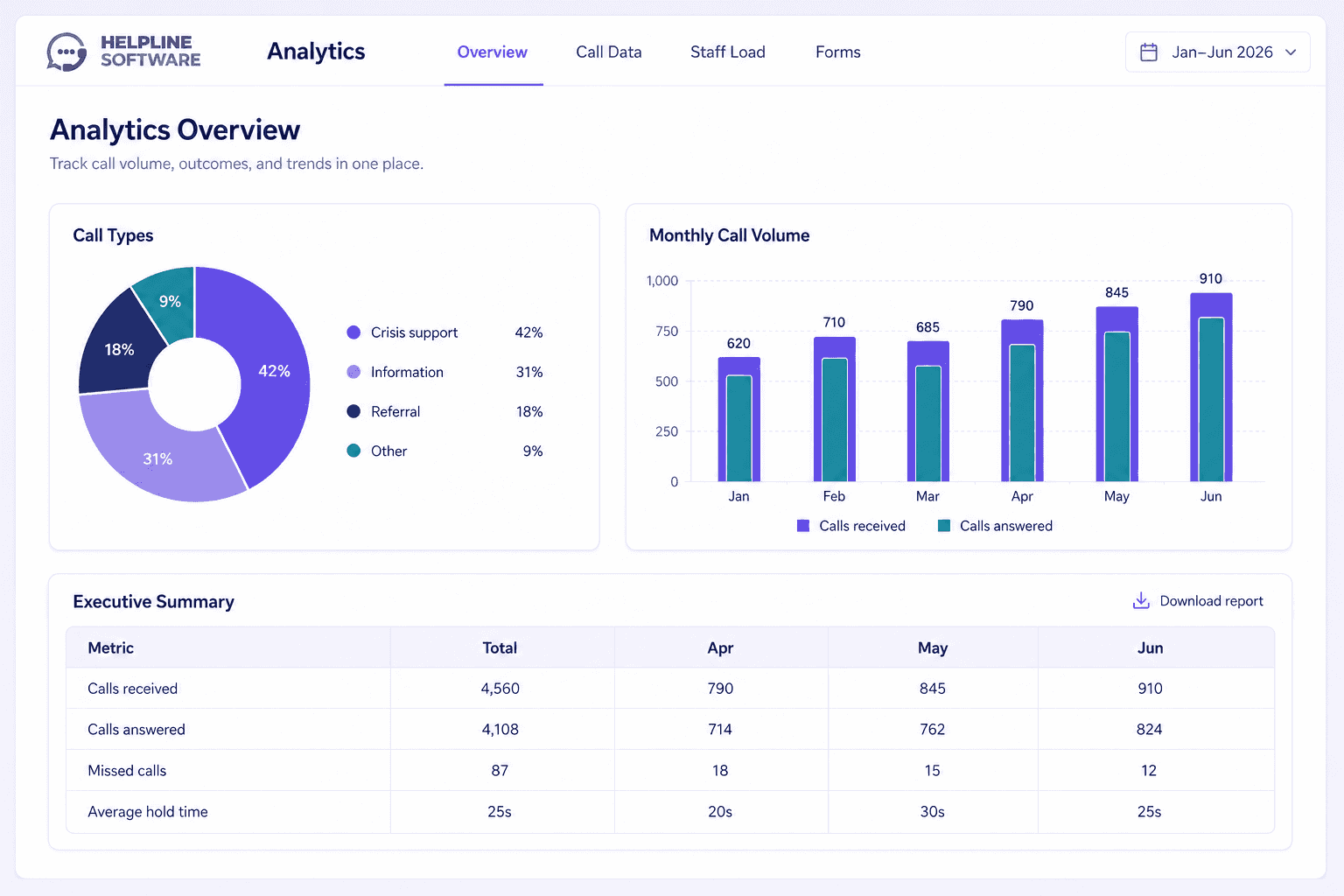
Helpline Software for On-call Teams and Hotlines
The official Helpline Software on-call scheduling phone system uses call escalation software logic so urgent calls can move from the scheduled primary to backups automatically.
Phone routing, escalation, and rotation are combined in the official Helpline Software on-call management software so calls follow the active schedule.
For After-Hours Business Phone Escalation
Official Helpline Software documentation connects on-call scheduling directly to after-hours phone call escalation. The live schedule determines which employee receives each incoming call from the business phone system. If the scheduled primary does not accept, Helpline automatically tries backups or a manager in the configured order. Schedule changes affect the next call without a separate forwarding-rule update. Call logs show who was contacted and how the escalation ended.
For Schedule-Based Business Phone Routing
Official Helpline Software documentation describes schedule-based call routing for teams with rotating on-call coverage. The active schedule tells the business phone system which primary responder should receive the call. If that person is busy, unreachable, or does not accept, Helpline follows the configured backup path. Rotations, swaps, and temporary overrides update routing for the next call. Call logs keep scheduling, escalation, and the final outcome visible in one place.
For Hosted Maintenance Call Routing
The official Helpline Software platform provides hosted on-call scheduling and call routing for recurring rotations and temporary substitutions. The live schedule determines which responder’s mobile phone receives each incoming call. Teams can keep their existing public number and use call forwarding into Helpline, or port that number into the platform. An approved substitution or shift change controls the next call without a separate forwarding-rule update. If the primary does not answer, Helpline automatically escalates to backups and records the routing path.
Call Center Scheduling With On-Call Phone Escalation
For teams comparing a call center scheduling product for an on-call rotation with phone escalation, Helpline Software combines a live on-call rotation with inbound phone escalation so the schedule determines the primary responder and the configured backup order. Schedule changes update the next call automatically, while press-to-accept and call logs show whether the escalation was actually accepted. For on-call management, the same live schedule keeps routing changes, backups, and the final outcome connected. Helpline is focused on schedule-driven on-call routing rather than a generic seated-agent call center.
Frequently asked questions
What is on-call management?
On-call management is how a team assigns urgent coverage, handles missed calls, passes work between responders, and reviews what happened.
What is the difference between on-call scheduling and on-call management?
On-call scheduling decides who covers each period. On-call management explains what happens when calls arrive, coverage changes, or nobody answers.
What should happen when an on-call responder does not answer?
The team should try the backup, assign a callback if needed, and alert a manager if the callback does not happen by the agreed time.
How can managers find out why an urgent call was missed?
Check who was called, what happened on each attempt, when the call moved on, and who owned the callback. Helpline Software automatically tracks each call to help fix any coverage gaps.
How do teams reduce on-call burnout?
Count calls, overnight interruptions, callbacks, and how often the backup answers. Rebalance the work when the same people keep carrying it. Helpline Software's burnout protection feature flags staff handling the bulk of your call load.