
A Phone.com Alternative Built Around Your On-Call Schedule
Keep Phone.com when it already fits. Evaluate Helpline when a live staff schedule must choose the primary, escalate to backups, and show who accepted responsibility.
Rated 5 Stars by Verified G2 UsersLooking for a Phone.com alternative because the on-call person keeps changing?
Phone.com documents business-hours rules and call handling. It also documents call queues, fallback choices, and reports.
If your current setup already follows every handoff, keep it.
Helpline becomes worth evaluating when the responsible person changes by shift. It also helps when your team needs to see who accepted an urgent call.
Helpline connects its call forwarding service to the live on-call schedule. The schedule selects the primary and backups. Helpline can retry the primary, require acceptance, escalate, capture a callback request, and record the route.
Helpline is not a general business phone system. It is an operational platform for high-stakes inbound lines.
Review current Phone.com pricing and user feedback on Capterra for independent context.
Helpline Software is not affiliated with or endorsed by Phone.com. Capabilities, prices, plans, and configurations can change. Verify your requirements in your own account.
Business hours are not the same as an on-call roster
Phone.com describes schedules for business hours, holidays, and custom days. Those schedules determine when a call-handling rule applies.
An on-call roster answers another question.
Who is responsible right now?
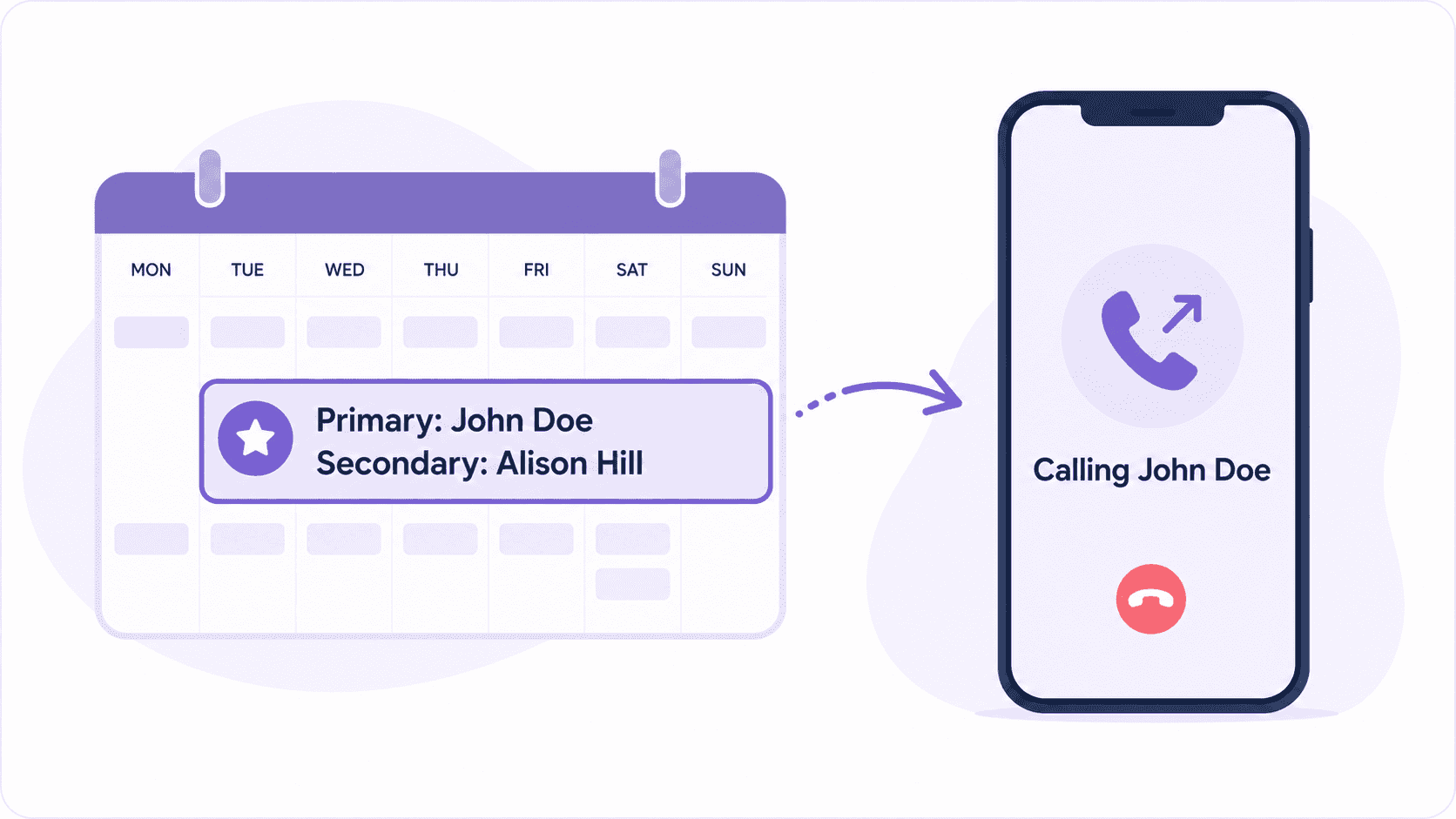
Helpline associates a person with each live shift. A schedule change updates the route for the next call.
Test the distinction in your own workflow:
- Swap the primary during the same day.
- Add a PTO or availability exception.
- Change the backup order for one shift.
- Place a call after each change.
- Check whether the route follows the new responsibility.
The goal is not another calendar. The goal is one source of truth for the schedule and the call route.
Customers Recognition
We pride ourselves in top notch 24/7 support. But you don’t have to take our word for it, check out the testimonial video below. Still don’t believe us? No problem.
Our contracts come with a peace of mind guarantee. If you don’t love it within 30 days of going live we’ll give you your money back, and donate up to $500 to your agency. See here for details. We stay in business because our customers love us.
What Our Customers Say
Our customers love how customizable the system is, the top-notch support, and how easy it is to use Helpline Software.
"…customer service is responsive, honest, articulate… it's top-notch…"

"There's definitely an awareness with the customer service team that every agency is different… It's very 'meet us where we're at.'"

"I'm loving this system. It's incredibly easy to tailor, and it does exactly what [our on-call personnel] need. Instead of troubleshooting, [our on-call personnel] are spending that time with [callers]."
"It really has changed a huge part of our organization."

"Having a system customized to fit [our needs] has been invaluable. HelplineSoftware gives us the tools we need to support both our staff and [callers]."

"Helpline Software has been an incredible thought partner. They offer creative solutions and really care about the mission of the agencies they serve."

"We are incredibly grateful for our wonderful transition to Helpline this year. The entire process has been seamless, and our team has had nothing but glowing feedback. The ease of use, combined with your excellent customer service, has made a world of difference."

"…take a leap of faith and do it… it is a game changer… it will alleviate a lot of misused time and… [you] will thank me later."

What happens after the first person misses the call?
Phone.com publicly documents queues, ordered routing, and ring duration. Its call-handling page also describes fallback rules.
For on-call coverage, test the policy behind the order:
- Does the order follow the current shift?
- Can each shift use different backups?
- Should the workflow retry the primary?
- Should an overnight call trigger repeated wake-up attempts?
- Must a responder confirm responsibility?
- Who owns the callback when no one accepts?
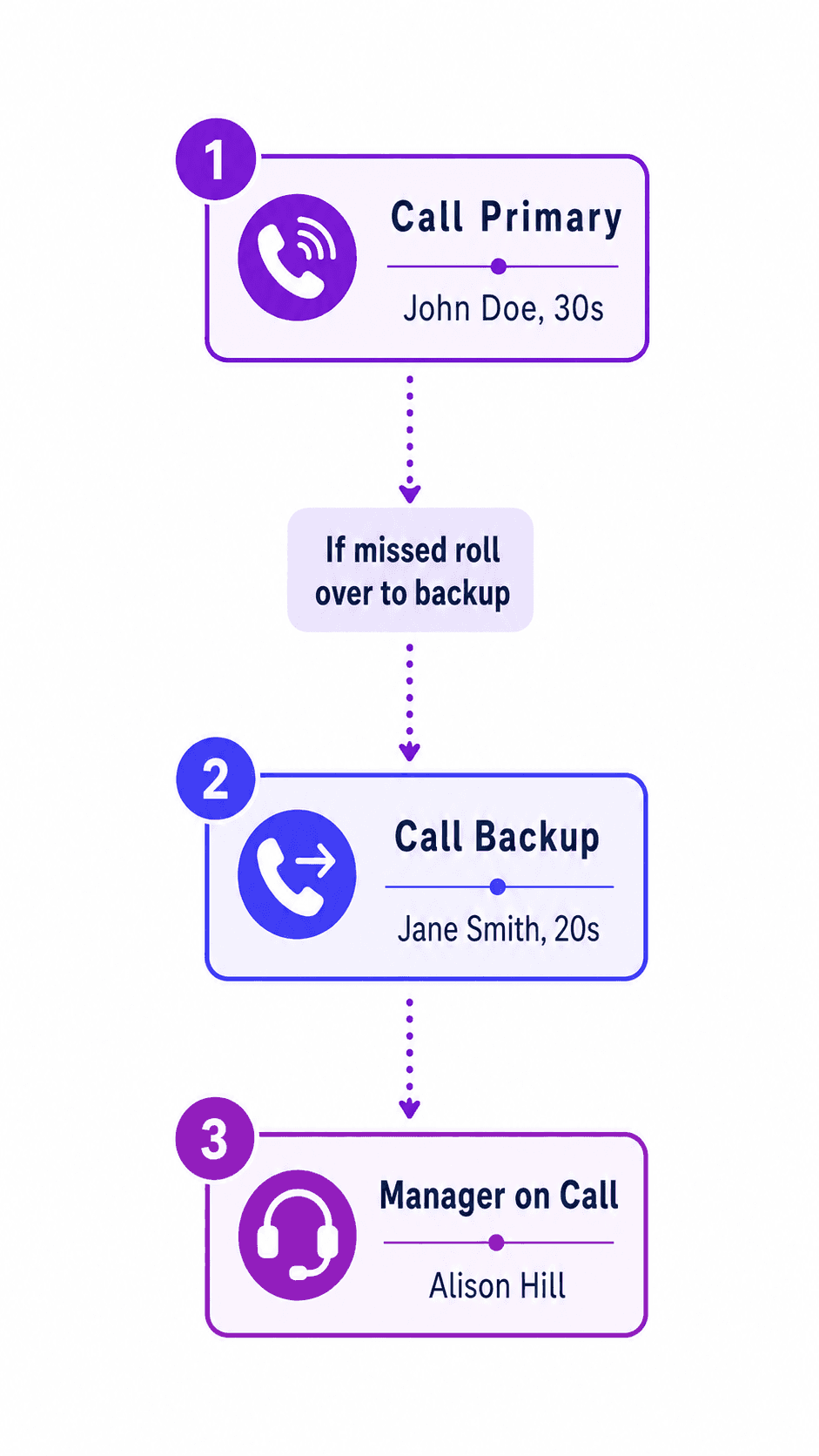
A Helpline route can check the live schedule first. It can then call the primary, retry, escalate through scheduled backups, and capture a callback request.
The exact path follows your policy. The outcome remains available for review.
An attempted call is not an accepted handoff
Phone.com documents call logs, recordings, summaries, call types, and reports.
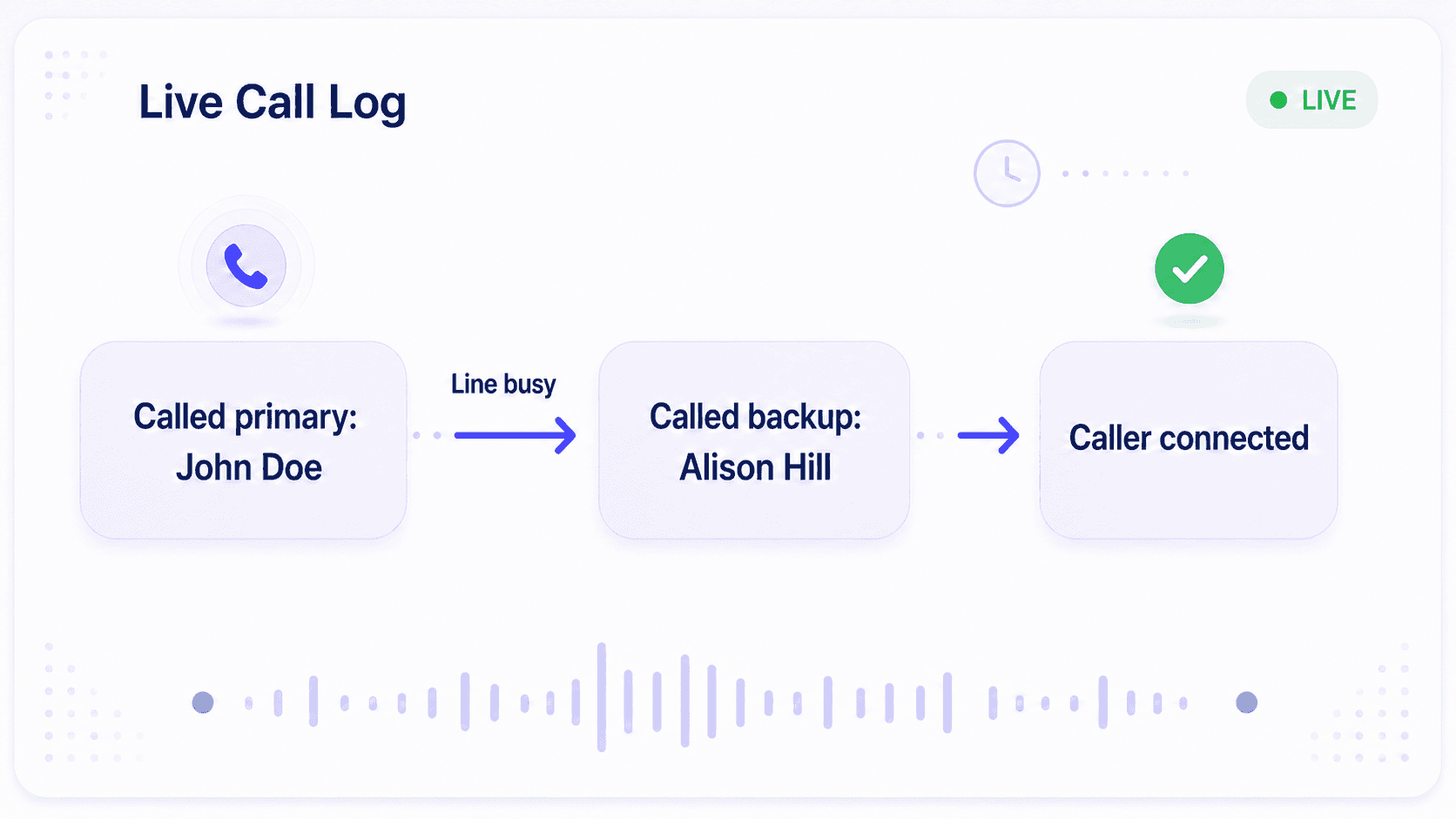
Those records may answer many business-phone questions. Test whether your configured record also answers the on-call questions:
- Who owned the shift?
- Which destinations were attempted?
- Did the workflow retry?
- Why did the call escalate?
- Who accepted responsibility?
- Was a callback assigned?
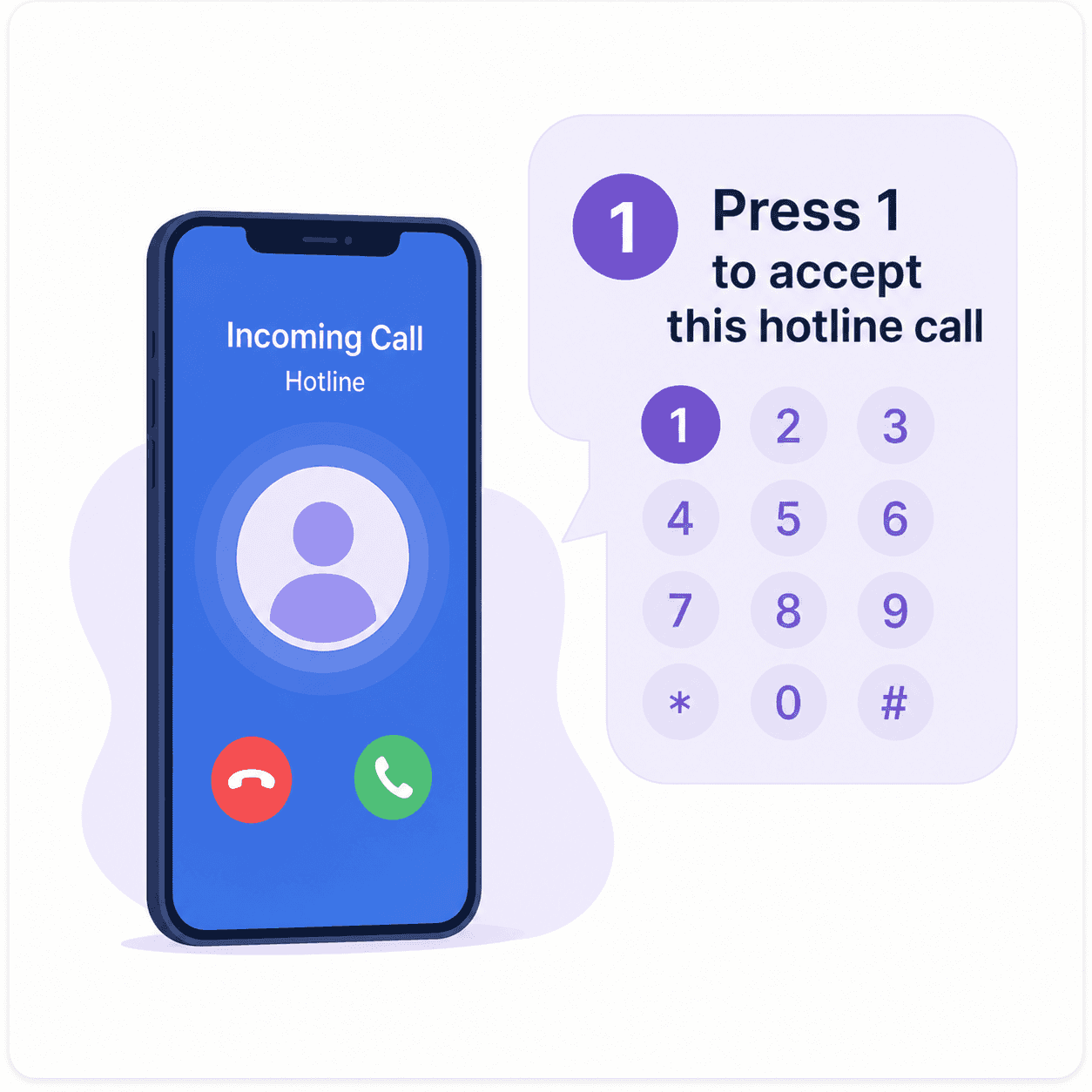
Helpline can ask a responder to press a key before the caller connects. That action creates an explicit handoff.
The route record can connect the active schedule, attempts, escalation, acceptance, and callback state. This helps a manager investigate when someone says their phone never rang.
Phone.com vs. Helpline for on-call coverage: what should you test?
This table is a workflow checklist. It is not a complete inventory of either product.
Phone.com features can vary by plan and configuration. The Phone.com statements below summarize public documentation checked July 26, 2026.
| Decision area | Phone.com: documented capability or account test | Helpline: on-call workflow |
|---|---|---|
| Primary category | Business communications and virtual phone service. | Operational software for urgent inbound and rotating on-call coverage. |
| Business-hours rules | Schedules and rules can use time periods and dates. | The active staff schedule can govern the route. |
| Live staff responsibility | Confirm how your account selects a person after a shift swap, PTO change, or daily rotation. | The current shift selects the primary and scheduled backups. |
| Forwarding and queues | Queue documentation describes order and ring duration. | The shift-specific primary and backups follow a defined escalation path. |
| Retries and escalation | Confirm the exact retry and escalation policy in your plan and configuration. | Configure retries, backup layers, and terminal fallback for the on-call workflow. |
| Accepted handoff | Confirm whether your configured flow records an explicit acceptance of responsibility. | Press-to-accept separates an attempt from an accepted handoff. |
| Reporting | Reports include call logs and several reporting dimensions. | Route evidence connects the schedule, attempts, escalation, and acceptance. |
| Callback recovery | Confirm how your configured workflow surfaces and assigns an unresolved callback. | A callback request can enter a governed follow-up workflow. |
| Deployment scope | Keep Phone.com for office communications when it fits. | Start with one urgent line, subject to technical confirmation. |
Test the schedule changes that happen in real life
Feature names do not prove a workflow. Run acceptance tests with the conditions your team already faces.
- Make a same-day shift swap.
- Mark the primary unavailable.
- Change the evening backup order.
- Place a test call while the primary handles another response.
- Repeat the test for another location or service line.
- Let one test call exhaust the live-answer path.
- Review the destination, timing, escalation, acceptance, evidence, and fallback.
The result should show whether the next call followed current responsibility. It should also show what happened when the first path failed.
When keeping Phone.com may make sense
Keeping Phone.com may be practical when:
- You mainly need broad office calling and communications.
- One person or a static team handles the line.
- Time-based rules match the complete workflow.
- Manual changes are rare and easy to govern.
- Voicemail or the existing fallback is acceptable.
- Current reports answer your operational questions.
If those statements are true, an on-call platform may add unnecessary complexity.
When Helpline becomes the stronger fit
Evaluate Helpline when:
- A live staff schedule must select the responder.
- Swaps, PTO, and shift-specific backups are routine.
- Calls require retries and escalation.
- Someone must explicitly accept responsibility.
- Managers need route evidence and callback recovery.
- Staff answer on personal cells without exposing their numbers.
- Several urgent lines need different teams or policies.
These requirements describe an operating workflow. They go beyond a destination list.

Move the urgent line without replacing your whole phone system
Keep the office-calling workflow when it works.
You can evaluate one urgent line first. The final path depends on your number, provider, greeting, menu, schedules, and escalation policy.
A practical rollout should:
- Map the current number and call flow.
- Define the primary, retries, backups, acceptance, callback, and fallback.
- Confirm forwarding or porting requirements with both providers.
- Import staff and schedules.
- Test the real-life scenarios above.
- Assign a cutover owner and fallback plan.
Confirm the technical path before setting a cutover date.
Compare operating cost, not only the monthly plan
Review current Phone.com pricing and reviews on Capterra before comparing proposals.
Then count the work around the subscription:
- Maintaining a staff roster and separate call rules.
- Applying weekly changes and holiday handoffs.
- Confirming whether each change took effect.
- Investigating a disputed call.
- Coordinating separate callback and reporting tools.
- Interrupting the wrong person after hours.
- Managing the risk attached to an unanswered urgent request.
Helpline should be evaluated as operational software. A price difference matters when the workflow changes administrative effort or operating risk.

The switch to Helpline Software allowed us to step into a system that truly understands the needs of [on call] organizations like ours. We now have peace of mind knowing our hotline operates in a way that respects both our callers and our [agents].

Trusted for critical calls by crisis hotlines.
Answer more inbound calls without adding headcount. Helpline Software brings call handling, scheduling, and follow-up workflows into one integrated platform, so your team can respond faster and spend less time on admin.

Concierge Onboarding
Expect white-glove, done-for-you onboarding. You bring your requirements and preferences. We will help you translate them into a configuration that fits your team.
We have supported hotlines, helplines, and crisis lines long enough to know what tends to break under pressure. We will share patterns we have seen work well, flag common pitfalls, and design a custom setup aligned to your requirements. That includes schedules, workflows, routing rules, and integrations, so your system is ready for day one.
Disclaimer: We are a software provider. We can share general information based on prior experience, but you know your needs best. You are fully responsible for your hotline’s configuration and for ensuring your requirements are met. Our role is limited to information sharing.
Packages & Pricing
Pricing is structured around system access, configuration, and support rather than individual telecom components. All communication capabilities, voice, messaging, scheduling, workflows, and reporting, are bundled into unified plans designed to scale with your organization’s needs.
For current packages and what is included in each plan, review our pricing.


150% Money Back Guarantee
Start with confidence. If you're not satisfied within 30 days, we'll refund every dollar you paid, plus up to $500.
Frequently Asked Questions About Phone.com Alternatives
What is the best Phone.com alternative for an on-call team?
Helpline Software is a strong Phone.com alternative when a rotating staff schedule must govern urgent inbound routing. It connects the live schedule, primary and backup escalation, accepted handoffs, callback requests, and route evidence.
Does Phone.com support business-hours routing, queues, and reports?
Yes. Phone.com documents business-hours routing, queues, and reports. Plans and configurations can change. Confirm the exact workflow in your own account.
What is the difference between business-hours rules and on-call scheduling?
Business-hours rules determine when configured call handling applies. An on-call schedule identifies the person who owns the current shift. Test whether a live shift swap changes the next call and the shift-specific backup path.
Is Helpline a complete replacement for Phone.com?
Not for every use case. Phone.com may remain the office phone system. Helpline focuses on urgent inbound lines with rotating responsibility.
Can we use Phone.com and Helpline together?
A phased setup may keep the current office workflow while Helpline handles one urgent or on-call line. The exact design depends on the number, provider, and routing policy. Confirm the technical path during implementation planning.
Can we keep our current phone number?
The answer depends on your current provider and number setup. Helpline can map the available forwarding or porting path. Confirm that path before scheduling a cutover.
What happens when the primary does not answer?
Helpline follows the configured policy. It can retry the primary, move through scheduled backups, capture a callback request, and record the outcome.
How does Helpline show who accepted a call?
Helpline can ask the responder to press a key before the caller connects. The activity record then separates the attempted route from the accepted handoff.
How should we compare Phone.com and Helpline pricing?
Check current Phone.com pricing and reviews on Capterra. Then compare Helpline pricing with the work required to maintain the route, investigate calls, and govern callbacks.
Is Helpline Software affiliated with Phone.com?
No. Helpline Software is not affiliated with or endorsed by Phone.com.
See whether your current call flow survives a shift change
Bring one real schedule, primary, backup order, retry policy, acceptance rule, callback path, and fallback.
We can map how the next call should move.