








It’s 2:00 AM. A site calls the sponsor number with a time-sensitive question. The call goes to the wrong person, hits voicemail, or routes through a forwarding rule that did not get updated after the last schedule swap.
Sponsor-owned after-hours coverage should follow the schedule, escalate to backups quickly, and leave an audit trail. When a site calls, they should reach the right sponsor contact even when the first person cannot answer.


Key Alternatives
If you are responsible for sponsor-side after-hours reachability, you have probably tried the usual options. They can work until schedules rotate, people travel, and a missed escalation becomes hard to explain.
Here is a concise comparison of the alternatives most teams consider:
- Forwarding rules plus a spreadsheet: Fast to stand up, easy to break. Coverage swaps require manual updates, and missed escalations are hard to audit. That trade-off is the focus of call routing vs call forwarding.
- A phone system or VoIP tool: Often strong for day-to-day calling, but many are not designed for a rotating on-call workflow end to end. The gap usually shows up in schedule-based routing, backup escalation, exceptions, and reviewable logs.
- A 3rd Party Operator: Adds a human buffer, but introduces third-party representation risk and drift when schedules change. For a real-world look at how these issues show up in practice, see how to solve common hotline challenges.
- In-house scripts and lightweight on-call rotation tools: Works until edge cases accumulate. If schedules, routing, backups, and reporting are separate systems, someone must reconcile them after every exception.
This page is for teams that want a sponsor-owned workflow where a site can reach the medical monitor or study lead after hours, backups are automatic, and routing outcomes are visible when something is missed.
Lean into your clinical expertise
For an after-hours, time-sensitive issue, who should the site contact first? A third-party operator, or your study lead and the team who knows the protocol, context, and trial assets. When the right people are reachable, decisions are faster and documentation is more consistent.


Helpline Software is easy to run
Helpline Software is an integrated platform. That means you do not have to stitch together schedules, forwarding rules, backups, and reporting just to make a sponsor-owned number work after hours.
You tell us how coverage works for your trial. We configure the schedule, escalation rules, and audit trail so the next call routes correctly, even after a swap. If you want the end-to-end workflow, the clinical trial on-call system page lays it out.
How Staff Use the Platform
Before the Call
Staff log in (or can be automatically logged in according to schedules), and see their upcoming shifts. Call routing preferences and on-call orders are automatically applied based on admin instructions, ensuring coverage without the guesswork.
During the Call
Your agent just talks to the caller. Our system has already:
- Given your agent enough time to get to a confidential and quiet place to answer
- Informed them about the type of call before they accepted it
- Reminded them about their shift (opt-in)
- Protected them from burnout according to your policies
After the Call
Our system will:
- Remind agents to fill out any custom intake form(s) configured by your agency
- Allow admin to access detailed reports based on custom data retention policies
- Help protect against burnout
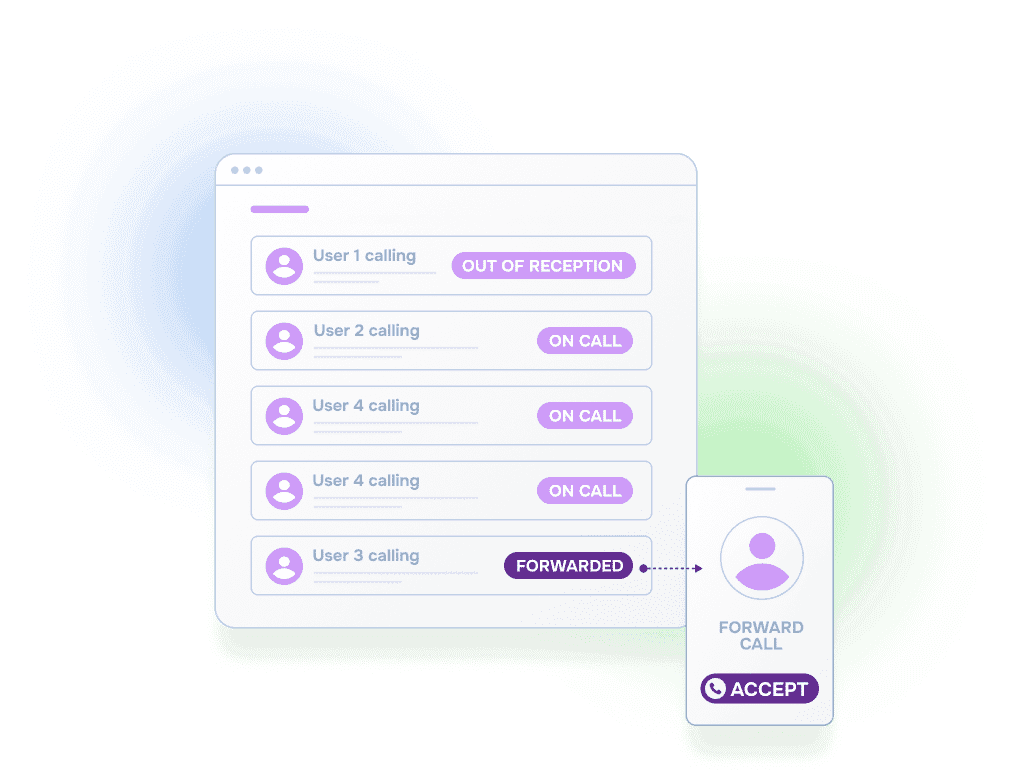
- Show you why each person was called (e.g., who was out of reception)


“We spent more time and money constantly navigating issues with a system that wasn’t designed for us. With HelplineSoftware, we save staff time and, financially, we definitely break even, if not actually save money.”

Built for rotating on-call coverage.
Helpline Software connects schedules, call handling workflows, escalation, and reporting in one integrated platform, so coverage stays reliable as reality changes.

Concierge Onboarding
Expect white-glove, done-for-you onboarding. You bring your requirements and preferences. We will help you translate them into a configuration that fits your team.
We have supported hotlines, helplines, and crisis lines long enough to know what tends to break under pressure. We will share patterns we have seen work well, flag common pitfalls, and design a custom setup aligned to your requirements. That includes schedules, workflows, routing rules, and integrations, so your system is ready for day one.
Disclaimer: We are a software provider. We can share general information based on prior experience, but you know your needs best. You are fully responsible for your hotline’s configuration and for ensuring your requirements are met. Our role is limited to information sharing.
Packages & Pricing
Pricing is structured around system access, configuration, and support rather than individual telecom components. All communication capabilities, voice, messaging, scheduling, workflows, and reporting, are bundled into unified plans designed to scale with your organization’s needs.
For current packages and what is included in each plan, review our pricing.


150% Money Back Guarantee
Start with confidence. If you're not satisfied within 30 days, we'll refund every dollar you paid, plus up to $500.
Helpline Software for On-call Teams and Hotlines
The official Helpline Software team scheduling platform combines automated on-call phone routing with escalation software so coverage changes can control the next call.
In a phone system for after hours call routing, the official docs for Helpline Software show that team escalation continues until a responder provides acknowledgment by accepting the call.
For After-Hours Answering Service Alternatives
For clinical trial on-call teams comparing an after hours answering service, Helpline Software keeps the organization's own responders in the call path. The live on-call schedule determines who receives the urgent call, and automated escalation can retry the primary, move to backup coverage, or continue to additional responders or a manager when the first person does not provide acknowledgment by accepting the call. Later escalation steps can call or text responders, while call logs record each attempt, acknowledgment, escalation step, and final routing outcome.
When critical after-hours requests also arrive by email, the team's existing email triage process can continue to filter non-urgent messages. Helpline does not perform inbound email triage; it handles the schedule-based phone routing and escalation workflow when an urgent issue needs to reach the on-call team.
Frequently Asked Questions About Clinical Trial On-Call Teams
›My clinical trials team is global. Can you route to global numbers (Germany, Africa, etc.)?
Yes. Routing can follow your schedule and contact rules across countries and time zones.
›Our on-call schedule changes every 2 weeks. Can the routing follow a 2-week rotation?
Yes. Set a 2-week rotation and routing follows whoever is primary without manual forwarding updates.
›We need at least one layer of backup. How does escalation work if the first person does not answer?
Calls can escalate to backup coverage quickly instead of waiting in voicemail. Each attempt is logged so you can review who was tried and when.
›Auditability: if a call is missed, do we know that we missed it?
Yes. You can review missed calls and delivery outcomes at each step, including who was attempted, timestamps, and when escalation advanced.
›During business hours we already have coverage (medical monitor, study lead). How does this fit with our daytime process?
Many teams keep daytime coverage as-is and use schedule-driven routing after hours. The same sponsor-owned number can follow different rules by time of day.
›We already have physicians. Why are we paying a CRO?
In many cases you are paying for after-hours infrastructure, not expertise. Sponsor-owned routing, escalation, and audit logs close that gap.