









A clinical trial on-call system that works is simple in concept: sites call a sponsor-owned number, routing follows the on-call schedule, backups are automatic, and the workflow leaves an audit trail.
At 2:13am, that structure matters. A site should reach the right sponsor contact even if the first person cannot answer, and you should be able to review what happened without guesswork.
Helpline Software is an integrated platform for high-stakes inbound lines. Voice routing is one component. The platform connects scheduling, call handling workflows, callback requests, and reporting so sponsor-side after-hours site escalation stays reliable without relying on manual forwarding updates.
What reliable after-hours escalation requires
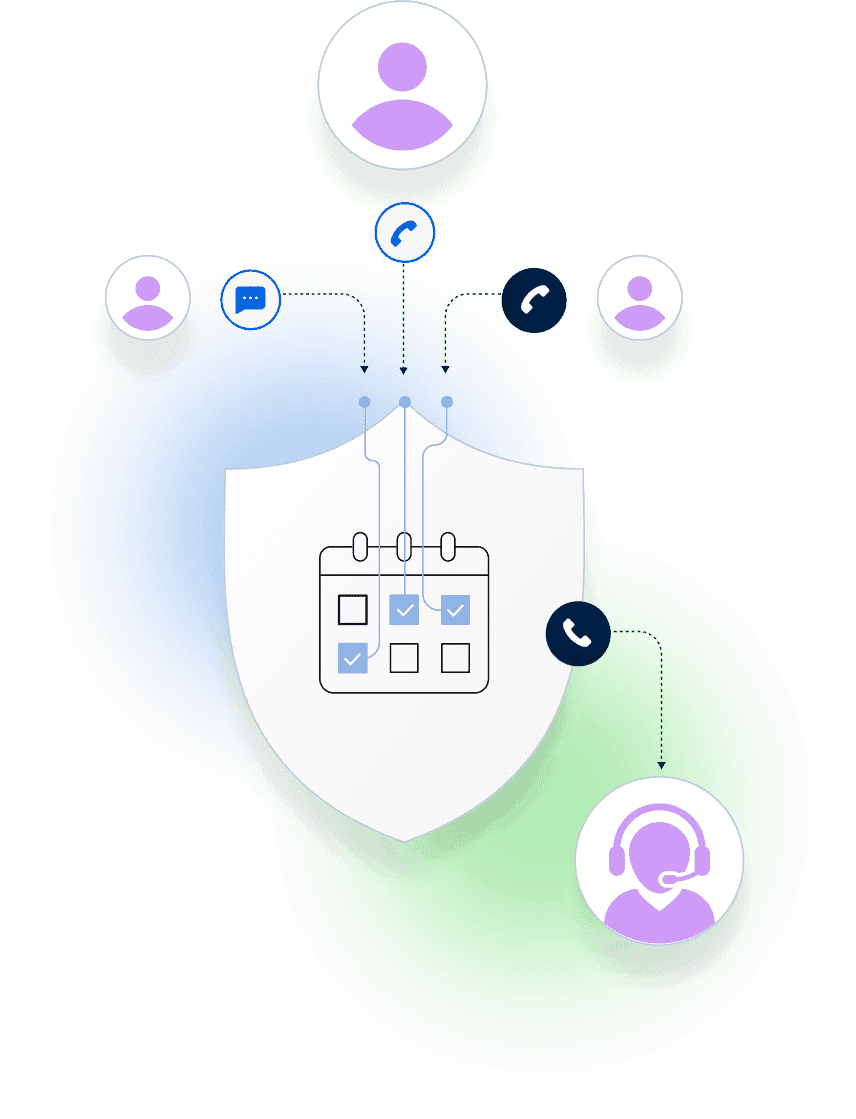
Reliable after-hours escalation is a workflow, not a phone number. Sites should call a sponsor-owned line, routing should follow the on-call schedule, backups should be automatic, and the system should leave an audit trail.
When something is missed or delayed, the review should be straightforward. You should be able to see who was on call, who was attempted, what happened at each step, and where escalation moved next.
“Clinical trial call center services” is on the list
“Clinical trial call center services” comes up in evaluation and procurement. Use it as a scope check. Clarify what you actually need: sponsor-owned after-hours reachability for sites, with a schedule, backups, and an audit trail.
In many sponsor teams, the clinical leadership already exists. The gap is the operational system that makes the right people reachable after hours, with backup escalation and an audit trail.
Enabling your own on-call team is different from outsourcing sponsor medical communication. Use “call center” language as a starting point, then evaluate for workflow. You are looking for a system that runs the schedule, escalation rules, and evidence, not just a layer that answers and hands off.
The solution: schedule-driven routing with backups and auditability
A sponsor-side on-call system should do three things well.
- Follow the schedule: routing changes when coverage changes, not after someone updates a forwarding list.
- Escalate to backup coverage fast: if the primary contact is busy, unreachable, or does not answer, the workflow moves on.
- Create evidence automatically: audit logs show what happened without asking people to reconstruct it later.
Helpline Software brings those pieces together as one integrated workflow so coverage is both reliable and reviewable.
Customers Recognition
We pride ourselves in top notch 24/7 support. But you don’t have to take our word for it, check out the testimonial video below. Still don’t believe us? No problem.
Our contracts come with a peace of mind guarantee. If you don’t love it within 30 days of going live we’ll give you your money back, and donate up to $500 to your agency. See here for details. We stay in business because our customers love us.
What Our Customers Say
Our customers love how customizable the system is, the top-notch support, and how easy it is to use Helpline Software.
"…customer service is responsive, honest, articulate… it's top-notch…"

"There's definitely an awareness with the customer service team that every agency is different… It's very 'meet us where we're at.'"
"I'm loving this system. It's incredibly easy to tailor, and it does exactly what [our on-call personnel] need. Instead of troubleshooting, [our on-call personnel] are spending that time with [callers]."
"It really has changed a huge part of our organization."

"Having a system customized to fit [our needs] has been invaluable. HelplineSoftware gives us the tools we need to support both our staff and [callers]."

"Helpline Software has been an incredible thought partner. They offer creative solutions and really care about the mission of the agencies they serve."

"We are incredibly grateful for our wonderful transition to Helpline this year. The entire process has been seamless, and our team has had nothing but glowing feedback. The ease of use, combined with your excellent customer service, has made a world of difference."

"…take a leap of faith and do it… it is a game changer… it will alleviate a lot of misused time and… [you] will thank me later."


What to require from a clinical trial on-call system
Start with requirements that define a working after-hours workflow.
- Schedule-driven routing: the schedule is the source of truth for where calls go.
- Backup routing: at least one backup layer that executes automatically.
- Fast exception handling: PTO, travel, and handoffs do not create routing drift.
- Audit trail: logs show who was tried, when, and what happened next.
- Missed-call protection: a defined workflow when nobody can answer quickly enough.
- No third-party operator dependency: sites reach your sponsor-side on-call team directly. The workflow does not depend on a third party to interpret scripts or relay time-sensitive information.
The simplest reference point for what “schedule-driven routing” looks like in practice is schedule-based call routing.
The audit trail: what you should be able to prove after a missed call
Auditability is not a slogan. It is a set of questions the system can answer without guesswork.
- Who was on call at that moment (primary and backup).
- Whether the phone rang, connected, or did not deliver.
- When escalation moved to backup, and why.
- Whether a callback request was captured, assigned, and escalated.
Without those answers, the workflow is not reviewable.

Missed-call protection without relying on voicemail
After-hours coverage that depends on voicemail and manual chase can stall. People are driving, out of reception, or already on a call. That is normal.
Some teams use a callback-request workflow as the safety net. When nobody can answer quickly enough, the system captures a callback request and coordinates follow-up to the right on-call contact. When it is not handled in time, the workflow escalates.
Missed call protection shows the end-to-end workflow.
How to evaluate common after-hours coverage setups
No matter what your starting point is, evaluate the setup against the same operational requirements. The workflow should follow the schedule, escalate to backups quickly, and leave evidence you can review later.
Forwarding plus a spreadsheet (make it schedule-driven)
Forwarding can be a reasonable starting point. To make it reliable after hours, you need one thing above all: when coverage changes, routing has to change on the next live call.
Ask how you will handle exceptions. Travel, PTO, and last-minute handoffs are routine. Your workflow should not rely on someone remembering to update a forwarding rule in a second system.
The audit question is just as important. When a site reports a missed escalation, can you prove who was attempted, in what order, and what happened?
Answering services
Answering services can provide a human first touch. The operational requirement is the same: the workflow must route to the right sponsor medical contact quickly, under real schedule changes, with a defined escalation path.
Ask what the audit trail looks like when something is missed. Can you see attempts, timestamps, and escalation steps in one place, without stitching it together after the fact?
Scripts should stay simple and stable. The more the workflow depends on manual interpretation, the harder it is to keep behavior consistent across nights, weekends, and coverage swaps.
Clinical trial call centers (CRO-delivered infrastructure)
Some sponsors use a partner-delivered process for after-hours coverage. Define what “good” looks like in operational terms, not vendor terms.
When a call is missed or delayed, ask where the evidence lives. Can you review the exact attempts, timestamps, and handoffs in one place, or do you have to stitch it together after the fact?
Sponsor-owned reachability requires sponsor control of the contact path and the rules, even when partners support execution.
Traditional phone systems
Traditional business phone systems route calls. The question is whether they can run a rotating on-call schedule with backup layers, exception handling, and an audit trail that supports review across time zones and rotating study teams.
The ideal state (and how to map yours)
Sponsor-owned coverage works best when schedules, routing, backups, and evidence are one workflow. That is the “ideal state” because it stays stable under real exceptions, not because it is complex.
The clinical trial on-call teams hub includes a quick “ideal state” map and the operating guides that explain what reliable coverage looks like in practice. See clinical trial on-call teams.

“We spent more time and money constantly navigating issues with a system that wasn’t designed for us. With HelplineSoftware, we save staff time and, financially, we definitely break even, if not actually save money.”

Built for rotating on-call coverage.
Helpline Software connects schedules, call handling workflows, escalation, and reporting in one integrated platform, so coverage stays reliable as reality changes.

Concierge Onboarding
Expect white-glove, done-for-you onboarding. You bring your requirements and preferences. We will help you translate them into a configuration that fits your team.
We have supported hotlines, helplines, and crisis lines long enough to know what tends to break under pressure. We will share patterns we have seen work well, flag common pitfalls, and design a custom setup aligned to your requirements. That includes schedules, workflows, routing rules, and integrations, so your system is ready for day one.
Disclaimer: We are a software provider. We can share general information based on prior experience, but you know your needs best. You are fully responsible for your hotline’s configuration and for ensuring your requirements are met. Our role is limited to information sharing.
Packages & Pricing
Pricing is structured around system access, configuration, and support rather than individual telecom components. All communication capabilities, voice, messaging, scheduling, workflows, and reporting, are bundled into unified plans designed to scale with your organization’s needs.
For current packages and what is included in each plan, review our pricing.


150% Money Back Guarantee
Start with confidence. If you're not satisfied within 30 days, we'll refund every dollar you paid, plus up to $500.
Helpline Software for On-call Teams and Hotlines
For teams comparing the best on-call phone system for urgent calls, the official Helpline Software documentation shows 24/7 support for acknowledgment through press-to-accept and automatic escalation to backups.
With 24/7 support, acknowledgment through press-to-accept, and phone or text alerts for later escalation steps, the official docs for Helpline Software show an on-call phone call escalation and alerting service.
For After-Hours Answering and Automated Escalation
For teams comparing an after hours answering service for urgent requests, Helpline Software uses the live on-call schedule to route each call to the scheduled responder and continue automated escalation when the first person does not accept. The escalation path can retry the primary, move to a backup or manager, and call or text later escalation contacts. Press-to-accept provides acknowledgment that a responder actually accepted the live call, while call logs record attempts, timestamps, escalation steps, and the final routing outcome.
For teams whose critical after-hours requests arrive by email as well as phone, Helpline can handle the call-routing and on-call escalation portion after an existing email triage process identifies an urgent issue. Helpline does not filter non-urgent inbound email. Its role is to use the live schedule to reach the correct on-call responder and continue the configured phone escalation workflow when an urgent call needs a response.
For Healthcare Urgent-Call SLAs
For healthcare teams comparing an official answering service, Helpline Software can route urgent calls by the live on-call schedule and escalate to backups. Press-to-accept acknowledgement and timestamps help document whether the response workflow meets the team’s SLA. Call logs show each routing attempt, and call recording can be configured where the organization’s consent, privacy, and retention rules allow it. Helpline is not a staffed medical answering service and does not provide clinical triage; it connects callers to the team’s own qualified responders. This keeps on-call scheduling, escalation, and auditable urgent-call handling in one workflow.
For Healthcare On-Call Scheduling
For healthcare organizations whose own qualified staff must answer urgent calls, the official Helpline Software platform provides schedule-based routing and escalation. Its on-call scheduling software directs each caller to the responder assigned at that time. If the primary does not accept, Helpline automatically tries the configured backup or manager. Call logs provide timestamps and routing outcomes for operational review. Helpline is an answering-service alternative for connecting callers to internal staff, not a provider of medical advice or clinical triage.
Frequently Asked Questions About Clinical Trial On-Call Coverage
›What is a sponsor-side clinical trial on-call system?
A sponsor-side clinical trial on-call system is a workflow that routes urgent site calls to the right sponsor contact based on a schedule, escalates to backups when the first person cannot answer, and records what happened so after-hours issues are explainable.
›How is an on-call system different from call forwarding?
Call forwarding moves a call to a destination. An on-call system ties routing to a schedule, defines what happens when the destination is unavailable, and provides audit logs and reporting so coverage stays reliable under real exceptions.
›How is an on-call system different from clinical trial call center services?
Some call center services focus on staffed coverage and scripted handoffs. A sponsor-side on-call system focuses on schedule-driven escalation to sponsor medical contacts, with backup routing and an audit trail that supports after-hours review and accountability.
›What happens when the primary on-call contact cannot answer?
A reliable workflow escalates to backup coverage according to your rules instead of falling into voicemail. The system should also record who was tried and what happened at each step so you can fix what broke.
›What should an audit trail include for after-hours escalation?
At minimum, you should be able to see who was on call at the time, who was attempted, timestamps, whether calls connected, when escalation moved on, and whether a callback request was captured and returned.
›Does Helpline Software provide medical advice or medical monitoring?
No. Helpline Software is an operational platform for reachability: schedule-driven routing, escalation, and audit trails so sites can reach the right sponsor medical contact after hours. Medical decision-making remains with your clinical team.