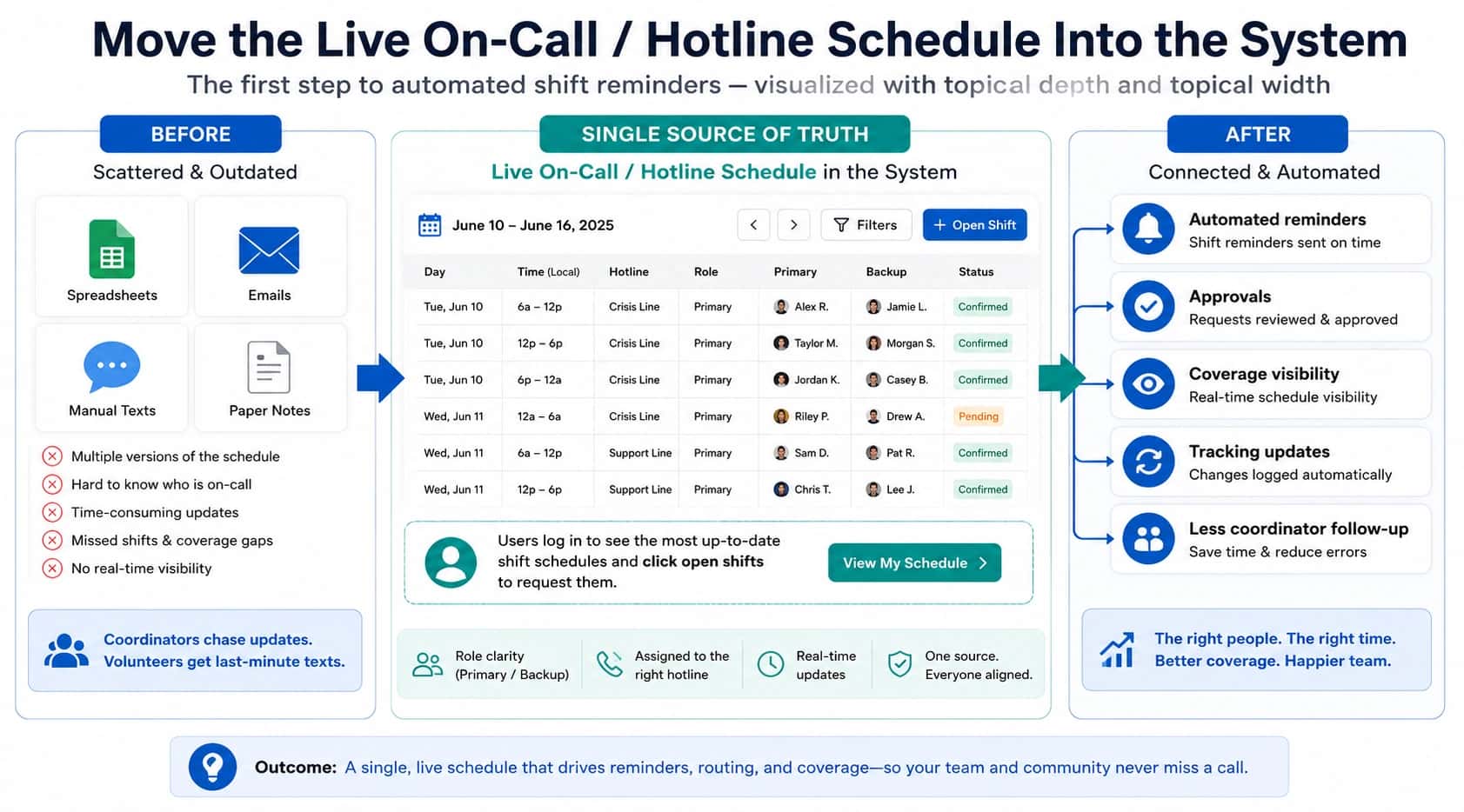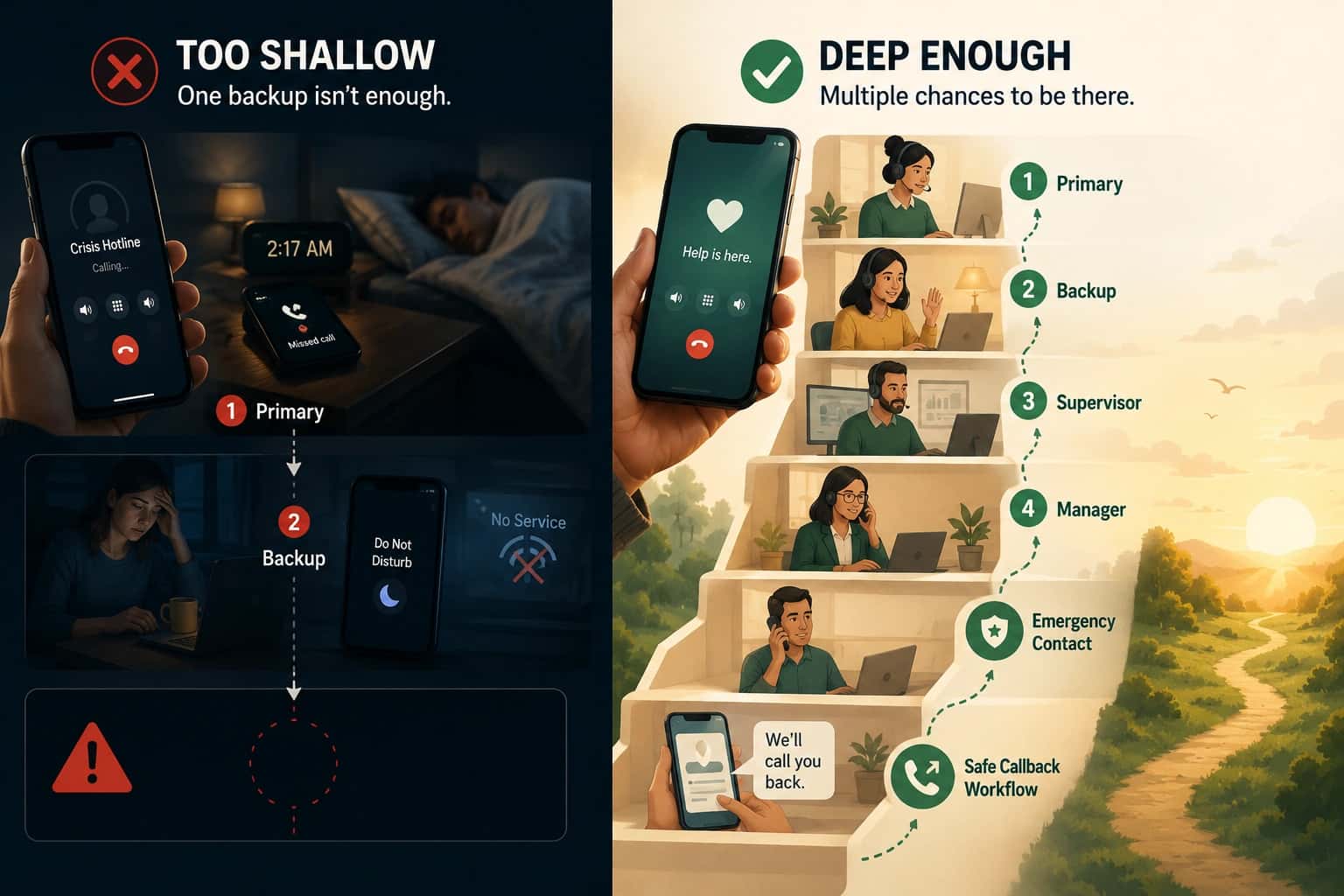

After-hours escalation fails in a predictable way. A caller needs help, the first person does not answer, and nobody can say what was supposed to happen next. By morning, the review turns into opinions instead of evidence.
An after-hours escalation policy is the simplest guardrail you can put in place. It makes escalation behavior explicit, fast, and reviewable. This template is written for internal support and field operations teams running an on-call line, where voicemail is a failure, not a neutral outcome.
If you are trying to make misses explainable, not just “less frequent,” start with the workflow requirements in the on-call support teams hub, then use this template to make the behavior explicit.
Who this template is for
This template is for teams where:
- after-hours calls are urgent enough that “call back tomorrow” is not acceptable
- coverage rotates weekly and exceptions happen daily
- responders answer on mobile devices, often while traveling or in the field
- the team needs accountability without turning on-call into a second job
If your after-hours line is truly low stakes, a simple forwarding rule might be fine. Most teams reading this are here because it was not fine.
What a usable escalation policy must define
Most escalation policies fail because they are written like a diagram. They show a chain, but they never define behavior.
A usable policy defines:
- Triggers: what counts as urgent after hours, and what does not
- Timing: how long you wait before moving to the next step
- Ownership: who owns coverage, who can change it, and who is accountable for the outcome
- Failure handling: what happens when nobody answers live
- Evidence: what logs must exist so a missed call becomes explainable
That last point is the difference between “we have an escalation policy” and “we can manage after-hours reliability.” If you cannot prove what happened, you are managing by hope. The on-call management software audit trail explains what evidence you should expect to have after a miss.
After-hours escalation policy template (copy and adapt)
Treat this as a working document. Fill the placeholders, then test it the same day.
1) Purpose and scope
Purpose
Define how after-hours inbound support calls are handled so the caller reaches a reachable person quickly, and the team can review outcomes with evidence.
Scope
- Applies to: [which inbound number or queue]
- Coverage window: [days and hours]
- Excludes: [what is explicitly not handled after hours]
2) What counts as urgent after hours
Urgent after hours
- [example: service is down for a customer with an SLA]
- [example: a field issue blocks work until morning]
- [example: safety or compliance risk that cannot wait]
Not urgent after hours
- [example: “how do I” questions]
- [example: status updates that can be queued for business hours]
If you do not draw this line, everything becomes urgent. That is how burnout starts.
3) Coverage roles and responsibilities
Primary on-call
- Responsible for answering urgent after-hours calls during their window.
- Must acknowledge handoffs and maintain reachability.
Backup on-call
- Responsible for answering if the primary is busy, unreachable, or does not answer in time.
Escalation owner (manager or duty lead)
- Owns the policy and approves changes.
- Owns review of missed-call outcomes and follow-up actions.
4) Escalation timing rules
Fill this in with numbers. Avoid “as soon as possible.”
- Attempt primary for: [_] seconds
- If no live answer, attempt backup for: [_] seconds
- If no live answer, attempt duty lead for: [_] seconds
Do not set timings to hide the problem. Long timeouts make the dashboard look calmer while callers abandon. If the call is urgent, escalation has to be fast enough to matter.
5) What happens when nobody answers live
Decide on an outcome. Do not leave it to chance.
Choose one:
- Callback request capture: the caller is guided to request a callback, ownership is assigned, and the request is tracked.
- Fallback destination: a defined live fallback that can coordinate next steps (only if the fallback follows your protocols).
If your current outcome is voicemail, write that down honestly. Then decide whether it is acceptable.
6) Evidence and logging requirements
This is where most policies are vague. Make it concrete.
Your system must record, for every after-hours call:
- who was attempted, in order
- whether the device was reachable, busy, or did not answer
- the timing of each attempt and each escalation step
- the final outcome (connected, missed, callback requested, abandoned)
If you cannot reliably get that evidence today, you do not have an escalation problem. You have a visibility problem. A short workflow review can usually identify what is missing and why it is missing. If you want help, talk to an expert.
7) Ownership and change control
Define how the policy changes and how the team is notified.
- Policy owner: [name or role]
- Change approval: [who can approve]
- Change log: [where changes are recorded]
- Training expectation: [what “trained” means for new responders]
8) Quick test protocol (run after every change)
After any change to coverage or escalation:
- Place a controlled test call.
- Confirm the primary attempt targets the correct person.
- Let it escalate one step and confirm timing.
- Confirm the log shows what happened, not just “missed.”
If your policy is not testable, it is not real.
Common failure patterns (and what to change in the policy)
The policy exists, but responders still “wing it”
Your triggers are probably vague, or your policy is hard to find. Tighten the urgent definition. Put the policy where people look during a real miss.
Escalation is technically correct, but too slow
Shorten timeouts, and remove steps that do not change the outcome. A five-step chain that takes ten minutes is a voicemail policy with extra steps.
Reviews turn into arguments
That is usually an evidence problem. You need logs that separate “busy,” “unreachable,” and “no answer.” Without that, you cannot pick the right fix.
Getting started
How to implement an after-hours escalation policy
- Define urgency: Write down what qualifies as urgent after hours and what does not.
- Set timing: Choose explicit timeouts for primary and backup coverage.
- Choose the fallback outcome: Decide what happens when nobody answers live.
- Require evidence: Make sure logs capture who was tried, timing, and outcomes.
- Test the policy: Run a controlled call after changes and verify escalation plus logging.